
新中華ミニマリスト花卉イラスト
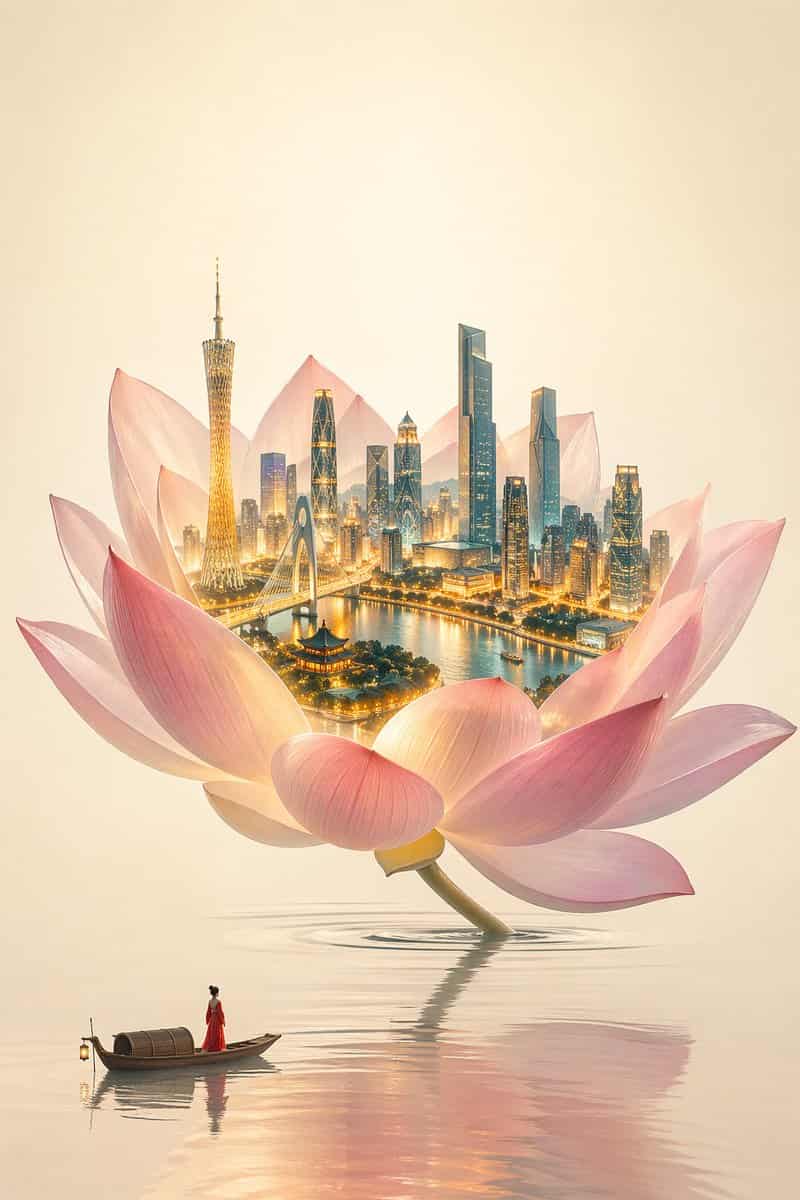
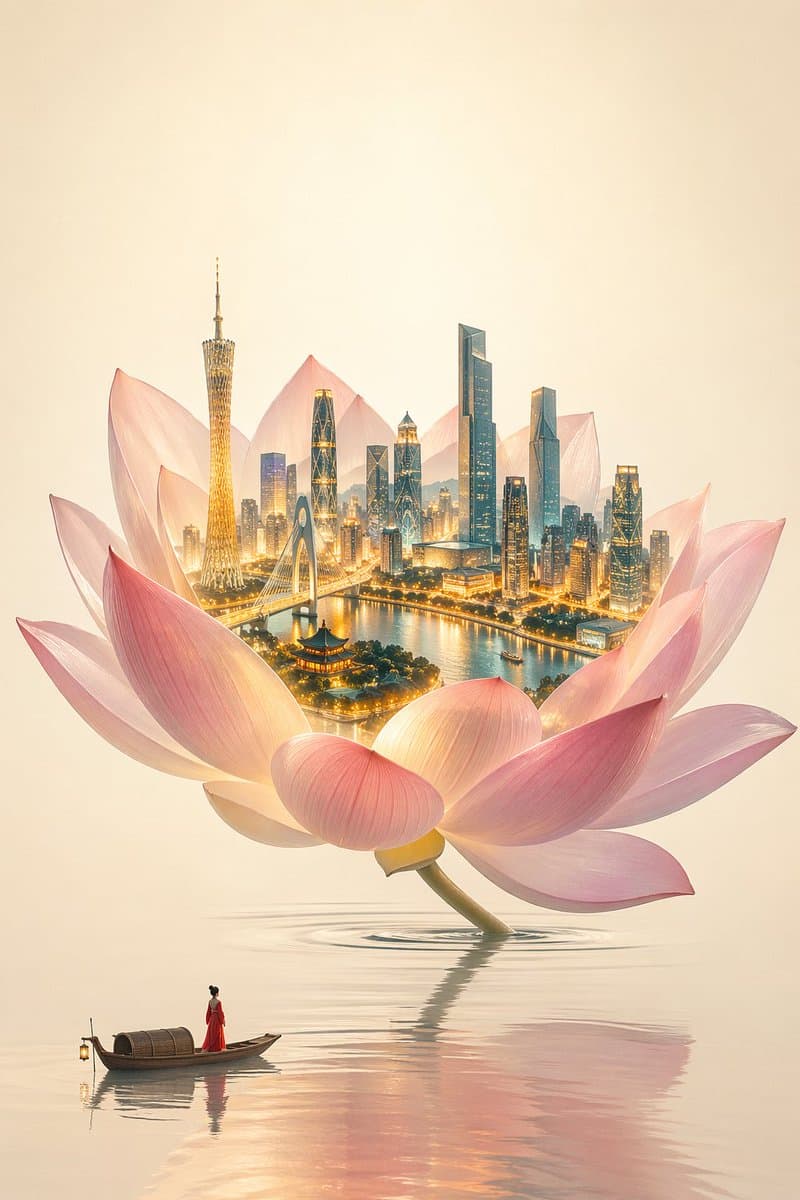
新中華ミニマリスト東洋美学 × 高級商業イラスト、テーマは「一花一世界」。 ミニマル、抑制、空霊、高級商業ビジュアル、シュールな東洋意境。 画面はクリーンで透明感があり、灰霧なし、汚れた色なし。 巨大な蓮の花が空間の容器として、静かな水面から自然に成長し、わずかに傾き、構図は優雅で十分な余白がある。 低彩度のクリーンなピンク、柔らかな胭脂調、花びらは半透明、軽やかで透明、 マット低コントラスト、エッジソフト+わずかな被写界深度。 蓮の…
プロンプト
新中華ミニマリスト東洋美学 × 高級商業イラスト、テーマは「一花一世界」。 ミニマル、抑制、空霊、高級商業ビジュアル、シュールな東洋意境。 画面はクリーンで透明感があり、灰霧なし、汚れた色なし。 巨大な蓮の花が空間の容器として、静かな水面から自然に成長し、わずかに傾き、構図は優雅で十分な余白がある。 低彩度のクリーンなピンク、柔らかな胭脂調、花びらは半透明、軽やかで透明、 マット低コントラスト、エッジソフト+わずかな被写界深度。 蓮の花の内部が唯一の視覚焦点: 発光する3Dミニチュア広州都市、含むもの: 広州タワー、珠江新城建築群、猟徳大橋、珠江岸、少量の嶺南建築。 都市は超精細構造、リアル素材、極めて高いディテール解像度、都市のハイライトは暖金色、都市の影は寒色青藍、寒暖対比を形成。 光は透明感とエネルギーを持ち、局所的に高彩度だが氾濫しない、都市の輝度は蓮の花より明らかに高い。 水面は清澄でミニマル、平静、わずかな柔らかな波紋のみ、弱い反射。 背景は暖米白の宣紙質感、水墨なし、筆触なし、大面積の余白。 中心にはごくわずかな光暈グラデーション、全体は透明、灰なし、こもらない。 画面下部に極めてミニマルな小舟、舟上に赤衣の漁女、極小の比率、 静かに立ち蓮の花を仰ぎ見る、赤色が唯一の高純度のアクセント。 全体の光線は透明、清潔、層次があり、灰霧なし、白飛びなし。 高級CG商業イラスト、映画級リアル光影、ハイダイナミックレンジ、超精細、8Kディテール、ArtStation級画質、強化分色、クリーンな色調整、青橙コントラスト、暖ハイライト寒シャドウ、都市灯光のみ彩度を上げる、色調は柔らかく透明、光影は鋭く明るい、灰霧なし、暗沈なし、低彩度霧化なし。
このプロンプトの使用方法
生成する前に、完全な 新中華ミニマリスト花卉イラスト プロンプトを読み、主題、スタイル、カメラ、照明、構成の要件を特定してください。
括弧で囲まれたプレースホルダーまたは引数スタイルのプレースホルダーを、製品、キャラクター、ブランド、シーン、カラーパレット、またはアスペクト比の要件に置き換えます。
https://www.gptimagehub.com/ja/generate?promptId=cmogwxi95008dzpdy6fkfsvsb を開いて画像を生成し、必要に応じてより具体的な件名、テキスト、レイアウト、または否定的な制約を使用してプロンプトを調整します。
プロンプトFAQ
新中華ミニマリスト花卉イラスト プロンプトは何に最適ですか?
このプロンプトは、再利用可能な構造、詳細な視覚的方向性、一貫した出力品質が必要な ui / ux デザイン 画像に最適です。
生成する前にプロンプトを編集できますか?
はい。このページには完全なプロンプト テキストが表示されるため、生成前に件名、製品名、色、構成、カメラ用語、アスペクト比、スタイル メモを変更できます。
このプロンプトではどのモデルを使用すればよいですか?
プロンプトのメタデータに示されているモデルをデフォルトの開始点として使用します。別の画像モデルが同じアスペクト比と指示スタイルをサポートしている場合は、プロンプトを調整して結果を比較できます。