
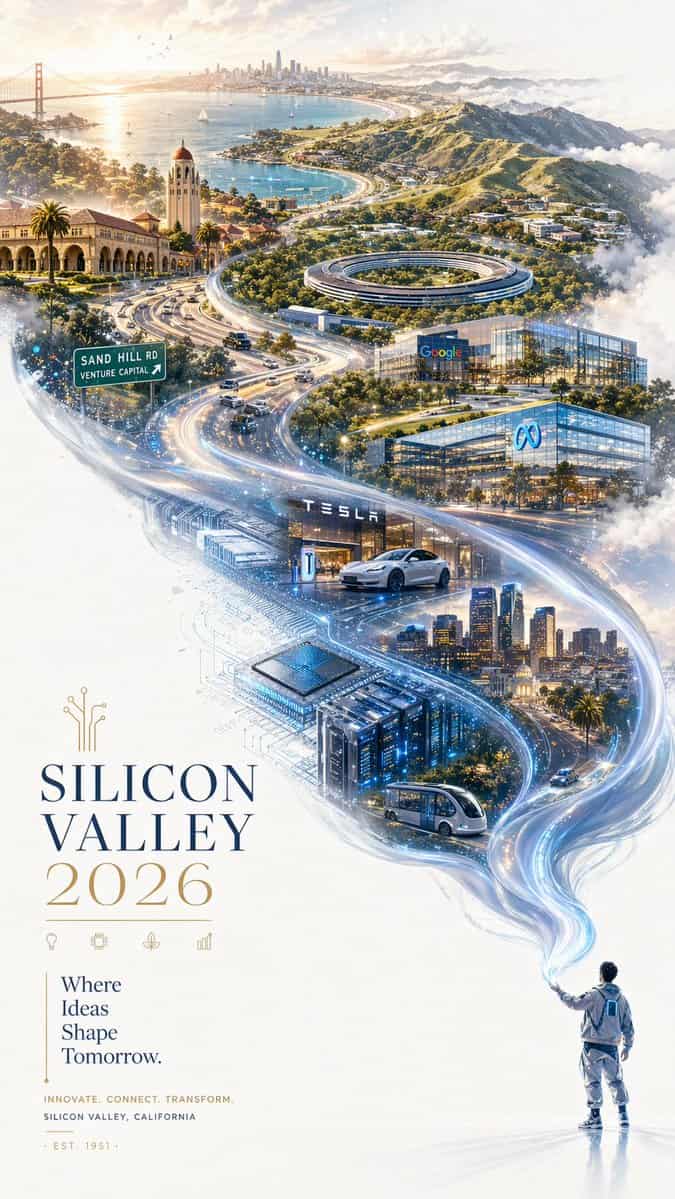
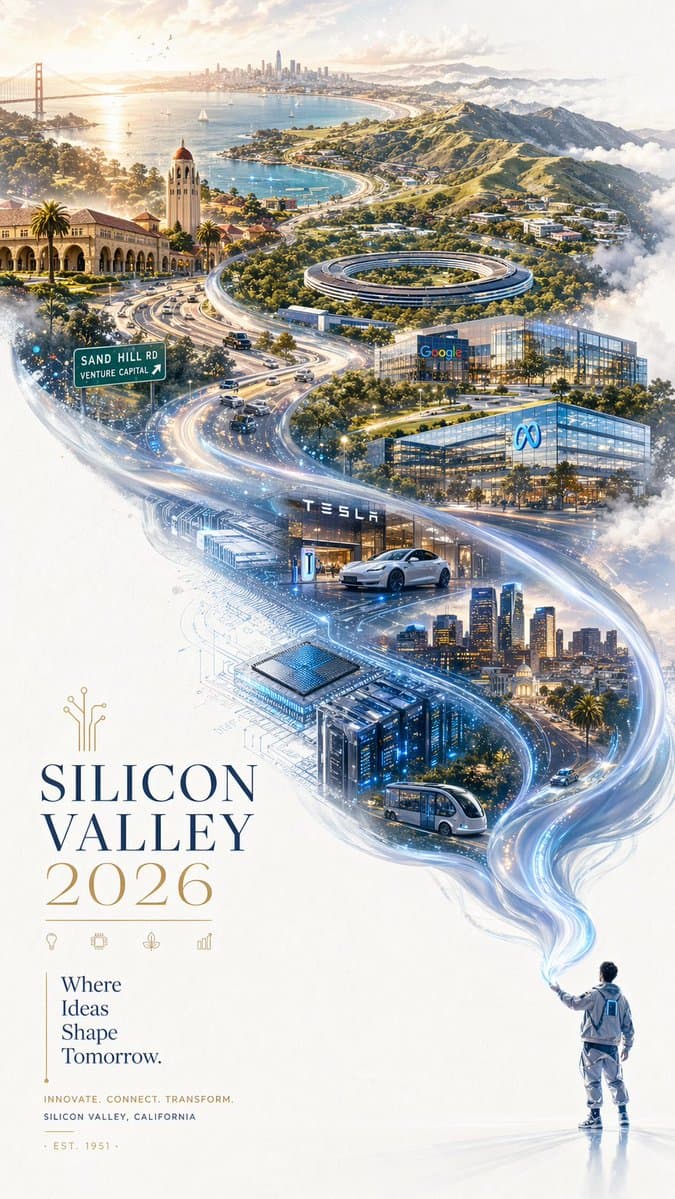
シリコンバレー2026プロモポスター
未来的でありながらエレガントな雰囲気を持つ、洗練された2026年シリコンバレー都市プロモーションポスター。 二重露光構図で、S字型の流動感を保持。純白の質感のある背景の右下隅に、洗練されたモダンなテックウェアを着た小さな人物が、長く輝くシルバーブルーの光のリボンを放っている。リボンは優雅に空気中を流れ、柔らかなシルクのような質感を見せ、左上に向かって漂う中で、波打つ丘陵、海岸線、データストリーム、輝く都市の地形からなる壮大な風景に魔法…
プロンプト
未来的でありながらエレガントな雰囲気を持つ、洗練された2026年シリコンバレー都市プロモーションポスター。 二重露光構図で、S字型の流動感を保持。純白の質感のある背景の右下隅に、洗練されたモダンなテックウェアを着た小さな人物が、長く輝くシルバーブルーの光のリボンを放っている。リボンは優雅に空気中を流れ、柔らかなシルクのような質感を見せ、左上に向かって漂う中で、波打つ丘陵、海岸線、データストリーム、輝く都市の地形からなる壮大な風景に魔法のように変容する。 この流れる「光の川」の中に、シリコンバレーの手描きパノラマ地図を重ね、テクノロジー、自然、革新、カリフォルニアの陽光を融合させる。シーンは先見的、広大、洗練、インスパイアリング。 シリコンバレーとベイエリアの象徴的要素を含む: スタンフォード大学のアーチ、Apple Park、Googleキャンパス風建物、Meta風ガラスオフィス、Tesla風イノベーションイメージ、Sand Hill Roadのベンチャーキャピタルオフィス、パロアルトの並木道、サンノゼのスカイライン、サンタクルーズ山地、サンフランシスコ湾、高速道路、自動運転車、スタートアップラボ、半導体パターン、AIデータセンター、控えめな回路基板テクスチャ。 柔らかな霧、ゴールデンなカリフォルニアの光、浮かぶ雲、繊細なデジタル粒子に囲まれている。色彩豊か、構造複雑、高精細、壮大で息を呑むようでありながら、大面積の余白のおかげで依然としてフレッシュでミニマル。 左下隅にはエレガントなタイポグラフィで「SILICON VALLEY 2026」、垂直のプロモスローガン「Where Ideas Shape Tomorrow.」。美しいエディトリアルレイアウト、優雅な間隔、明確で完全な文字、プレミアム都市ブランディングポスター、シネマティックライティング、洗練されたディテール、9:16アスペクト比。
このプロンプトの使用方法
生成する前に、完全な シリコンバレー2026プロモポスター プロンプトを読み、主題、スタイル、カメラ、照明、構成の要件を特定してください。
括弧で囲まれたプレースホルダーまたは引数スタイルのプレースホルダーを、製品、キャラクター、ブランド、シーン、カラーパレット、またはアスペクト比の要件に置き換えます。
https://www.gptimagehub.com/ja/generate?promptId=cmogwu2h5003pzpdyklf9cfn9 を開いて画像を生成し、必要に応じてより具体的な件名、テキスト、レイアウト、または否定的な制約を使用してプロンプトを調整します。
プロンプトFAQ
シリコンバレー2026プロモポスター プロンプトは何に最適ですか?
このプロンプトは、再利用可能な構造、詳細な視覚的方向性、一貫した出力品質が必要な ポスター・イラスト 画像に最適です。
生成する前にプロンプトを編集できますか?
はい。このページには完全なプロンプト テキストが表示されるため、生成前に件名、製品名、色、構成、カメラ用語、アスペクト比、スタイル メモを変更できます。
このプロンプトではどのモデルを使用すればよいですか?
プロンプトのメタデータに示されているモデルをデフォルトの開始点として使用します。別の画像モデルが同じアスペクト比と指示スタイルをサポートしている場合は、プロンプトを調整して結果を比較できます。