
プロンプト
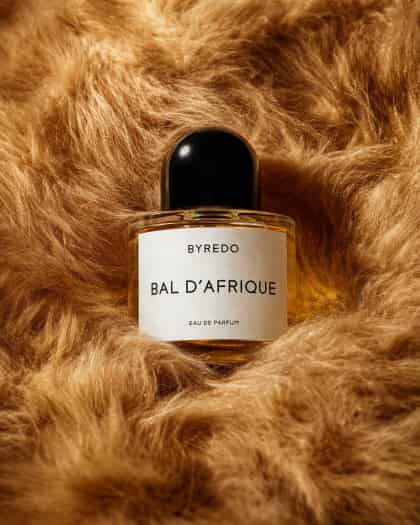
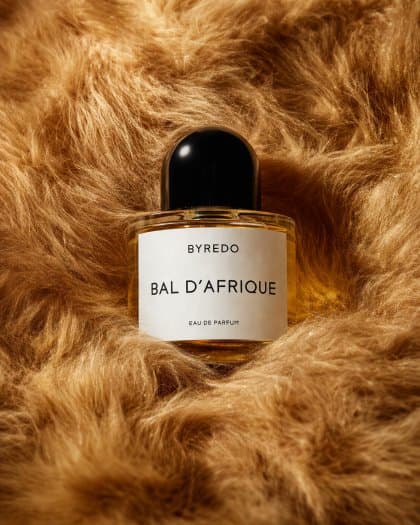
豊かなゴールデンキャラメルとハニーブラウンのトーンの密集した豪華なフェイクファーに包まれた、1本の香水ボトルの豪華なエディトリアル製品写真。構図の中央に、温かみのあるアンバー液体で満たされた1本の透明な楕円形ガラスボトルを配置し、艶やかな丸い黒いキャップと清潔な白い長方形ラベルを持たせる。ラベルのテキストは、上部に{argument name="brand name" default="BYREDO"}、中央に大きく{argument name="product name" default="BAL D'AFRIQUE"}、下部近くに小さく{argument name="product type" default="EAU DE PARFUM"}と書く。柔らかなスタジオ照明、ガラスとキャップの繊細なハイライト、ファーの折り目の優しい影、暖かいシネマティックな色彩パレットでクローズアップの静物として撮影する。ボトルはファーにわずかに埋め込まれるように配置し、周囲の質感が四方からそれを取り囲むようにし、プレミアムなファッションエディトリアルムード、ミニマルな構図、浅い被写界深度、ラベルへの鮮明なフォーカス、そしてハイエンドのビューティーキャンペーン美学を作り出す。
このプロンプトの使用方法
生成する前に、完全な ゴールデンファーの中のエディトリアル香水ボトル プロンプトを読み、主題、スタイル、カメラ、照明、構成の要件を特定してください。
括弧で囲まれたプレースホルダーまたは引数スタイルのプレースホルダーを、製品、キャラクター、ブランド、シーン、カラーパレット、またはアスペクト比の要件に置き換えます。
https://www.gptimagehub.com/ja/generate?promptId=cmogx57cb00f3zpdyro5ubkl4 を開いて画像を生成し、必要に応じてより具体的な件名、テキスト、レイアウト、または否定的な制約を使用してプロンプトを調整します。
プロンプトFAQ
ゴールデンファーの中のエディトリアル香水ボトル プロンプトは何に最適ですか?
このプロンプトは、再利用可能な構造、詳細な視覚的方向性、一貫した出力品質が必要な その他 画像に最適です。
生成する前にプロンプトを編集できますか?
はい。このページには完全なプロンプト テキストが表示されるため、生成前に件名、製品名、色、構成、カメラ用語、アスペクト比、スタイル メモを変更できます。
このプロンプトではどのモデルを使用すればよいですか?
プロンプトのメタデータに示されているモデルをデフォルトの開始点として使用します。別の画像モデルが同じアスペクト比と指示スタイルをサポートしている場合は、プロンプトを調整して結果を比較できます。