
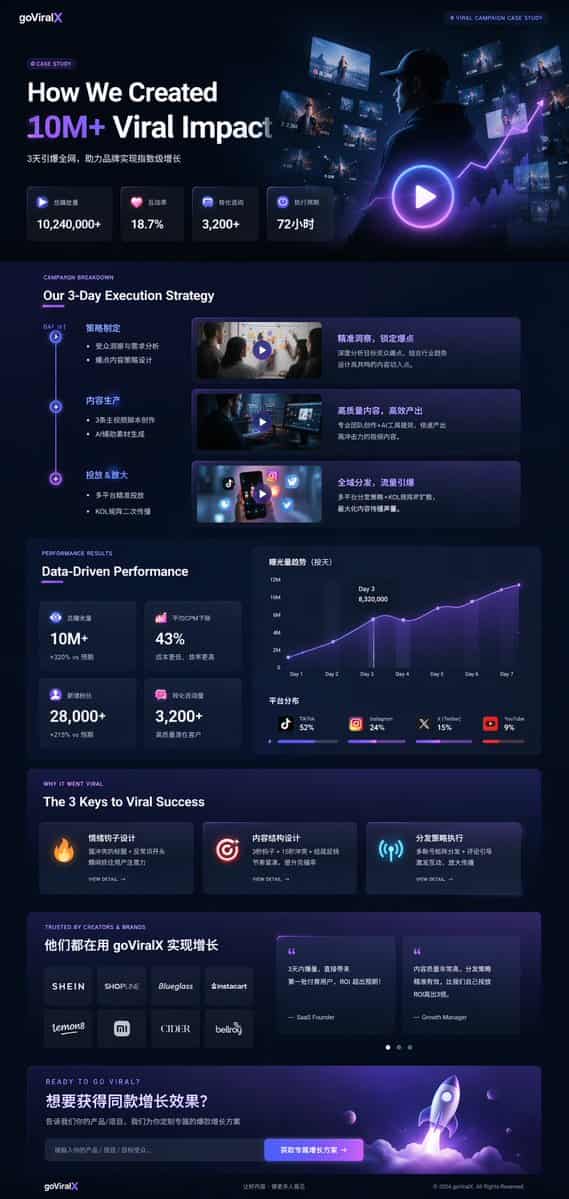
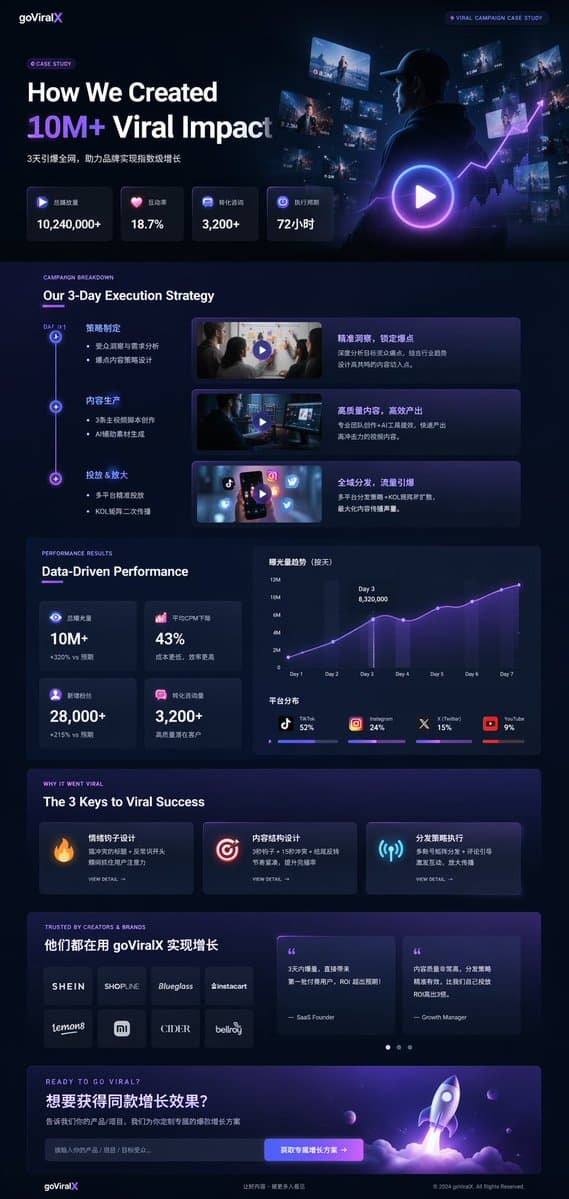
ダークモード マーケティング事例UI
{ "type": "UI/UXランディングページモックアップ", "theme": "ダークモード、洗練されたモダンな美学、グラスモーフィズム、{argument name=\"primary accent color\" default=\"neon purple and blue\"} の輝くアクセント", "header": { "logo": "{argument name=\"brand name\" default=\"…
プロンプト
{ "type": "UI/UXランディングページモックアップ", "theme": "ダークモード、洗練されたモダンな美学、グラスモーフィズム、{argument name=\"primary accent color\" default=\"neon purple and blue\"} の輝くアクセント", "header": { "logo": "{argument name=\"brand name\" default=\"goViralX\"}", "top_right_tag": "VIRAL CAMPAIGN CASE STUDY" }, "layout": { "sections": [ { "name": "Hero", "headline": "{argument name=\"hero headline\" default=\"How We Created 10M+ Viral Impact\"}", "subheadline": "3天引爆全网, 助力品牌实现指数级增长", "stats_row": { "count": 4, "labels": ["总播放量", "互动率", "转化咨询", "执行周期"], "values": ["{argument name=\"main statistic\" default=\"10,240,000+\"}", "18.7%", "3,200+", "72小时"] }, "visual": "パーカー姿の人物が光るデジタル画面とグラフを見つめるシネマティックなショット、大きな再生ボタンのオーバーレイ" }, { "name": "Strategy", "title": "Our 3-Day Execution Strategy", "layout_type": "垂直タイムライン", "steps_count": 3, "elements_per_step": ["タイムラインノード", "タイトル", "箇条書き", "再生ボタン付き動画サムネイル", "説明ボックス"] }, { "name": "Performance", "title": "Data-Driven Performance", "left_column": { "stat_cards_count": 4, "values": ["10M+", "43%", "28,000+", "3,200+"] }, "right_column": { "charts_count": 2, "chart_1": "3日目にピークを迎える7日間の成長を示す折れ線グラフ", "chart_2": "プラットフォーム分布を示す水平セグメント棒グラフ(TikTok 52%、Instagram 24%、X 15%、YouTube 9%)" } }, { "name": "Keys to Success", "title": "The 3 Keys to Viral Success", "cards_count": 3, "card_elements": ["発光アイコン(炎、ターゲット、アンテナ)", "タイトル", "説明文", "VIEW DETAIL リンク"] }, { "name": "Social Proof", "title": "TRUSTED BY CREATORS & BRANDS", "left_column": { "logos_count": 8, "grid": "2x4", "brands": ["SHEIN", "SHOPLINE", "Blueglass", "instacart", "lemon8", "mi", "CIDER", "bellroy"] }, "right_column": { "testimonial_cards_count": 2, "elements": ["引用文", "著者の肩書き(SaaS Founder, Growth Manager)"] } }, { "name": "Call to Action", "title": "READY TO GO VIRAL?", "interactive_elements": ["テキスト入力フィールド", "テキスト '{argument name=\"call to action text\" default=\"获取专属增长方案 ->\"}' を持つ発光ボタン"], "visual": "紫と青の炎を吹き出して飛び立つロケットの3Dレンダリング" } ] } }
このプロンプトの使用方法
生成する前に、完全な ダークモード マーケティング事例UI プロンプトを読み、主題、スタイル、カメラ、照明、構成の要件を特定してください。
括弧で囲まれたプレースホルダーまたは引数スタイルのプレースホルダーを、製品、キャラクター、ブランド、シーン、カラーパレット、またはアスペクト比の要件に置き換えます。
https://www.gptimagehub.com/ja/generate?promptId=cmogx4gaj00ejzpdyjfmpkq4n を開いて画像を生成し、必要に応じてより具体的な件名、テキスト、レイアウト、または否定的な制約を使用してプロンプトを調整します。
プロンプトFAQ
ダークモード マーケティング事例UI プロンプトは何に最適ですか?
このプロンプトは、再利用可能な構造、詳細な視覚的方向性、一貫した出力品質が必要な ui / ux デザイン 画像に最適です。
生成する前にプロンプトを編集できますか?
はい。このページには完全なプロンプト テキストが表示されるため、生成前に件名、製品名、色、構成、カメラ用語、アスペクト比、スタイル メモを変更できます。
このプロンプトではどのモデルを使用すればよいですか?
プロンプトのメタデータに示されているモデルをデフォルトの開始点として使用します。別の画像モデルが同じアスペクト比と指示スタイルをサポートしている場合は、プロンプトを調整して結果を比較できます。