
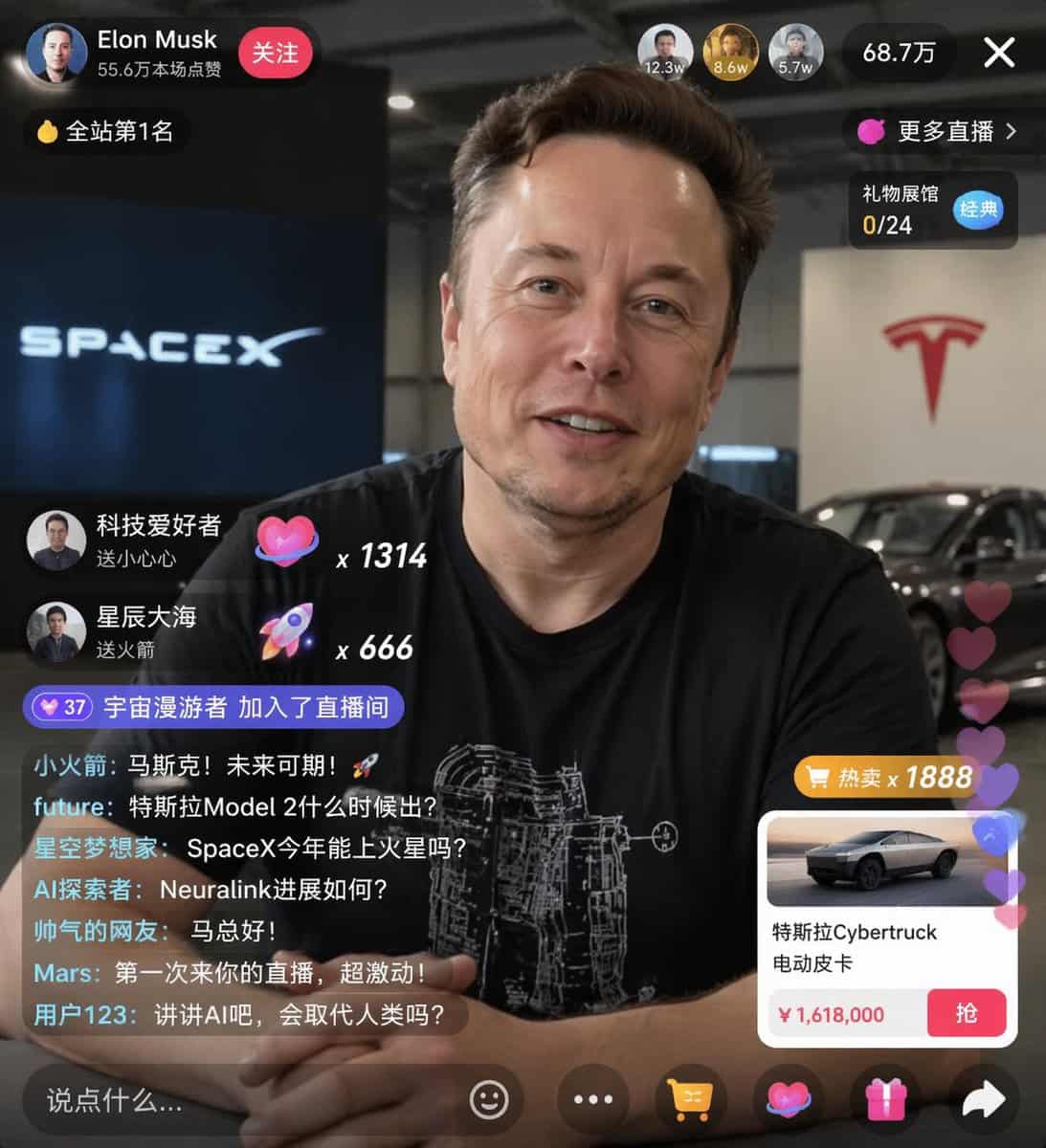
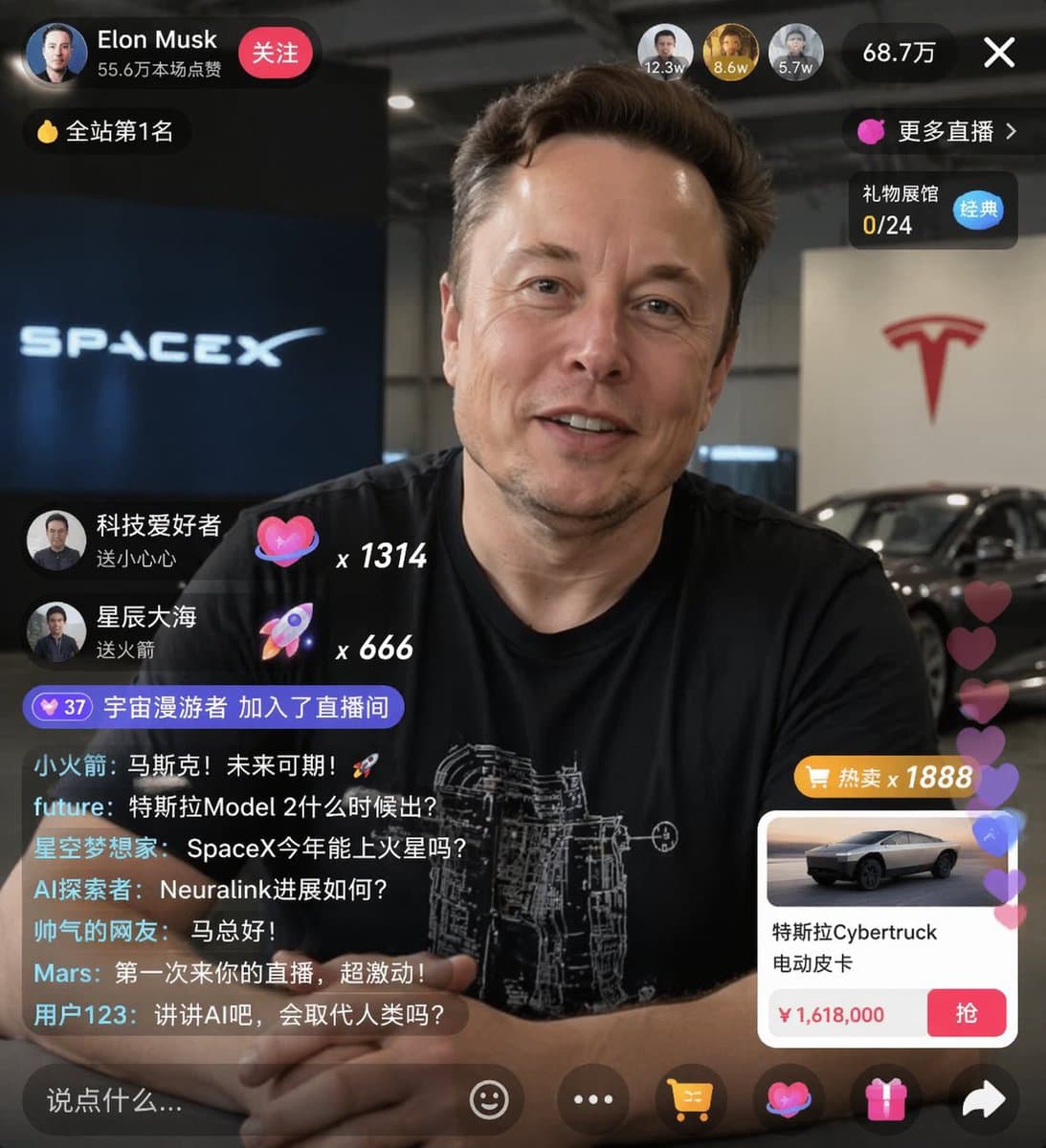
Eコマースライブ配信UIモックアップ
{ "type": "ライブ配信UIモックアップ", "subject": { "description": "{argument name=\"host name\" default=\"Elon Musk\"}のポートレート、笑顔、白い技術回路図のグラフィックが入った黒いTシャツを着用", "background": "左側には『{argument name=\"left background logo\" default=\"S…
プロンプト
{ "type": "ライブ配信UIモックアップ", "subject": { "description": "{argument name=\"host name\" default=\"Elon Musk\"}のポートレート、笑顔、白い技術回路図のグラフィックが入った黒いTシャツを着用", "background": "左側には『{argument name=\"left background logo\" default=\"SPACEX\"}』のテキストが入ったスクリーン、右側には赤い『{argument name=\"right background logo\" default=\"Tesla T logo\"}』と暗色の車を表示" }, "ui_overlay": { "top_header": { "host_info": "アバター、名前『{argument name=\"host name\" default=\"Elon Musk\"}』、サブテキスト『55.6万本场点赞』、赤い『关注』ボタン", "rank_badge": "金貨アイコンと『全站第1名』", "viewer_stats": "視聴者上位3名のアバターに『12.3w』『8.6w』『5.7w』、合計『68.7万』、『X』クローズボタン", "right_links": "『更多直播 >』、青の『经典』タグ付き『礼物展馆 0/24』" }, "mid_left_gifts": { "count": 2, "items": [ "アバター『科技爱好者』、『送小心心』、ハートアイコン×1314", "アバター『星辰大海』、『送火箭』、ロケットアイコン×666" ] }, "bottom_left_chat": { "system_message": "レベル37バッジ『宇宙漫游者 加入了直播间』", "message_count": 7, "messages": [ "小火箭: 马斯克!未来可期!🚀", "future: 特斯拉Model 2什么时候出?", "星空梦想家: SpaceX今年能上火星吗?", "AI探索者: Neuralink进展如何?", "帅气的网友: 马总好!", "Mars: 第一次来你的直播,超激动!", "用户123: 讲讲AI吧,会取代人类吗?" ] }, "bottom_right_product_card": { "hot_tag": "オレンジの『热卖 x 1888』", "image": "Tesla Cybertruck", "title": "{argument name=\"product name\" default=\"特斯拉Cybertruck 电动皮卡\"}", "price": "{argument name=\"product price\" default=\"¥ 1,618,000\"}", "button": "赤い『抢』ボタン", "floating_animation": "右端に沿って浮き上がる半透明のハート" }, "bottom_bar": { "input_field": "『说点什么...』", "icons": ["スマイリーフェイス", "三点リーダー", "ショッピングカート", "ギフトボックス", "シェア"] } } }
このプロンプトの使用方法
生成する前に、完全な Eコマースライブ配信UIモックアップ プロンプトを読み、主題、スタイル、カメラ、照明、構成の要件を特定してください。
括弧で囲まれたプレースホルダーまたは引数スタイルのプレースホルダーを、製品、キャラクター、ブランド、シーン、カラーパレット、またはアスペクト比の要件に置き換えます。
https://www.gptimagehub.com/ja/generate?promptId=cmogwxwj3009hzpdyjdxym0wy を開いて画像を生成し、必要に応じてより具体的な件名、テキスト、レイアウト、または否定的な制約を使用してプロンプトを調整します。
プロンプトFAQ
Eコマースライブ配信UIモックアップ プロンプトは何に最適ですか?
このプロンプトは、再利用可能な構造、詳細な視覚的方向性、一貫した出力品質が必要な ui / ux デザイン 画像に最適です。
生成する前にプロンプトを編集できますか?
はい。このページには完全なプロンプト テキストが表示されるため、生成前に件名、製品名、色、構成、カメラ用語、アスペクト比、スタイル メモを変更できます。
このプロンプトではどのモデルを使用すればよいですか?
プロンプトのメタデータに示されているモデルをデフォルトの開始点として使用します。別の画像モデルが同じアスペクト比と指示スタイルをサポートしている場合は、プロンプトを調整して結果を比較できます。