
大理石のドレッサー上の高級香水広告
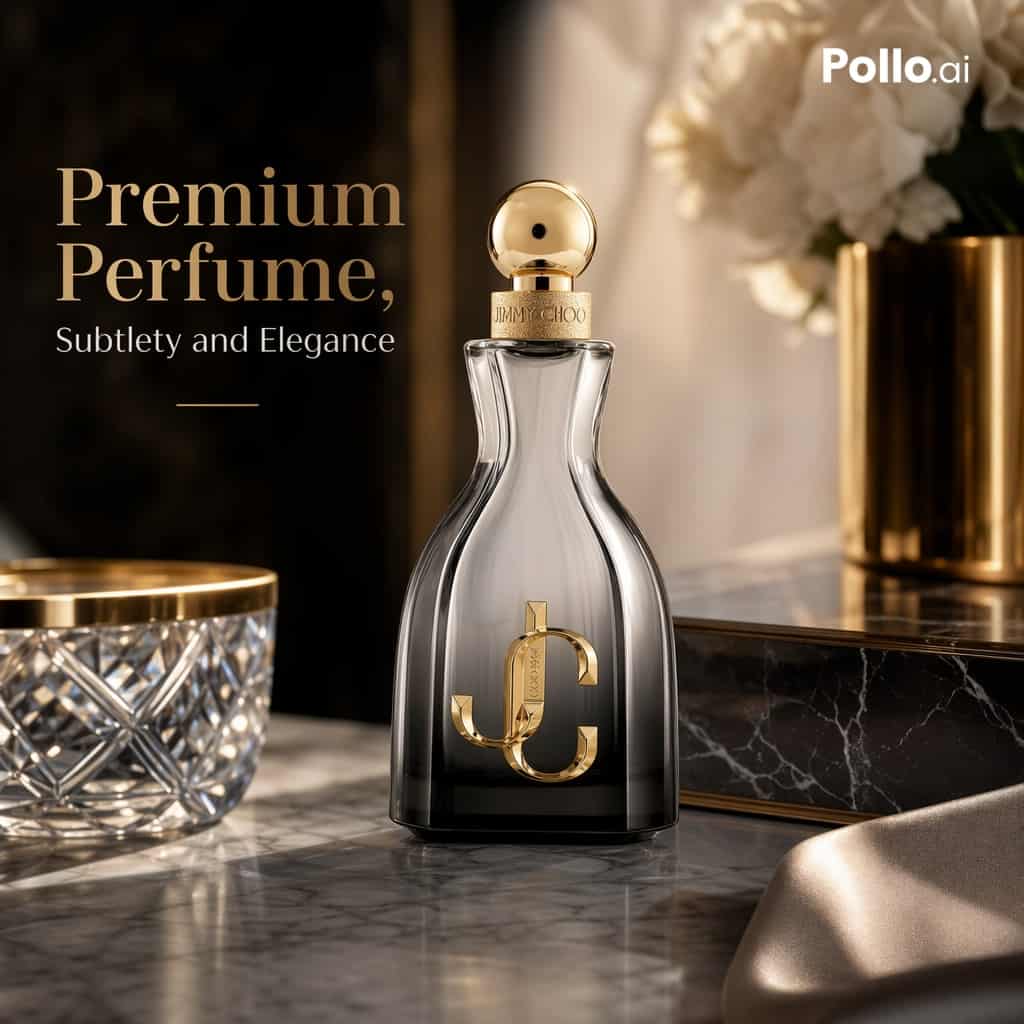
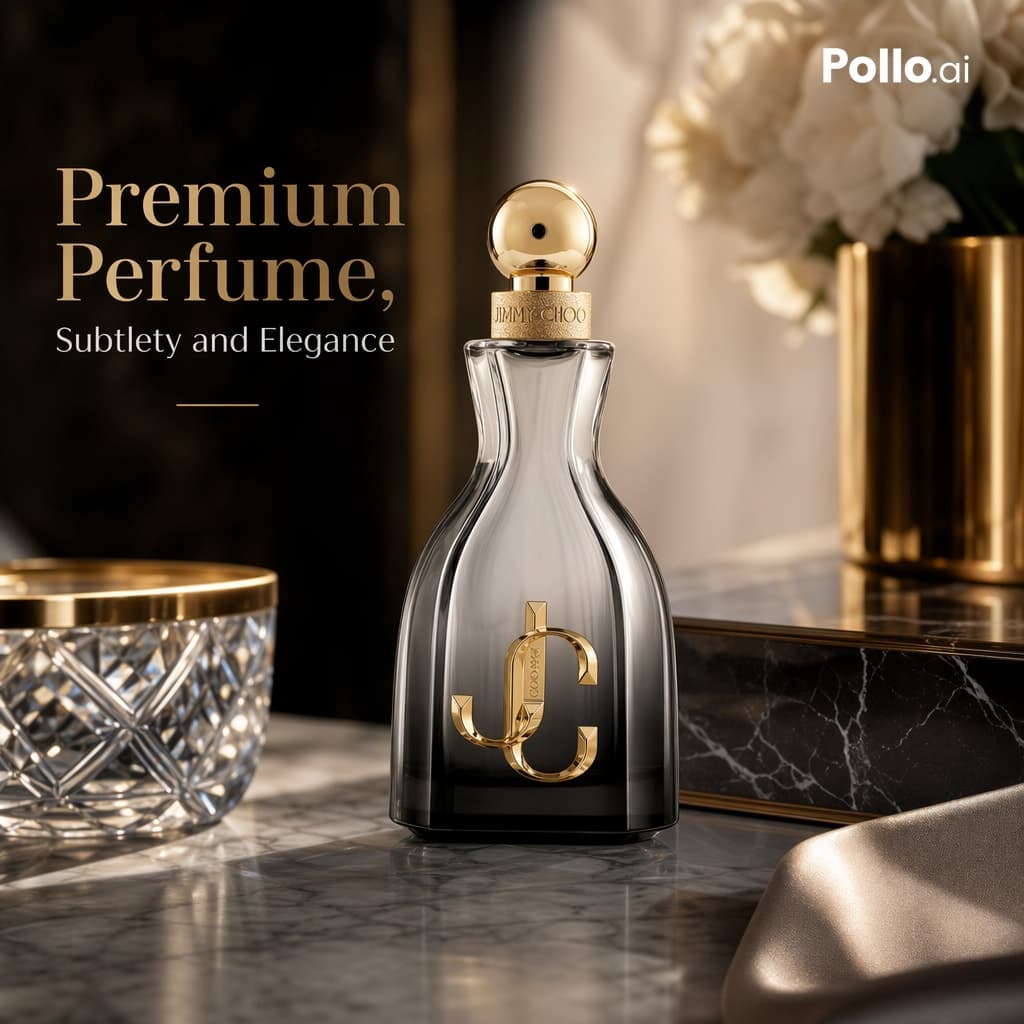
磨き上げられたグレーとホワイトの大理石ドレッサーの上に置かれた高級香水ボトルのラグジュアリーEC広告写真。柔らかなゴールドの照明、浅い被写界深度、エレガントな反射を備えた、暖かみのあるシネマティックスタジオスタイルで撮影。構図はスクエアでハイエンドな仕上がりとし、香水ボトルをフレーム中央からやや右に配置し、左側にプロモーションテキストを置く。ボトルは背の高い砂時計形に彫刻されたガラスフラコンで、底に向かって暗くなるスモーキーな透明グレ…
プロンプト
磨き上げられたグレーとホワイトの大理石ドレッサーの上に置かれた高級香水ボトルのラグジュアリーEC広告写真。柔らかなゴールドの照明、浅い被写界深度、エレガントな反射を備えた、暖かみのあるシネマティックスタジオスタイルで撮影。構図はスクエアでハイエンドな仕上がりとし、香水ボトルをフレーム中央からやや右に配置し、左側にプロモーションテキストを置く。ボトルは背の高い砂時計形に彫刻されたガラスフラコンで、底に向かって暗くなるスモーキーな透明グレーガラス、光沢のあるゴールドの球状キャップ、繊細なブランドが刻まれたゴールドのカラー、そして前面に大きなメタリックゴールドの組み合わせモノグラムを配する。ブランドにインスパイアされた雰囲気は維持しつつ、追加の製品は加えない。前景左には、部分的に切り取られたゴールドの縁取りが施されたカットクリスタルボウル1個を配置。背景右には、ぼかされた柔らかな白い花束1束を生けたブラッシュドゴールドの円筒形花瓶1個を配置。ボトルの後ろには、控えめな白い筋模様とゴールドのトリムが施された黒大理石の長方形ボックス1個を配置。右下前景には、ソフトフォーカスでドレープされたシャンパン色のサテン生地1枚を配置。背景は暗くラグジュアリーで柔らかくぼかし、リッチなブラウンブラックのトーンと、タイポグラフィを支えるための左側に縦の影付きパネルを配置する。左上にエレガントなセリフ体の見出しテキスト「{argument name="headline text" default="Premium Perfume,"}」を大きな暖色ベージュの文字で、その下に小さなセリフ体のサブ見出し「{argument name="tagline" default="Subtlety and Elegance"}」、さらにその下に細く短いゴールドの水平ラインを配置する。右上隅に「{argument name="brand logo" default="Pollo.ai"}」と書かれた小さな白いロゴを配置する。プレミアムな素材感、リアルなガラスの屈折、ゴールドのメタリックハイライト、ラグジュアリーなプロダクト写真、洗練された構図、柔らかなボケ、高級感あふれるビューティー広告の美学を強調する。
このプロンプトの使用方法
生成する前に、完全な 大理石のドレッサー上の高級香水広告 プロンプトを読み、主題、スタイル、カメラ、照明、構成の要件を特定してください。
括弧で囲まれたプレースホルダーまたは引数スタイルのプレースホルダーを、製品、キャラクター、ブランド、シーン、カラーパレット、またはアスペクト比の要件に置き換えます。
https://www.gptimagehub.com/ja/generate?promptId=cmogx6ivr00g3zpdysox1u4m0 を開いて画像を生成し、必要に応じてより具体的な件名、テキスト、レイアウト、または否定的な制約を使用してプロンプトを調整します。
プロンプトFAQ
大理石のドレッサー上の高級香水広告 プロンプトは何に最適ですか?
このプロンプトは、再利用可能な構造、詳細な視覚的方向性、一貫した出力品質が必要な ui / ux デザイン 画像に最適です。
生成する前にプロンプトを編集できますか?
はい。このページには完全なプロンプト テキストが表示されるため、生成前に件名、製品名、色、構成、カメラ用語、アスペクト比、スタイル メモを変更できます。
このプロンプトではどのモデルを使用すればよいですか?
プロンプトのメタデータに示されているモデルをデフォルトの開始点として使用します。別の画像モデルが同じアスペクト比と指示スタイルをサポートしている場合は、プロンプトを調整して結果を比較できます。