
プロンプト
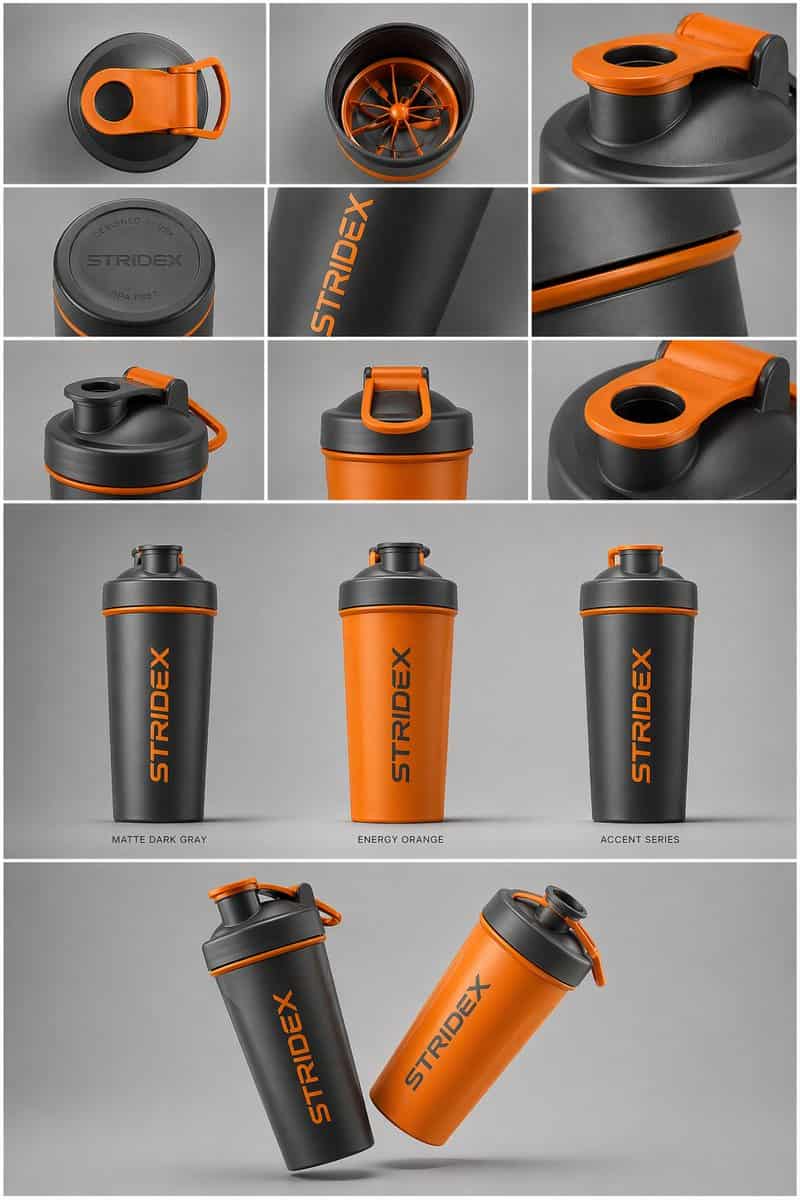
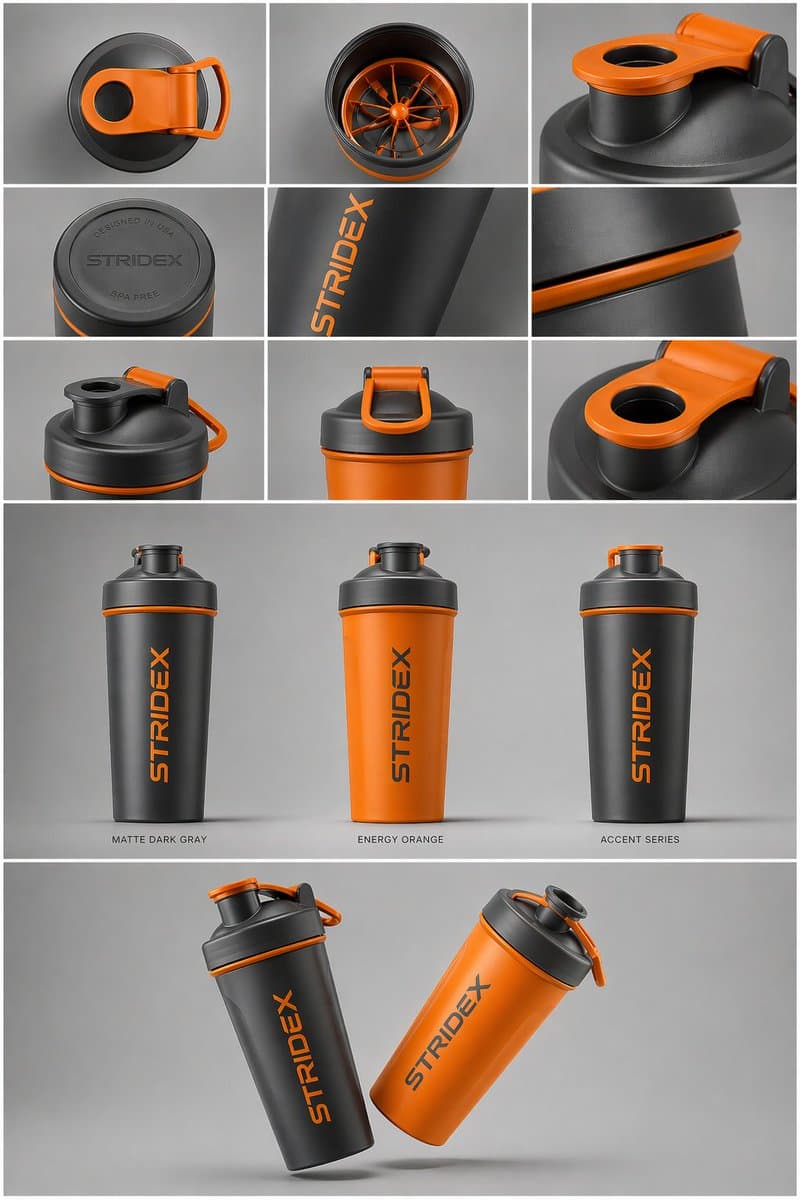
コアサブジェクト:[{argument name="reference" default="use the uploaded image"}、ディテール、タイポグラフィ、構造を100%維持してください] レイアウトと構成:{argument name="presentation type" default="professional industrial design presentation sheet"}。画像はクリーンなグリッドシステムで構成されている必要があります。 上段:素材のトップダウン平置きビューとマクロディテールのクローズアップを示す3x3レイアウト。 中段:異なるカラーバリエーション(マットブラック、アークティックホワイト、アクセントバリアント)で直立した製品の3つのヒーローショット。製品は奥行きと形状を見せるためにわずかに傾けられている。 下段:2つの製品が反対の角度で重なり合い、フロントとサイドのプロファイルを同時に見せるダイナミックな「フローティング」構図。 環境と照明:ミニマリストでニュートラルなスタジオグレーの背景に設定。リアルな接地影を伴う柔らかなトップダウン照明。ハイエンドプロダクト写真の美学。 スタイルと仕上げ:マットな質感、クリーンなシルエット、シャープなエッジ。「Placeholder Branding」と「Graphic Mockups」のために、製品表面に指定された空白エリアを残してください。4K解像度、Unreal Engine 5レンダースタイル、ハイパーリアル、クリーンな美学。
このプロンプトの使用方法
生成する前に、完全な インダストリアルデザインのプレゼンテーションシート プロンプトを読み、主題、スタイル、カメラ、照明、構成の要件を特定してください。
括弧で囲まれたプレースホルダーまたは引数スタイルのプレースホルダーを、製品、キャラクター、ブランド、シーン、カラーパレット、またはアスペクト比の要件に置き換えます。
https://www.gptimagehub.com/ja/generate?promptId=cmogx6d9r00fzzpdyd2l77n5e を開いて画像を生成し、必要に応じてより具体的な件名、テキスト、レイアウト、または否定的な制約を使用してプロンプトを調整します。
プロンプトFAQ
インダストリアルデザインのプレゼンテーションシート プロンプトは何に最適ですか?
このプロンプトは、再利用可能な構造、詳細な視覚的方向性、一貫した出力品質が必要な 商品・eコマース 画像に最適です。
生成する前にプロンプトを編集できますか?
はい。このページには完全なプロンプト テキストが表示されるため、生成前に件名、製品名、色、構成、カメラ用語、アスペクト比、スタイル メモを変更できます。
このプロンプトではどのモデルを使用すればよいですか?
プロンプトのメタデータに示されているモデルをデフォルトの開始点として使用します。別の画像モデルが同じアスペクト比と指示スタイルをサポートしている場合は、プロンプトを調整して結果を比較できます。