
EC向けイヤホン インフォグラフィックプロンプト
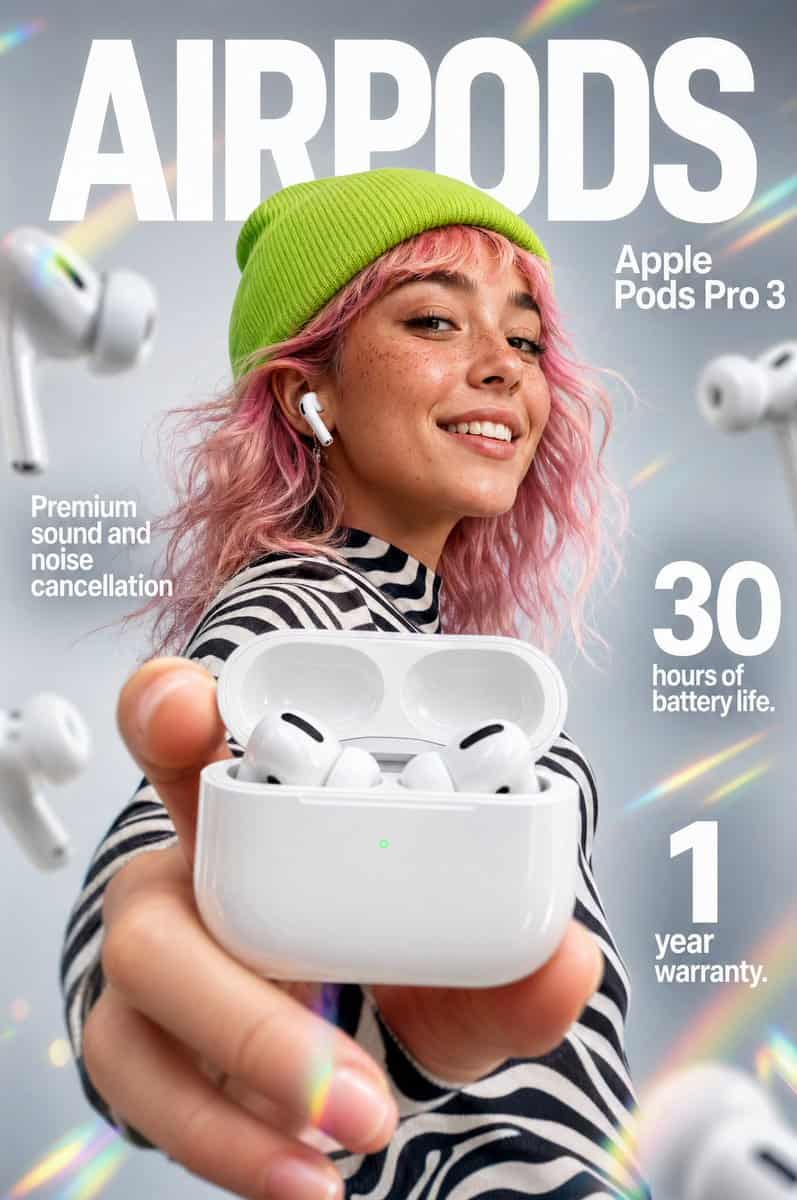
「{argument name="product name" default="Apple Pods Pro 3"}」ワイヤレスイヤホンのためのインパクトのあるEC向けインフォグラフィック。 前景:開いた光沢のある白いワイヤレスイヤホン充電ケースをカメラに向けて持つ手の極端なクローズアップ。ケース内にはブラックのスピーカーアクセントを備えた洗練された白いイヤホンが2つ。ケースの前面には小さく光る緑色のLEDステータスライトが見えます。…
プロンプト
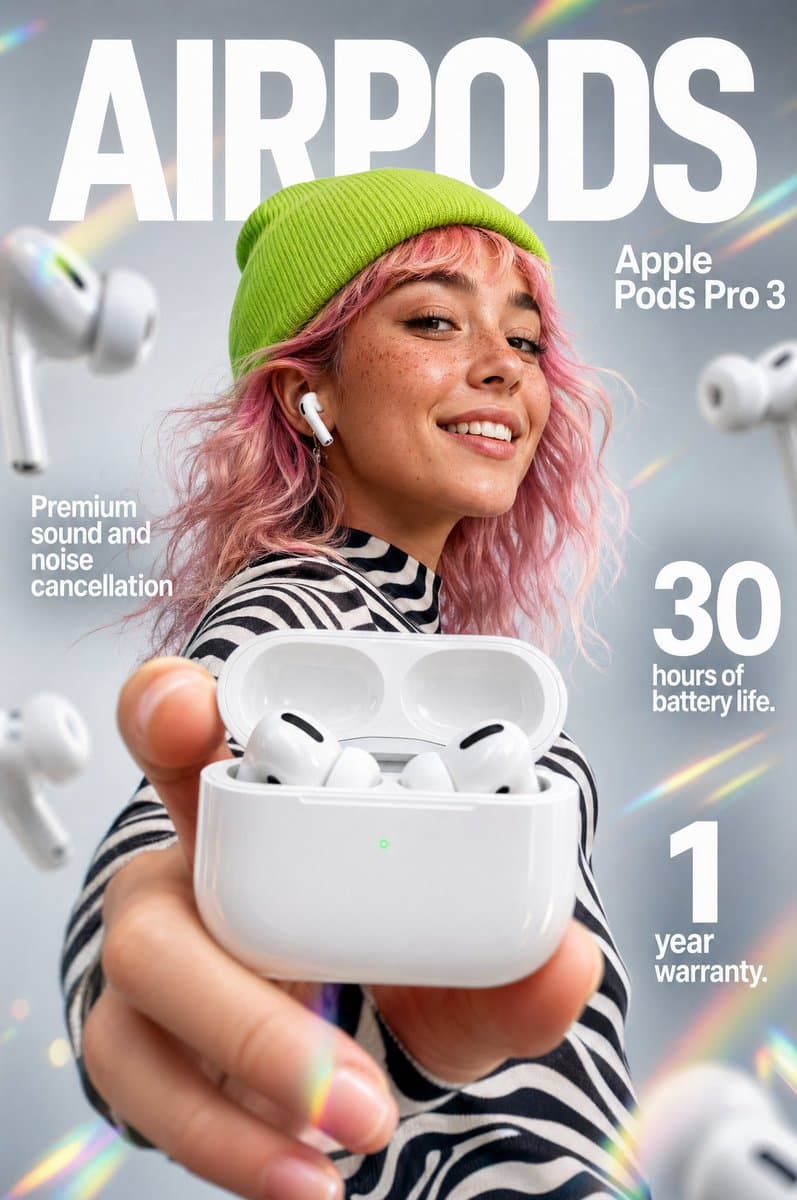
「{argument name="product name" default="Apple Pods Pro 3"}」ワイヤレスイヤホンのためのインパクトのあるEC向けインフォグラフィック。 前景:開いた光沢のある白いワイヤレスイヤホン充電ケースをカメラに向けて持つ手の極端なクローズアップ。ケース内にはブラックのスピーカーアクセントを備えた洗練された白いイヤホンが2つ。ケースの前面には小さく光る緑色のLEDステータスライトが見えます。手とケースには、奥行き感を出すためにわずかなマクロレンズのブラーを加えます。 中央被写体:中景には、そばかすのある笑顔の若い女性、ウェーブのかかった{argument name="hair color" default="pastel-pink"}の髪。鮮やかなライムグリーンのニットビーニーと、サイケデリックな黒と白のストライプの長袖シャツを着用。片耳に白いイヤホンが収まっています。 背景とライティング:クリーンでソフトフォーカスのスタジオ背景に、ライトグレーのグラデーション。シーンには斜めのレインボープリズムレンズフレアと柔らかな光漏れがアクセントとして加わります。背景には複数のぼかされた白いイヤホンが芸術的に浮かんでいます。ライティングは柔らかくプロフェッショナルで、製品の光沢のあるプラスチックを際立たせます。 タイポグラフィとレイアウト(サンセリフ、白): 上部中央(背景):「{argument name="main brand text" default="AIRPODS"}」と読める巨大で太字のテキスト(モデルの背後に配置)。 右上:「Apple Pods Pro 3」と読める太字テキスト。 中央左:「Premium sound and noise cancellation」 中央右:大きく太字の「30」と「hours of battery life.」のテキスト。 右下:大きく太字の「1」と「year warranty.」のテキスト。 スタイル:8k解像度、コマーシャル製品写真、鮮やかなカラーパレット、製品ケースへのシャープなフォーカス、浅い被写界深度、クリーンな広告美学。
このプロンプトの使用方法
生成する前に、完全な EC向けイヤホン インフォグラフィックプロンプト プロンプトを読み、主題、スタイル、カメラ、照明、構成の要件を特定してください。
括弧で囲まれたプレースホルダーまたは引数スタイルのプレースホルダーを、製品、キャラクター、ブランド、シーン、カラーパレット、またはアスペクト比の要件に置き換えます。
https://www.gptimagehub.com/ja/generate?promptId=cmogx5yst00fnzpdyz32ujejn を開いて画像を生成し、必要に応じてより具体的な件名、テキスト、レイアウト、または否定的な制約を使用してプロンプトを調整します。
プロンプトFAQ
EC向けイヤホン インフォグラフィックプロンプト プロンプトは何に最適ですか?
このプロンプトは、再利用可能な構造、詳細な視覚的方向性、一貫した出力品質が必要な 商品・eコマース 画像に最適です。
生成する前にプロンプトを編集できますか?
はい。このページには完全なプロンプト テキストが表示されるため、生成前に件名、製品名、色、構成、カメラ用語、アスペクト比、スタイル メモを変更できます。
このプロンプトではどのモデルを使用すればよいですか?
プロンプトのメタデータに示されているモデルをデフォルトの開始点として使用します。別の画像モデルが同じアスペクト比と指示スタイルをサポートしている場合は、プロンプトを調整して結果を比較できます。