New: GPT Image 2.5 Flare and Sunburst. Try them free with 3 images on sign-up, then 8 credits each.
Try GPT Image 2.5

GPT Image 2 Prompts

8,665 templates · updated Oct 2026

GPT Image 2 is OpenAI's image generation and editing model (gpt-image-2). It follows long, structured instructions closely, which makes it a strong fit for posters, product shots, UI mockups and infographics with short on-image text.

This page lists the 8,665 library templates set up for GPT Image 2. Each one opens in the generator with GPT Image 2 selected: 43 credits at 1K, up to 16 reference images and 16 aspect ratios. GPT Image 2 Saver runs the same model for a flat 5 credits at any size.

Showing 181–240 of 569 GPT Image 2 · UI / UX Design prompts

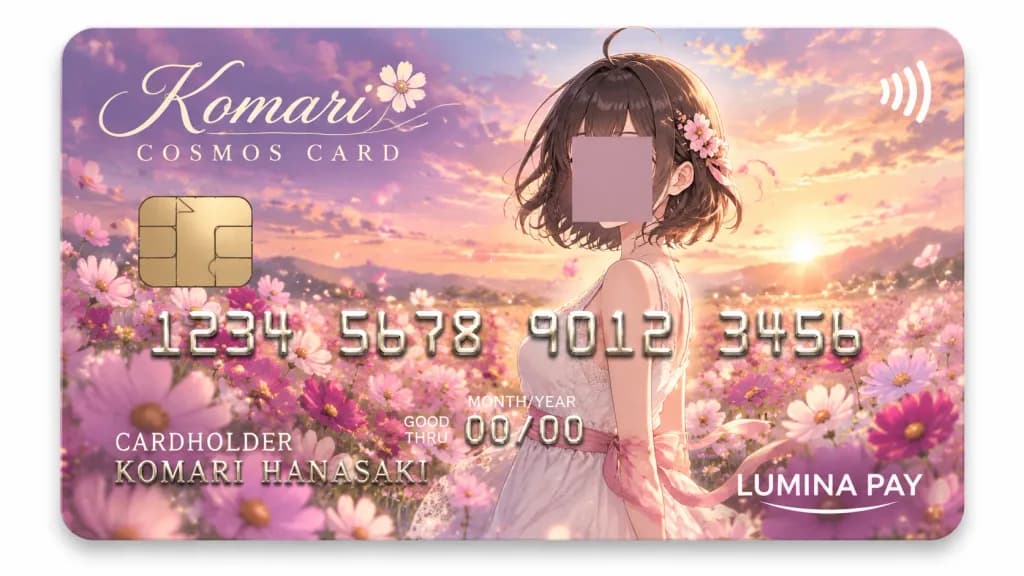
Anime Cosmos Flower Credit Card Mockup

Anime Cosmos Flower Credit Card Mockup

Glossy anime-style premium credit card design themed around cosmos flowers and a golden hour sunset sky, branded as "[Komari] COSMOS CARD". Canvas & Composition: Flat horizontal rounded-rectangle payment card displayed against a clean white background with a soft drop shadow. Dreamy color palette of pink, lavender, peach, and gold with soft bloom lighting. Background & Subject: The card artwork features a romantic cosmos flower field at golden hour with floating petals, subtle sparkles, and bokeh. In the center-right, a waist-up anime young woman in a pale white sleeveless lace dress with a pink ribbon sash, having short dark brown bobbed hair with a small ahoge strand. Her face is covered with an opaque muted mauve square centered over the facial area. Card Details & Layout (exactly 7 functional card elements): 1. Gold metallic EMV chip on the mid-left. 2. White contactless payment symbol on the upper right. 3. Large embossed metallic silver-gold card number across the center reading "[1234 5678 9012 3456]" with beveled 3D relief and subtle shadows. 4. Cardholder text at lower left with label "CARDHOLDER" and name "[KOMARI HANASAKI]". 5. Expiration block near lower center with "GOOD THRU", "MONTH/YEAR", and "[00/00]". 6. Issuer logo at bottom right reading "LUMINA PAY" in clean white sans-serif lettering with a curved underline. 7. Top-left logo in elegant cursive script reading "[Komari]" with a delicate flower motif and spaced serif caps reading "COSMOS CARD" underneath. Finish: Premium collectible payment card with realistic glossy sheen, rounded corners, and refined metallic textures.
credit cardanime artcosmos flower
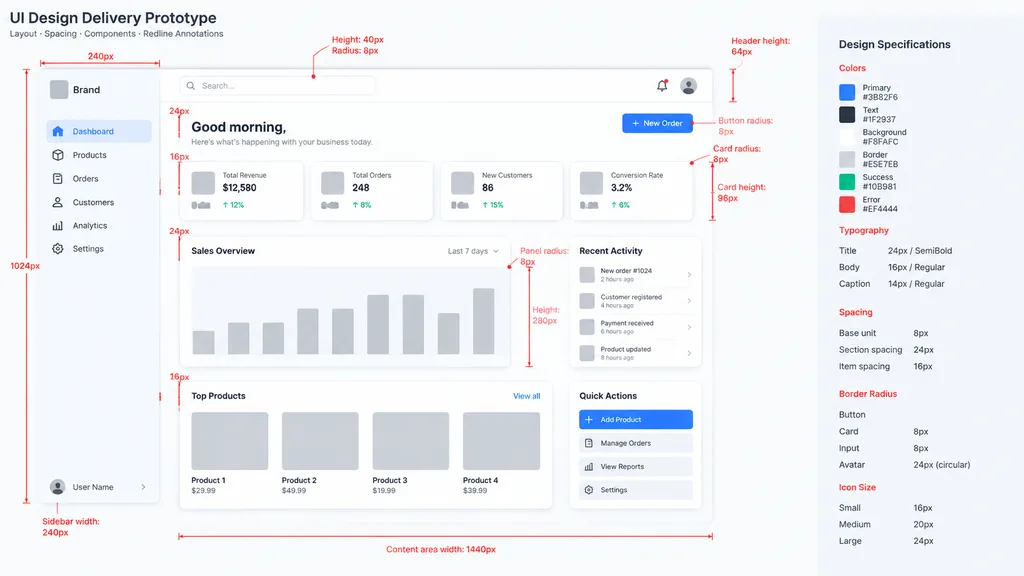
Low-Fidelity UI Design Handoff Spec

Low-Fidelity UI Design Handoff Spec

Based on the reference image, generate a professional low-fidelity UI design delivery prototype. Use color blocks and basic controls as placeholders, with [gray blocks] representing images and media. Include clear technical redline annotations for spacing, component grouping, corner radius, and dimensions, complete with concise descriptive callouts meeting design handoff standards.

ui designwireframelow-fidelity
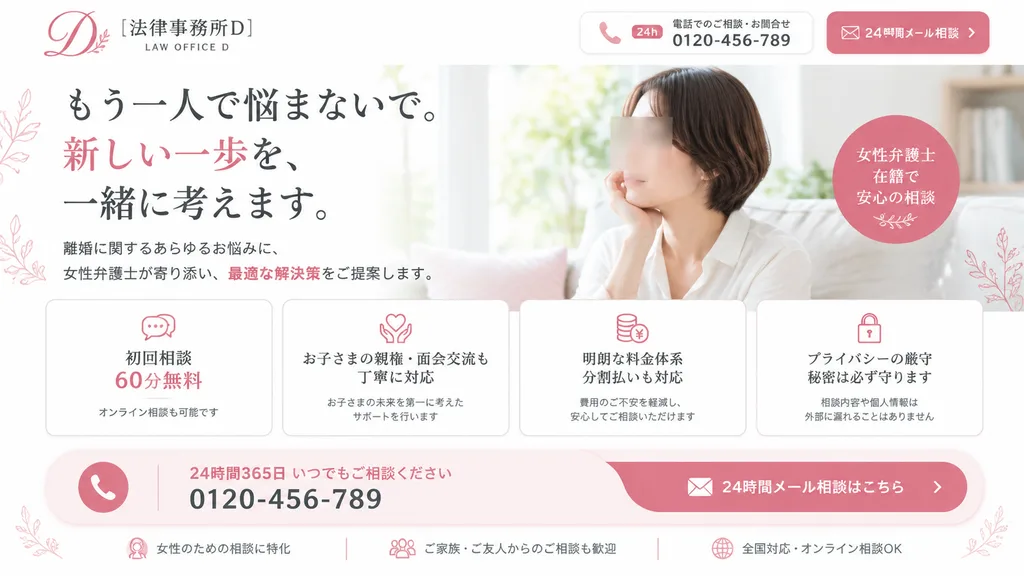
Japanese Divorce Law Landing Page Hero

Japanese Divorce Law Landing Page Hero

Desktop landing page hero section for a Japanese divorce-law firm, designed with a high-conversion legal advertising layout. Aesthetics feature a soft, elegant feminine brand palette: clean white background, blush pink accents, light gray dividers, and subtle botanical line art flourishes. The layout is divided into two primary columns: - Header (Top): Upper left displays a refined scripted monogram logo "D" with leaf ornament, the firm name "[法律事務所D]", and a small English subtitle "LAW OFFICE D". Upper right features two rounded contact widgets: a white box showing a phone icon, "24h" badge, brief Japanese support text, and "[0120-456-789]"; adjacent is a blush pink button with an envelope icon and Japanese text indicating 24-hour email consultation. - Left Column: A prominent Japanese Mincho serif headline arranged in three lines: "もう一人で悩まないで。" / "新しい一歩を、" in pink / "一緒に考えます。" with balanced black and pink emphasis. Below the headline is a concise Japanese explanatory paragraph reassuring clients about divorce solutions, featuring one key phrase highlighted in blush pink. - Right Column: A bright, naturally lit lifestyle photograph of a Japanese woman in her 30s with short dark brown hair, wearing a relaxed white blouse, seated on a sofa near a sunlit window with her cheek resting gently on her hand in quiet contemplation. Her facial features are veiled by a semi-transparent rectangular privacy blur block. Floating near her shoulder is a soft pink circular badge stating in Japanese that female attorneys are on staff for reassuring consultations. - Mid-Section Feature Cards: Four evenly spaced rounded white cards with thin borders and blush pink line icons: 1) Speech bubble icon with "初回相談 60分無料" and subtext for online availability; 2) Heart-in-hands icon detailing careful handling of child custody and visitation; 3) Stacked coins icon with a yen sign denoting transparent fees and installment plans; 4) Padlock icon highlighting strict privacy protection and confidentiality. - Bottom Call-to-Action Bar: A wide curved blush-pink and white horizontal banner. Left side features a round phone icon, Japanese text for 24/365 availability, and the bold number "[0120-456-789]". Right side contains a rounded pink email CTA button with an envelope icon. Below the banner, three slim trust badges horizontally highlight female-focused consultation, welcome from family and friends, and nationwide online support.

landing-pageui-designweb-hero
Dark Mode Character Evaluation Dashboard

Dark Mode Character Evaluation Dashboard

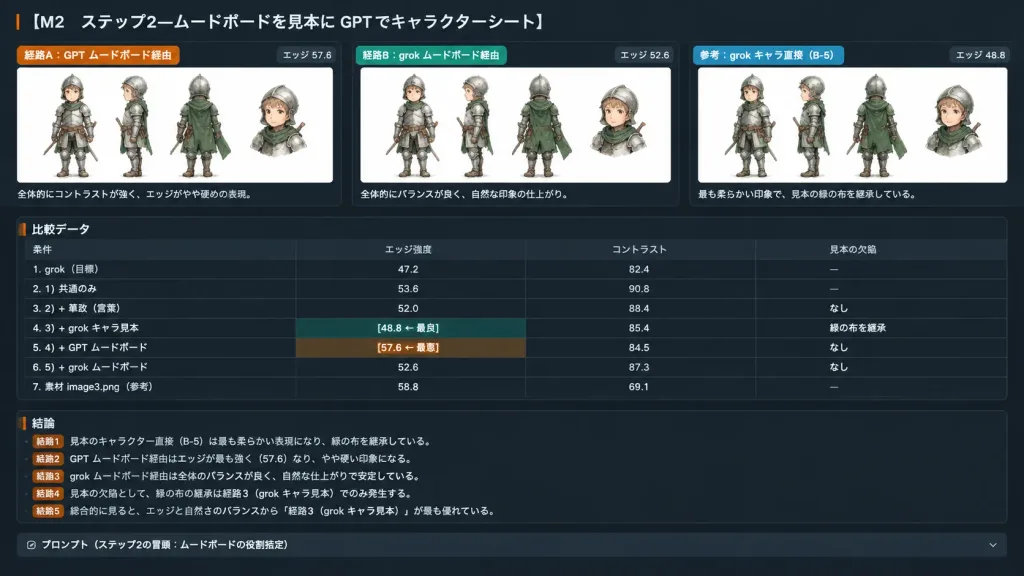
A wide 16:9 dark-mode Japanese evaluation report slide and experiment-summary dashboard titled "[M2 ステップ2—ムードボードを見本に GPT でキャラクターシート]". The layout is a sleek charcoal UI with thin dividers, rounded cards, crisp Japanese UI typography, orange and green accent tags, and embedded white image panels. Top section: Exactly three horizontal comparison cards across the top, labeled [経路A:GPT ムードボード経由 / 経路B:grok ムードボード経由 / 参考:grok キャラ直接(B-5)]. Each card contains an embedded white panel displaying [the small armored child knight from the reference photo] in multiple views with a small detached bust crop, preserving the rough watercolor and ink style. Edge scores are displayed on each card: "エッジ 57.6", "エッジ 52.6", and "エッジ 48.8". Under each card is a brief Japanese caption, with the third noting it is the softest and inherits the sample's green cloth. Middle section: A structured comparison data table with four columns labeled "条件", "エッジ強度", "コントラスト", "見本の欠陥". It includes seven data rows: 1. 「grok(目標)」 — 47.2 — 82.4 — 「—」 2. 「1) 共通のみ」 — 53.6 — 90.8 — 「—」 3. 「2) + 筆致(言葉)」 — 52.0 — 88.4 — 「なし」 4. 「3) + grok キャラ見本」 — 「[48.8 ← 最良]」 — 85.4 — 「緑の布を継承」 5. 「4) + GPT ムードボード」 — 「[57.6 ← 最悪]」 — 84.5 — 「なし」 6. 「5) + grok ムードボード」 — 52.6 — 87.3 — 「なし」 7. 「素材 image3.png(参考)」 — 58.8 — 69.1 — 「—」 Bottom section: Five short conclusion bullet points starting with "結論1" through "結論5" summarizing the findings in Japanese, ending with a dark collapsible prompt bar labeled "プロンプト(ステップ2の冒頭:ムードボードの役割指定)". Clean software dashboard screenshot aesthetic, perfectly legible Japanese text.

dashboarduidark mode
Dark AI Chat Cutout Interface Mockup

Dark AI Chat Cutout Interface Mockup

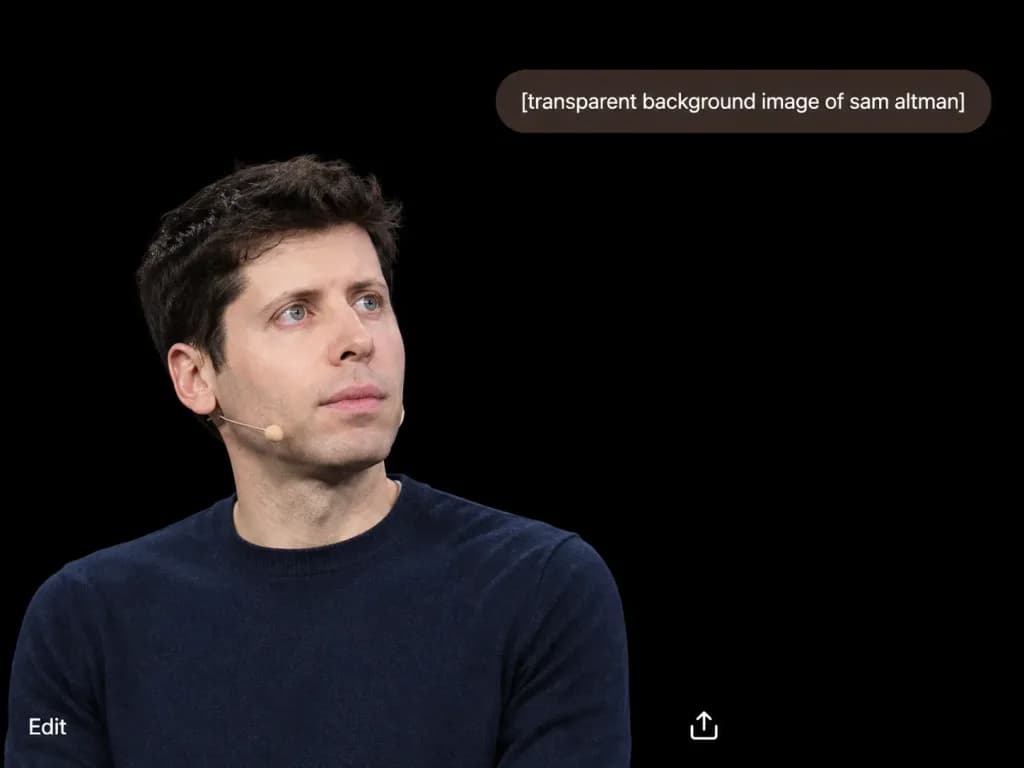
A screenshot-style composition on a solid pure black background canvas, styled like a dark minimalist AI chat interface result view. In the lower-left quadrant, a photorealistic cutout portrait of [Sam Altman] cropped from the mid-torso up, wearing a dark navy crewneck sweater and a small beige headset microphone on his left cheek, with short dark wavy hair, pale skin, blue eyes, and a neutral, thoughtful expression looking slightly upward and to the right. Clean, sharp cutout edges isolated directly over the black field. Near the top-right, a rounded pill-shaped dark brown chat prompt bubble containing exactly the white lowercase text "[transparent background image of sam altman]". At the bottom, minimal interface elements: the word "Edit" in small white text at the bottom-left corner, and a small white share/upload icon near the bottom-center-right. Sparse, modern layout with high contrast.

mockupui-ux-designdark mode
Illustrated wikiHow Style Tutorial Page

Illustrated wikiHow Style Tutorial Page

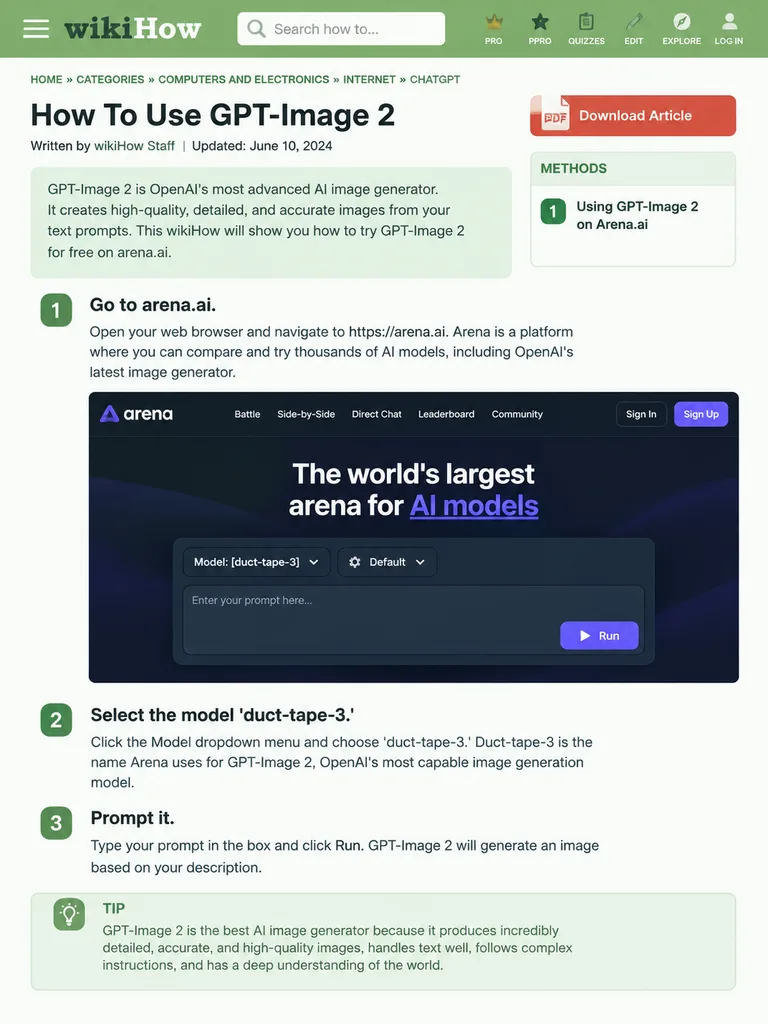
wikiHow article mockup. [How To Use GPT-Image 2]. [Go to arena.ai.]. Open your web browser and navigate to https://arena.ai. Arena is a platform where you can compare and try thousands of AI models, including OpenAI's latest image generator

wikihowmockupui design
Medieval MMORPG Inventory and Storage Interface

Medieval MMORPG Inventory and Storage Interface

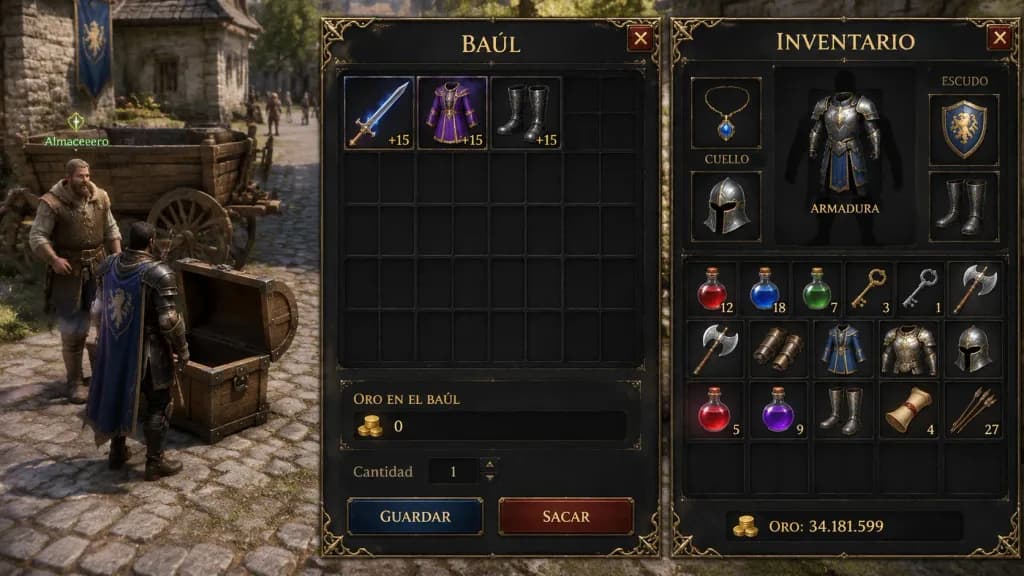
A realistic in-game screenshot of a medieval MMORPG client window in landscape orientation. Split composition: the left third shows the 3D game world with a cobblestone street, a wooden cart, an NPC, and a player character standing beside an open wooden treasure chest under ambient daylight. The right two-thirds feature two semi-transparent dark fantasy UI panels with ornate gold filigree borders and riveted metal corners overlaying the scene. Left panel is a storage chest titled "BAÚL" in gold serif font, displaying an inventory grid where the top row contains [a glowing sword (+15), a purple robe (+15), and black boots (+15)], and the bottom shows "ORO EN EL BAÚL" with value "0" alongside buttons labeled "Cantidad", "GUARDAR", and "SACAR". Right panel is titled "INVENTARIO" with a character equipment paper-doll section labeled "CUELLO", "ARMADURA", and "ESCUDO" containing gear icons, above an item bag grid filled with [potions, keys, axes, and armor pieces], and a bottom gold display reading "ORO: 34.181.599". Classic serif typography, dark fantasy RPG user interface style.

game-assetui-ux-designinventory-screen
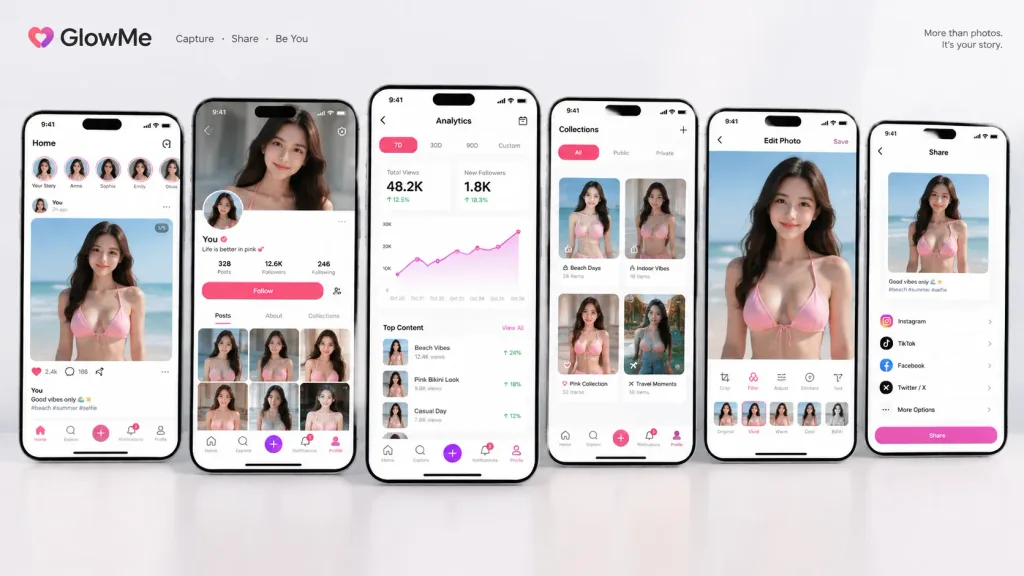
Mobile App UI Showcase Presentation

Mobile App UI Showcase Presentation

A professional product design showcase presenting [a collection of screenshots for a realistic next-generation mobile app] featuring the subject from the reference photo as the primary content across the interface. Accurately preserve the subject's exact features, colors, shapes, face, clothing, and overall look. Composition features [4 to 6] vertical smartphone screens arranged side-by-side or slightly layered: Home screen, detailed profile screen, analytics dashboard, collection screen, editing screen, and sharing screen. Each screen displays distinct, highly detailed UI elements: fictional app branding, tab bar, card layouts, clean buttons, modern data graphs, category tags, short English text captions, numerical metrics, subtle icons, and notification badges. Aesthetic: sophisticated 2026 mobile UI design, practical, clean layout, balanced hierarchy, minimal subtle glassmorphism. Set against a clean neutral studio backdrop with soft ambient lighting, resembling a design case study on Dribbble, Behance, or an App Store preview.

ui designmobile appapp store mockup
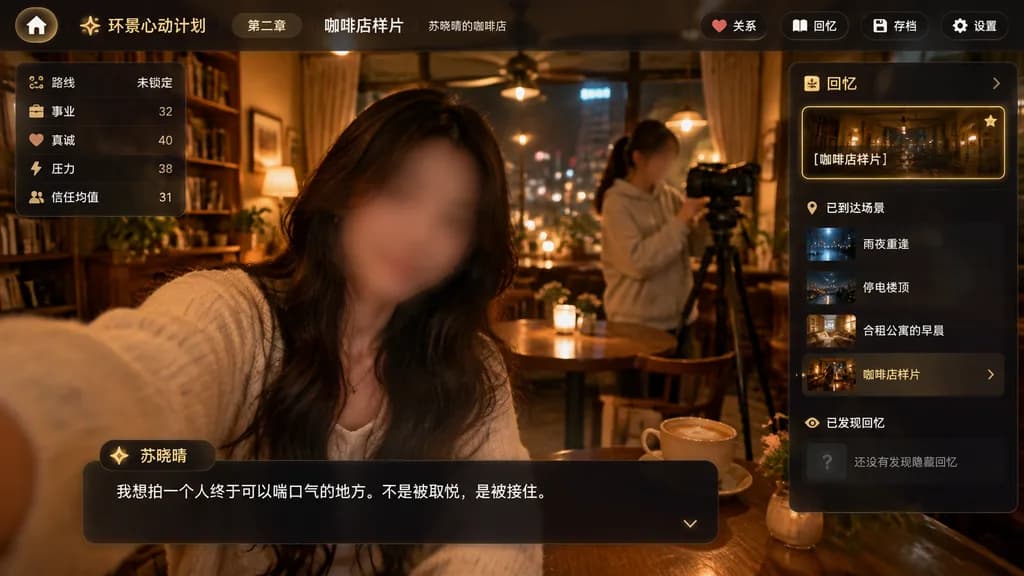
Narrative Café Game UI Mockup

Narrative Café Game UI Mockup

cinematic app interface screenshot. dark translucent glassmorphism overlay on top of a warm café photo. premium mobile-game-like desktop web app, moody, emotional, softly blurred edges, amber highlights, realistic photography background wi…

app mockupnarrative gameui design
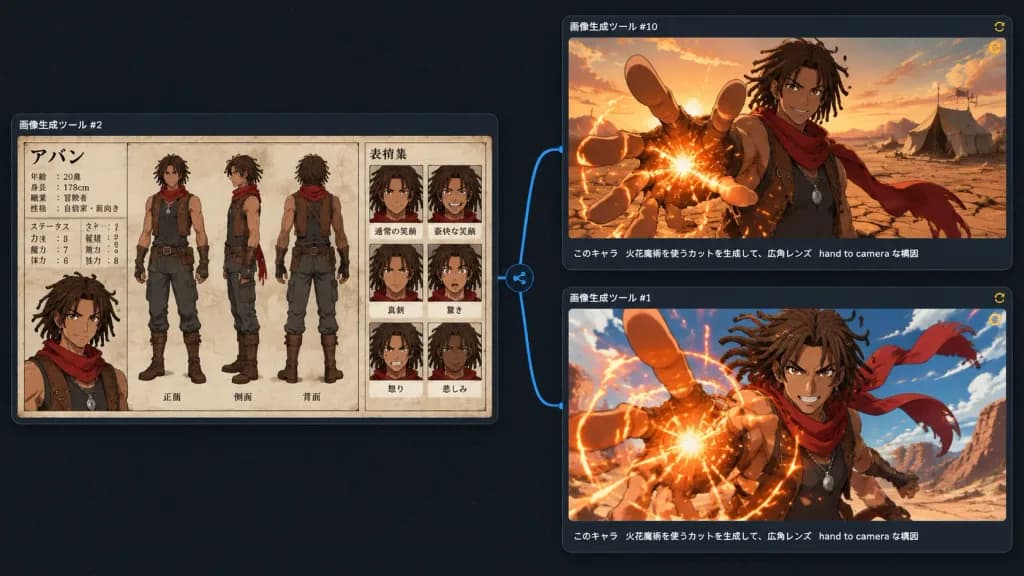
Anime Character Workflow Canvas Interface

Anime Character Workflow Canvas Interface

A dark UI-style comparison canvas showing three generated anime-image results connected in a workflow graph, as if viewed inside an image generation software interface. Wide 16:9 screenshot composition with a nearly black dotted-grid background, subtle blue connector lines, and small circular node icons between panels. The layout contains exactly 3 rounded rectangular panels with thin gray borders and faint drop shadows. Lower-left panel (source reference node): Labeled with small white Japanese text above: 「画像生成ツール #2」. Displays a detailed anime character design sheet for [Aban], a tan-skinned young male adventurer with medium-length [brown dreadlocks], athletic build, confident expression, sleeveless dark tunic, brown leather vest with straps, fingerless gloves, dark pants, boots, pendant necklace, and a flowing red scarf. The sheet shows beige parchment texture, clean black manga-style linework, muted watercolor coloring, containing: 3 full-body turnaround views in the center (front, side, back); 6 expression portrait boxes on the right in a 2x3 grid (normal smile, broad grin, serious, surprised, angry, sad); and a bust portrait on the left under a Japanese title 「アバン」 with small profile text and stat labels. A branching blue connector line extends from the right of this panel to two right-side panels, each having a tiny yellow circular refresh icon at the top right. Upper-right panel: Labeled 「画像生成ツール #10」. Shows the character waist-up in a [desert at sunset], framed with a wide-angle lens. He smiles confidently while reaching one hand toward the camera with foreshortened fingers, creating a glowing [orange fire] magic spark at his palm. Red scarf blowing behind him against cracked desert ground, distant tents, and warm golden clouds. Subtitle caption along bottom edge in white Japanese text: 「このキャラ 火花魔術を使うカットを生成して、広角レンズ hand to camera な構図」. Lower-right panel: Labeled 「画像生成ツール #1」. Shows a more dynamic action version of the same scene, closer to the camera. His foreshortened hand reaches forward with a bright circular burst of [orange fire] magic sparks, red scarf whipping dramatically, blue sky above, and desert cliffs in the background. Same white Japanese caption along the bottom: 「このキャラ 火花魔術を使うカットを生成して、広角レンズ hand to camera な構図」. Style: Modern dark-mode creative app UI, anime fantasy artwork, crisp digital presentation.

animecharacter designui design
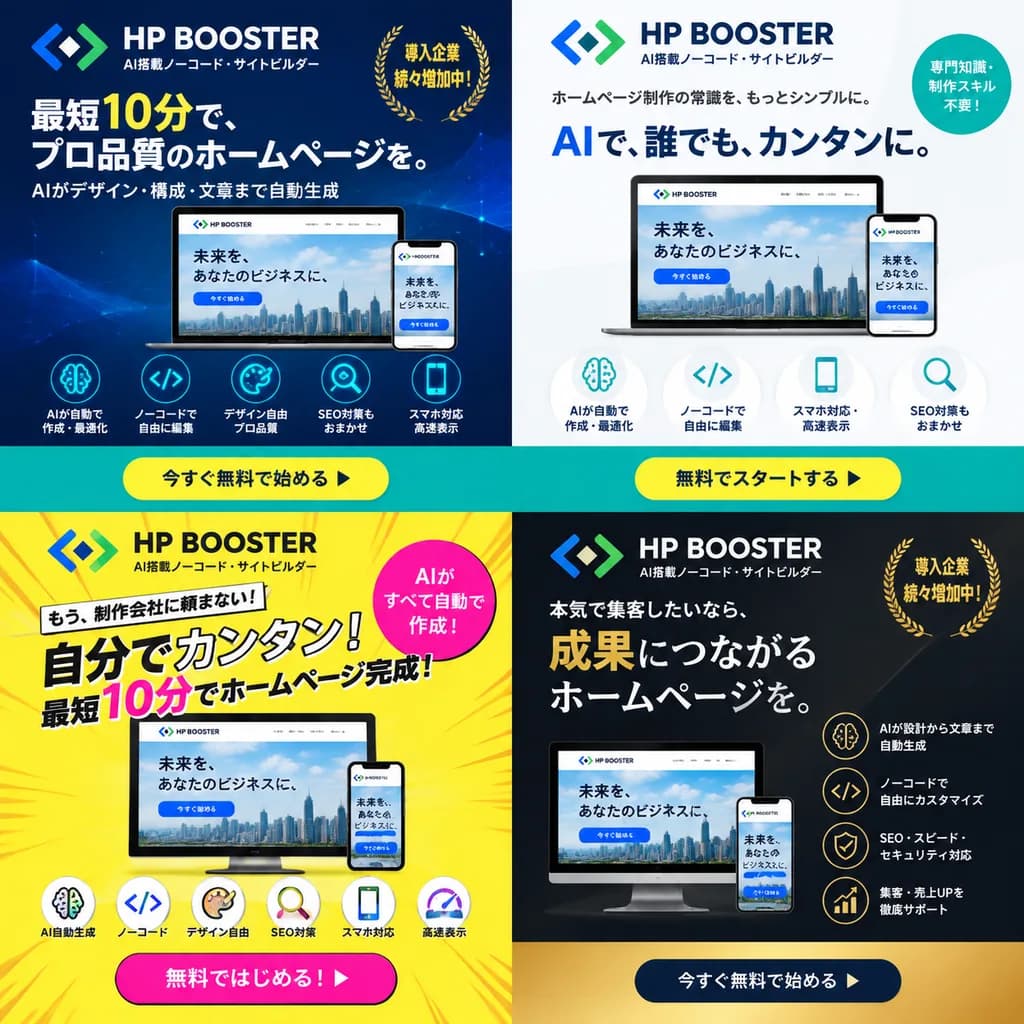
SaaS Ad Banner Variations Grid

SaaS Ad Banner Variations Grid

4-panel ad banner variation grid. dark blue gradient with modern tech line art. clean white and light gray minimalist layout. high-energy bright yellow with pop comic-book action lines. premium dark gray and matte black corporate aesthetic…

ad bannerbanner variationsaas promotion
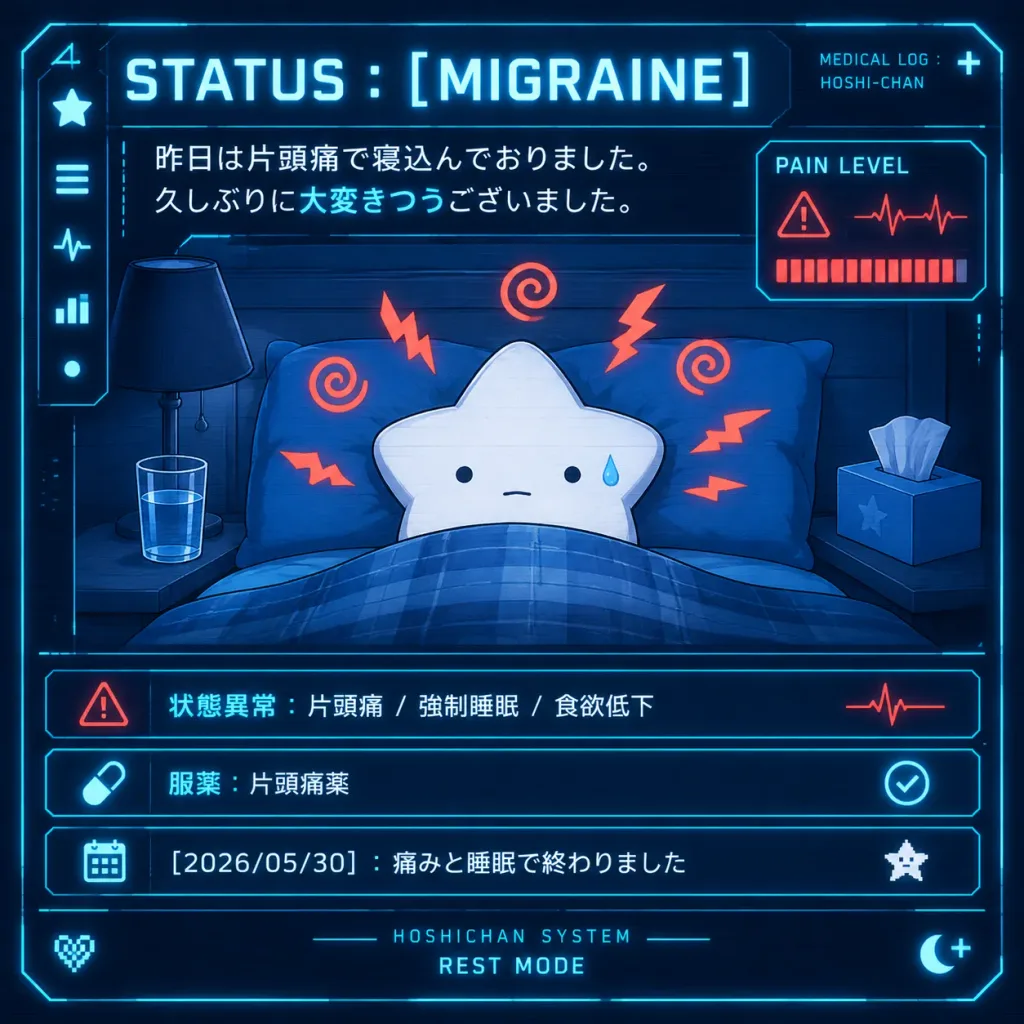
Sci-Fi Medical HUD Mascot Status Screen

Sci-Fi Medical HUD Mascot Status Screen

A square futuristic sci-fi medical HUD dashboard illustration on a dark navy blue background with glowing cyan interface borders, subtle scanlines, and high-contrast neon accents. In the center, [Hoshi-chan], a minimalist white five-pointed star mascot, lies resting in bed under a blue plaid blanket with blue pillows. The star has tiny black dot eyes, a neutral mouth, and a single blue sweat droplet on the right cheek, surrounded by 8 red-orange migraine pain symbols (5 jagged zigzags and 3 spiral squiggles). On the left bedside table sits a dark lamp and a glass of water; on the right sits a tissue box with a single tissue protruding. At the top, bold glowing typography reads “STATUS : [MIGRAINE]”, with small text in the upper right reading “MEDICAL LOG : HOSHI-CHAN” beside a tiny plus sign. Below the header, two lines of Japanese message text appear: “[昨日は片頭痛で寝込んでおりました。 久しぶりに大変きつうございました。]” with the phrase “大変きつう” highlighted in cyan. HUD elements frame the scene: a left vertical sidebar with 5 icons (star, menu bars, heartbeat line, bar chart, dot), and a right pain monitor card labeled “PAIN LEVEL” displaying a red warning triangle, red heartbeat waveform, and an almost-full row of red segmented bars. The bottom section features three glowing cyan status rows: Row 1: Red warning triangle icon, Japanese text “状態異常:片頭痛 / 強制睡眠 / 食欲低下”, and a red pulse wave. Row 2: Cyan pill capsule icon, Japanese text “服薬:片頭痛薬”, and a cyan circular checkmark. Row 3: Cyan calendar icon, Japanese text “[2026/05/30]:痛みと睡眠で終わりました”, and a tiny white pixel star. Footer details include centered text “HOSHICHAN SYSTEM” above “REST MODE”, a pixel heart in the lower left, and a crescent moon with a plus symbol in the lower right. Crisp vector-like digital art style, anime mascot charm, clinical sci-fi aesthetic.

hudmascotcyberpunk
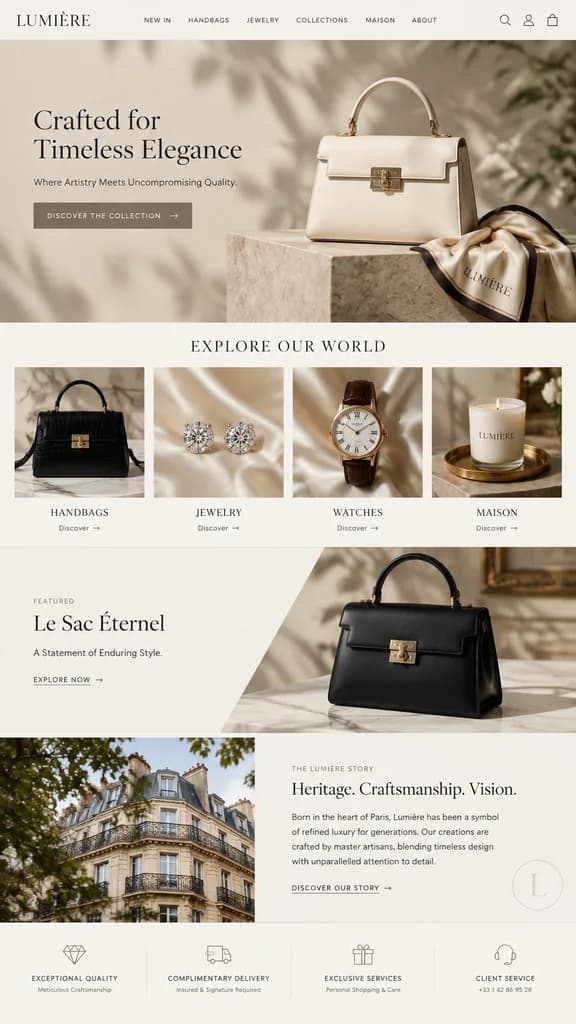
Luxury Fashion Landing Page Mockup

Luxury Fashion Landing Page Mockup

e-commerce landing page mockup. EXPLORE OUR WORLD. [Le Sac Éternel]. A Statement of Enduring Style. EXCEPTIONAL QUALITY. COMPLIMENTARY DELIVERY. EXCLUSIVE SERVICES. CLIENT SERVICE. [LUMIÈRE]. [luxury, minimalist, elegant, neutral tones]. […

landing pageui designluxury brand
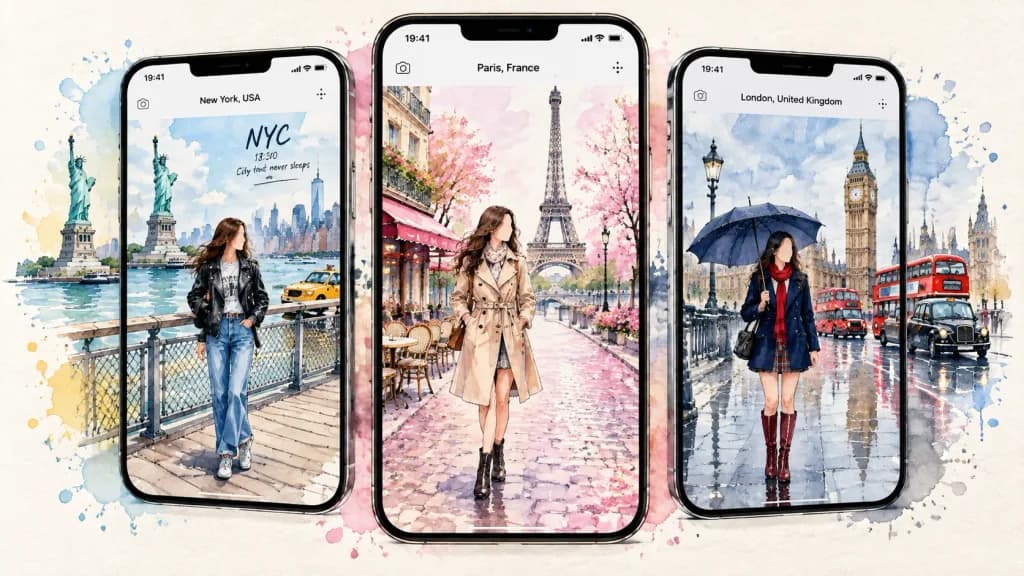
Watercolor Travel App Story Mockups

Watercolor Travel App Story Mockups

A wide watercolor travel-app mockup illustration showing exactly 3 vertical smartphone screens side by side, displaying fashionable female travelers in famous cities, styled like illustrated social media travel stories. Composition & Layout: Horizontal 16:9 composition on an off-white paper textured background with loose watercolor splashes and paint splatters extending behind and around the devices. Exactly three black iPhone-style smartphones with slim bezels and rounded corners are arranged side by side. The center phone featuring [Paris, France] is slightly forward and larger. The left phone displays [New York, USA], and the right phone displays [London, United Kingdom], both slightly angled with city elements bleeding beyond their screens. UI Details: Minimalist travel app interface on each screen showing a status bar with "19:41" at top left, a tiny camera icon, a centered location label with the city name, and subtle notification icons at top right. Scenes & Subjects: - Left Screen ([New York, USA]): A woman in casual streetwear with a black leather jacket, graphic t-shirt, blue jeans, sneakers, and a backpack standing on a waterfront pier. Background features the Statue of Liberty, Manhattan skyline, water, pier railings, yellow cabs, and handwritten text reading "NYC", "18:30", and "City that never sleeps". - Center Screen ([Paris, France]): An elegant woman in a classic beige trench coat, scarf, and ankle boots walking along a pink cobblestone street. Background shows the Eiffel Tower centered, pink cherry blossoms, Haussmannian facades, café tables, and flower boxes. - Right Screen ([London, United Kingdom]): A woman in a navy tailored coat, red scarf, short skirt, and knee-high burgundy boots holding a dark umbrella on a wet reflective London street. Background shows Big Ben, Houses of Parliament, red double-decker buses, black cabs, and a rainy blue-gray atmosphere. Style: Delicate watercolor and urban ink sketching, soft pastel washes, fine line art, luminous reflections, and hand-painted aesthetic. Faces are softly rendered or featureless in a chic fashion-illustration style. Clean mockup device borders with artistic watercolor splash bleed. Constraints: Exactly 3 smartphones, 3 female travelers, and 3 city scenes. No extra devices, clutter, or extraneous text beyond the specified UI and city labels.

watercolorapp mockuptravel journal
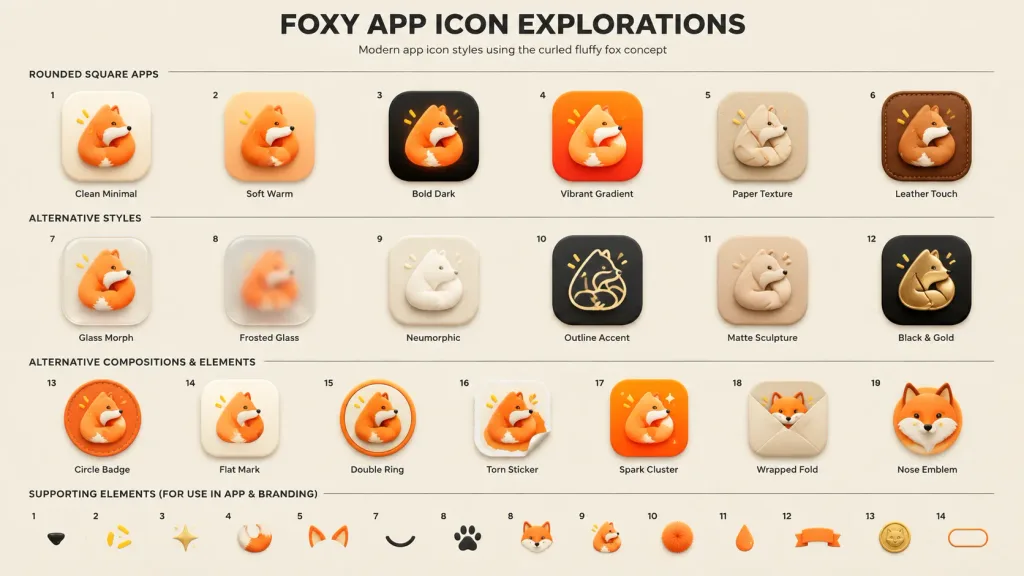
Fox App Icon Design Exploration Board

Fox App Icon Design Exploration Board

A professional UI design presentation board titled "[FOXY APP ICON EXPLORATIONS]", showcasing modern app icon variations for a curled fluffy fox mascot concept. Setting & Canvas: Wide 16:9 beige and off-white design board, centered composition, subtle clean paper texture background. At the top, a large bold black all-caps headline: "[FOXY APP ICON EXPLORATIONS]", with a smaller clean subtitle underneath: "[Modern app icon styles using the curled fluffy fox concept]". Thin horizontal divider lines separate the layout sections. Layout & Subject: Exactly 19 numbered app icon concepts arranged in an organized grid across 3 rows (Row 1: 6 icons, Row 2: 6 icons, Row 3: 7 icons). Each icon features the consistent mascot: a [curled fluffy orange fox forming a triangular app icon shape], with a white muzzle, tiny black eye, black nose, and small yellow accent marks. Each icon displays a small number above and a neat label underneath. Row 1 — Section Title: "ROUNDED SQUARE APPS" (6 icons): 1. Clean Minimal — cream rounded-square background, soft drop shadow, simple orange curled fox. 2. Soft Warm — peach and orange warm gradient rounded square. 3. Bold Dark — black rounded-square background with glowing orange fox. 4. Vibrant Gradient — bright orange-red gradient rounded square. 5. Paper Texture — beige paper-like icon with embossed folded pale cream fox. 6. Leather Touch — brown stitched leather rounded square, tan leather fox. Row 2 — Section Title: "ALTERNATIVE STYLES" (6 icons): 7. Glass Morph — translucent glossy glass rounded square with orange fox. 8. Frosted Glass — frosted silver translucent square with blurred interior fox. 9. Neumorphic — soft off-white raised neumorphic icon with minimal white folded fox. 10. Outline Accent — dark charcoal rounded square with thin cream line-art fox and yellow accents. 11. Matte Sculpture — soft beige matte clay-like curled fox sculpture. 12. Black & Gold — black rounded square with metallic gold fox emblem. Row 3 — Section Title: "ALTERNATIVE COMPOSITIONS & ELEMENTS" (7 icons): 13. Circle Badge — circular orange badge with curled fox and stitched ring detail. 14. Flat Mark — simplified flat orange triangular fox mark on cream background. 15. Double Ring — curled fox nested inside two circular orange rings. 16. Torn Sticker — fox rendered as a torn-edge paper sticker with curled corner. 17. Spark Cluster — orange rounded square with fox and delicate star sparkles. 18. Wrapped Fold — beige square with fox peeking from a folded envelope wrap. 19. Nose Emblem — zoomed-in fox face emblem focusing on nose, ears, and yellow marks. Bottom Row — Label: "SUPPORTING ELEMENTS (FOR USE IN APP & BRANDING)": Exactly 14 small brand asset icons neatly aligned: black nose, three yellow dash marks, golden sparkle star, orange-white fluffy tail, pair of orange fox ears, black curved smile arc, paw print, small fox head, tiny curled fox mascot, orange fluffy pom-pom, orange teardrop, orange ribbon banner, gold fox coin badge, and rounded pill outline. Style: Premium UI/UX case study sheet, polished 3D soft-rendered icons, rounded squircle silhouettes, tactile textures, gentle ambient occlusion shadows, warm orange and cream palette with dark charcoal accents, crisp typography, clean spacing, no photorealistic background clutter.

app iconui designpresentation board
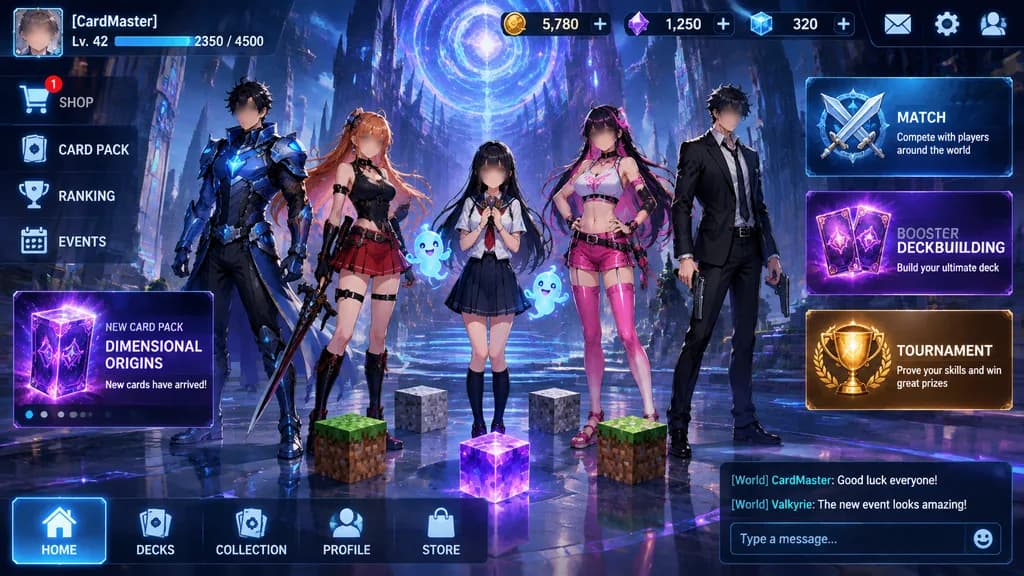
Anime Card Game Lobby UI Mockup

Anime Card Game Lobby UI Mockup

high-fidelity anime fantasy card game home screen UI mockup. five full-body anime characters standing across the center lobby, all faces softly blurred while bodies and outfits remain detailed. NEW CARD PACK. MATCH. BOOSTER DECKBUILDING. T…

card gamegame uianime
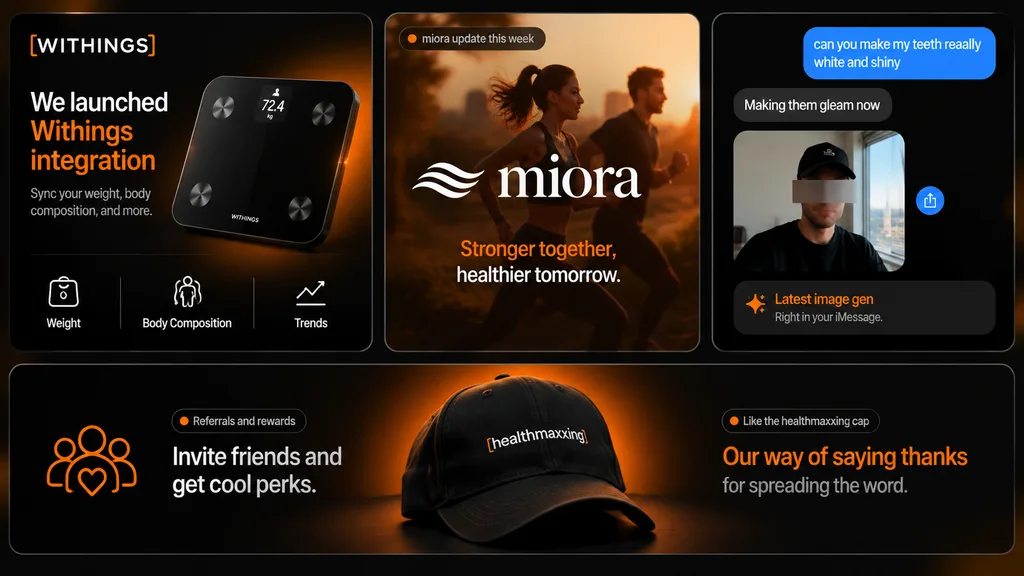
Dark Mode Tech Marketing Collage Slide

Dark Mode Tech Marketing Collage Slide

modern marketing slide collage. premium dark-mode tech brand presentation, sleek product marketing, soft glow lighting, rounded-corner cards, subtle gradients, high contrast, polished startup aesthetic. smart scale product card. brand upda…

marketingdark modepresentation
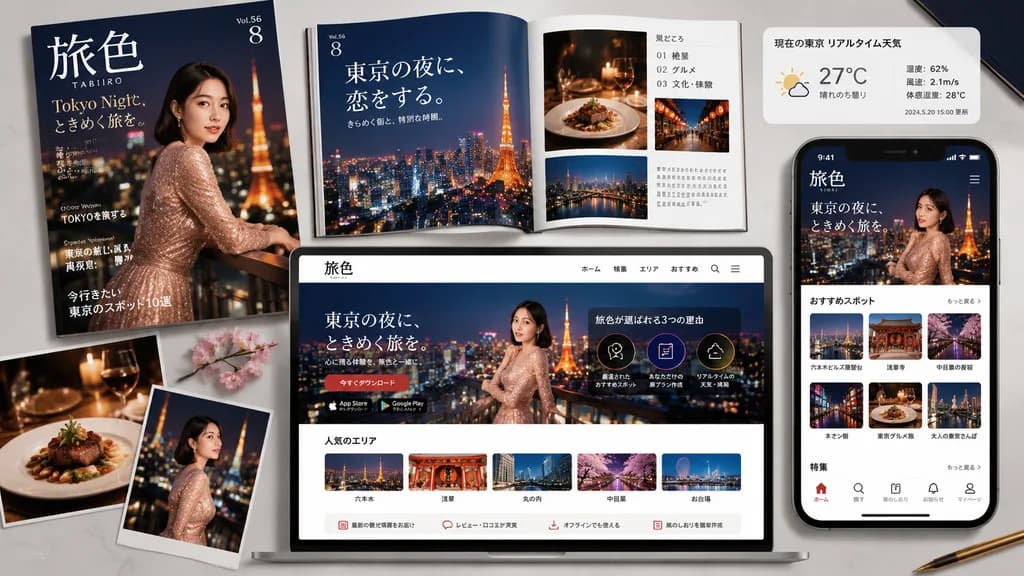
Tokyo Night Travel Brand Mockup Board

Tokyo Night Travel Brand Mockup Board

travel magazine and mobile app promotional mockup. romantic [Tokyo] night travel branding. magazine cover. magazine spread. weather and city info panel. smartphone app screen. website landing page. popular areas row. feature thumbnails on…

mockupbrandingtravel magazine
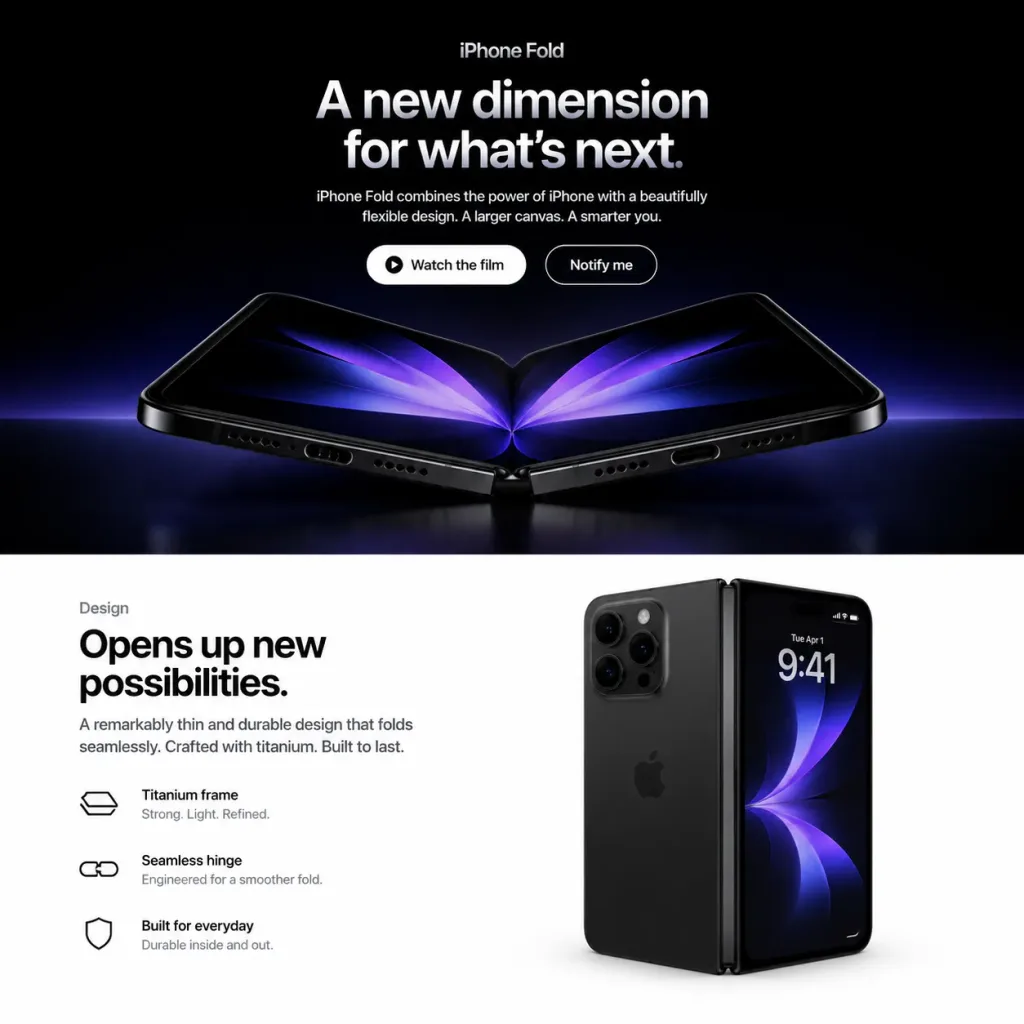
Foldable Smartphone Landing Page Mockup

Foldable Smartphone Landing Page Mockup

Square 1:1 web mockup of a polished Apple-style product landing page for a fictional [iPhone Fold], split into exactly two horizontal sections: a dark cinematic hero section on top (approx. 58% height) and a bright white design section on the bottom (approx. 42% height). Top Hero Section: - Background: Pure black with a subtle blue-purple ambient glow near the lower boundary. - Typography & UI: Centered alignment. At the top, a small category label reads "[iPhone Fold]". Below, a large bold Apple-style headline in white-to-silver gradient text reads "[A new dimension for what’s next.]". Beneath the headline, a short centered paragraph reads "[iPhone Fold combines the power of iPhone with a beautifully flexible design. A larger canvas. A smarter you.]". - Call-to-action: Two pill buttons side by side: a solid white button with black text "Watch the film" and a subtle play-circle icon, and a dark button with a thin white stroke and white text "Notify me". - Product Render: Beneath the buttons, a photorealistic foldable smartphone opened in a shallow V-shape rests on a reflective dark surface. It features black titanium edges, visible speaker grilles and charging port on the bottom edge, a precision central hinge, rounded corners, and a dark inner OLED display displaying mirrored abstract purple-blue petal-like light graphics. Dramatic rim lighting and faint surface reflections. Bottom Design Section: - Background: Clean, minimal pure white Apple product layout. - Left Column: Small label "Design" above a large bold black headline: "[Opens up new possibilities.]". Supporting copy: "A remarkably thin and durable design that folds seamlessly. Crafted with titanium. Built to last." Followed by three horizontal feature rows featuring minimal black line icons and two lines of text: 1) "Titanium frame" with "Strong. Light. Refined.", 2) "Seamless hinge" with "Engineered for a smoother fold.", 3) "Built for everyday" with "Durable inside and out." - Right Column: A second photorealistic render of the black foldable phone standing vertically in a partially folded state. The left side displays the matte black rear chassis with a triple-lens camera module, while the right side shows the active outer screen displaying "9:41", date "Tue Apr 1", tiny status icons, and an abstract dark blue-purple wallpaper. Soft contact shadows and realistic glass reflections. Style & Constraints: Minimalist luxury tech keynote aesthetic, San Francisco typography, generous white space, precise grid alignment. No browser chrome, navigation bars, watermarks, or extraneous elements.

ui-ux-designweb-landing-pageapple-style
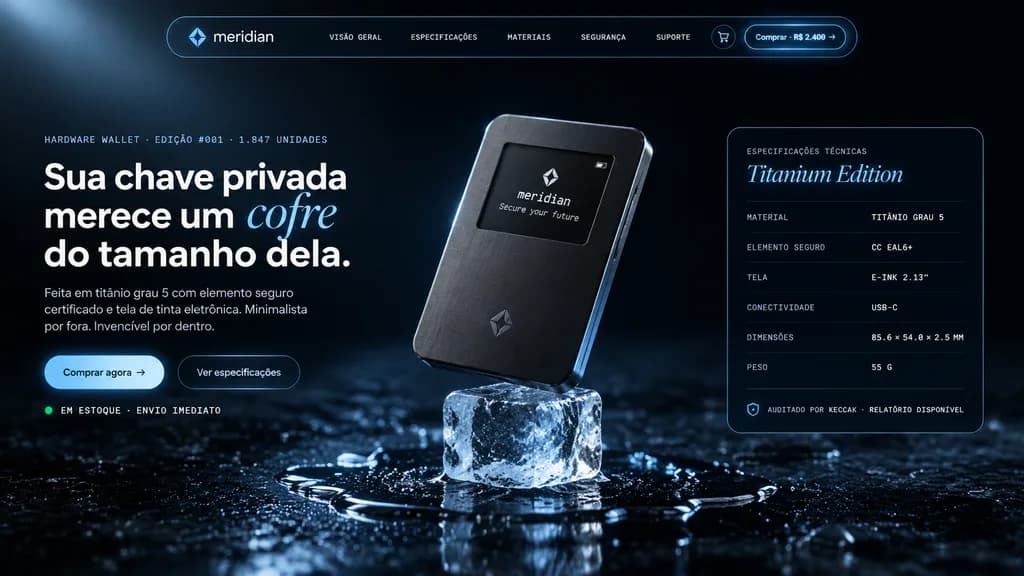
Luxury Hardware Wallet Landing Page Hero

Luxury Hardware Wallet Landing Page Hero

cinematic premium tech product landing page hero for a hardware crypto wallet. dark luxury fintech website, photorealistic product render integrated with polished UI design, moody black and deep navy background, icy blue highlights, thin r…

fintechlanding pagecrypto wallet
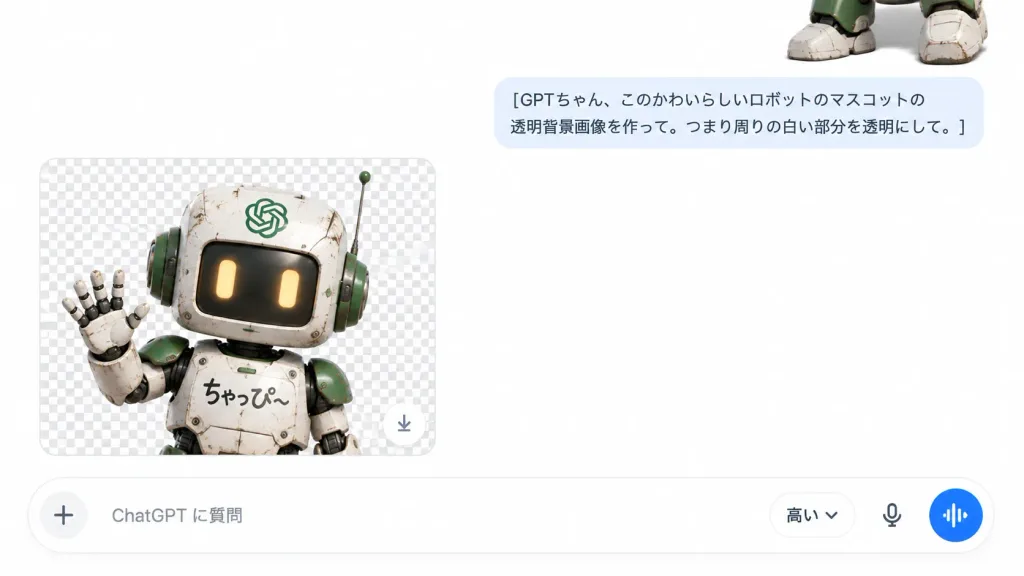
ChatGPT Mobile Transparent Robot Preview UI

ChatGPT Mobile Transparent Robot Preview UI

A realistic screenshot of a mobile ChatGPT conversation interface in landscape 16:9 format with a clean white background and minimal UI styling. In the top-right corner, the lower body of a cute, weathered humanoid robot mascot is partially cropped, showing chunky white metal feet, scuffed grime, black mechanical joints, and green accent panels. In the upper middle-right area, a rounded pale blue user chat bubble contains two lines of clean dark gray Japanese text: "[GPTちゃん、このかわいらしいロボットのマスコットの透明背景画像を作って。つまり周りの白い部分を透明にして。]". In the lower-left area, a large rounded rectangular preview card displays a gray-and-white checkerboard transparency pattern. Inside the card, the upper half of the robot mascot is rendered with scratched white metal plates, green shoulder and ear panels, a square head, warm glowing rectangular yellow eyes, a right antenna, an OpenAI logo plate on its forehead, and the handwritten Japanese text "[ちゃっぴ〜]" on its chest, happily waving its left hand; a small circular download button sits at the card's bottom-right corner. Spanning the bottom edge is a rounded white input bar featuring a plus icon on the left, the placeholder text "[ChatGPT に質問]", a dropdown model label "[高い⌄]", a microphone icon, and a circular blue voice waveform button on the far right. Crisp typography, soft shadows, generous white negative space, 3D render meets modern mobile UI.

chatgptmobile uiscreenshot
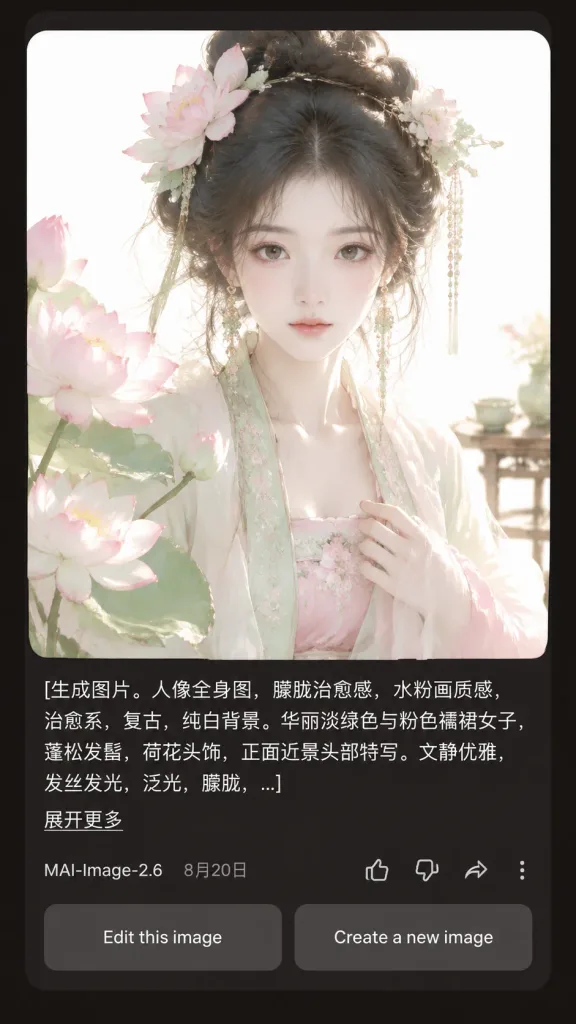
Dark Mode AI Generator Result Interface

Dark Mode AI Generator Result Interface

A realistic mobile app screenshot showing an AI image generation result card in dark mode, set against a dark charcoal-brown app background with rounded card borders and generous margins. Main content: - Top card: A large square portrait with rounded corners featuring [a beautiful young woman in pale green and pink Hanfu, lotus-flower hair ornaments, loose black updo, delicate dangling jewelry, soft melancholic expression, facing forward in a close-up half-body composition]. Style of the portrait: ethereal, vintage, soft pale watercolor-like, diffused daylight, glowing hair strands, translucent silk fabrics, pure white background, pastel lotus blossoms in the left foreground, a pale blossom hair ornament on the right, and a subtle tea table detail in the right background. - Prompt text block below image: Left-aligned white text spanning three lines ending in an ellipsis with the exact text: "[生成图片。人像全身图,朦胧治愈感,水粉画质感,治愈系,复古,纯白背景。华丽淡绿色与粉色襦裙女子,蓬松发髻,荷花头饰,正面近景头部特写。文静优雅,发丝发光,泛光,朦胧,...]". Beneath it, a small underlined link reads "[展开更多]". - Metadata row: Displays "[MAI-Image-2.6]" on the left next to date "[8月20日]". On the right, four outline icons: thumbs up, thumbs down, share arrow, and a vertical three-dot menu. - Bottom action buttons: Two side-by-side rounded rectangular gray buttons reading "Edit this image" and "Create a new image". Style: Crisp mobile UI typography, realistic app rendering, balanced dark mode layout, high visual contrast between the glowing pastel portrait and dark UI background.

mobile uidark modeapp interface
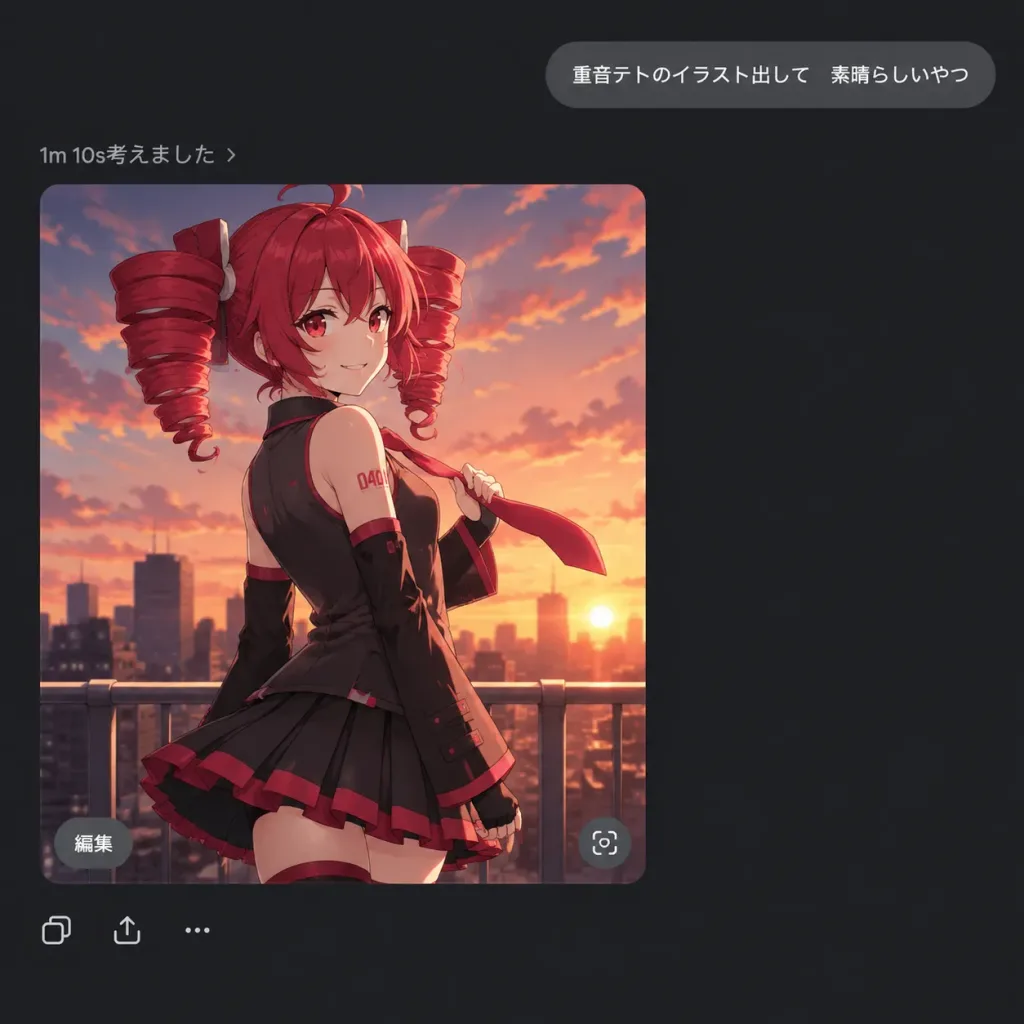
Dark Mode AI Chat Screenshot with Anime Generation

Dark Mode AI Chat Screenshot with Anime Generation

A square 1:1 dark-mode AI chat interface screenshot displaying a generated anime illustration of [Kasane Teto]. UI Layout & Text: - Minimalist dark chat application interface on a pure dark gray background with generous negative space. - Upper right: A rounded gray user message bubble with crisp white sans-serif text reading exactly: 「重音テトのイラスト出して 素晴らしいやつ」 - Left side below: A small status line in light gray reading exactly: 「1m 10s考えました ›」 - Embedded image card: A large rounded-corner portrait card positioned below the status line. - Image card overlays: A small gray rounded pill button labeled 「編集」 in the lower left corner and a circular action icon in the lower right corner. - Bottom actions: A row of three small minimalist utility icons (copy, share, and ellipsis menu) directly below the image card. Image Card Illustration: - Subject: Polished anime artwork of [Kasane Teto], shown from mid-thigh up, slightly glancing over her shoulder at the viewer with a confident smile. - Appearance: Vivid [red] hair styled into prominent twin drill pigtails, red eyes, wearing a black sleeveless idol outfit with red accents, pleated skirt, long black arm warmers, lightly holding a red tie caught in the wind. - Background: Rooftop railing in the foreground against a city skyline silhouette under an orange and pink sunset sky with soft clouds. - Art style: Crisp cel-shaded modern anime aesthetic, smooth lineart, warm cinematic backlighting.

dark modechat uianime girl
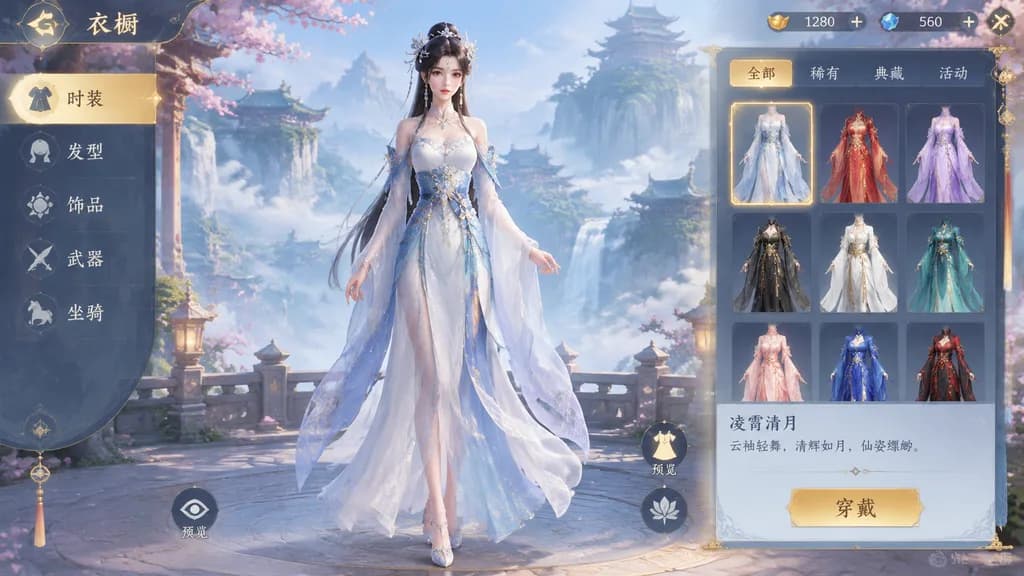
Xianxia Game Wardrobe UI Interface

Xianxia Game Wardrobe UI Interface

Dress-up mobile game UI interface screen featuring an [ancient Xianxia style] female character standing in the center. The layout includes a clean [wardrobe selection panel] with costume customization icons, category tabs, and decorative traditional fantasy UI elements.

dress-up gamegame uixianxia
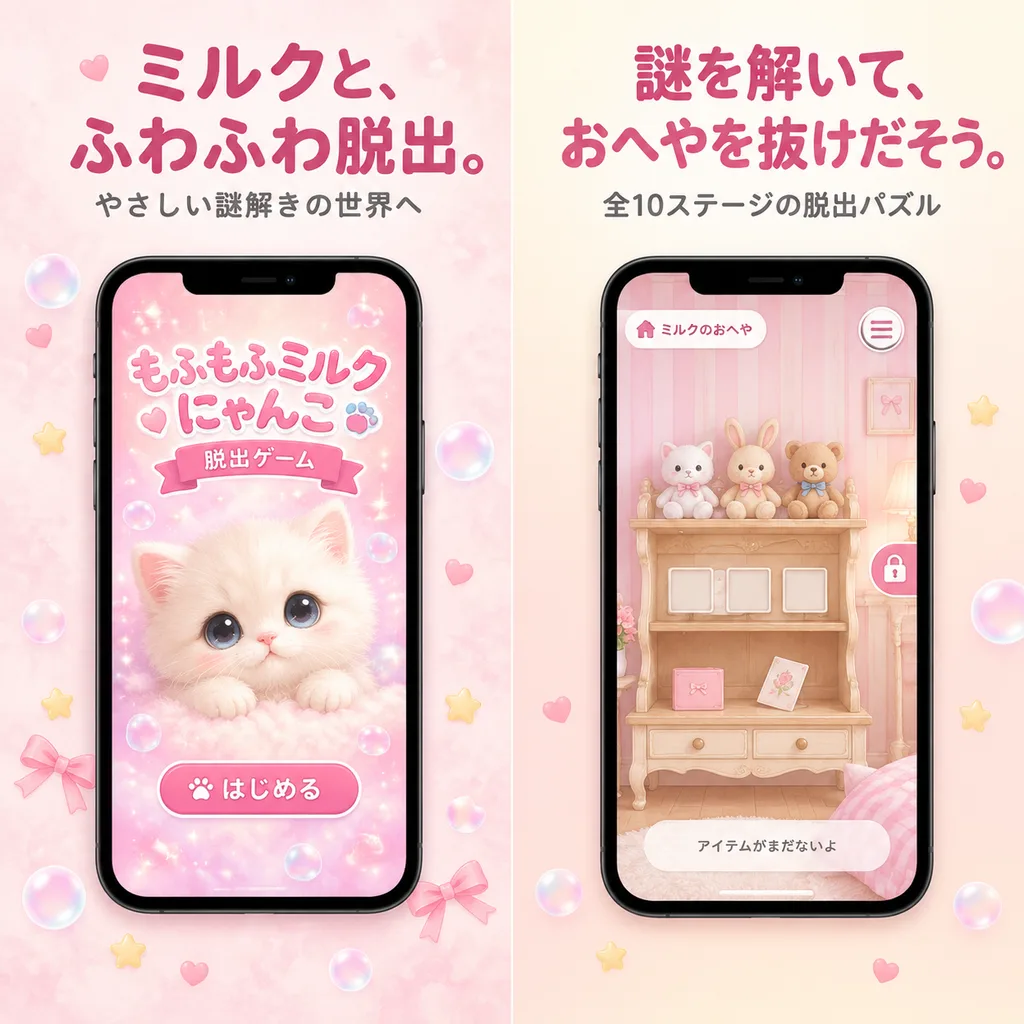
Pastel Japanese Mobile Game Promotion

Pastel Japanese Mobile Game Promotion

A polished Japanese mobile game promotional graphic in a soft pastel kawaii style, formatted as a square split-screen advertisement with 2 vertical panels side by side. The left half features a pale blush pink watercolor background, and the right half features a warm cream-to-pink gradient background. Left panel: - Top typography: a large bold rounded Japanese headline in dark rose pink reading "[ミルクと、ふわふわ脱出。]", with a smaller gray subtitle below reading "[やさしい謎解きの世界へ]". - Center: a modern black-framed smartphone mockup displaying the title screen of a cute escape game. Inside the phone screen is a fluffy cream-colored kitten with large watery eyes against a sparkly pink backdrop, floating bubbles, hearts, Japanese title text "もふもふミルク にゃんこ" with a ribbon subtitle "脱出ゲーム", and a large rounded start button reading "はじめる". - Surrounding details: translucent soap bubbles, tiny decorative bows, hearts, and star-shaped sparkles scattered near the bottom. Right panel: - Top typography: a large bold rounded Japanese headline in dark rose pink reading "[謎を解いて、おへやを抜けだそう。]", with a smaller gray subtitle below reading "[全10ステージの脱出パズル]". - Center: a matching black-framed smartphone mockup showing gameplay in a dreamy pastel pink room with striped wallpaper, a wooden vanity shelf, 3 small plush animals on the top shelf, 3 empty square slots on the middle shelf, and two small items on the lower shelf (a pink rectangular item and a tilted card). Phone UI includes a small room label "ミルクのおへや" in the top-left, a circular icon at top-right, a vertical lock icon along the right edge, and a bottom dialogue bar reading "アイテムがまだないよ". Overall visual style: gentle App Store screenshot aesthetic, soft diffused lighting, pastel pinks and creams, clean spacing, rounded typography, and a cute feminine atmosphere.

mobile gameapp store screenshotkawaii
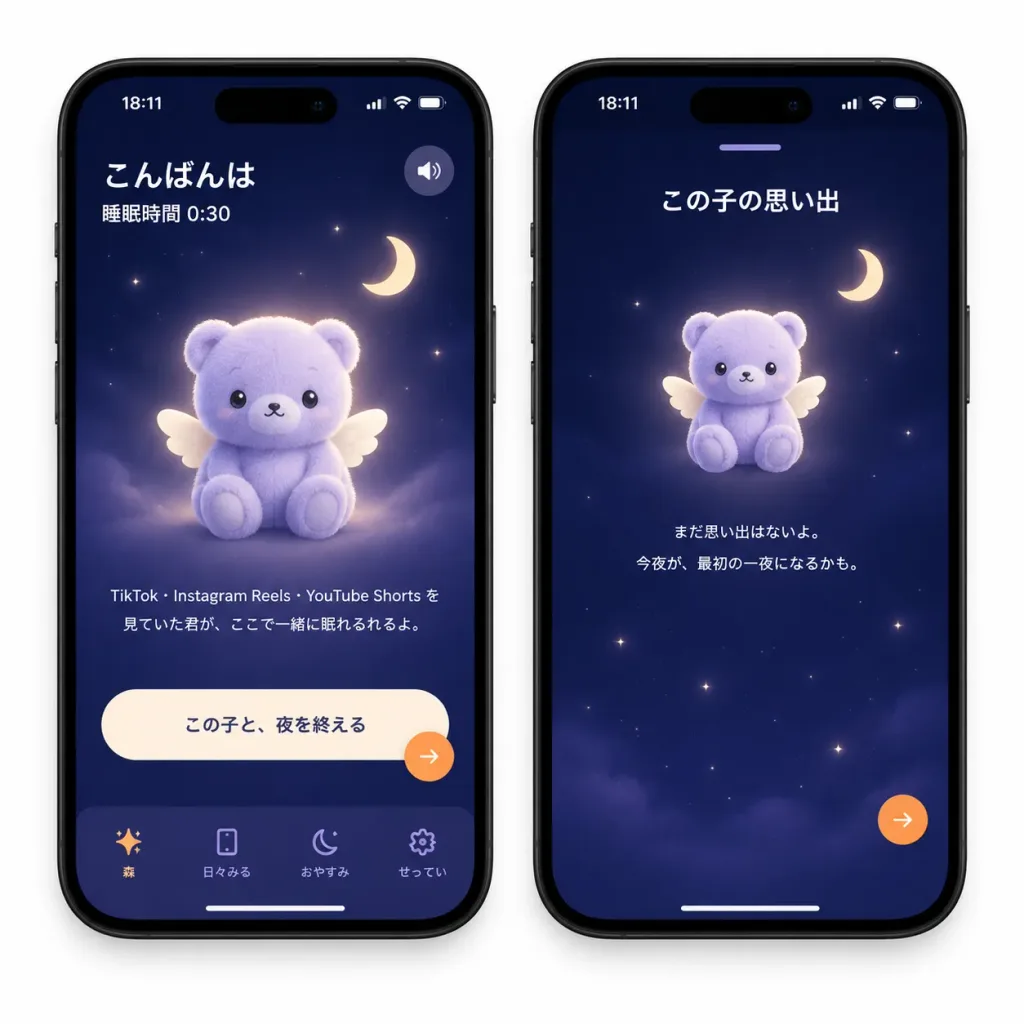
Bedtime Companion App Prototype Mockup

Bedtime Companion App Prototype Mockup

A polished mobile app prototype mockup displaying two black iPhone devices side by side on a plain white background, 1:1 square composition. Realistic device frames with subtle drop shadows, Dynamic Island, top status bar showing "18:11" with battery/Wi-Fi icons, and bottom white home indicator bars. Visual style: Japanese mindful bedtime wellness app. Dark navy-to-deep-indigo gradient screen backgrounds with tiny glowing stars, soft moonlight illumination, frosted glassmorphism cards, muted lavender panels, and warm orange accent buttons. Dreamy, safe, soothing bedtime mood. Mascot: Exactly one central mascot per screen (two total)—a pastel lavender plush teddy-bear creature with small rounded ears, simple sweet black eyes, tiny smile, plush felt texture, seated pose, and small cream-colored angel wings, surrounded by a gentle halo glow. A minimalist crescent moon icon floats near the upper-right area on each screen. Left screen layout: - Top-left greeting text in crisp white: "[こんばんは]", with subtext "[睡眠時間 0:30]". - Top-right: small circular audio/speaker toggle button. - Center: the winged plush mascot. - Below mascot, small Japanese caption: "TikTok・Instagram Reels・YouTube Shorts を見ていた君が、ここで一緒に眠れるれるよ。" - Bottom: one large pill-shaped cream primary button labeled "[この子と、夜を終える]". Overlapping its lower-right corner is a small circular floating orange action button. - Bottom navigation bar with 4 minimalist line icons and labels: 1) sparkle icon with "森", 2) phone rectangle icon with "日々みる", 3) crescent moon icon with "おやすみ", 4) gear icon with "せってい". Right screen layout: - Top center: a small lavender drag-handle bar. - Title in crisp white below handle: "[この子の思い出]". - Upper center: the same winged plush mascot, slightly smaller, with crescent moon icon nearby. - Centered below mascot: small Japanese text: "まだ思い出はないよ。今夜が、最初の一夜になるかも。" - Lower half: serene dark night sky with sparse twinkling stars. - Floating circular orange action button near the lower-right. Constraints: Exactly 2 phone screens, exactly 2 mascots total, exactly 2 crescent moons total, clean legible Japanese typography, minimal clutter, no extra logos or watermarks.

ui mockupmobile appbedtime app
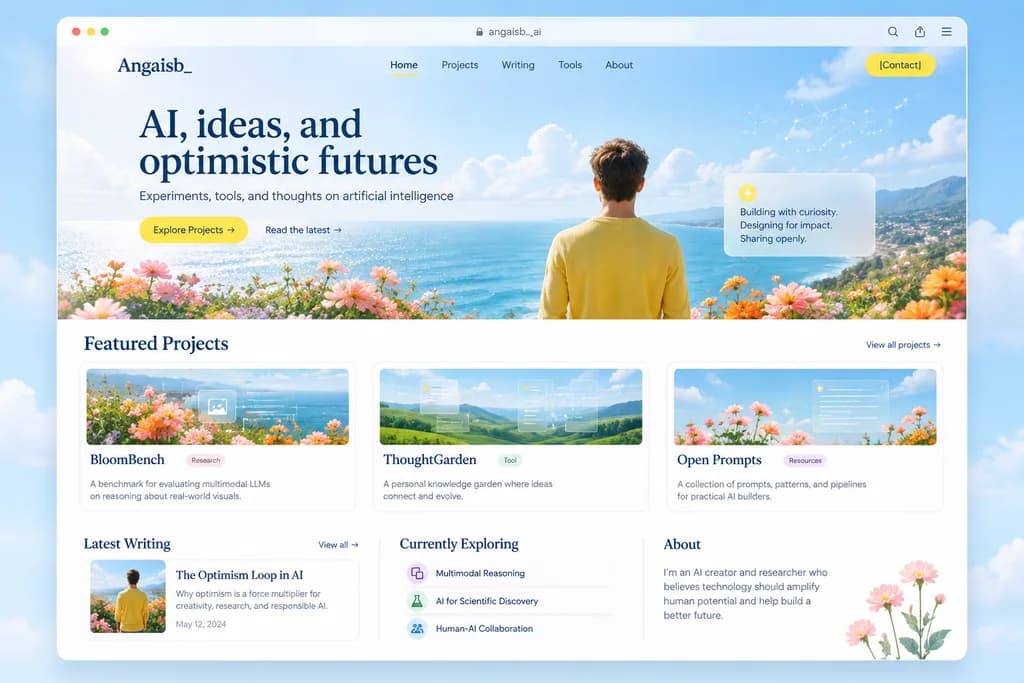
Editorial AI Portfolio Website Mockup

Editorial AI Portfolio Website Mockup

editorial portfolio website landing page mockup. clean modern web design, airy premium aesthetic, soft editorial typography, pastel coastal palette, subtle glassmorphism, high-end startup portfolio feel. desktop browser window mockup. roun…

ui ux designwebsite mockuplanding page
Software Project Landing Page with Anime Hero Banner

Software Project Landing Page with Anime Hero Banner

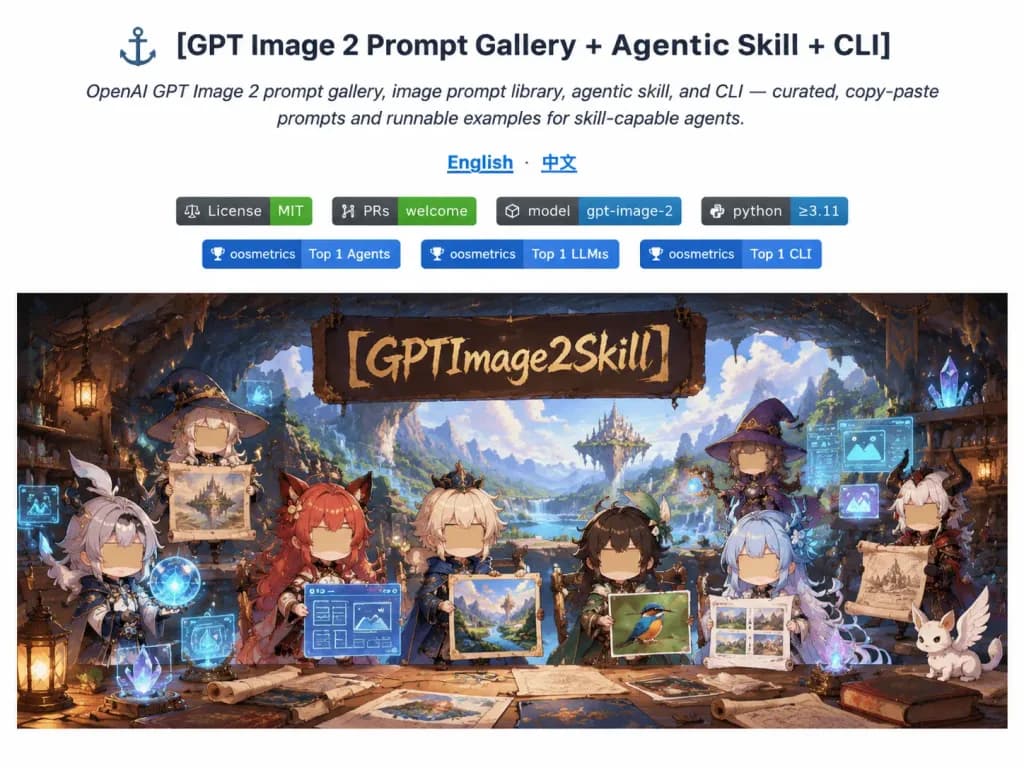
A clean GitHub README-style documentation webpage screenshot on a pure white background, free of browser chrome. At the top, centered modern typography displays the bold headline "[GPT Image 2 Prompt Gallery + Agentic Skill + CLI]" alongside a small anchor icon, followed by an italic subtitle: "OpenAI GPT Image 2 prompt gallery, image prompt library, agentic skill, and CLI — curated, copy-paste prompts and runnable examples for skill-capable agents." Below are blue underlined language links "English · 中文", a row of rectangular status badges reading "License MIT", "PRs welcome", "model gpt-image-2", and "python ≥3.11", followed by ranking badges reading "oosmetrics Top 1 Agents", "oosmetrics Top 1 LLMs", and "oosmetrics Top 1 CLI". Underneath the badges is a wide panoramic hero illustration banner set in a magical fantasy cave workshop with warm cinematic lighting and vibrant anime chibi aesthetics. A black calligraphic sign hangs at the upper center with rough gold lettering reading "[GPTImage2Skill]". In the workshop foreground, eight chibi fantasy characters present image-generation artifacts including parchment scrolls, UI wireframes, artwork samples, and a bird photograph, each with intricate fantasy attire and stylized blank tan rectangular faces. Floating glowing cyan UI panes, magical orbs, and crystalline tools fill the workshop against a mountain cavern opening.

ui-ux-designgithub-readmelanding-page
B2B SaaS Landing Page Hero

B2B SaaS Landing Page Hero

A polished fictional SaaS landing page hero section for a data infrastructure and analytics platform named [NOVALITH], designed in a premium Japanese B2B tech aesthetic. Desktop web layout with a 16:9 aspect ratio, clean white background with pale cyan gradients, subtle network line geometry, faint dot matrix patterns, and glossy floor reflections. Palette of deep navy, teal, cyan, and crisp white. Header: Top-left logo with an angular gradient cyan-to-navy "N" icon followed by spaced uppercase wordmark "NOVALITH". Center navigation features five Japanese links: 「プロダクト」, 「ソリューション」, 「ドキュメント」, 「リソース」, 「会社情報」. Top-right includes 「ログイン」 and a rounded teal CTA button labeled [お問い合わせ] with a right arrow icon. Hero Left: Bold two-line navy Japanese headline reading [データを、未来の意思決定に変える。]. Beneath it, a Japanese subheadline: [NOVALITHは、開発・運用・データの複雑さを解消し、信頼できるデータ基盤で、事業の成長を加速させます。]. Below, a three-column feature block with thin teal line icons: 1) stacked layers icon with 「統合された基盤」「データとシステムを一元的に統合」, 2) shield-check icon with 「堅牢なガバナンス」「セキュリティと品質を標準で確保」, 3) rising chart arrow icon with 「高速な意思決定」「信頼できるデータで意思決定を加速」. Two rounded buttons underneath: a solid teal primary CTA [プロダクトを見る] with an arrow, and an outlined white CTA 「資料をダウンロード」 with a download icon. Hero Right: A tilted floating dashboard mockup with rounded corners, soft shadow, and glossy white UI. Behind it stands a monumental 3D translucent teal and navy "N" structure with angular cyan glass panels. The dashboard displays a six-item sidebar (「ダッシュボード」 highlighted, 「データカタログ」, 「パイプライン」, 「モニタリング」, 「ガバナンス」, 「アラート」), four stat cards (「データパイプライン」 128, 「データ品質スコア」 98.6%, 「アクティブユーザー」 1,256, 「処理データ量」 2.45 PB), line charts, a 3-node pipeline diagram, a 4-row alert table, and a donut chart showing 96%. Crisp UI design, photorealistic 3D glass, airy spacing, sharp Japanese typography, no people, no clutter.

saaslanding pageui design
Dark Mode Authenticator App Onboarding Mockups

Dark Mode Authenticator App Onboarding Mockups

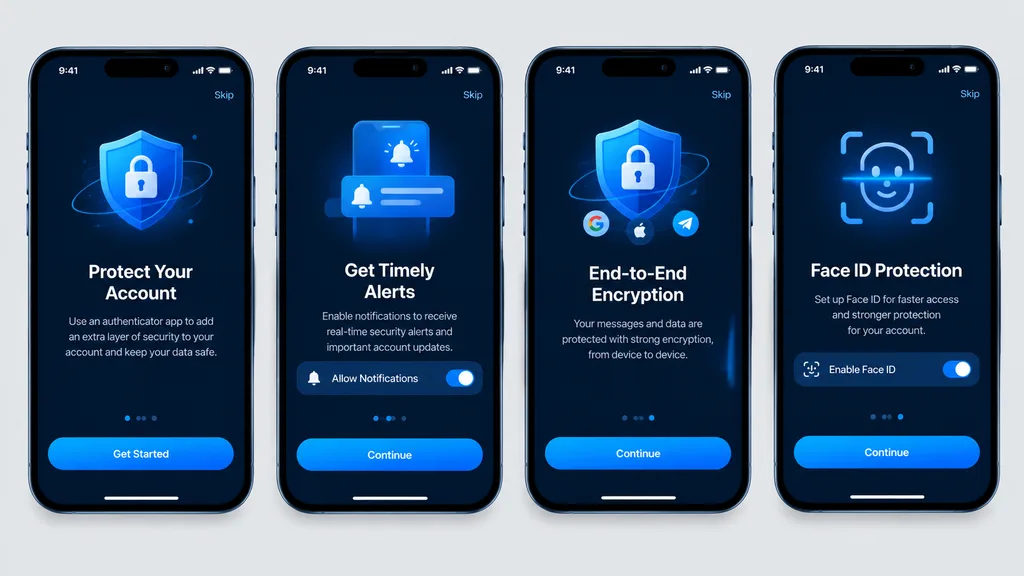
Clean, high-fidelity UI mockups recreating 4 mobile onboarding screens based on the reference design, rendered as direct digital graphic mockups without perspective distortion, glare, or device surroundings. The four [iPhone-style] smartphone frames are aligned front-facing and evenly spaced in a single horizontal row on a [light gray] background canvas. Dark mode theme featuring a [blue security visual style], rounded phone bezels, top status bars, top skip links, and bottom home indicators. From left to right, exactly 4 screens: 1. Authenticator account protection screen with main call-to-action button labeled "[Get Started]". 2. Timely alerts screen featuring a notification permission toggle switch and a button labeled "[Continue]". 3. End-to-end encryption screen featuring a shield and lock graphic, social icons, and a button labeled "[Continue]". 4. Face ID protection quick setup screen featuring a biometric scan overlay graphic, activation toggle, and a button labeled "[Continue]". Crisp vector typography, consistent spacing, sharp readable text, and polished app store presentation quality.

ui mockupmobile apponboarding
Early 2000s Flash Snapshot AI Prompt UI

Early 2000s Flash Snapshot AI Prompt UI

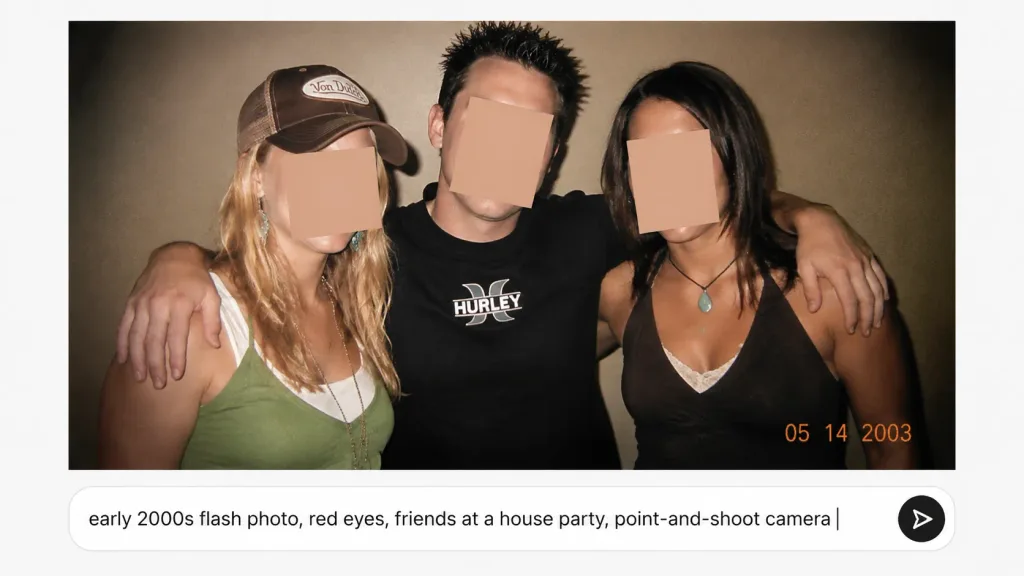
A nostalgic early-2000s candid point-and-shoot flash photograph of [three friends] posing closely at a casual house party against a plain beige wall. The photo has the aesthetic of a low-resolution disposable camera snapshot: harsh direct flash, warm indoor color cast, subtle film grain, soft focus, slight skin overexposure, and dark vignetting. On the left, a blonde woman wears a brown trucker cap with a vintage patch, jewelry, and a green tank top over a white layer. In the center, a man with short spiky dark hair in a black Hurley-style T-shirt has his arms around both friends. On the right, a brunette woman wears a brown halter top over white lace and a turquoise pendant necklace. Exactly 3 flat rectangular skin-tone censor blocks obscure their faces. An orange digital camera date stamp reads "[05 14 2003]" in the bottom-right corner of the photo. Below the photo, set against a clean interface, is a modern rounded white AI prompt input bar displaying the text "[early 2000s flash photo, red eyes, friends at a house party, point-and-shoot camera]" with a vertical cursor and a circular send button with a black arrow icon on the right. Landscape composition with the snapshot filling the upper area and the UI prompt bar below.

2000s aestheticflash photographyhouse party
Luxury Villa Website Laptop Mockup

Luxury Villa Website Laptop Mockup

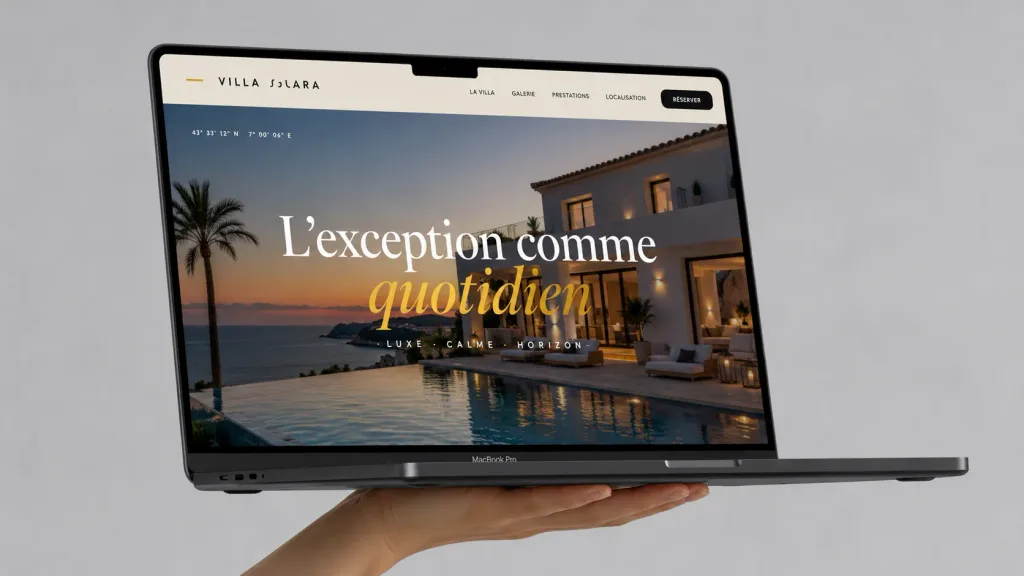
A realistic premium laptop mockup advertising a luxury villa website. Exactly one open dark-gray MacBook Pro floats horizontally in three-quarter perspective, held from beneath by one human hand against a seamless light-gray studio background. Laptop details: Black display bezel with a centered top notch, thin profile, visible hinge, ports on the left side, and a subtle 'MacBook Pro' label on the bottom bezel. On-screen UI: Full-width French luxury real-estate landing page for [VILLA SOLARA]. The warm off-white navigation bar features a small gold accent dash on the far left, the brand name '[VILLA SOLARA]' in spaced uppercase black lettering, and five navigation items on the right: 'LA VILLA', 'GALERIE', 'PRESTATIONS', 'LOCALISATION', alongside a rounded black 'RÉSERVER' button. Hero section: High-end photograph of a modern white Mediterranean villa at sunset beside an infinity pool overlooking the ocean, palm trees, glowing exterior lighting, and terrace loungers. Large centered editorial serif typography reads '[L’exception comme quotidien]', with 'L’exception comme' in white and 'quotidien' in italic golden yellow. Tiny subtle coordinate text in the upper-left and an understated, spaced subtitle below the headline. Lighting & Aesthetic: Soft, photorealistic studio lighting with gentle cast shadows beneath the hand and laptop. Ultra-crisp screen graphic details, sophisticated design agency portfolio aesthetic, clutter-free, no watermarks.

macbook mockupweb designui ux
Minimalist AI Gallery Hero Landing Page

Minimalist AI Gallery Hero Landing Page

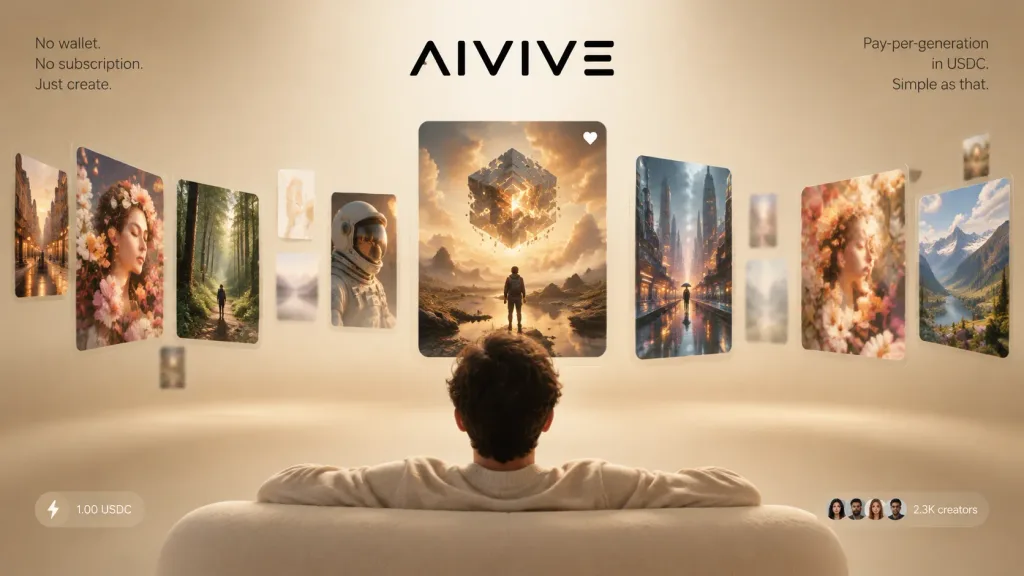
Premium landing-page hero image for [AIVIVE], presenting an AI image-generation gallery viewed from behind a seated viewer. Setting & Composition: Wide 16:9 aspect ratio, warm beige studio background with a subtle vignette and shallow depth of field. In the bottom foreground, show the back view of a person seated on a rounded cream-colored sofa, arms resting along the backrest, looking forward at the floating display. Centered at the very top is a sleek black stylized logo reading "[AIVIVE]". Floating Feed Cards: A curved horizontal carousel of exactly 14 floating glassy image cards with rounded corners receding into depth: - Center (1 card): A crisp, large vertical hero card showing a lone figure standing in a reflective rocky landscape beneath a glowing fragmented cube suspended in dramatic golden clouds, with a tiny white heart icon in its top-right corner. - Left side (7 cards, angled and receding): 1 warm city street at the far edge, 1 large floral portrait, 1 forest path with a tiny walking figure, 1 small pale abstract card, 1 blurred pale landscape behind the forest, 1 astronaut helmet portrait, and 1 faint blurred card near the bottom left. - Right side (6 cards, angled and receding): 1 tall futuristic rainy skyline, 1 small blurred vertical card behind it, 1 large floral portrait, 1 mountain valley at the far right, 1 small upper-edge card, and 1 faint distant card between the city and portrait. Typography & UI Elements: - Top left copy: "No wallet. / No subscription. / Just create." - Top right copy: "Pay-per-generation / in USDC. / Simple as that." - Bottom left: Translucent pill badge with a small lightning icon and text reading "1.00 USDC". - Bottom right: Social proof badge showing four small circular creator avatar photos and text reading "2.3K creators". Style & Lighting: Clean 3D commercial render, soft global illumination, warm cream and gold palette, floating glassy cards with soft cast shadows, elegant minimalist luxury tech aesthetic. No browser chrome or clutter.

ui-ux-designhero-banner3d-render
Pastel Otome Visual Novel Game UI

Pastel Otome Visual Novel Game UI

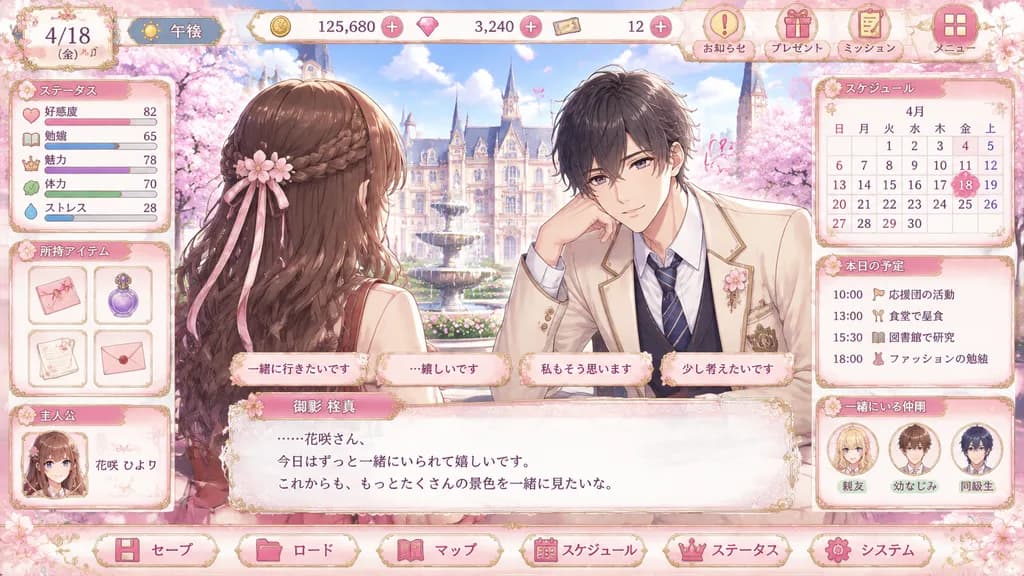
romance visual novel game UI mockup. elegant pastel otome game interface, highly polished anime illustration, ornate gold filigree, soft pink cherry blossom theme, glossy buttons, lace and ribbon decorations, dreamy spring lighting. ステータス.…

otomevisual novelgame ui
Cosmetic Serum Layer Decomposition Mockup

Cosmetic Serum Layer Decomposition Mockup

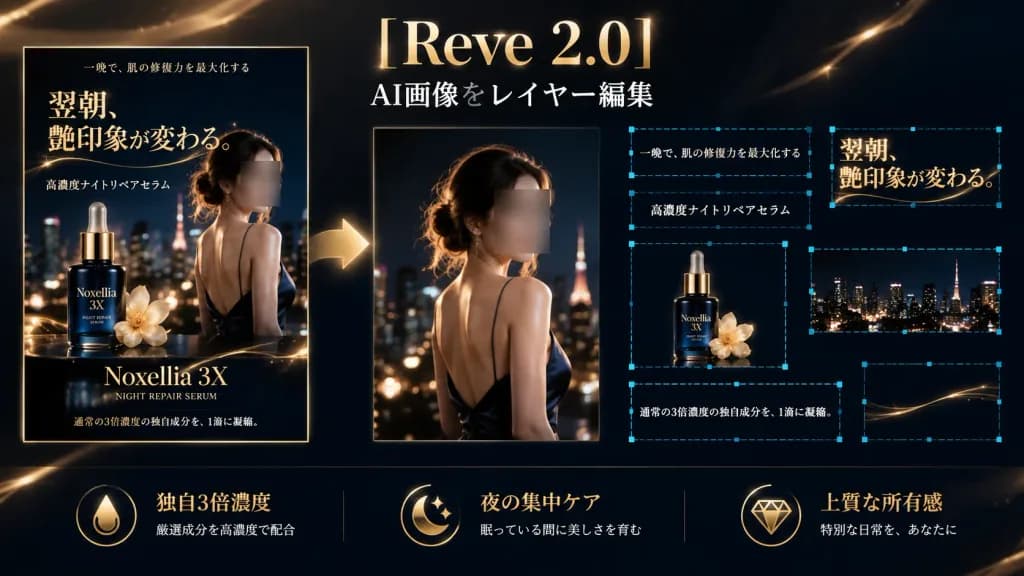
A high-end dark luxury advertising demonstration banner for an AI image editor in a wide 16:9 format, illustrating a cosmetic serum advertisement decomposed into editable layers. Deep navy-black background with warm champagne gold light streaks, subtle sparkling lens flares, and cinematic glossy lighting. Layout: On the left, a complete vertical finished poster framed with a thin gold border. Across the top center, the software title "[Reve 2.0]" is set in large elegant serif gold-white lettering, with the subtitle "AI画像をレイヤー編集" beneath in crisp white text. A large glowing gold arrow flows from the finished poster toward the editable composition. In the center-right, an enlarged source model image shows a woman in a dark satin evening dress from behind with a glossy shoulder, warm rim-lit hair, night city bokeh, and a soft rectangular blur block over her face. On the far right, separated editable layer elements float with glowing cyan corner handles and blue dashed selection outlines. Left finished poster details: Advertises "[Noxellia 3X]" with sublabel "NIGHT REPAIR SERUM", displaying the female model, a dark blue glass serum bottle with a gold dropper, a pale gold flower accent, nighttime city skyline, and Japanese typography including the large ornate serif headline "翌朝、艶印象が変わる。", small top text "一晩で、肌の修復力を最大化する", mid text "高濃度ナイトリペアセラム", and bottom text "通常の3倍濃度の独自成分を、1滴に凝縮。". The model's face is censored with a soft rectangular blur. Editable layer callouts: Exactly 7 blue dashed selection rectangles with cyan handles enclosing the headline "翌朝、艶印象が変わる。", the sentence "通常の3倍濃度の独自成分を、1滴に凝縮。", the phrase "一晩で、肌の修復力を最大化する", the phrase "高濃度ナイトリペアセラム", the isolated product bottle with flower, a cropped city skyline strip, and a thin gold decorative curve. Bottom feature row: Three gold icon-and-text blocks along the bottom reading "独自3倍濃度", "夜の集中ケア", and "上質な所有感" with brief supporting Japanese text. Clean non-destructive UI aesthetic with luxury cosmetic campaign styling, no watermarks.

skincare adlayer editingui mockup
ChatGPT Dark Mode Anime Generation Interface

ChatGPT Dark Mode Anime Generation Interface

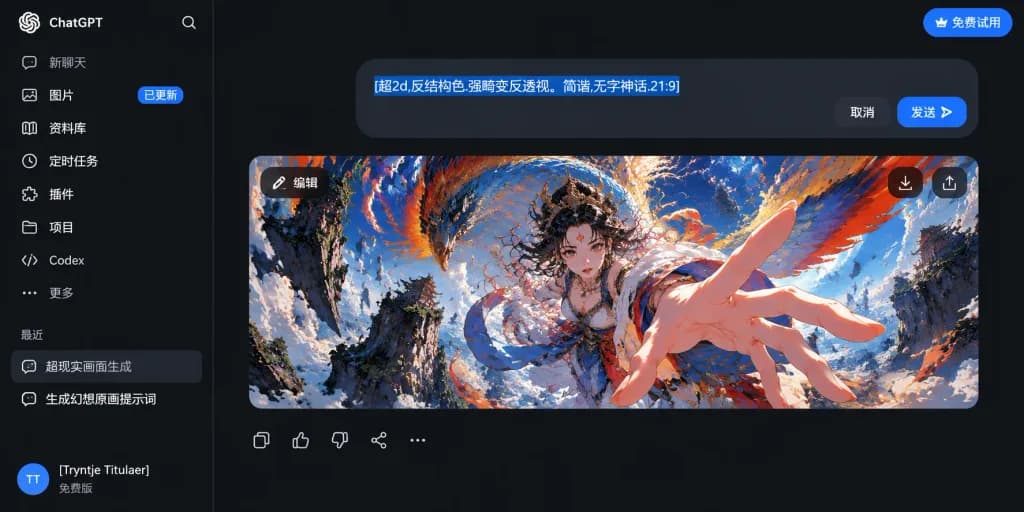
A crisp dark-mode desktop ChatGPT interface screenshot displaying an AI image-generation conversation with Chinese UI elements. Left sidebar occupies approximately 19% width, featuring the ChatGPT logo, search icon, and 8 navigation rows labeled '新聊天', '图片' with an '已更新' badge, '资料库', '定时任务', '插件', '项目', 'Codex', and '更多'. Under the '最近' header, two chat history rows show '超现实画面生成' and '生成幻想原画提示词'. The bottom-left profile includes a circular blue avatar with 'TT', username '[Tryntje Titulaer]', and '免费版'. In the main chat area, a top-right pill button reads '免费试用'. A rounded dark gray prompt bubble contains highlighted blue selected text '[超2d,反结构色.强畸变反透视。简谐,无字神话.21:9]' alongside '取消' and '发送' buttons. Below sits a 21:9 image preview card with an '编辑' overlay button, download arrow, and share icon. Inside the preview: an ultra-dynamic fantasy anime illustration in distorted reverse-perspective fisheye framing, featuring a mythic female figure reaching an oversized hand toward the viewer against shattered celestial cliffs, swirling clouds, and a massive soaring dragon-phoenix creature in vivid cobalt blue, fiery orange, and crimson. Underneath the card are 5 action icons: copy, thumbs up, thumbs down, share, and ellipsis.

chatgpt uidark modeinterface screenshot
Cyberpunk Anime Versus Character Select Screen

Cyberpunk Anime Versus Character Select Screen

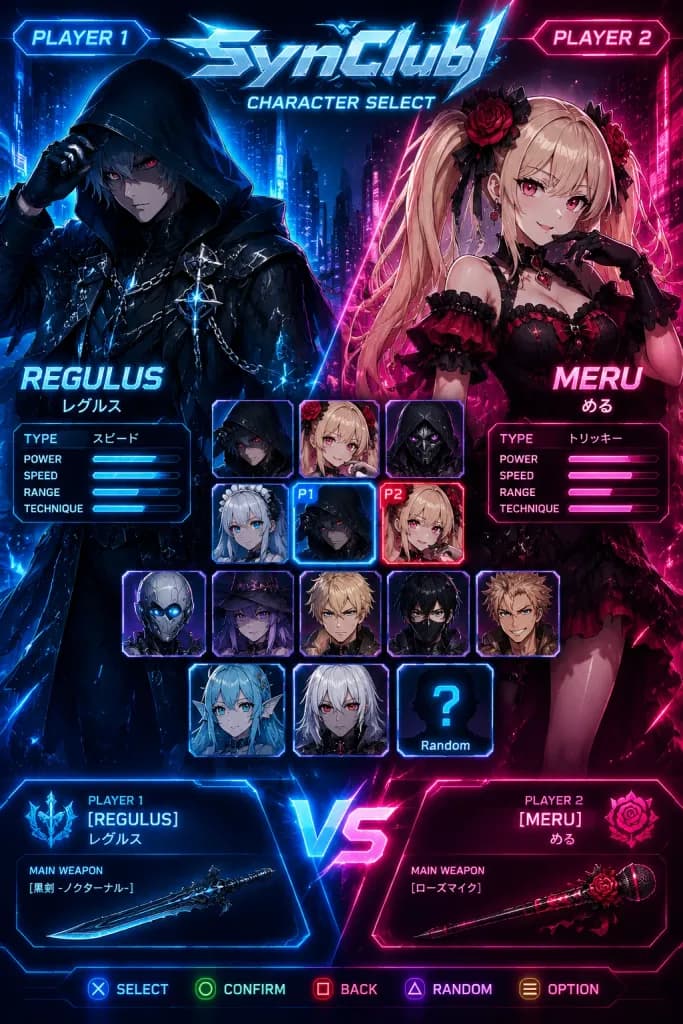
Vertical cyberpunk anime fighting game character select screen for a fictional game titled "[SynClub]", styled as a glossy arcade versus menu. Composition & Layout: Vertical 2:3 mobile-poster ratio, dark futuristic neon city background split diagonally into a glowing blue left side and hot pink/red right side, overlaid with glowing HUD lines, scanlines, floating sparks, particles, and high-contrast rim lighting. At the top center, metallic angular logo text reading "[SynClub]" with electric blue highlights, with the subtitle "CHARACTER SELECT" directly underneath. Sci-fi tabs reading "PLAYER 1" in glowing blue at top-left and "PLAYER 2" in glowing pink at top-right. The screen features two large standing anime fighters flanking a central grid: Player 1 on the left in blue aura, Player 2 on the right in magenta aura. Bottom center features a luminous "VS" icon. Along the very bottom edge, a controller command bar with five button prompts (select, confirm, back, random, option) with console button icons. Featured Characters: - Left (Player 1): "[REGULUS]" (Japanese text "レグルス" below), a dark hooded male anime fighter in a black cloak, chains, metallic ornaments, glowing blue highlights, pale face under shadow, glowing red eyes, one gloved hand lifting his hood in a mysterious rogue stance. Directly beneath his name is a compact stat box with 5 rows (TYPE, POWER, SPEED, RANGE, TECHNIQUE); TYPE displays "スピード" with blue glowing stat bars. - Right (Player 2): "[MERU]" (Japanese text "める" below), a blonde gothic-lolita anime girl with twin tails, red and black frilled dress, rose accessories, black gloves, choker, heart gem, posing playfully with one hand near her cheek. Directly beneath her name is a compact stat box with 5 rows; TYPE displays "トリッキー" with pink/red glowing stat bars. Character Select Grid: Exactly 14 portrait tiles in the center lower half with glowing sci-fi borders: - Row 1 (3 tiles): hooded dark male, blonde female, dark masked portrait. - Row 2 (3 tiles): silver-haired maid girl, Regulus tile marked with a blue "P1" badge, Meru tile marked with a red "P2" badge. - Row 3 (5 tiles): cyborg head, witch girl, blond male, black-haired masked fighter, tan spiky-haired boy. - Row 4 (3 tiles): aquatic mermaid girl, white-haired character, silhouette tile with a question mark labeled "Random". Bottom Versus Panels: - Bottom-left blue panel: "PLAYER 1 [REGULUS] レグルス" with emblem and a weapon card labeled "MAIN WEAPON" showing "[黒剣 -ノクターナル-]" alongside a sleek dark sword graphic. - Bottom-right red panel: "PLAYER 2 [MERU] める" with rose emblem and a weapon card labeled "MAIN WEAPON" showing "[ローズマイク]" alongside a rose-themed microphone graphic. Style: Ultra-detailed anime key art, polished esports fighting game UI, neon cyan and magenta split palette, sharp angular HUD frames, glowing typography, crisp game-menu screenshot aesthetic.

game-uicharacter-selectcyberpunk
Japanese AI Coding Bootcamp Landing Page Mockup

Japanese AI Coding Bootcamp Landing Page Mockup

Full-page vertical Japanese mobile-web landing page mockup for [Vibe Coder Bootcamp], presenting an AI coding and AI agent bootcamp with a premium, thoughtful, and professional tone. High-fidelity UI design comp, crisp Japanese typography, clean spacing, dense informative layout. Style & Color: Deep navy and black cinematic sections contrasted with clean white card sections, vivid orange accent typography, purple highlights, thin gray dividers, simple line icons, and documentary-style photography. Serif-like Japanese headlines mixed with modern sans-serif UI text. Structure (7 numbered sections from top to bottom): - Hero: Dark cinematic top banner. Left side features large orange English title "[Vibe Coder Bootcamp]", Japanese subtitle "AIを完全に味方につける、1.5ヶ月。", body text "1回2.5時間×全5回+Demo Day。アプリも資料も動画も、あらゆるアウトプットをAIで", and an orange rounded CTA button reading "資料請求・お問い合わせ". Right side features a thoughtful Japanese businessman in a dark suit at a dimly lit desk with warm lamp glow, monitors showing code, and nighttime city lights. - No.01 "課題": White background. Orange label "No.01 課題". Headline "AIは、もう十分に賢い。足りないのは、あなたの入力。" and "入力の質=出力の質。" Right side shows a BEFORE/AFTER comparison: BEFORE card "あいまいな入力" to "あいまいな出力" with scribble icon; AFTER card "構造化された入力" to "価値の高い出力" with purple target icon, connected by an arrow. - No.02 "解決=コンテクストコントロール": White background. Orange label "No.02 解決=コンテクストコントロール". Headline "コンテクストコントロール。AIエージェント時代の、基礎力。" and gradient text "まわせ Vibes Output Loop". Diagram of 3 connected circular steps: STEP1 "与える (GIVE)", STEP2 "蓄積する (ACCUMULATE)", STEP3 "循環させる (LOOP)". - No.03 "カリキュラム": White background. Headline "SNSアプリ開発を“通じて”コンテクストコントロールを体得する。SNSを作るのが目的ではない。" Exactly 6 horizontal weekly cards with purple headers: WEEK01 "企画・要件定義", WEEK02 "UI/UX・設計", WEEK03 "実装・DB設計", WEEK04 "認証・セキュリティ", WEEK05 "デプロイ・運用", DEMO DAY "成果発表・講評". Below, 4 feature icon cards: "企画・UI/UX", "動くアプリ (DB・デプロイ)", "セキュリティ", "API・エージェント基盤". - No.04 "卒業後にできること": White background. Row of 4 capability cards with thumbnails: "アプリ・サービス", "資料・ドキュメント", "画像・動画", "業務の自動化". - No.05 "相棒すなわちAI": Full-width dark cinematic banner. Left text "一人で、会社を回す。" and "AIエージェントに仕事をさせ続ける人になる。" Right side shows the Japanese professional at night surrounded by floating semi-transparent UI charts and code. - No.06 "講師": Dark gray section introducing instructor [泉水亮介], realistic professional portrait on concrete background with 3 gold laurel badge icons. - No.07 "実績・CTA": White background with 3 key metrics cards ("開発アプリ 120+", "満足度 98%", "業務 9割をAIで") and a large orange CTA button "資料請求・お問い合わせ" with envelope icon. Minimal clean footer. Composition: Continuous tall vertical webpage layout, 9:16 aspect ratio, no browser chrome, no external watermarks.

landing pageui designweb mockup
Dark Mode AI Chat Upscale Tutorial

Dark Mode AI Chat Upscale Tutorial

A clean dark-mode AI chat interface tutorial mockup showing the underwater photo from the reference photo being upscaled. Exclude all external app chrome, side panels, and window details from the reference photo, using only the underwater image content. - Layout: Exactly two rounded-corner image previews of the underwater photo within the chat feed. One smaller uploaded-image preview near the upper right, and one larger generated-result preview below it, slightly left of center. Maintain the face-obscuring gray blur on the person in both previews. - Chat Elements: One user message bubble beside the upper preview containing the text "[将图片专为4K分辨率]". An assistant message label reading "显示思路" with a small blue sparkle icon and a dropdown chevron. A small rounded "来源" button placed directly beneath the larger image preview. - Callout: A download icon on the top-right corner of the larger preview, circled with a single red outline. One thick red arrow pointing from the right toward the circled download icon. - Bottom Input Bar: A dark rounded message input bar at the bottom with placeholder text "描述你的图片", attachment icons, a "制作图片" pill button, a "[Pro]" model dropdown, and a microphone icon. - Style: Sleek modern AI chat interface dark theme, deep black background, subtle neutral gray UI elements, rounded corners, clean 16:9 screenshot composition.

ui mockupdark modechat interface
Editorial Swiss Style Portfolio Hero UI

Editorial Swiss Style Portfolio Hero UI

A refined desktop website portfolio hero design for [Ari Vale], a designer/developer, featuring an editorial Swiss-style layout with a layered architectural collage, wide 16:9 aspect ratio screenshot. Setting & Background: Off-white warm paper canvas texture, abundant negative space, subtle fine grain, premium minimalist aesthetic. Layout & Composition: - Top navigation bar: Left wordmark "[Ari Vale]" followed by a tiny vivid cobalt blue dot; centered links "Work", "About", "Studio", "Notes"; far right rounded outlined pill "Menu" with a blue dot. - Hero section (slightly left of center): Eyebrow label, oversized modern typography, supporting description, two CTA buttons. - Layered collage: Left collage with a tall beige concrete rectangle, pale curved building photo, small rocky texture underneath, a diagonal cobalt blue tape accent, and a black project card reading "REFIX ANADOL", "Machine Hallucinations", "Immersive Exhibition" with a small bottom-right arrow. Right collage with a large pale architectural stepped/ribbed staircase and a small still life of a white sphere on stone beneath it. - Accents & Graphics: Stacked vertical text "VISION", "MADE", "DIGITAL" near a small blue plus mark; faint circular stamp graphic with an arrow; vertical coordinates "40.7128° N, 74.0060° W" along the far right edge. - Footer bar: Bottom-left text "AVAILABLE FOR NEW PROJECTS", hairline horizontal divider, bottom-right social links "LINKEDIN", "DRIBBBLE", "INSTAGRAM" with an arrow. Typography & Copy: - Eyebrow: "[ARI VALE] — DESIGNER & DEVELOPER" with a blue dot. - Main headline: "I design digital experiences, brands, and creative web." ("design" in elegant high-contrast italic serif, other words in large bold grotesk sans serif). - Body copy: "Strategy-led design and development for forward-thinking companies and cultural projects." - CTAs: Primary pill button "View Selected Work →", secondary text link "About [Ari] →". Visual Style & Palette: Warm ivory paper, deep black, charcoal gray, pale concrete gray, vivid cobalt blue accents (5 blue accents total). Crisp, legible typography, precise alignment, generous letter-spacing on uppercase labels. Constraints: Render as a clean live landing page screenshot without browser window chrome, no gradients, no stock portraits, spacious asymmetrical balance.

ui-ux-designportfolioweb-design
Cat Livestream Mobile App Interface

Cat Livestream Mobile App Interface

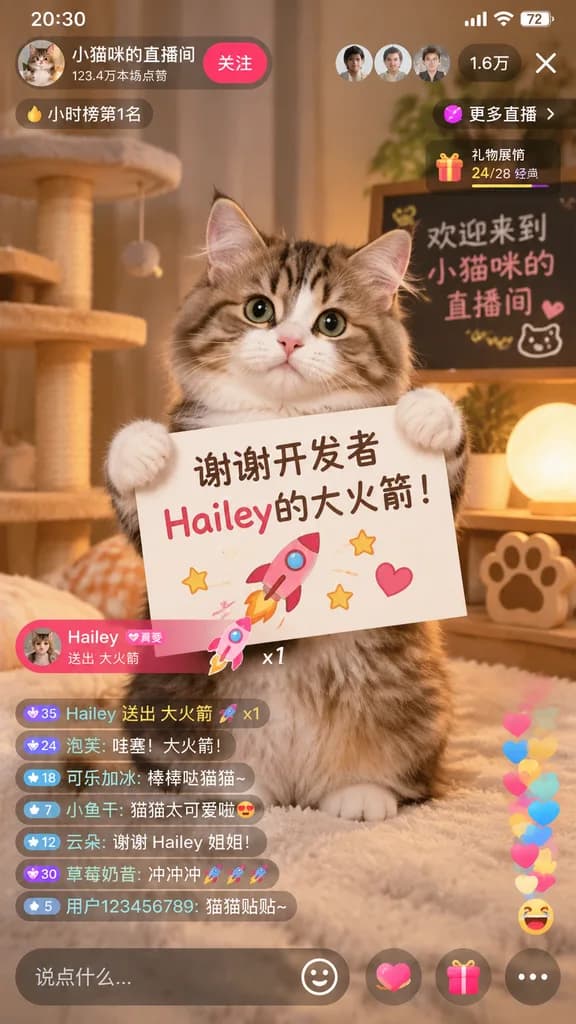
mobile livestream app screenshot. cute fluffy tabby cat sitting upright, holding a white rectangular sign with both front paws. [谢谢开发者 Hailey的大火箭!]. pink rocket. yellow stars. pink heart. cozy room with warm lighting. cat tree. glowing sph…

livestreamcatmobile-ui
Japanese Homebuilder Hero UI Mockup

Japanese Homebuilder Hero UI Mockup

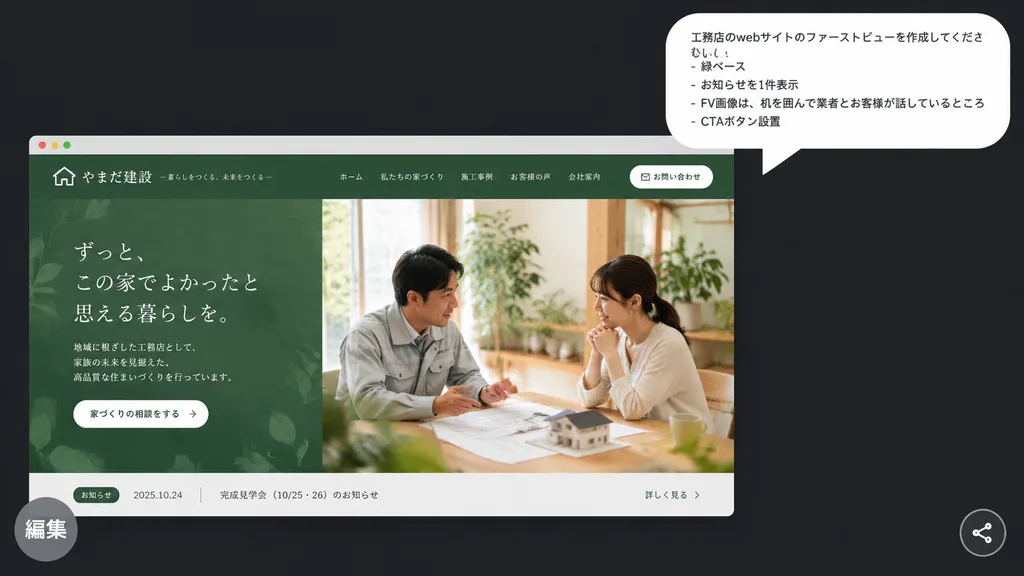
A polished presentation-style mockup on a [dark charcoal] background presenting a Japanese homebuilder website hero concept. In the upper right, a large white rounded speech bubble displays 4 Japanese bullet lines in clean sans-serif text: 「工務店のwebサイトのファーストビューを作成してください。」, 「- 緑ベース」, 「- お知らせを1件表示」, 「- FV画像は、机を囲んで業者とお客様が話しているところ」, 「- CTAボタン設置」. In the lower left, a realistic desktop browser mockup card features a muted forest-green theme for an elegant Japanese construction firm. The top navigation bar includes a small house icon logo, company name in Japanese, 5 navigation links, and 1 rounded white contact button. The hero section is split into two halves: the left shows an organic leaf-patterned green textured panel with Japanese headline typography, brief descriptive text, and a white pill CTA button; the right displays a warm natural-light photograph of exactly 2 people seated across a wooden table discussing architectural plans with a miniature house model, surrounded by indoor greenery. At the bottom of the browser frame, a narrow light-gray news bar shows 1 announcement item with a green category tag, a date, Japanese text, and a link. A semi-transparent gray circular badge with the Japanese label 「編集」 overlaps the bottom-left corner, and a small circular share icon rests in the bottom-right corner.

ui-ux-designweb-mockuphero-section
Enterprise Collaboration SaaS UI Redesign

Enterprise Collaboration SaaS UI Redesign

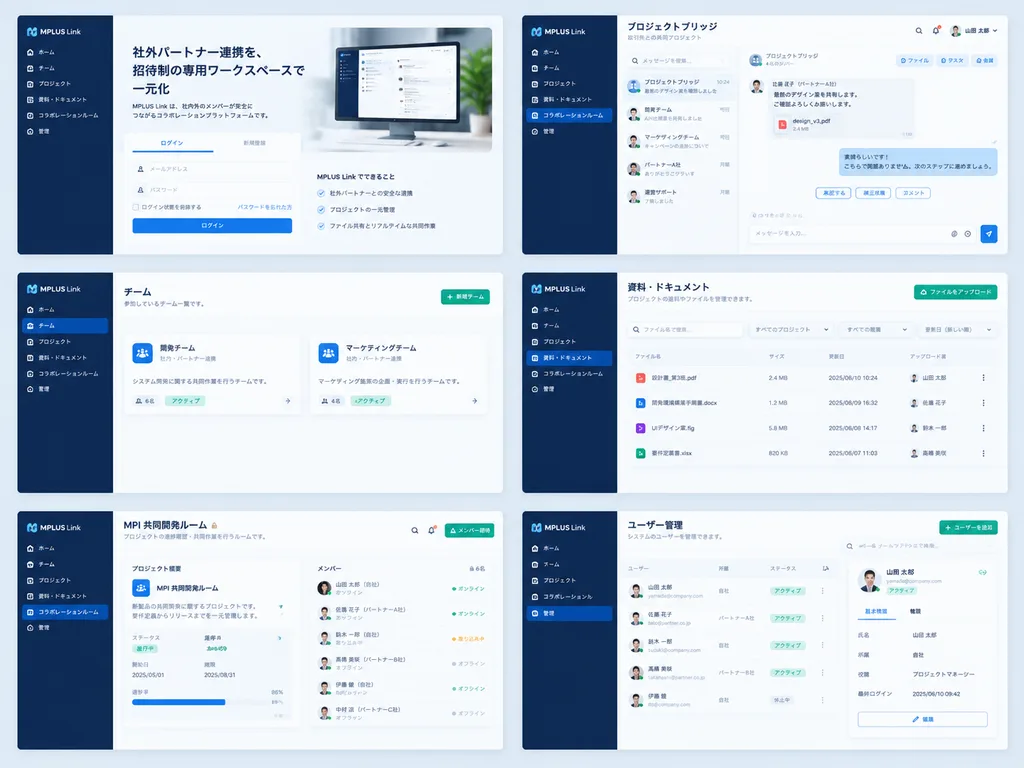
Using the reference UI screenshot as a guide, redesign the enterprise collaboration software into a clean, modern SaaS product mockup while preserving the [MPLUS Link] branding, the dark navy left sidebar navigation, and core functions. Present a polished 2-column by 3-row grid showing exactly six redesigned screens: 1) a welcome/login screen featuring a large hero card, Japanese headline "[社外パートナー連携を、招待制の専用ワークスペースで一元化]", login tabs, and a desktop monitor graphic; 2) a project bridge chat interface with right-aligned message cards, action chips, and a message composer; 3) a team list view simplified into two clean team cards; 4) a materials and document management screen with file upload controls, search/filter inputs, and file list rows; 5) a shared collaboration room titled "[MPI 共同開発ルーム]" with a project overview card and member status list; 6) an admin user management screen titled "[ユーザー管理]" with user rows and a detail panel. Style: spacious modern Japanese enterprise SaaS UI, pale blue-gray background, white rounded cards, soft drop shadows, subtle dividers, and clean blue and green accent buttons, with consistent sidebar navigation across all screens.

ui-ux-designsaasmockup
Editable Matcha Banner in Japanese PowerPoint

Editable Matcha Banner in Japanese PowerPoint

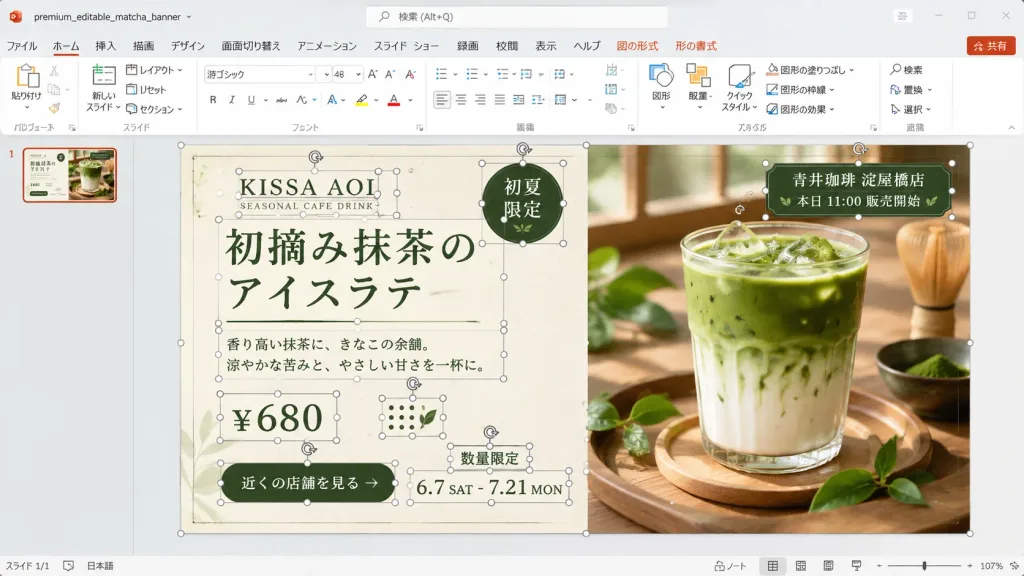
A realistic desktop screenshot of Microsoft PowerPoint with a Japanese interface, displaying an editable banner advertisement design in progress. The 16:9 widescreen application window features a light gray Office interface, Japanese ribbon labels (ファイル, ホーム, 挿入, 描画, デザイン, 画面切り替え, アニメーション, スライド ショー, 録画, 校閲, 表示, ヘルプ) with contextual Shape and Picture Format tabs, a search bar at the top, a red Share button, a single slide thumbnail in the left navigation pane, and a bottom status bar showing approximately 107% zoom level. The file name area displays "premium_editable_matcha_banner". The central slide layout is a premium café banner split vertically into two sections against a warm wooden background. The left half is a cream paper-textured advertisement panel, and the right half features a close-up photograph of an iced matcha latte in a clear glass on a wooden tray, lit by soft window light, surrounded by fresh green tea leaves and a bamboo whisk in the background. Numerous individual editable PowerPoint object bounding boxes, thin gray outlines, circular white resize handles, and rotation arrows are visible across the slide, demonstrating an unflattened, active editing state across 13 distinct object groups: slide background frame, cream panel, brand text group, English subtitle, main Japanese headline, dark green round badge, description paragraph, price box, green call-to-action button, date range, limited-quantity label, store info tag over the photo, and dotted decorative icons. Visible typography and text: - Brand: "[KISSA AOI]" and "SEASONAL CAFE DRINK" - Headline: "[初摘み抹茶のアイスラテ]" (displayed across two lines: "初摘み抹茶の" / "アイスラテ") in elegant dark forest-green Japanese typography flanked by thin rules - Round badge (upper right of cream panel): "初夏限定" - Description: "香り高い抹茶に、きなこの余韻。涼やかな苦みと、やさしい甘さを一杯に。" - Price: "[¥680]" - CTA button: "[近くの店舗を見る]" - Date: "6.7 SAT - 7.21 MON" - Note: "数量限定" - Store label over photo: "[青井珈琲 淀屋橋店]" and "本日 11:00 販売開始" Color palette: dark forest green, warm cream, beige, and natural wood tones. Clean UI screenshot aesthetic, showing explicit editing bounding boxes rather than an exported graphic.

powerpointscreenshotjapanese ui
Minimalist Japanese Corporate Avatar Grid

Minimalist Japanese Corporate Avatar Grid

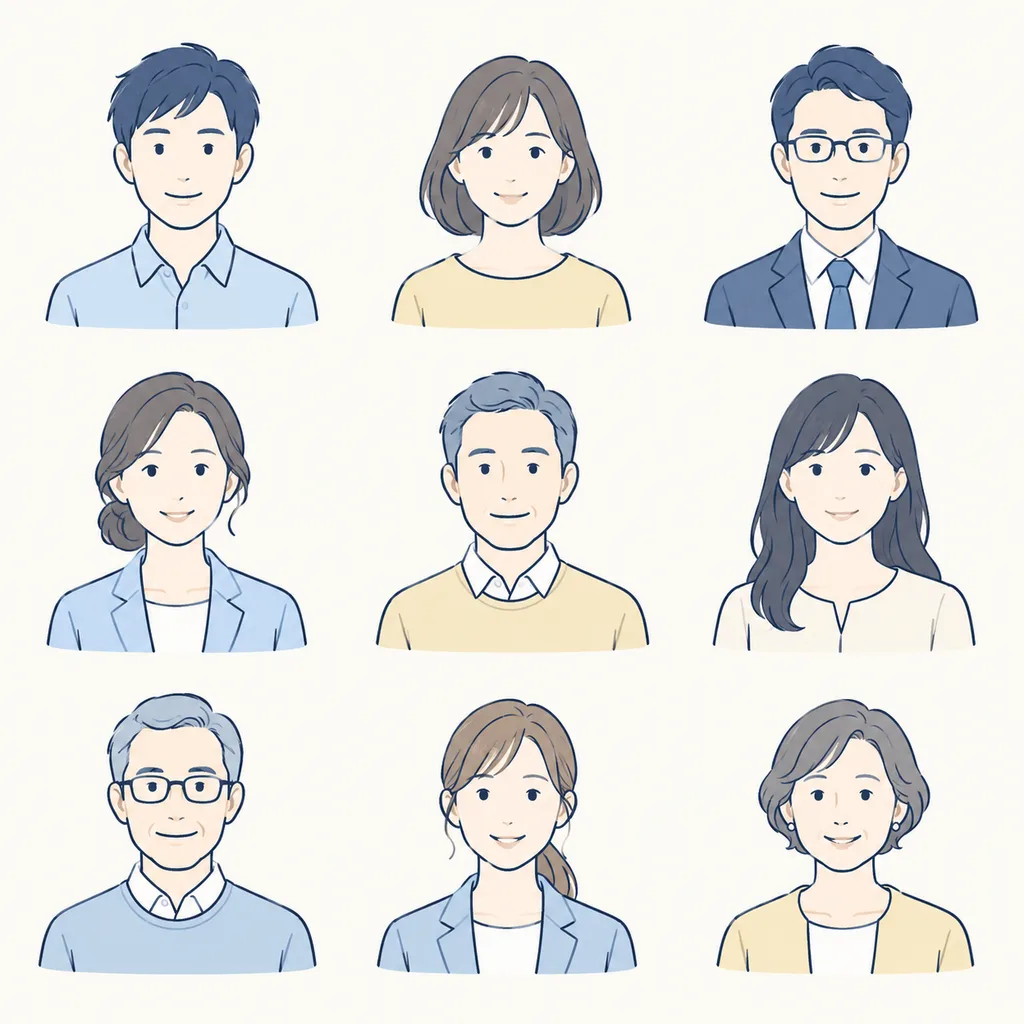
A single 3x3 sprite sheet grid containing [9] distinct minimalist bust portrait illustrations designed for a [gentle Japanese corporate website]. - Subjects: A diverse mix of adult men and women aged 20s to 60s, each featuring a warm, friendly neutral smile and visible shoulders, centered within each cell with generous margins. - Style & Color: Clean hand-drawn navy blue line art with soft, muted pastel fills in [pale blue, cream, and soft yellow]. Flat, warm, professional testimonial illustration aesthetic; neither cartoonish nor photorealistic. - Composition & Background: Clean off-white background, arranged in exactly 3 columns and 3 rows with identical scale across all figures. - Constraints: No outer frames, no grid divider lines, no text, no labels, no drop shadows, no edge clipping.

sprite sheetavatarcorporate illustration
Cosmic Dark Mode Design System Sheet

Cosmic Dark Mode Design System Sheet

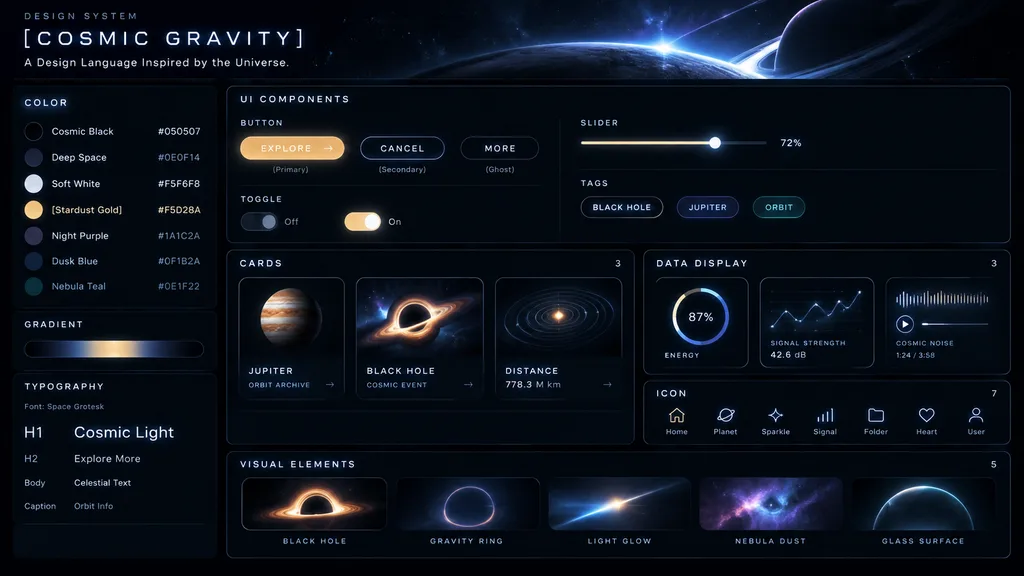
UI Design System. dark mode, space-inspired, glowing accents. [COSMIC GRAVITY]. COLOR. GRADIENT. horizontal bar showing a dark-to-light-to-dark cosmic glow. TYPOGRAPHY. UI COMPONENTS. BUTTON. SLIDER. TOGGLE. TAGS. CARDS. [JUPITER]. BLACK H…

ui kitdesign systemdark mode
Chinese Livestream Ecommerce App Mockup

Chinese Livestream Ecommerce App Mockup

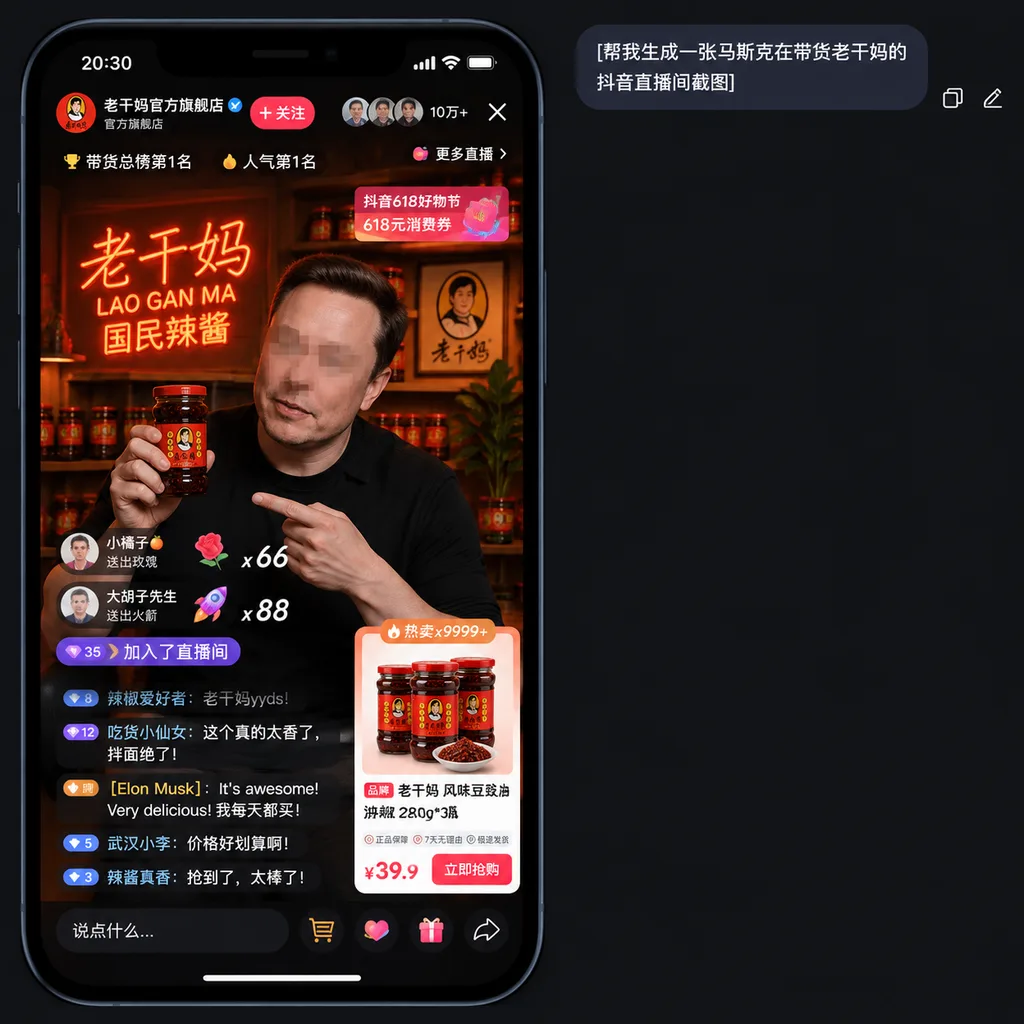
A realistic smartphone screenshot mockup of a Chinese short-video livestream shopping interface in dark mode, presented on a charcoal black app background. At the top right of the canvas, a rounded dark chat bubble contains the Chinese text "[帮我生成一张马斯克在带货老干妈的抖音直播间截图]", accompanied by two small interface icons to its right for copy and edit. In the lower left area, a tall iPhone-style livestream display features a black bezel, rounded corners, and a status bar showing 20:30. The livestream represents Lao Gan Ma's official flagship store, complete with a Chinese profile header, a blue verified checkmark, a red follow button, and a top stats row showing three circular viewer avatars, a viewer count of "10万+", an exit close icon, and a button labeled "更多直播". Ranking badges near the top read "带货总榜第1名" and "人气第1名". In the video feed, [Elon Musk] appears in a dimly lit, warm studio set wearing a black shirt, holding a large jar of Lao Gan Ma chili sauce in his right hand while pointing at it with his left; his face is obscured with a subtle rectangular mosaic blur. Behind him is a warm red-orange neon sign reading "老干妈 / LAO GAN MA / 国民辣酱", wooden shelves holding sauce jars, a framed portrait logo, and a potted dark leafy plant. Livestream UI overlays include two floating gift banners on the left with counts "x66" and "x88", a purple capsule pill displaying "35" and "加入了直播间", and an active chat stream with five visible lines of Chinese comments, including a comment from "[Elon Musk]" reading "It's awesome! Very delicious! 我每天都买!". At the upper right of the stream, a pink-red promotional banner reads "抖音618好物节" and "618元消费券". In the lower right, an ecommerce product card labeled "热卖x9999+" displays three jars of Lao Gan Ma and a dish of chili sauce, titled "老干妈 风味豆豉油辣椒 280g*3瓶", service guarantee badges, and a bold price "¥39.9" next to a red buy button. Along the bottom bezel are five interaction icons: text input field, shopping cart, like heart, gift box, and share arrow.

livestreamecommercedouyin
Fantasy Anime Music Landing Page UI

Fantasy Anime Music Landing Page UI

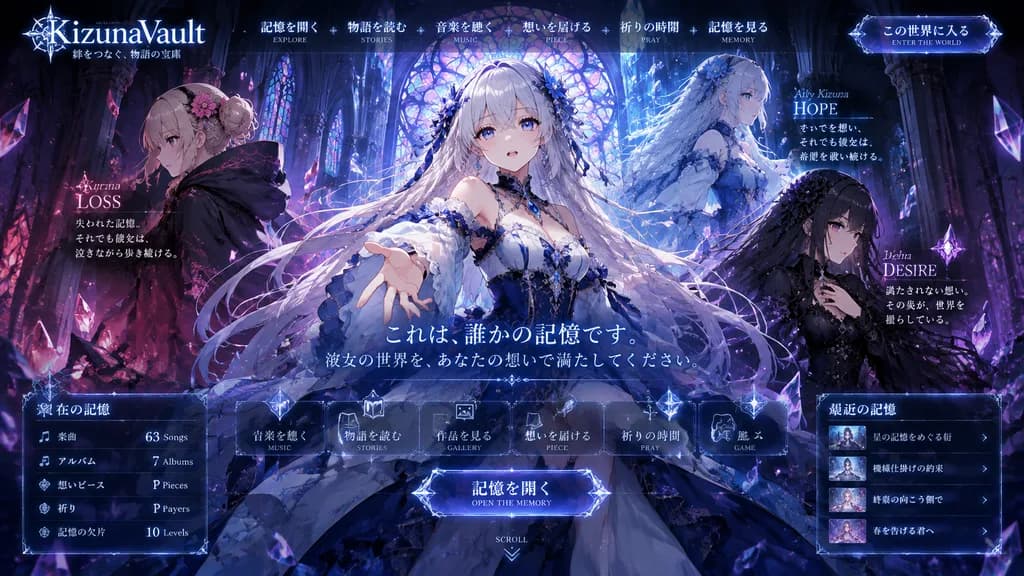
fantasy anime music project landing page mockup. ornate dark fantasy visual novel web UI, luminous gothic cathedral interior, crystalline magical atmosphere, key visual for a story-driven album website, highly detailed anime illustration,…

anime landing pageweb ui mockupvisual novel
Dark Mode Vocabulary App Screen

Dark Mode Vocabulary App Screen

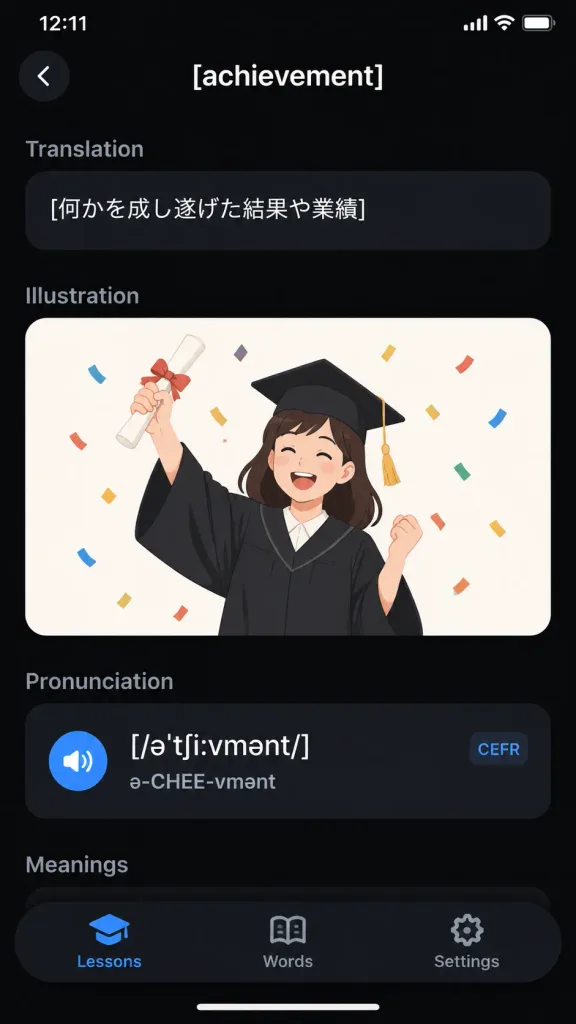
A realistic iPhone screenshot of a sleek dark-mode English vocabulary learning app displaying the entry for "[achievement]". Vertical smartphone screen, 9:16 aspect ratio, black background with an iOS status bar at top showing "12:11" and battery/Wi-Fi icons. Top navigation bar features a circular dark back button with a white chevron on the left and the centered white title "[achievement]". Content sections in top-to-bottom order: 1) Translation section with muted gray header and a rounded dark pill card containing the Japanese text "[何かを成し遂げた結果や業績]"; 2) Illustration section featuring a rounded card with an off-white background showing a flat vector illustration of a cheerful young graduate woman in a black graduation gown and mortarboard with gold tassel, holding up a rolled diploma tied with a red ribbon and celebrating amidst colorful confetti; 3) Pronunciation section with a dark card containing phonetic transcription "[/əˈtʃiːvmənt/]", pronunciation guide "ə-CHEE-vmənt", a blue speaker icon, and a small rounded "CEFR" tag; 4) A partially visible "Meanings" section header. Floating rounded black bottom tab bar with 3 tabs: "Lessons" (active with blue graduation-cap icon), "Words" (open-book icon), and "Settings" (gear icon). Clean typography, subtle dark gradients, modern minimal mobile UI design.

mobile appui designdark mode
Minimalist Photo Travel Calendar Card

Minimalist Photo Travel Calendar Card

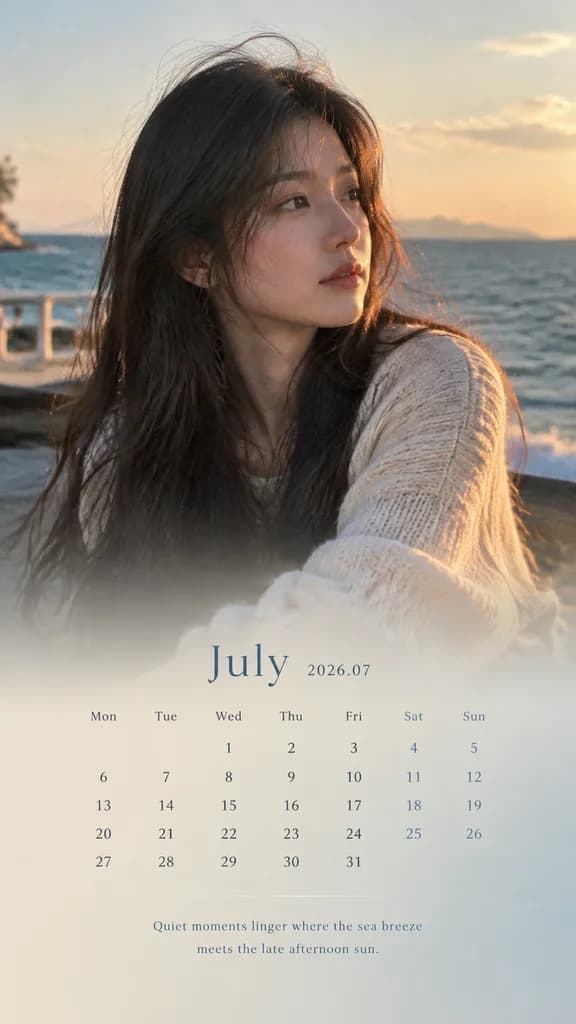
An image editing task: convert the reference photo into a 9:16 vertical calendar card without altering the underlying photo pixels. [Base Image Preservation] Use the uploaded reference photo as the exact base layer. Strictly preserve the original face, identity, hair, expression, clothing, lighting, shadows, color temperature, background environment, and composition. Do not retouch, smooth, re-render, beautify, or apply design filters to the original image. [Layout and Overlay] - Aspect Ratio: 9:16 vertical card. - Composition: Top 70% displays the untouched reference photo. The bottom 30% features a smooth, subtle gradient extension and a soft translucent mask blending upward naturally for text legibility. - Palette: UI text and background accent colors must be directly sampled from the reference photo's dominant and secondary tones, subtly desaturated and normalized. [Typography and Calendar Elements] - Month Title: "[July 2026 / 2026.07]" - Calendar Grid: Accurate calendar layout for the specified month, labeled with weekdays (Mon Tue Wed Thu Fri Sat Sun) and aligned dates. - Caption: A short, poetic, atmospheric caption of 8–16 words across a maximum of 2 lines: "[Quiet moments linger where the sea breeze meets the late afternoon sun.]". Elegant, minimal, magazine-style editorial layout with refined spacing.

calendartraveleditorial
Futuristic Spaceship Technical Schematic HUD

Futuristic Spaceship Technical Schematic HUD

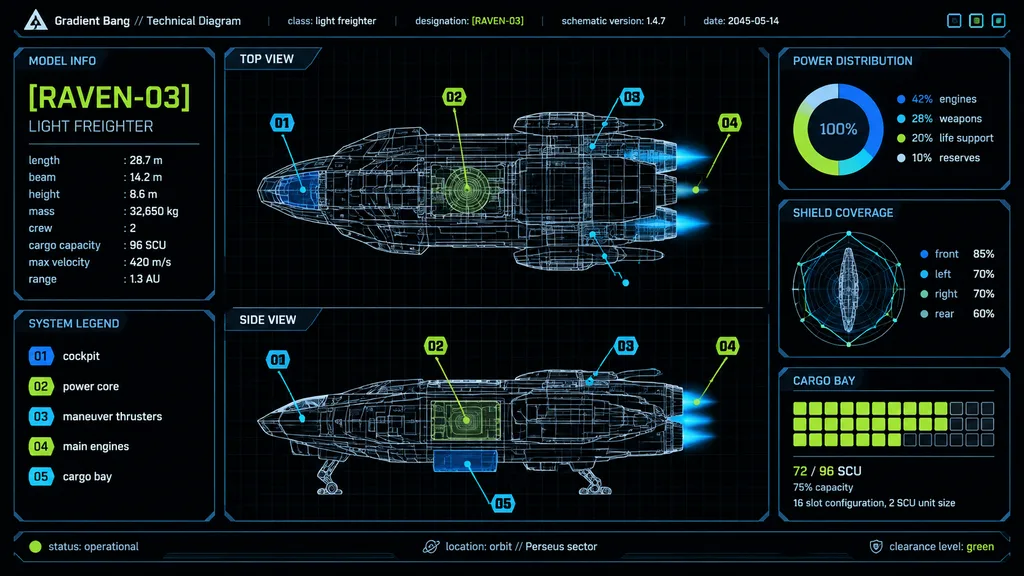
futuristic spaceship technical schematic dashboard. high-contrast sci-fi HUD interface, black background with faint grid, thin neon linework, blueprint wireframe rendering, minimalist aerospace UI, crisp vector graphics. model info. system…

spaceshipschematichud
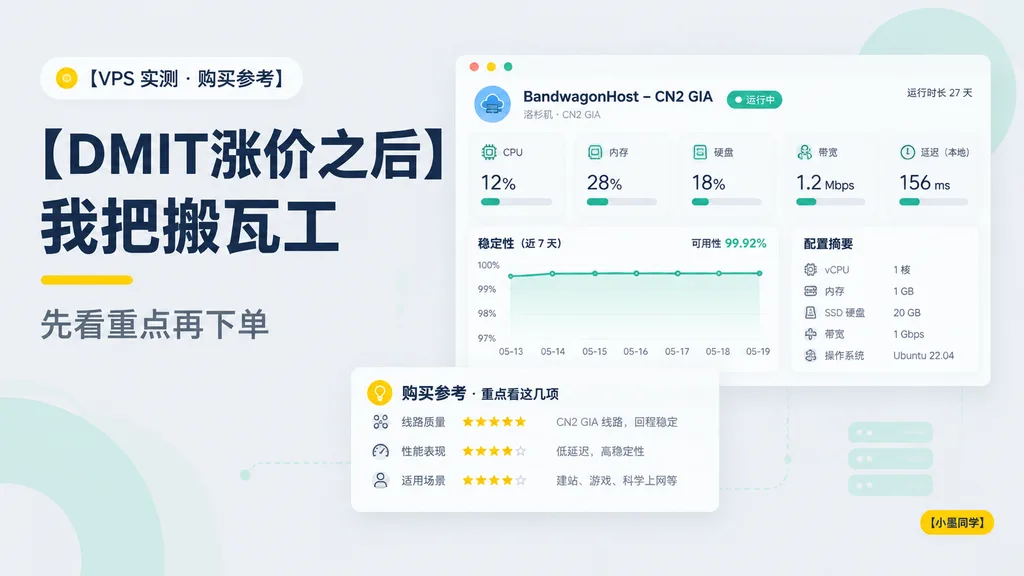
Tech Blog VPS Comparison Dashboard Cover

Tech Blog VPS Comparison Dashboard Cover

Clean modern Chinese tech blog cover in a 16:9 layout with a soft light-gray background and minimalist dashboard aesthetic. On the left, a small rounded category badge near the top with a yellow dot icon and the text "[VPS 实测 · 购买参考]". Below it, a very large bold dark navy Chinese headline in two stacked lines: "[DMIT涨价之后]" and "[我把搬瓦工]". Under the headline, a short yellow accent underline and a medium-gray subheading reading "[先看重点再下单]". High-contrast editorial typography with generous negative space. On the right, a floating desktop-app style server monitoring panel with a white card body, rounded corners, soft shadow, and a top bar with three small circular window buttons. Panel header reads "[BandwagonHost – CN2 GIA]", sub-caption "洛杉矶 · CN2 GIA", a green status pill "运行中", and top-right clock text "运行时长 27 天". Inside the dashboard, 5 metric indicator cards across the top: "CPU" at "12%", "内存" at "28%", "硬盘" at "18%", "带宽" at "1.2 Mbps", and "延迟(本地)" at "156 ms", each with teal accent icons and progress bars. Below metrics, a line chart titled "稳定性(近 7 天)" annotated with "可用性 99.92%" and dates "05-13" to "05-19", beside a server specs card titled "配置摘要" detailing vCPU, RAM, SSD storage, bandwidth, and OS. In the lower-left, an overlapping recommendation card titled "购买参考 · 重点看这几项" detailing route quality, star ratings, and use cases. Soft mint decorative abstract shapes and faint dotted connector lines in the background. In the bottom-right corner, a small yellow rounded tag labeled "[小墨同学]". Clean vector UI design, flat graphic style, muted navy, teal, yellow, and crisp white palette.

blog coverdashboardui design
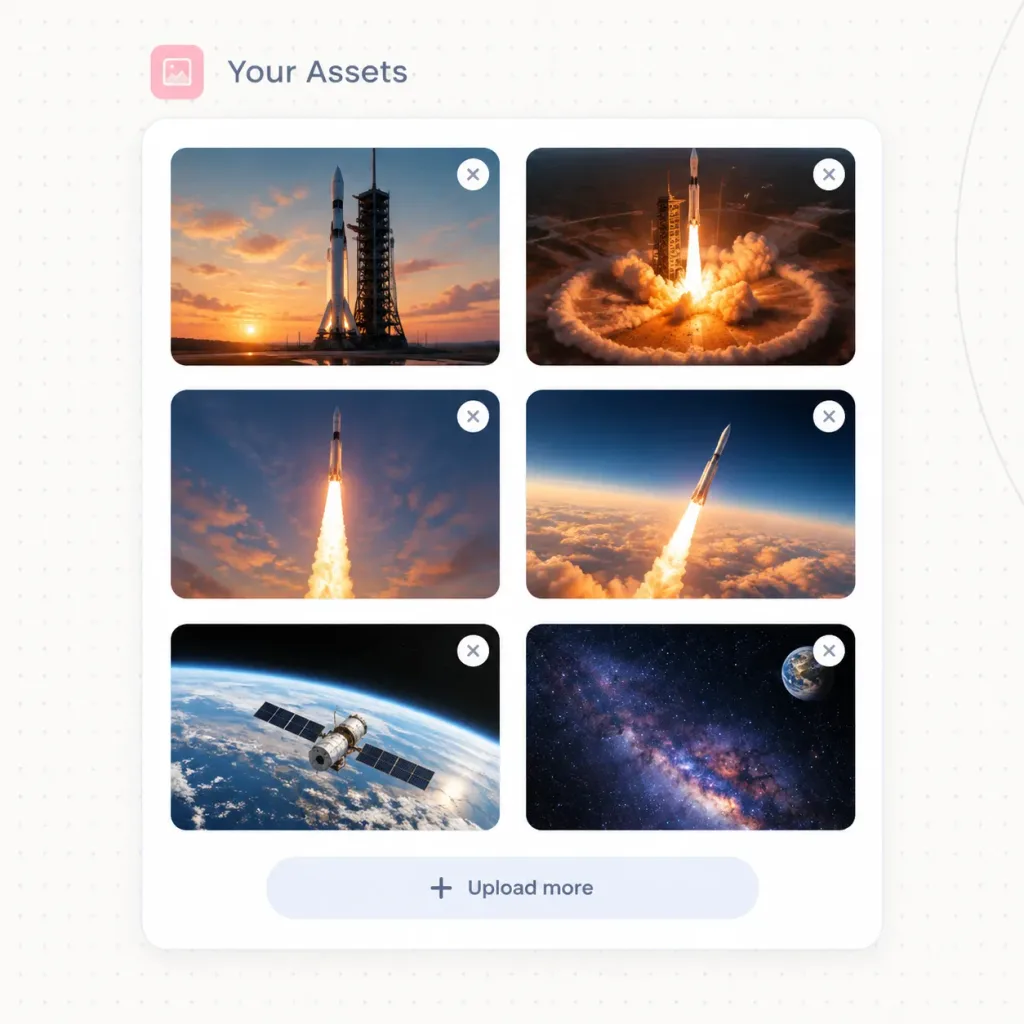
Spaceflight Media Gallery Web UI

Spaceflight Media Gallery Web UI

Modern SaaS website UI asset manager panel titled "[Your Assets]", displaying an organized grid of uploaded spaceflight imagery. Setting & Layout: - Square canvas with an off-white background featuring a faint dotted grid texture and a subtle curved line along the right edge. - Top header: A small rounded [soft pink] square icon containing a minimalist photo symbol, followed by the title "[Your Assets]" in [slate blue-gray] typography. - Main container: A single large white rounded-corner card with a delicate light gray border and soft drop shadow. - Thumbnail grid: Exactly 6 image thumbnails organized in a 2-column by 3-row layout inside the card, each with 16px rounded corners. - Thumbnail overlays: Exactly 6 small circular white delete buttons positioned at the top-right corner of each thumbnail, each displaying a gray 'X' icon. - Card footer: Centered upload button row at the bottom with a plus icon and the text "[Upload more]". Thumbnail Contents (6 total): 1. Top-left: Tall rocket standing on a launch pad against a warm sunset with orange clouds. 2. Top-right: Rocket launch pad illuminated by fiery liftoff ignition and a circular shockwave. 3. Middle-left: Rocket ascending vertically with a dramatic, bright exhaust plume in an evening sky. 4. Middle-right: Rocket climbing above thick orange cloud banks into dark blue upper atmosphere. 5. Bottom-left: Earth viewed from low orbit with a satellite spacecraft passing over the curved horizon. 6. Bottom-right: Deep space starfield showing the glowing Milky Way with Earth visible in the upper corner. Style: Crisp vector UI mockup, realistic cinematic space photography, clean SaaS aesthetics, generous whitespace, soft shadows. No browser frame, no mouse cursor, no watermarks.

ui-designsaasdashboard
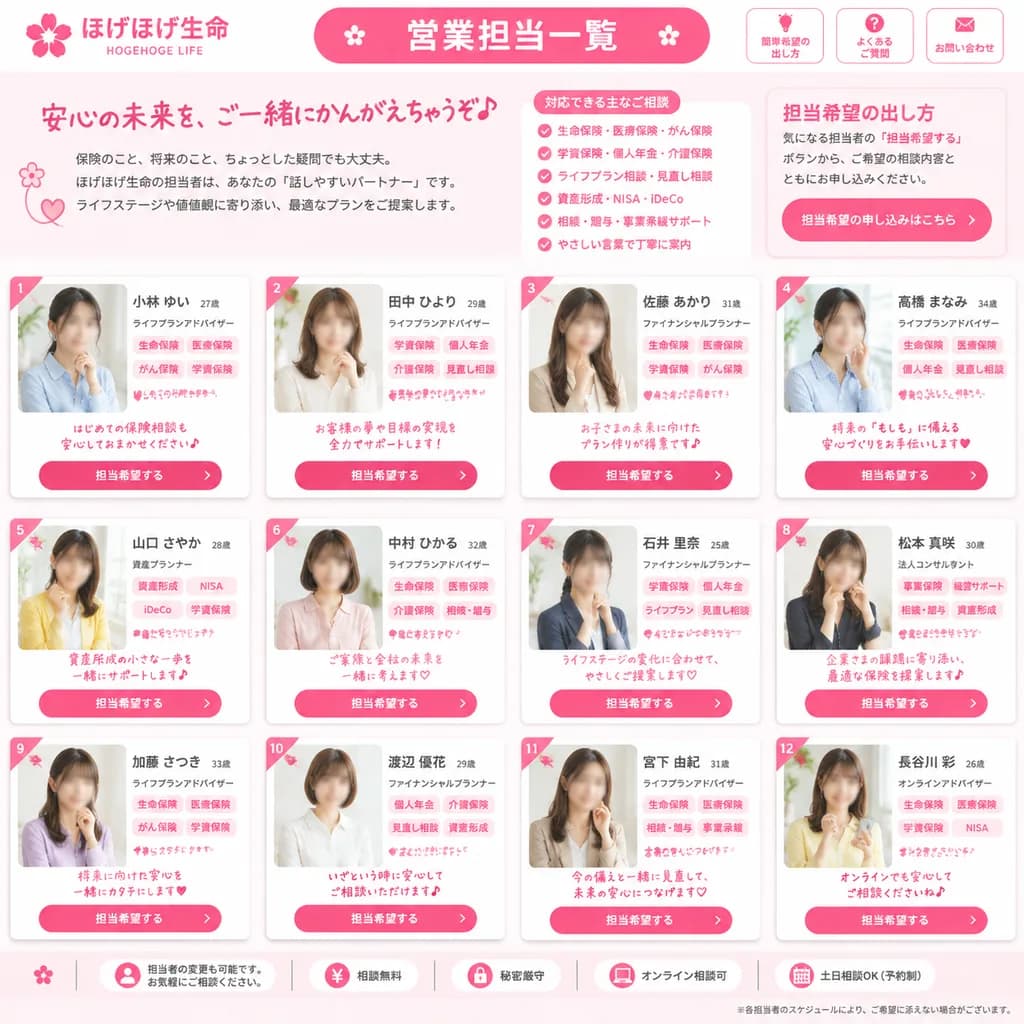
Japanese Insurance Staff Directory Webpage

Japanese Insurance Staff Directory Webpage

Japanese insurance company staff directory webpage mockup. friendly, trustworthy, feminine corporate design in bright pink and white. 営業担当一覧. 担当希望の出し方. [ほげほげ生命]. [HOGEHOGE LIFE]. ご相談内容やご希望に応じて、担当希望をお出しいただけます。. full-page website screenshot,…

ui-mockupweb-designdirectory
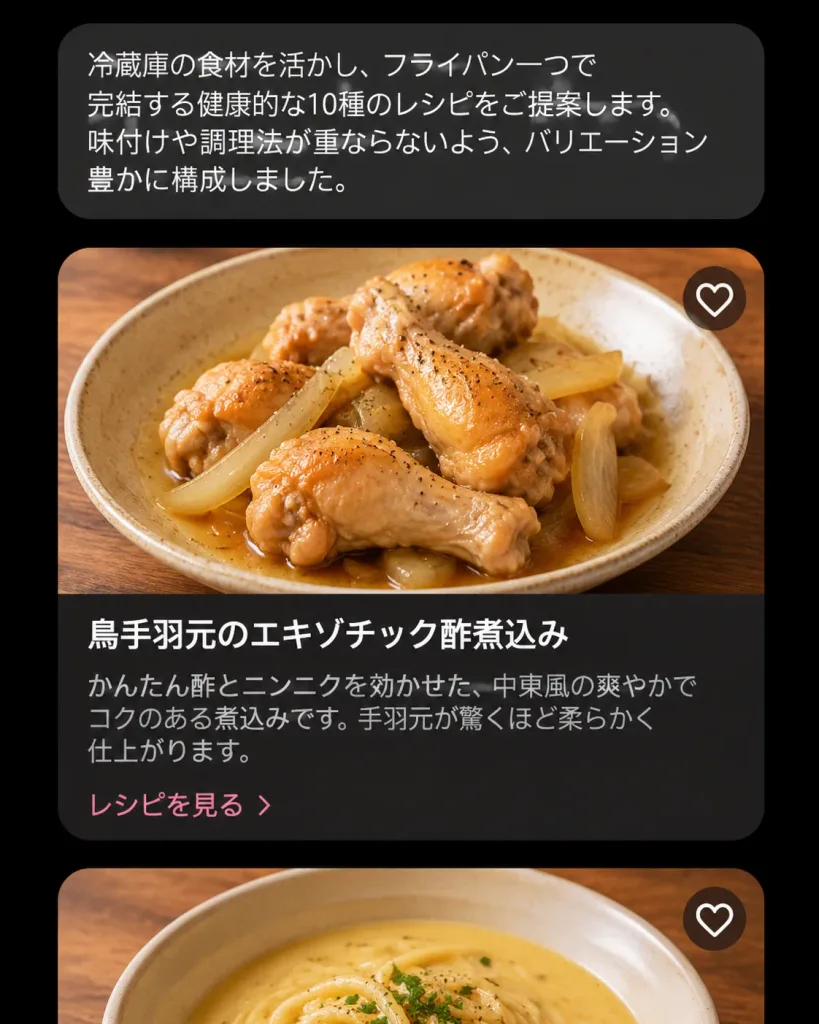
Dark Japanese Cooking Assistant UI

Dark Japanese Cooking Assistant UI

A realistic dark-mode mobile cooking AI assistant interface showing recipe suggestions in Japanese, presented as a vertical smartphone screenshot centered on a black background. At the top, a rounded dark charcoal chat bubble contains the Japanese text: 「冷蔵庫の食材を活かし、フライパン一つで完結する健康的な10種のレシピをご提案します。味付けや調理法が重ならないよう、バリエーション豊かに構成しました。」 Below the chat bubble is a vertical feed showing two recipe cards: 1. The first card is fully visible with rounded corners and a soft shadow. The top half is a high-resolution food photo of [braised chicken drumettes with sliced onions in a light brown sauce] in a shallow beige ceramic bowl on a warm wooden table, captured from a slightly overhead angle under natural warm lighting with glossy sauce and flecks of black pepper. In the upper-right corner of the photo is a single circular white heart-outline favorite icon. The bottom half is a dark brown-black panel featuring the bold white title 「鳥手羽元のエキゾチック酢煮込み」, muted gray description text 「かんたん酢とニンニクを効かせた、中東風の爽やかでコクのある煮込みです。手羽元が驚くほど柔らかく仕上がります。」, and a pale pink link reading 「レシピを見る」. 2. The second card is partially visible at the bottom edge, showing only the cropped top photo of a bowl of creamy pale-yellow soup or noodles on a wooden table, also featuring a single circular white heart-outline favorite icon in the upper-right corner. Style: Modern Japanese culinary app UI, dark aesthetic, clean sans-serif typography, refined card padding, and professional food photography. Exactly one chat bubble, two visible recipe cards, and two heart icons total. No navigation bar, status bar icons, watermarks, or English text.

ui-ux-designmobile appdark mode
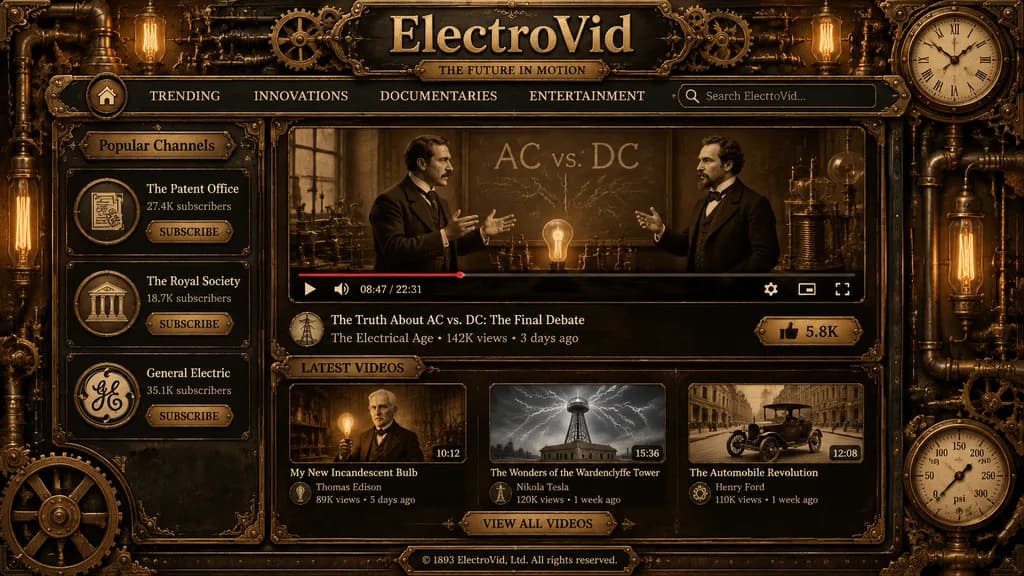
Steampunk Video Streaming Interface Mockup

Steampunk Video Streaming Interface Mockup

A richly detailed steampunk vintage video streaming platform homepage shown as a full-screen web interface mockup in dark brass, aged bronze, black iron, and sepia tones, crafted like a Victorian industrial machine with ornate filigree, copper pipes, rivets, gears, pressure gauges, and glowing Edison bulbs integrated into the border frame. Centered across the top header is a large engraved metal site title reading [ElectroVid], with a smaller plaque subtitle reading [THE FUTURE IN MOTION]. A navigation bar directly beneath displays six items: a home icon button, TRENDING, INNOVATIONS, DOCUMENTARIES, ENTERTAINMENT, and a brass-trimmed search box on the right with placeholder text "Search ElectroVid...". The upper right corner features an analog clock gauge. The left sidebar features a section titled "Popular Channels" containing three vertically stacked channel cards with circular emblems, subscriber tallies, and a SUBSCRIBE button: "The Patent Office" (27.4K subscribers), "The Royal Society" (18.7K subscribers), and "General Electric" (35.1K subscribers). The central content area displays a large video player showing a sepia historical scene of two men in Victorian suits debating before a chalkboard marked "AC vs. DC" with lightning chalk effects, early electrical apparatus, and a glowing bulb on the table. The player UI includes a play button, timeline with partial red progress bar, volume icon, time reading "08:47 / 22:31", settings icon, theater mode icon, and fullscreen icon. Below the player, the featured title reads [The Truth About AC vs. DC: The Final Debate], with channel metadata: "The Electrical Age • 142K views • 3 days ago", a circular avatar, and a brass LIKE button reading "5.8K". Below the main player, a section titled "LATEST VIDEOS" contains three thumbnail cards in a row: 1) "My New Incandescent Bulb" (man holding a lit bulb, duration 10:12, channel Thomas Edison, 89K views, 5 days ago) 2) "The Wonders of the Wardenclyffe Tower" (Tesla tower under electrical arcs, duration 15:36, channel Nikola Tesla, 120K views, 1 week ago) 3) "The Automobile Revolution" (early vintage automobile on a city street, duration 12:08, channel Henry Ford, 110K views, 1 week ago) Centered beneath is a brass button reading "VIEW ALL VIDEOS". At the bottom center, a footer plaque reads "© 1893 ElectroVid, Ltd. All rights reserved." The outer frame features mechanical joints, embossed corners, and a circular pressure gauge at bottom right. Symmetrical antique UI layout, warm cinematic illumination, realistic metal textures, and Victorian typography.

steampunkui mockupweb interface
Accidental Candid Selfie in ChatGPT Interface

Accidental Candid Selfie in ChatGPT Interface

A smartphone screen mockup of a ChatGPT mobile conversation interface. At the top, a clean app navigation bar features a hamburger menu icon, centered "ChatGPT" pill title, compose icon, and three-dot menu. Near the upper right, a small rounded gray user message bubble contains [Japanese text prompt]. Below the text bubble, the assistant responds with an accidental-looking candid iPhone selfie photo: tilted messy framing, slight motion blur, lens flare, and uneven direct sunlight overexposure, resembling an accidental pocket snapshot. The photo is set outdoors on a residential street in bright daylight, showing a young woman with long dark hair partially cropped at the right edge, her [beige coat] sleeve stretching toward the lens in the foreground, with residential buildings and blue sky in the background. Directly beneath the image, an "編集する" pill button and a centered down-arrow icon are visible. Unpolished, casual, authentic snapshot aesthetic.

chatgptmobile-uimockup
Mobile UI Prompt Inspiration Grid

Mobile UI Prompt Inspiration Grid

A clean mobile-style prompt inspiration gallery screen featuring four rounded image cards arranged in a 2x2 grid on a vertical smartphone canvas with a white background, narrow white gutters, and no browser chrome. At the top, a subtle pale beige pill-shaped header displays tiny centered uppercase text reading "LIVE · LOVE · LICENSE". Layout and Card Details: 1. Top-left card: A cyberpunk Japanese street-poster fashion portrait of [a young woman with long dark hair] against a dense Tokyo grunge poster wall with bold red Japanese brush lettering, warning symbols, barcodes, and graffiti stickers. She wears an oversized pale satin bomber jacket slipping off one shoulder, a black graphic tank top, denim jeans, and metal chain jewelry, with one hand near her head. Faint legible text includes "TOKYO", "DANGER", and "WORLDWIDE" alongside vertical Japanese text strips. 2. Top-right card: A magical hologram scene bathed in warm peach-pink lighting. Two hands hold a glossy black social profile card labeled "[Aigirl]". From the card ascends a full-body translucent holographic woman in a flowing pale blue off-shoulder gown, surrounded by a sparkling beam of light, floating UI icons, follower counters, drifting petals, and cinematic lens flare. 3. Bottom-left card: A loose mixed-media fashion sketch portrait of [a young woman with messy dark shoulder-length hair] on white textured paper. Rendered with expressive black pencil strokes, soft watercolor blushes, pink-purple washes, and ink splatters, accented with doodle hearts and handwritten phrases: "You got this", "LOVE", "Keep shining", and "for you". She wears a black lace camisole with a pale pink slouchy cardigan. 4. Bottom-right card: A stylized 3D caricature collectible football figurine set against a solid vivid red studio backdrop. The character features a bobblehead-proportioned oversized head and short body, standing confidently with arms crossed. Dressed in a [bright yellow football kit with blue trim], matching yellow socks, white cleats, a captain's armband, and the number 7 on the chest, rendered with toy-figurine gloss and realistic fabric textures. Style: High-end UI design showcase, crisp card edges with generous rounded corners, each card featuring a distinct creative aesthetic and lighting setup.
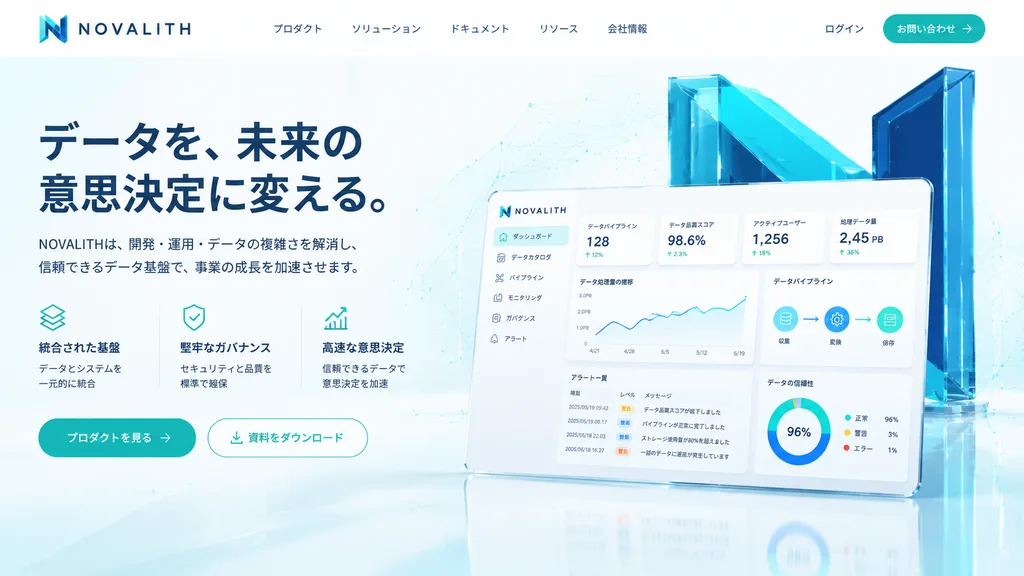
ui-designinspiration-gallerymobile-grid
Minecraft Gameplay in Dark AI Interface

Minecraft Gameplay in Dark AI Interface

A square 1:1 screenshot of a dark-mode AI image-generation web application interface displaying a generated Minecraft gameplay scene. UI layout: - Background: Deep black canvas with content positioned near the top-left and generous empty dark margins. - Top text prompt: The exact white text "[Generate a screenshot as if I'm playing Minecraft.]" - Sub-bar: Directly underneath, a small blue label reading "Model" next to a vertical three-dot menu icon, followed by a wide dark rounded-rectangle dropdown containing blue text "Thinking" and a downward chevron icon. Generated gameplay panel: - A large square image panel with slightly rounded corners embedded beneath the dropdown. - Scene: First-person perspective of an authentic blocky Minecraft village on a bright sunny day under a blue sky with 8 blocky white cloud clusters. - Environment: Cobblestone and wooden plank house with a door and lit torch on the left foreground; distant gray cobblestone church tower with yellow-lit slit windows; green voxel trees, dirt paths, grass blocks, and a fenced crop field filled with golden wheat and green sprouts; 6 wooden fence posts topped with flaming torches. - First-person view & HUD: Off-hand raised wooden shield in the bottom-left, main hand holding an iron sword in the bottom-right. Bottom HUD features authentic pixelated 10 red hearts, 10 hunger icons, a green experience counter displaying "18", and a 9-slot hotbar showing an iron sword, pickaxe, axe, shovel, building block stack of 64, and item stacks. - Style: Authentic low-resolution pixelated voxel game rendering embedded inside clean modern dark web UI chrome.
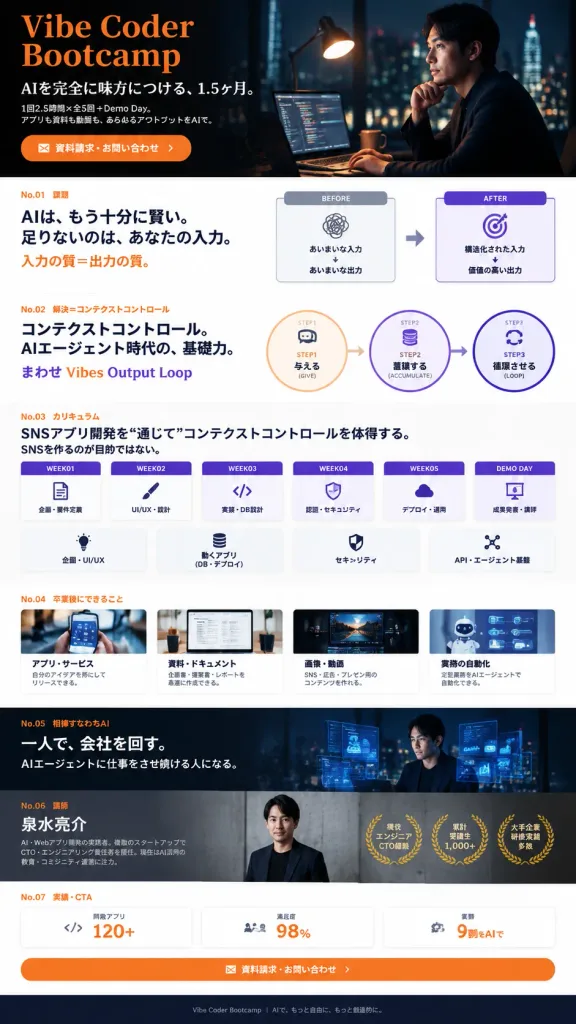
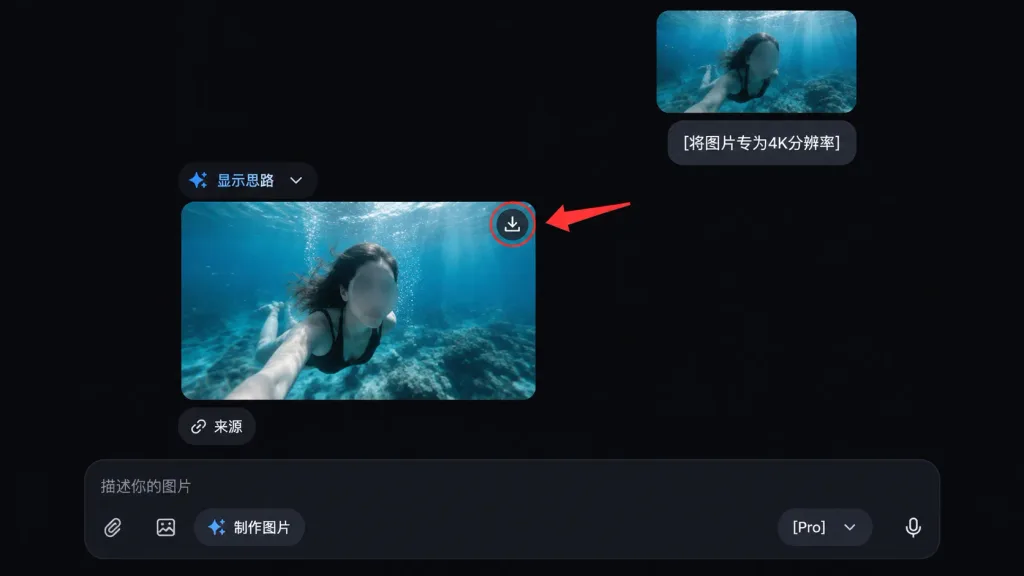
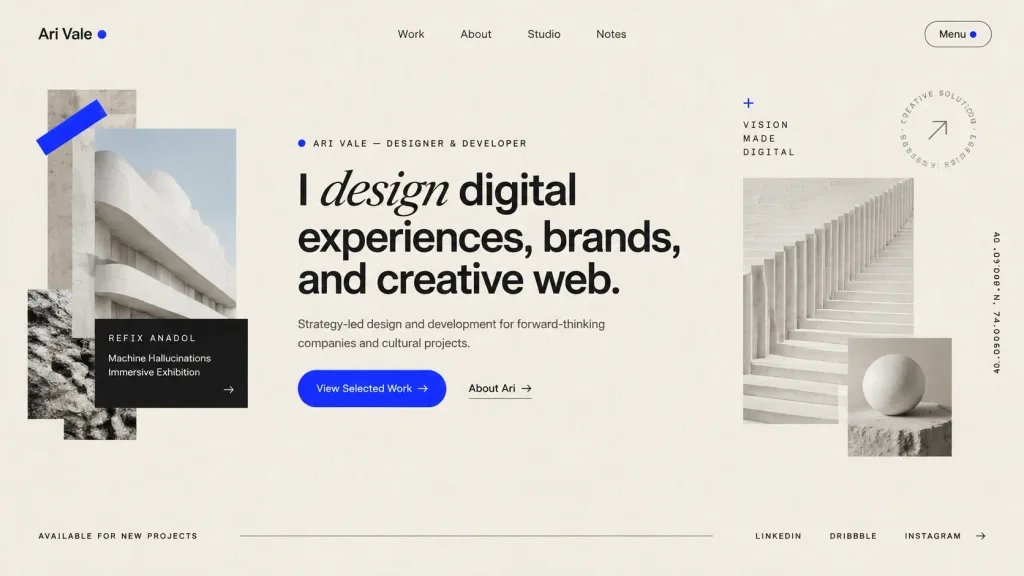
minecraftweb interfacescreenshot
Xiaohongshu Mars Selfie App Mockup

Xiaohongshu Mars Selfie App Mockup

social media app interface mockup. [Elon Musk taking a selfie on Mars]. Xiaohongshu. red pill badge with '小红书' text. 关注. 发现. 附近. 发现. search. portrait of Elon Musk. [Elon Musk]. blue checkmark. 科技公司创始人/工程师. 关注. share icon. ellipsis icon. [在…

xiaohongshusocial mediaui mockup