
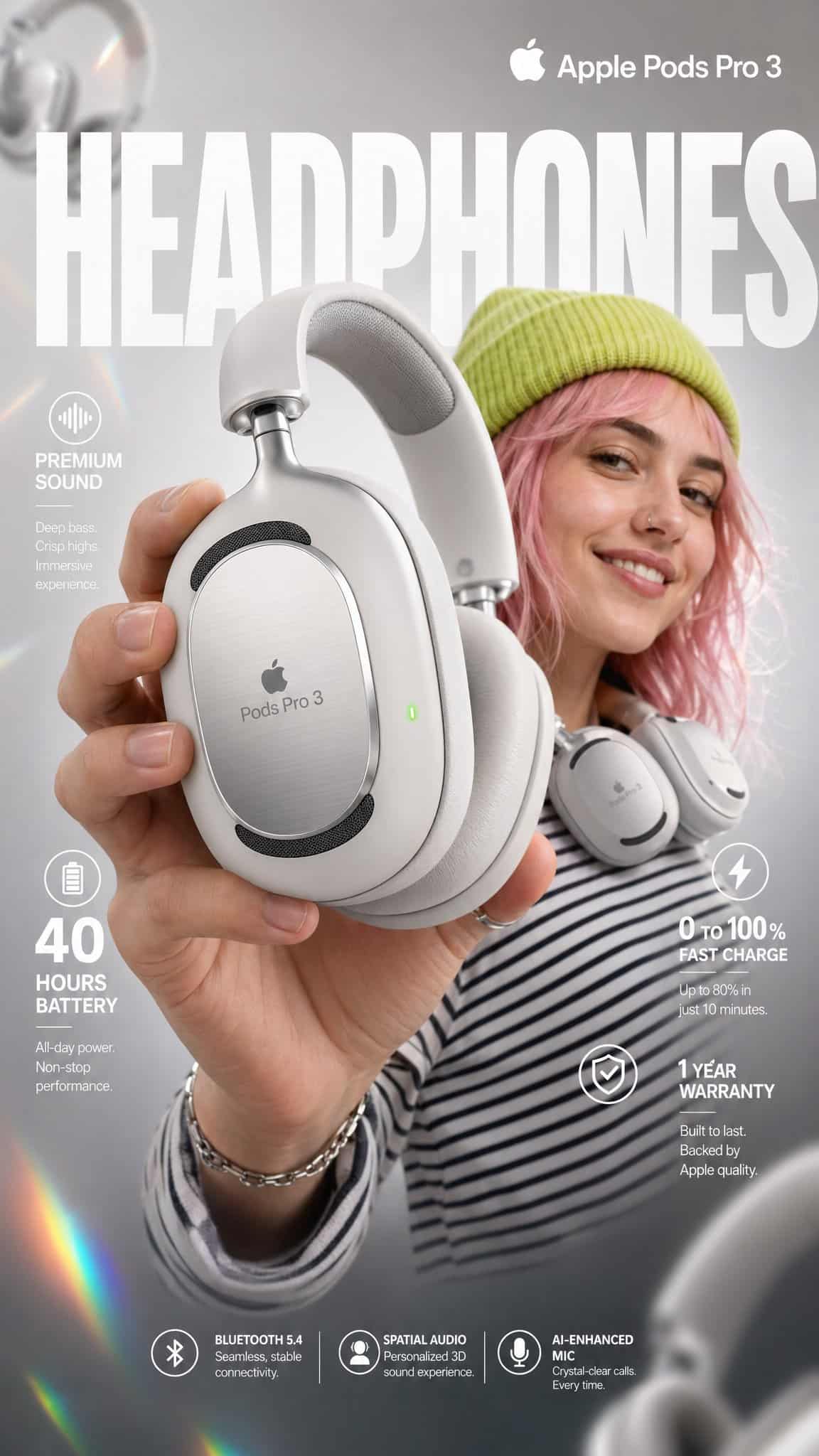
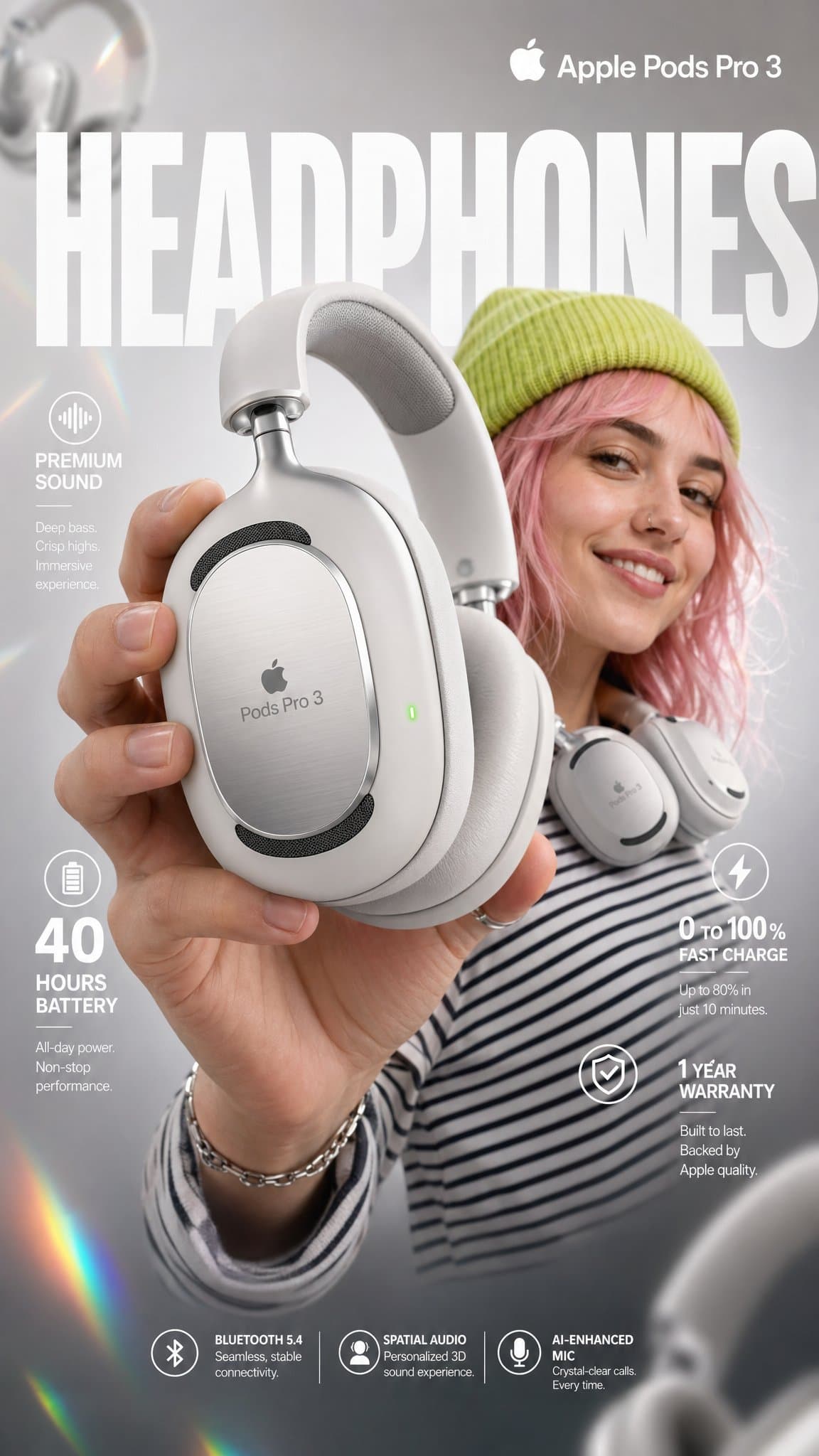
Apple Pods Pro 3 頭戴耳機電商資訊圖
為 “Apple Pods Pro 3” 高階無線頭戴耳機制作一張高衝擊力電商資訊圖。 前景 - 產品英雄特寫 一隻手握著一副利落的啞光白色高階頭戴耳機,以輕微角度朝向鏡頭,極近距離特寫。耳機特徵包括: - 亮面白色耳墊,帶柔軟記憶海綿填充 - 拉絲鋁銀色頭梁,帶細微 Apple Pods Pro 3 壓印品牌標識 - 耳罩正面可見黑色網格揚聲器格柵 - 右耳罩邊緣有一個微小發光綠色 LED 狀態指示燈 - 外側耳罩表面蝕刻細微觸控圖…
提示詞
為 “Apple Pods Pro 3” 高階無線頭戴耳機制作一張高衝擊力電商資訊圖。 前景 - 產品英雄特寫 一隻手握著一副利落的啞光白色高階頭戴耳機,以輕微角度朝向鏡頭,極近距離特寫。耳機特徵包括: - 亮面白色耳墊,帶柔軟記憶海綿填充 - 拉絲鋁銀色頭梁,帶細微 Apple Pods Pro 3 壓印品牌標識 - 耳罩正面可見黑色網格揚聲器格柵 - 右耳罩邊緣有一個微小發光綠色 LED 狀態指示燈 - 外側耳罩表面蝕刻細微觸控圖示 微距鏡頭淺景深,手和耳機邊緣略微虛化以營造電影感深度。產品在畫面中心保持極致銳利。 中心主體 - 模特 中景是一位微笑的年輕女性,帶雀斑和波浪形粉彩粉色頭髮。她穿著: - 鮮豔青檸綠色針織帽 - 迷幻黑白條紋長袖衫 - 白色頭戴耳機時髦地掛在脖子上(不是戴在耳朵上),一隻手隨意觸碰耳罩 表情:放鬆、自信、快樂。 她略微看向鏡頭外,自然微笑。 背景與氛圍 乾淨柔焦影棚背景,淺灰漸變向中心暖白過渡。 氛圍疊層: - 從左上到右下切過畫面的斜向彩虹稜鏡鏡頭光暈 - 角落有粉色和黃色柔和粉彩漏光 - 4-5 副虛化白色頭戴耳機以不同深度和旋轉角度藝術化漂浮在背景中 - 背景影棚燈形成細微 bokeh 光圈 燈光:柔和專業三點影棚布光。 主光來自左上,右側補光。 模特背後有輪廓光用於分離主體。 耳機亮面表面自然捕捉高光。 排版與佈局 - 無襯線、乾淨白色 頂部居中(模特後方,大型背景文字): → 巨大粗體超大文字:“HEADPHONES” 半透明白色,橫跨主體背後全寬 右上角: → 粗體乾淨文字:“Apple Pods Pro 3” 副標題小字:“Over-Ear Wireless” 中左: → 圖示:小聲波符號 → 粗體文字:“Premium Sound” → 副文案:“Active Noise Cancellation + Transparency Mode” 中右: → 超大粗體數字:“40” → 下方小字:“hours of battery life” 左下: → 超大粗體數字:“0” 旁邊有 “to”,然後是粗體 “100%” → 副文案:“Fast charge — 10 min = 3hrs playback”
如何使用此提示
在生成之前閱讀完整的 Apple Pods Pro 3 頭戴耳機電商資訊圖 提示並確定主題、風格、相機、燈光和構圖要求。
將括號或參數式佔位符替換為您的產品、角色、品牌、場景、調色板或寬高比要求。
開啟 https://www.gptimagehub.com/zh-TW/generate?promptId=cmogwwayr006tzpdy75fka413,產生圖像,然後根據需要使用更具體的主題、文字、佈局或負面約束來最佳化提示。
提示常見問題解答
Apple Pods Pro 3 頭戴耳機電商資訊圖 提示符號最適合用來做什麼?
此提示最適用於您需要可重複使用結構、詳細視覺方向和一致輸出品質的 ui / ux 設計 影像。
我可以在生成之前編輯提示嗎?
是的。完整的提示文字在此頁面上可見,因此您可以在生成之前更改主題、產品名稱、顏色、構圖、相機術語、長寬比和樣式註釋。
出現此提示時我應該使用哪種型號?
使用提示元資料中顯示的模型作為預設起點。如果另一個影像模型支援相同的寬高比和指令風格,您可以調整提示並比較結果。