
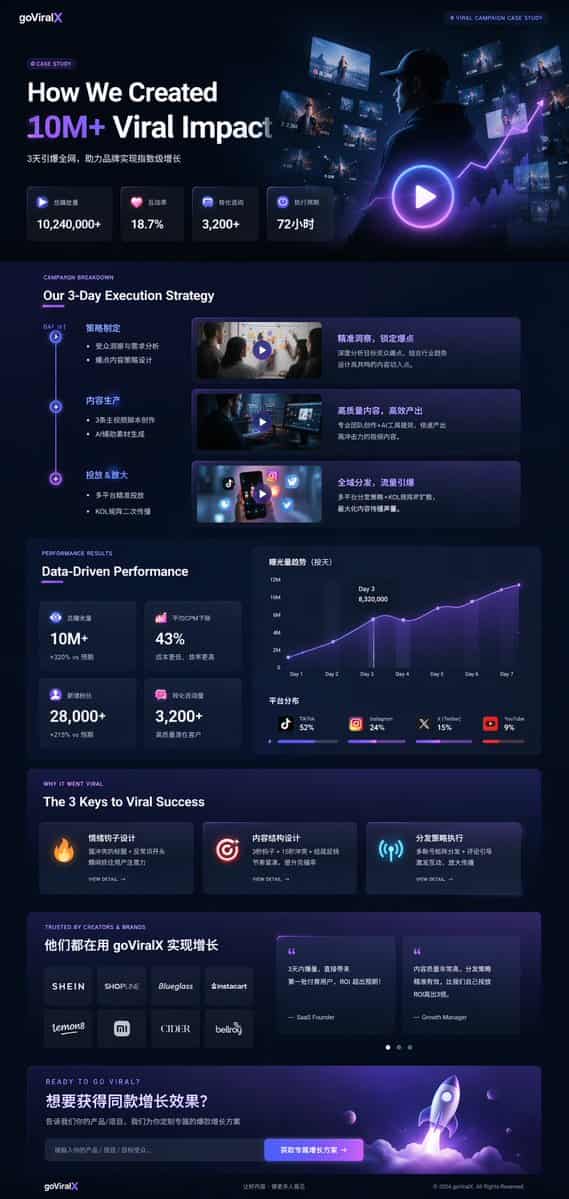
Dark Mode Marketing Case Study UI
{ "type": "UI/UX landing page mockup", "theme": "dark mode, sleek modern aesthetic, glassmorphism, {argument name=\"primary accent color\" default=\"neon purple and blue\"} glowing accents", "header": { "logo": "{argume…
提示詞
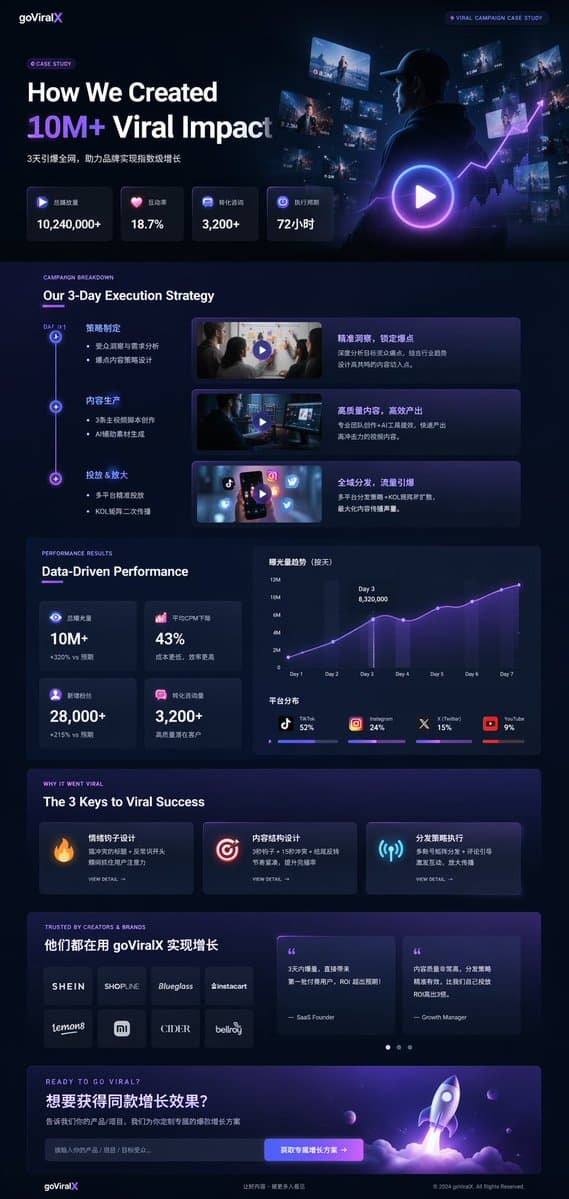
{ "type": "UI/UX landing page mockup", "theme": "dark mode, sleek modern aesthetic, glassmorphism, {argument name=\"primary accent color\" default=\"neon purple and blue\"} glowing accents", "header": { "logo": "{argument name=\"brand name\" default=\"goViralX\"}", "top_right_tag": "VIRAL CAMPAIGN CASE STUDY" }, "layout": { "sections": [ { "name": "Hero", "headline": "{argument name=\"hero headline\" default=\"How We Created 10M+ Viral Impact\"}", "subheadline": "3天引爆全網, 助力品牌實現指數級增長", "stats_row": { "count": 4, "labels": ["總播放量", "互動率", "轉化諮詢", "執行週期"], "values": ["{argument name=\"main statistic\" default=\"10,240,000+\"}", "18.7%", "3,200+", "72小時"] }, "visual": "cinematic shot of a person in a hoodie looking at glowing digital screens and graphs, large play button overlay" }, { "name": "Strategy", "title": "Our 3-Day Execution Strategy", "layout_type": "vertical timeline", "steps_count": 3, "elements_per_step": ["timeline node", "title", "bullet points", "video thumbnail with play button", "description box"] }, { "name": "Performance", "title": "Data-Driven Performance", "left_column": { "stat_cards_count": 4, "values": ["10M+", "43%", "28,000+", "3,200+"] }, "right_column": { "charts_count": 2, "chart_1": "line graph showing 7-day growth peaking at Day 3", "chart_2": "horizontal segmented bar chart showing platform distribution (TikTok 52%, Instagram 24%, X 15%, YouTube 9%)" } }, { "name": "Keys to Success", "title": "The 3 Keys to Viral Success", "cards_count": 3, "card_elements": ["glowing icon (fire, target, antenna)", "title", "description", "VIEW DETAIL link"] }, { "name": "Social Proof", "title": "TRUSTED BY CREATORS & BRANDS", "left_column": { "logos_count": 8, "grid": "2x4", "brands": ["SHEIN", "SHOPLINE", "Blueglass", "instacart", "lemon8", "mi", "CIDER", "bellroy"] }, "right_column": { "testimonial_cards_count": 2, "elements": ["quote", "author title (SaaS Founder, Growth Manager)"] } }, { "name": "Call to Action", "title": "READY TO GO VIRAL?", "interactive_elements": ["text input field", "glowing button with text '{argument name=\"call to action text\" default=\"获取专属增长方案 ->\"}'"], "visual": "3D render of a rocket ship taking off with purple and blue flames" } ] } }
如何使用此提示
在生成之前閱讀完整的 Dark Mode Marketing Case Study UI 提示並確定主題、風格、相機、燈光和構圖要求。
將括號或參數式佔位符替換為您的產品、角色、品牌、場景、調色板或寬高比要求。
開啟 https://www.gptimagehub.com/zh-TW/generate?promptId=cmogx4gaj00ejzpdyjfmpkq4n,產生圖像,然後根據需要使用更具體的主題、文字、佈局或負面約束來最佳化提示。
提示常見問題解答
Dark Mode Marketing Case Study UI 提示符號最適合用來做什麼?
此提示最適用於您需要可重複使用結構、詳細視覺方向和一致輸出品質的 ui / ux 設計 影像。
我可以在生成之前編輯提示嗎?
是的。完整的提示文字在此頁面上可見,因此您可以在生成之前更改主題、產品名稱、顏色、構圖、相機術語、長寬比和樣式註釋。
出現此提示時我應該使用哪種型號?
使用提示元資料中顯示的模型作為預設起點。如果另一個影像模型支援相同的寬高比和指令風格,您可以調整提示並比較結果。