
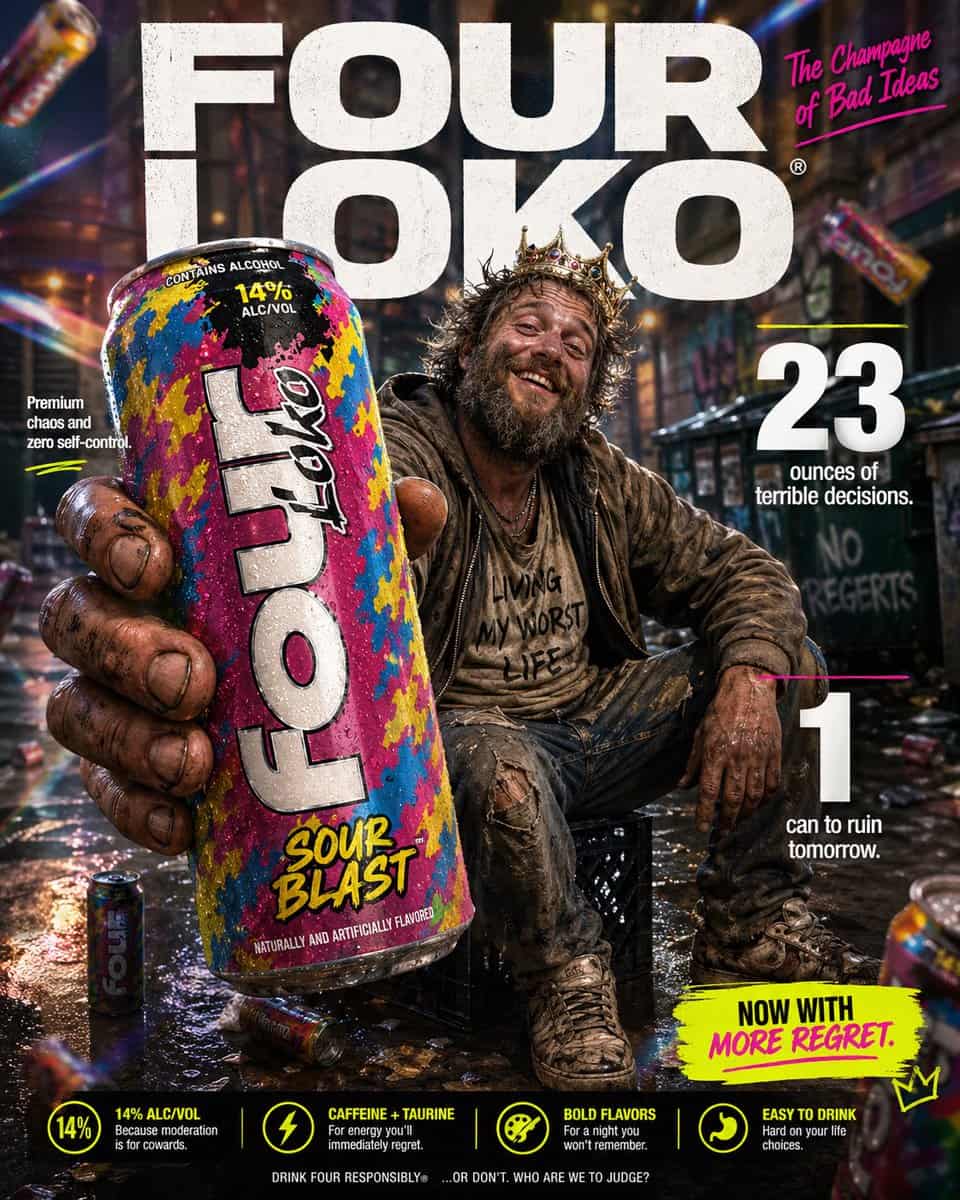
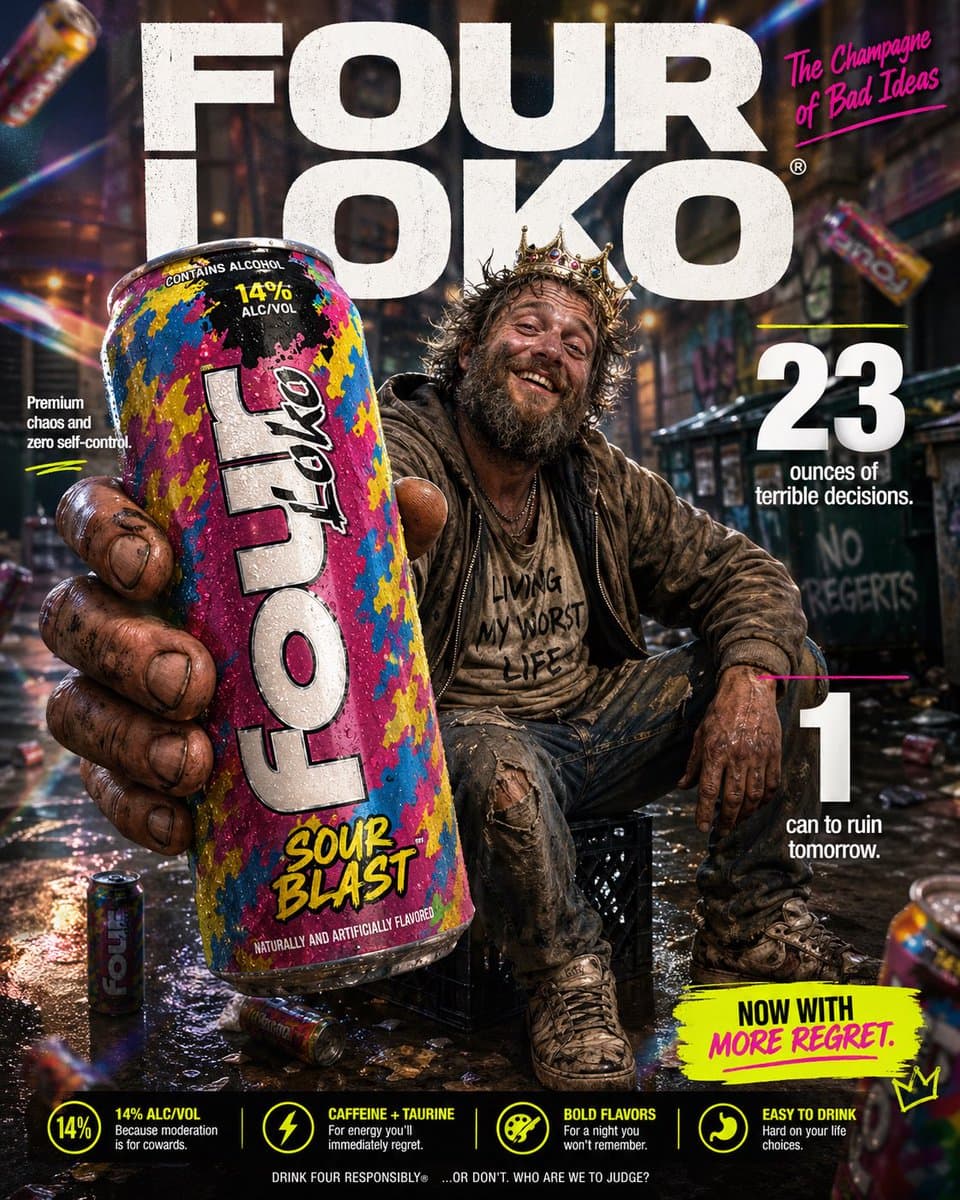
惡搞奢侈品風產品廣告
為“{argument name="product" default="Four Loko"}”麥芽飲料製作一張高衝擊力的惡搞電商資訊圖。前景:一個粗糙、飽經風霜的手極近距離拿著一罐高大的、色彩鮮豔的 {argument name="product" default="Four Loko"},朝向鏡頭展示。罐身微冷,有可見冷凝水珠,包裝是喧鬧混亂的口味設計。手和罐子帶有輕微微距鏡頭景深模糊,但罐子仍然清晰可讀,是畫面的英雄產品。中心主…
提示詞
為“{argument name="product" default="Four Loko"}”麥芽飲料製作一張高衝擊力的惡搞電商資訊圖。前景:一個粗糙、飽經風霜的手極近距離拿著一罐高大的、色彩鮮豔的 {argument name="product" default="Four Loko"},朝向鏡頭展示。罐身微冷,有可見冷凝水珠,包裝是喧鬧混亂的口味設計。手和罐子帶有輕微微距鏡頭景深模糊,但罐子仍然清晰可讀,是畫面的英雄產品。中心主體:中景中,一個搞笑、邋遢的 {argument name="subject" default="看起来像无家可归者的男人"} 隨意坐在城市小巷裡的牛奶箱上。他有亂糟糟的鬍子、凌亂頭髮、疊穿的破舊衣物,以及非常淡定的大笑容。他應該看起來混亂但又莫名有魅力,像糟糕決定的意外之王。姿勢像自信的生活方式廣告模特,驕傲地展示這罐飲料。背景與燈光:把過度精緻的廣告風背景和髒亂城市小巷場景荒誕混合。遠處有柔焦城市紋理、垃圾箱形狀、塗鴉暗示和散落雜物。加入戲劇化影棚燈光、柔和輝光、彩虹稜鏡光斑和細微漏光,讓整張圖看起來對這個題材來說高階得離譜。背景中可以有幾罐模糊的 {argument name="product" default="Four Loko"} 罐子藝術化漂浮,強化荒誕感。字型與版式(粗體無襯線,白色和霓虹點綴):頂部中央(背景):巨大的粗體文字“{argument name="brand name" default="FOUR LOKO"}”,放在主體身後。右上:粗體文字“The Champagne of Bad Ideas”。中左:“Premium chaos and zero self-control”。中右:巨大粗體“23”,旁邊文字“ounces of terrible decisions.”。右下:巨大粗體“1”,旁邊文字“can to ruin tomorrow.”。底部附近可選小號標註文案:“Now with more regret.”。風格:超細節 8k 惡搞商業攝影,罐子銳利對焦,淺景深,鮮豔俗氣的色彩方案,乾淨廣告構圖,誇張高階產品廣告美學,精緻品牌視覺和狼狽主體之間形成搞笑反差。
如何使用此提示
在生成之前閱讀完整的 惡搞奢侈品風產品廣告 提示並確定主題、風格、相機、燈光和構圖要求。
將括號或參數式佔位符替換為您的產品、角色、品牌、場景、調色板或寬高比要求。
開啟 https://www.gptimagehub.com/zh-TW/generate?promptId=cmogx21g800clzpdyvliz4lqd,產生圖像,然後根據需要使用更具體的主題、文字、佈局或負面約束來最佳化提示。
提示常見問題解答
惡搞奢侈品風產品廣告 提示符號最適合用來做什麼?
此提示最適用於您需要可重複使用結構、詳細視覺方向和一致輸出品質的 ui / ux 設計 影像。
我可以在生成之前編輯提示嗎?
是的。完整的提示文字在此頁面上可見,因此您可以在生成之前更改主題、產品名稱、顏色、構圖、相機術語、長寬比和樣式註釋。
出現此提示時我應該使用哪種型號?
使用提示元資料中顯示的模型作為預設起點。如果另一個影像模型支援相同的寬高比和指令風格,您可以調整提示並比較結果。