
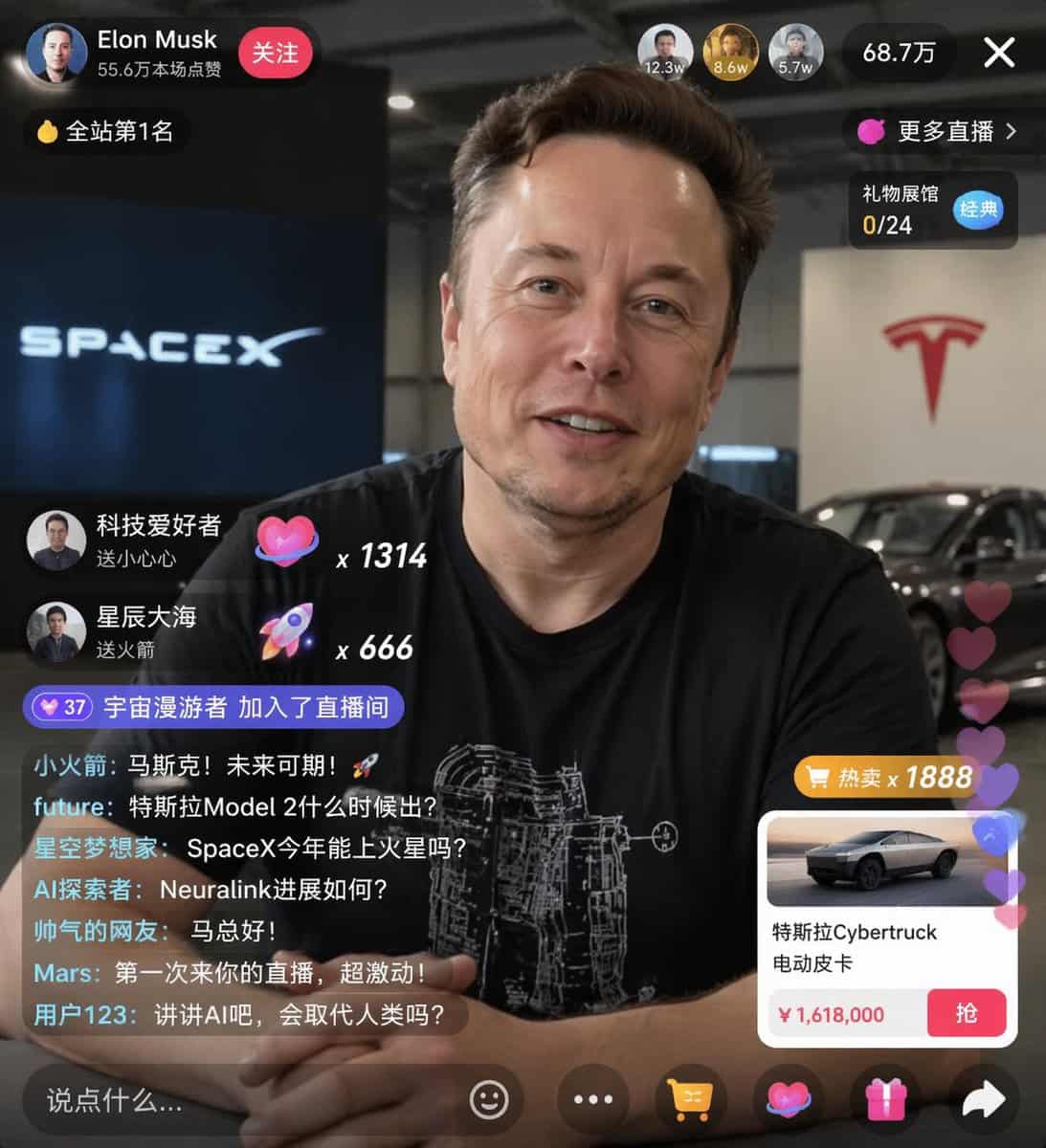
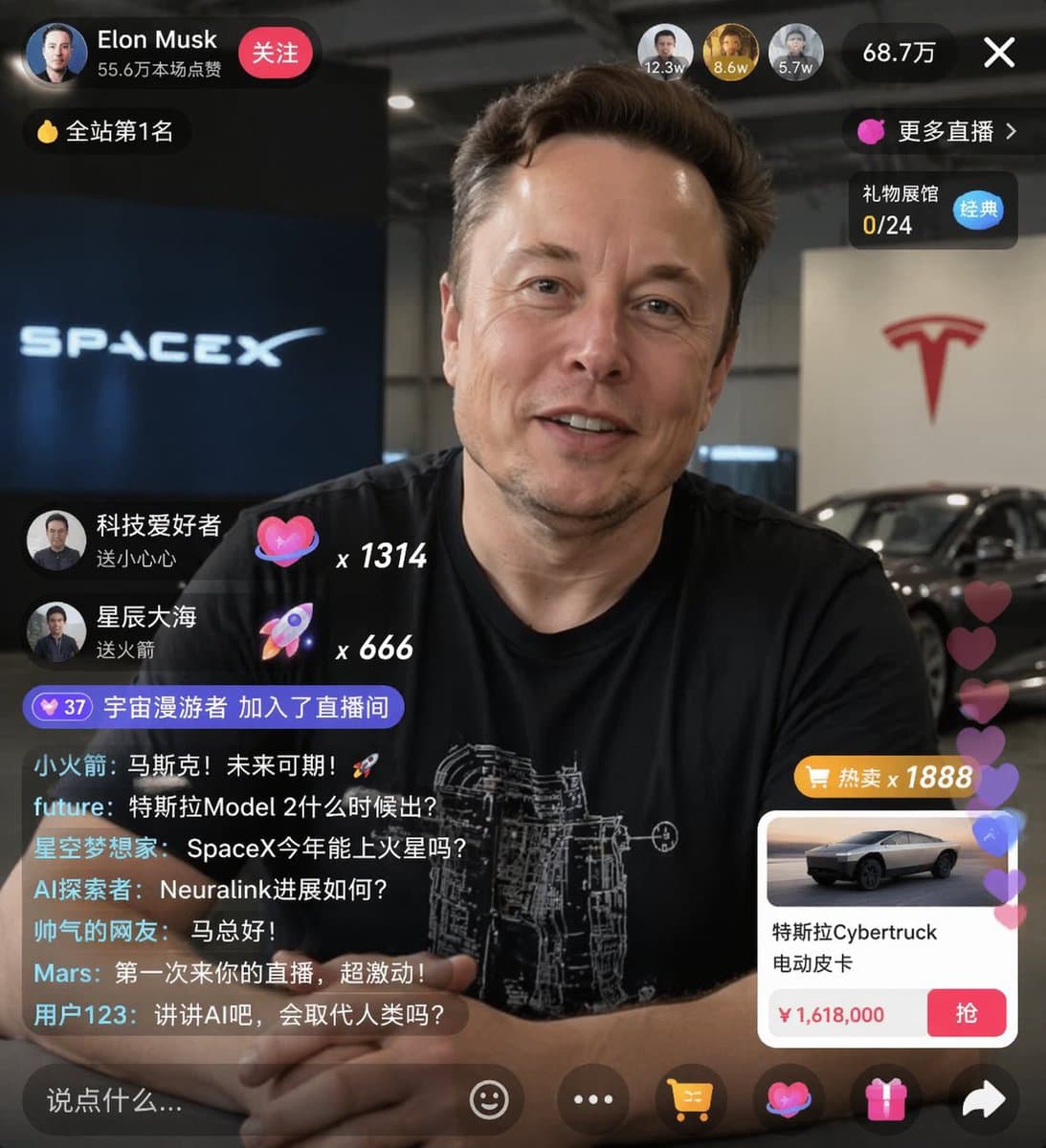
E-commerce Live Stream UI Mockup
{ "type": "live stream UI mockup", "subject": { "description": "portrait of {argument name=\"host name\" default=\"Elon Musk\"}, smiling, wearing a black t-shirt with a white technical schematic graphic", "background":…
提示詞
{ "type": "live stream UI mockup", "subject": { "description": "portrait of {argument name=\"host name\" default=\"Elon Musk\"}, smiling, wearing a black t-shirt with a white technical schematic graphic", "background": "left side shows a screen with '{argument name=\"left background logo\" default=\"SPACEX\"}' text, right side shows a red '{argument name=\"right background logo\" default=\"Tesla T logo\"}' and a dark car" }, "ui_overlay": { "top_header": { "host_info": "avatar, name '{argument name=\"host name\" default=\"Elon Musk\"}', subtext '55.6萬本場點贊', red '關注' button", "rank_badge": "gold coin icon with '全站第1名'", "viewer_stats": "3 top viewer avatars with '12.3w', '8.6w', '5.7w', total '68.7萬', 'X' close button", "right_links": "'更多直播 >', '禮物展館 0/24' with blue '經典' tag" }, "mid_left_gifts": { "count": 2, "items": [ "avatar '科技愛好者', '送小心心', heart icon x 1314", "avatar '星辰大海', '送火箭', rocket icon x 666" ] }, "bottom_left_chat": { "system_message": "level 37 badge '宇宙漫遊者 加入了直播間'", "message_count": 7, "messages": [ "小火箭: 馬斯克!未來可期!🚀", "future: 特斯拉Model 2什麼時候出?", "星空夢想家: SpaceX今年能上火星嗎?", "AI探索者: Neuralink進展如何?", "帥氣的網友: 馬總好!", "Mars: 第一次來你的直播,超激動!", "使用者123: 講講AI吧,會取代人類嗎?" ] }, "bottom_right_product_card": { "hot_tag": "orange '熱賣 x 1888'", "image": "Tesla Cybertruck", "title": "{argument name=\"product name\" default=\"特斯拉Cybertruck 电动皮卡\"}", "price": "{argument name=\"product price\" default=\"¥ 1,618,000\"}", "button": "red '搶' button", "floating_animation": "translucent hearts floating up the right edge" }, "bottom_bar": { "input_field": "'說點什麼...'", "icons": ["smiley face", "three dots", "shopping cart", "gift box", "share"] } } }
如何使用此提示
在生成之前閱讀完整的 E-commerce Live Stream UI Mockup 提示並確定主題、風格、相機、燈光和構圖要求。
將括號或參數式佔位符替換為您的產品、角色、品牌、場景、調色板或寬高比要求。
開啟 https://www.gptimagehub.com/zh-TW/generate?promptId=cmogwxwj3009hzpdyjdxym0wy,產生圖像,然後根據需要使用更具體的主題、文字、佈局或負面約束來最佳化提示。
提示常見問題解答
E-commerce Live Stream UI Mockup 提示符號最適合用來做什麼?
此提示最適用於您需要可重複使用結構、詳細視覺方向和一致輸出品質的 ui / ux 設計 影像。
我可以在生成之前編輯提示嗎?
是的。完整的提示文字在此頁面上可見,因此您可以在生成之前更改主題、產品名稱、顏色、構圖、相機術語、長寬比和樣式註釋。
出現此提示時我應該使用哪種型號?
使用提示元資料中顯示的模型作為預設起點。如果另一個影像模型支援相同的寬高比和指令風格,您可以調整提示並比較結果。