数据摘要长图
其他

数据摘要长图

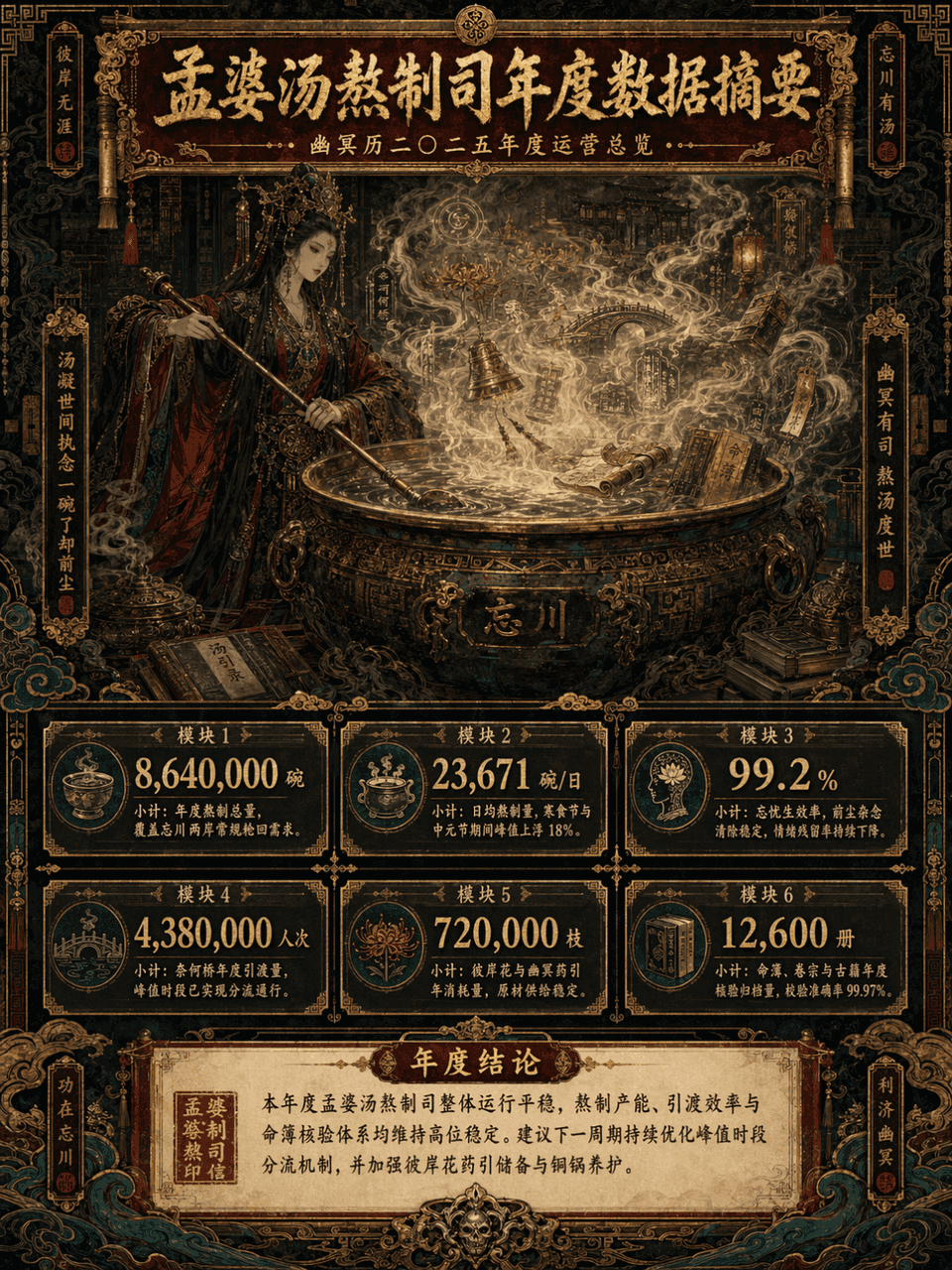
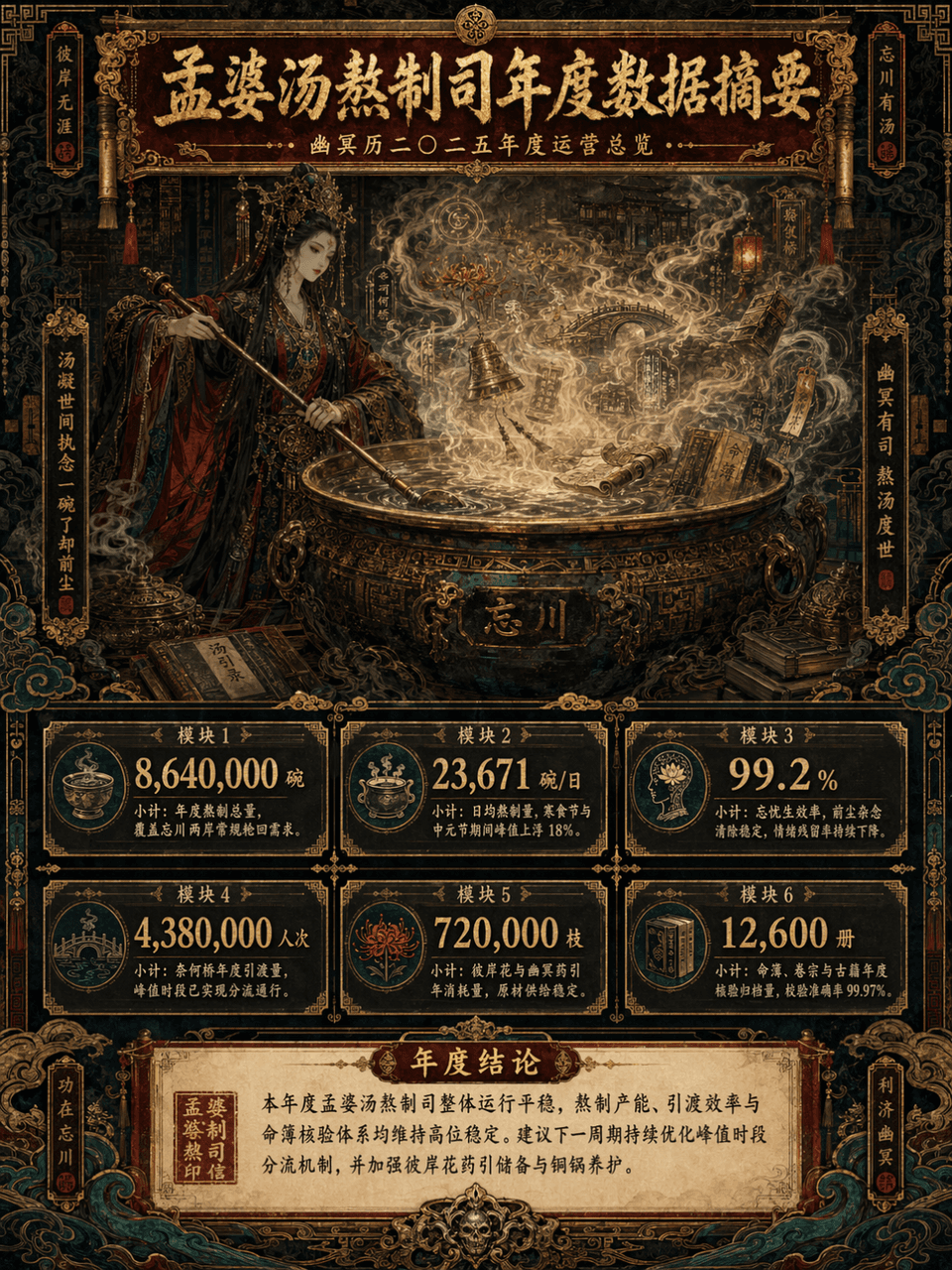
画幅3:4,创建一张竖版数据摘要长图,主题为《孟婆汤熬制司年度数据摘要》,主体为 孟婆正在巨大铜锅前煮汤,蒸汽翻涌,汤雾中隐约出现彼岸花、奈何桥、灯笼、符纹、卷轴、铜铃、古籍、命簿、云气与幽冥纹样。整体采用 极繁主义风格,但信息层级必须清晰,像咨询报告可视化 + 东方志怪设定集 + 高级展览长图 的结合。画面为 长竖版信息图,顶部标题区、中部主体视觉区、下方数据模块区、底部结论区层层展开。配色控制为 暗朱红、鎏金、墨黑、孔雀青 四大主…

提示词

画幅3:4,创建一张竖版数据摘要长图,主题为《孟婆汤熬制司年度数据摘要》,主体为 孟婆正在巨大铜锅前煮汤,蒸汽翻涌,汤雾中隐约出现彼岸花、奈何桥、灯笼、符纹、卷轴、铜铃、古籍、命簿、云气与幽冥纹样。整体采用 极繁主义风格,但信息层级必须清晰,像咨询报告可视化 + 东方志怪设定集 + 高级展览长图 的结合。画面为 长竖版信息图,顶部标题区、中部主体视觉区、下方数据模块区、底部结论区层层展开。配色控制为 暗朱红、鎏金、墨黑、孔雀青 四大主色,局部点缀旧纸米白与铜锈绿,画面华丽、繁复、神秘、庄严,但不能杂乱失控,必须高级、有秩序、有强烈装饰美学。

How to use this prompt

1
Review the full prompt

Read the complete 数据摘要长图 prompt and identify the subject, style, camera, lighting, and composition requirements before generating.

2
Customize variables

Replace bracketed or argument-style placeholders with your product, character, brand, scene, color palette, or aspect ratio requirements.

3
Generate and iterate

Open https://www.gptimagehub.com/zh-CN/generate?promptId=cmogxlus100mlxt5g0glpq2r7, generate the image, then refine the prompt with more specific subject, text, layout, or negative constraints if needed.

Prompt FAQ

What is the 数据摘要长图 prompt best used for?

This prompt is best used for 其他 images where you want a reusable structure, detailed visual direction, and consistent output quality.

Can I edit the prompt before generating?

Yes. The full prompt text is visible on this page so you can change subjects, product names, colors, composition, camera terms, aspect ratio, and style notes before generation.

Which model should I use with this prompt?

Use the model shown in the prompt metadata as the default starting point. If another image model supports the same aspect ratio and instruction style, you can adapt the prompt and compare results.

其他模板