
18-Panel Mascot Brand Identity Document
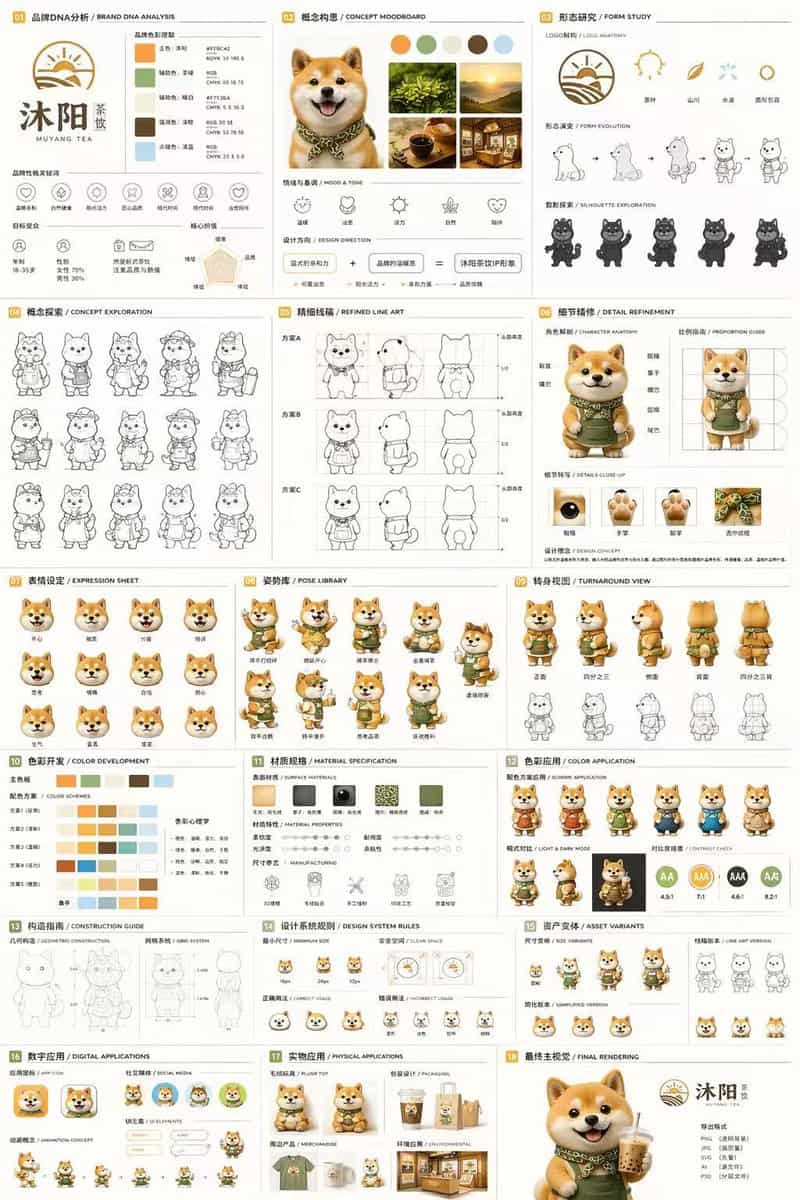
{ "type": "18-panel brand identity and character design document", "brand": { "name": "{argument name=\"brand name\" default=\"沐阳 MUYANG TEA\"}", "industry": "{argument name=\"industry\" default=\"tea shop\"}", "colors"…
提示词
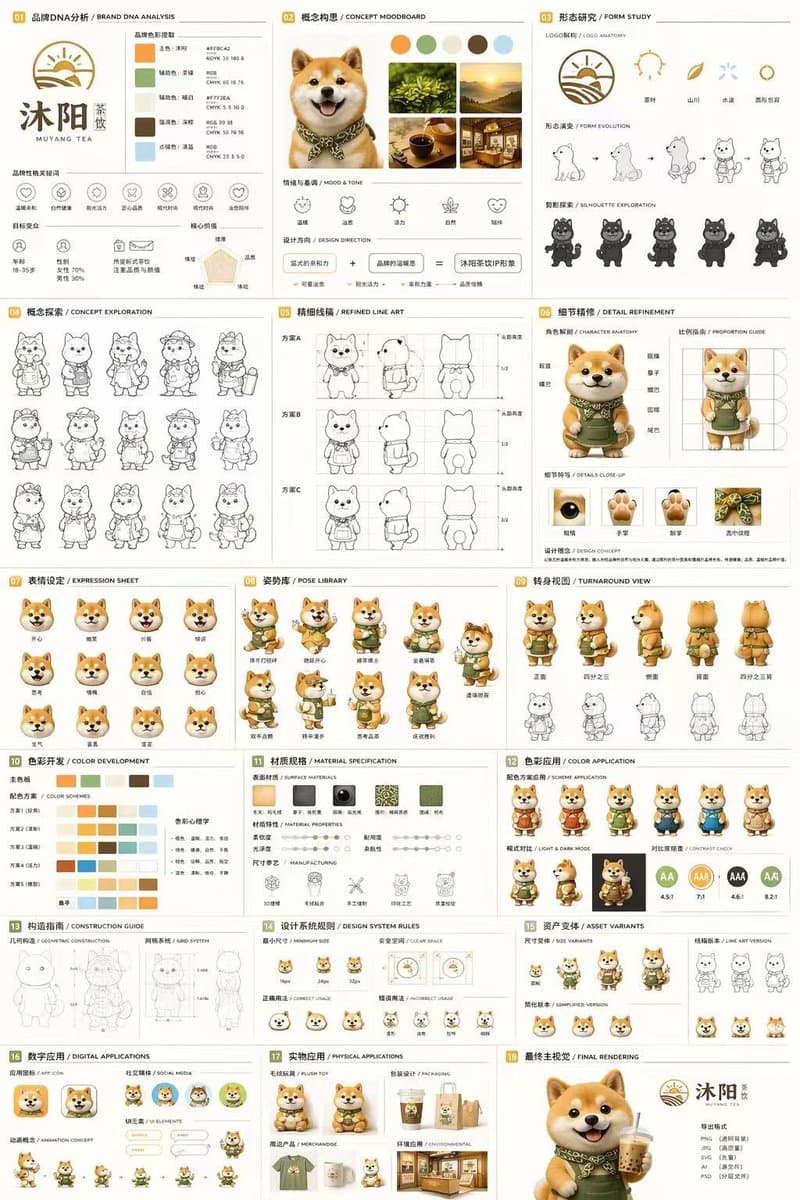
{ "type": "18-panel brand identity and character design document", "brand": { "name": "{argument name=\"brand name\" default=\"沐阳 MUYANG TEA\"}", "industry": "{argument name=\"industry\" default=\"tea shop\"}", "colors": ["{argument name=\"primary color\" default=\"yellow\"}", "{argument name=\"secondary color\" default=\"green\"}", "white", "brown", "dark green"] }, "subject": "{argument name=\"character description\" default=\"3D rendered cute Shiba Inu mascot wearing a green apron\"}", "layout": { "grid": "3 columns by 6 rows", "sections": [ { "title": "01 品牌DNA分析 / BRAND DNA ANALYSIS", "elements": ["logo", "5 color swatches", "6 icons", "target audience charts"] }, { "title": "02 概念构思 / CONCEPT MOODBOARD", "elements": ["5 photo references", "4 mood icons", "design equation"] }, { "title": "03 形态研究 / FORM STUDY", "elements": ["4 logo anatomy icons", "4 evolution steps", "4 silhouettes"] }, { "title": "04 概念探索 / CONCEPT EXPLORATION", "elements": ["12 line-art character sketches"] }, { "title": "05 精细线稿 / REFINED LINE ART", "elements": ["3 rows of front and side line art with proportion guides"] }, { "title": "06 细节精修 / DETAIL REFINEMENT", "elements": ["2 full-body renders with labels", "4 circular close-ups"] }, { "title": "07 表情设定 / EXPRESSION SHEET", "elements": ["11 3D rendered head expressions"] }, { "title": "08 姿势库 / POSE LIBRARY", "elements": ["9 full-body 3D rendered poses"] }, { "title": "09 转身视图 / TURNAROUND VIEW", "elements": ["5 full-body 3D renders", "5 matching line-art views"] }, { "title": "10 色彩开发 / COLOR DEVELOPMENT", "elements": ["5 rows of 5-color palettes", "color psychology text"] }, { "title": "11 材质规格 / MATERIAL SPECIFICATION", "elements": ["5 texture swatches", "property sliders", "4 manufacturing icons"] }, { "title": "12 色彩应用 / COLOR APPLICATION", "elements": ["4 color variant renders", "2 light/dark renders", "4 contrast rating circles"] }, { "title": "13 构造指南 / CONSTRUCTION GUIDE", "elements": ["2 line-art diagrams for geometry and grid"] }, { "title": "14 设计系统规则 / DESIGN SYSTEM RULES", "elements": ["minimum size icons", "clear space diagram", "4 usage examples"] }, { "title": "15 资产变体 / ASSET VARIANTS", "elements": ["3 size variants", "3 line-art variants", "3 simplified flat heads"] }, { "title": "16 数字应用 / DIGITAL APPLICATIONS", "elements": ["1 app icon", "2 social avatars", "UI elements", "3-step animation cycle"] }, { "title": "17 实物应用 / PHYSICAL APPLICATIONS", "elements": ["plush toy mockup", "packaging mockup", "merchandise mockup", "storefront mockup"] }, { "title": "18 最终主视觉 / FINAL RENDERING", "elements": ["large high-res 3D render of mascot holding tea", "logo", "file format list"] } ] } }
如何使用此提示
在生成之前阅读完整的 18-Panel Mascot Brand Identity Document 提示并确定主题、风格、相机、灯光和构图要求。
将括号或参数式占位符替换为您的产品、角色、品牌、场景、调色板或宽高比要求。
打开 https://www.gptimagehub.com/zh-CN/generate?promptId=cmogx4juy00elzpdy2kv4z2z2,生成图像,然后根据需要使用更具体的主题、文本、布局或负面约束来优化提示。
提示常见问题解答
18-Panel Mascot Brand Identity Document 提示符最适合用来做什么?
此提示最适用于您需要可重用结构、详细视觉方向和一致输出质量的 logo 与品牌 图像。
我可以在生成之前编辑提示吗?
是的。完整的提示文本在此页面上可见,因此您可以在生成之前更改主题、产品名称、颜色、构图、相机术语、长宽比和样式注释。
出现此提示时我应该使用哪种型号?
使用提示元数据中显示的模型作为默认起点。如果另一个图像模型支持相同的宽高比和指令风格,您可以调整提示并比较结果。