
提示词
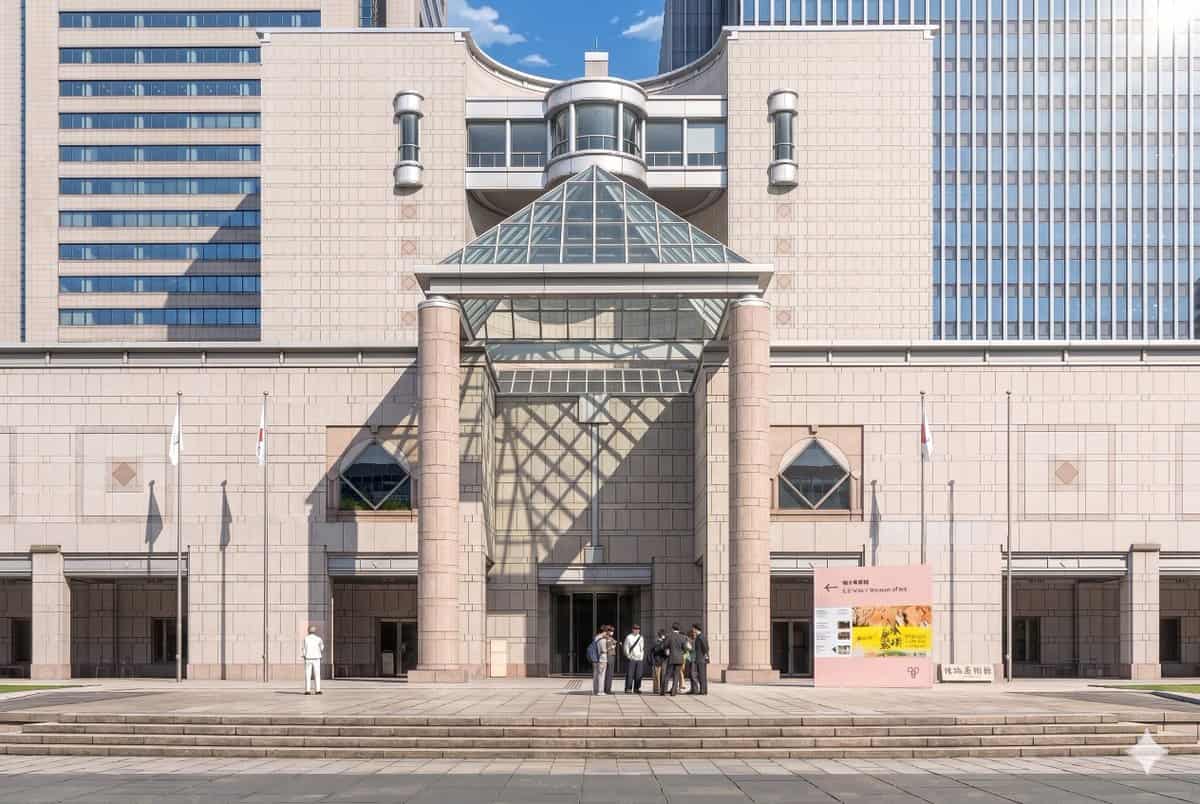
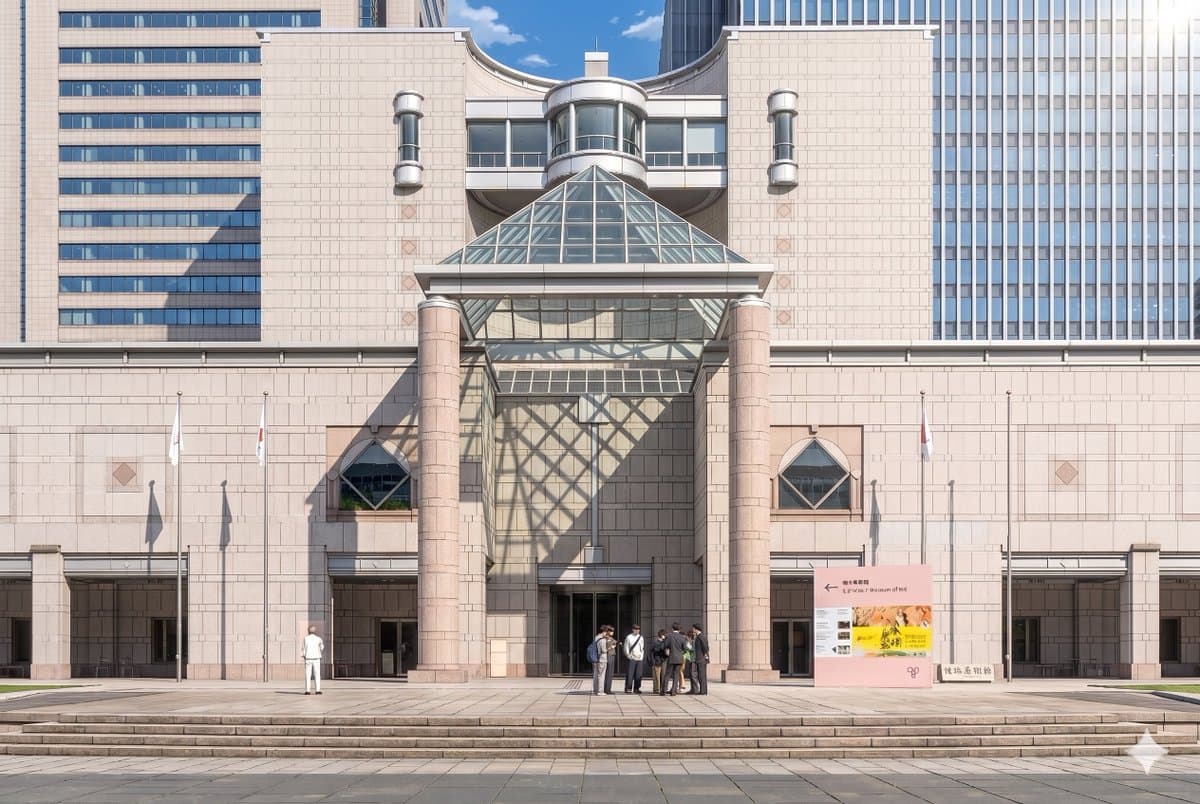
使用提供的参考照片,重现相同的博物馆立面和正面构图,并将其转化为精致的剧场感动漫背景插画。保持建筑、标识、3 根旗杆、宽阔台阶和整体布局一致,但把图像从写实摄影转换为高细节手绘动画电影风格,使用干净线稿、柔和赛璐璐阴影、温柔粉彩石材色和清晰氛围光。加入来自右上方的戏剧化阳光,使玻璃金字塔在中央墙面和入口左侧投下大面积几何格状阴影。将人物简化并风格化为动漫背景角色,保留 2 个可见人群:左侧 1 个单独人物,中心偏右入口附近 1 个 7 人小群体。保留晴朗蓝天白昼氛围,同时让场景显得优雅、精致、电影感。
如何使用此提示
1
查看完整提示
在生成之前阅读完整的 博物馆背景动漫化转换 提示并确定主题、风格、相机、灯光和构图要求。
2
自定义变量
将括号或参数式占位符替换为您的产品、角色、品牌、场景、调色板或宽高比要求。
3
生成并迭代
打开 https://www.gptimagehub.com/zh-CN/generate?promptId=cmogx3mgt00dvzpdy0t3buci9,生成图像,然后根据需要使用更具体的主题、文本、布局或负面约束来优化提示。
提示常见问题解答
博物馆背景动漫化转换 提示符最适合用来做什么?
此提示最适用于您需要可重用结构、详细视觉方向和一致输出质量的 动漫 / 漫画 图像。
我可以在生成之前编辑提示吗?
是的。完整的提示文本在此页面上可见,因此您可以在生成之前更改主题、产品名称、颜色、构图、相机术语、长宽比和样式注释。
出现此提示时我应该使用哪种型号?
使用提示元数据中显示的模型作为默认起点。如果另一个图像模型支持相同的宽高比和指令风格,您可以调整提示并比较结果。