
提示词
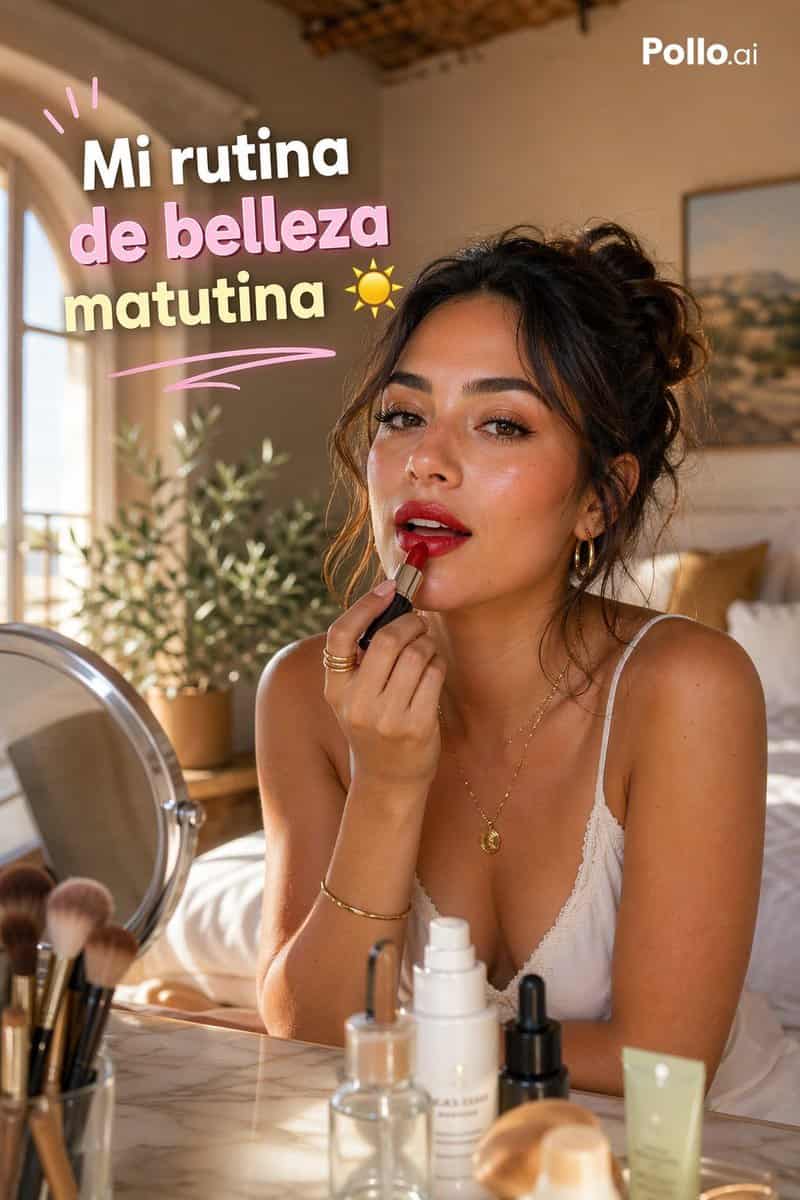
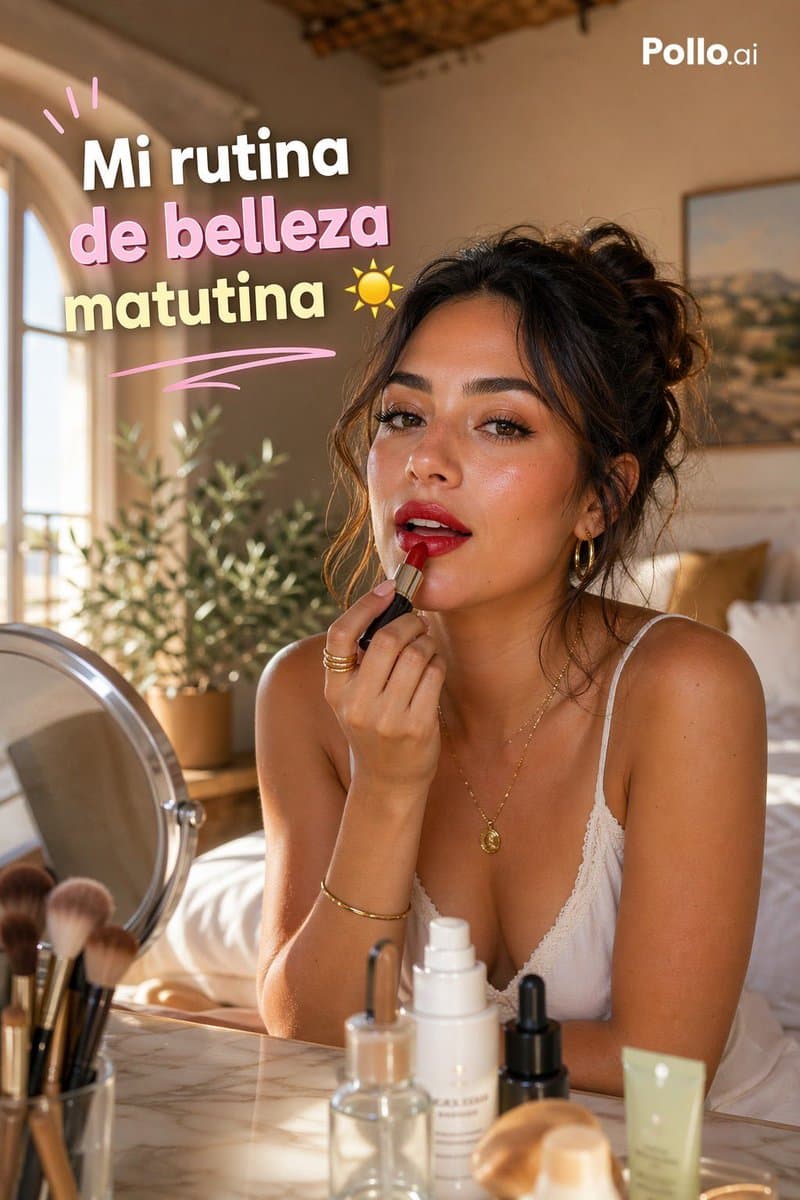
一张竖版 9:16 TikTok 风 GRWM 美妆缩略图,场景设在温暖阳光照亮的地中海风卧室。一位时髦年轻女性,{argument name="hair color" default="dark brown"} 头发盘成凌乱卷发发髻,坐在大理石梳妆台前,身体前倾,一只手臂交叠,另一只手正在给嘴唇涂润唇膏或口红。她的脸由居中的矩形模糊块遮住以保护隐私,但其余造型优雅自然:古铜色发光肤色、精致金色项链和小圆吊坠、细金手链、叠戴金戒指,以及细肩带白色蕾丝吊带背心。前景梳妆台上正好有 7 个可见美妆物品:左侧 1 个圆形台式化妆镜,1 个装有 5 支化妆刷的杯子,1 个透明玻璃滴管瓶,1 个高白色按压护肤瓶,1 个小黑色滴管瓶,1 个米色圆润化妆海绵或粉扑,右侧 1 支浅绿色挤压软管。背景是柔焦的舒适卧室,左侧有 1 个拱形窗、1 株绿叶盆栽、1 张铺白色床品并带芥末色抱枕的床、外露木质天花细节,以及墙上 1 幅装裱风景画。使用从左侧照入的黄金时刻阳光、柔和阴影、奶油肤色、浅景深、奢华生活方式编辑摄影、亲密自我护理氛围、精致但自然的构图。在左上加入俏皮粗体西班牙语标题,三行堆叠文字为 {argument name="headline text" default="Mi rutina de belleza matutina"},每行都大而圆润,白色描边和柔和投影,使用粉彩色:第一行白色,第二行粉色,第三行淡黄色。标题上方加入 3 条粉色涂鸦点缀线,其下加入 1 条弯曲粉色下划线弧线,最后一行右侧加入 1 个小黄色太阳图标。右上放置干净白色 {argument name="brand text" default="Pollo.ai"} 标志。高级网红缩略图美学,前景产品对焦清晰,温暖亲切的生活方式场景。
如何使用此提示
在生成之前阅读完整的 西班牙语 GRWM 晨间美妆缩略图 提示并确定主题、风格、相机、灯光和构图要求。
将括号或参数式占位符替换为您的产品、角色、品牌、场景、调色板或宽高比要求。
打开 https://www.gptimagehub.com/zh-CN/generate?promptId=cmogx33fn00dfzpdye3kn5qdk,生成图像,然后根据需要使用更具体的主题、文本、布局或负面约束来优化提示。
提示常见问题解答
西班牙语 GRWM 晨间美妆缩略图 提示符最适合用来做什么?
此提示最适用于您需要可重用结构、详细视觉方向和一致输出质量的 社交媒体 图像。
我可以在生成之前编辑提示吗?
是的。完整的提示文本在此页面上可见,因此您可以在生成之前更改主题、产品名称、颜色、构图、相机术语、长宽比和样式注释。
出现此提示时我应该使用哪种型号?
使用提示元数据中显示的模型作为默认起点。如果另一个图像模型支持相同的宽高比和指令风格,您可以调整提示并比较结果。