
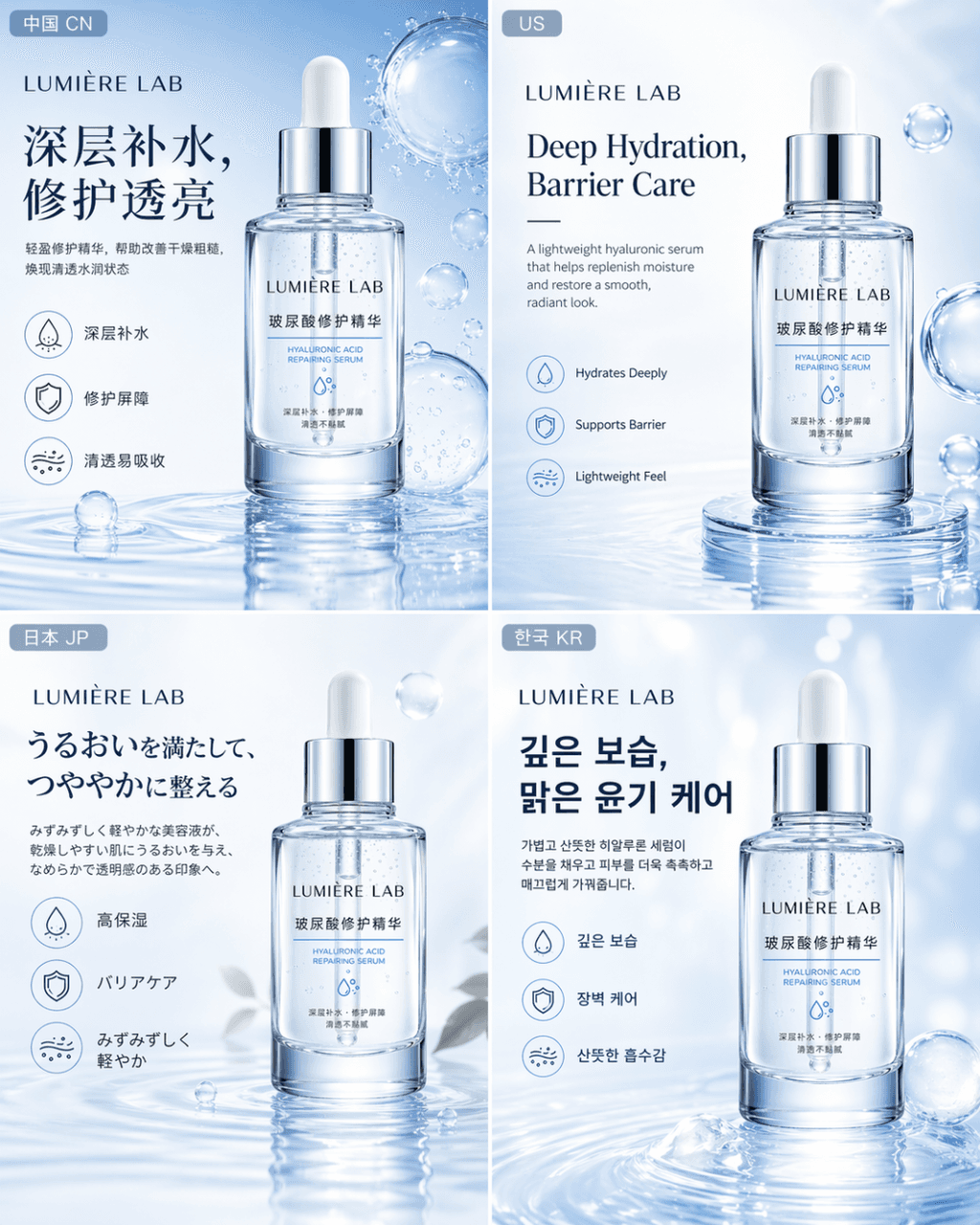
Multi-country e-commerce map
Generates localized e-commerce product graphics tailored to different international markets, suited for global online store listings and ad campaigns.
Prompt
Generate a set of multi-country market e-commerce maps for the same skin care product LUMIÈRE LAB Hyaluronic Acid Repair Essence, corresponding to the four market versions of China, the United States, Japan, and South Korea. Requirements: The product itself remains consistent, the brand vision is unified, and the bottle design, material performance, functional positioning, and high-end feel remain unchanged; but each version is closer to the local mainstream e-commerce platform and consumer aesthetic habits in terms of language content, layout logic, information presentation method, and local atmosphere details. The whole thing needs to be like an official e-commerce visual package produced by an international skin care brand for different markets, rather than four independent posters with separate styles.
Prompt details
- Category
- Product & E-commerce
- Model
- GPT IMAGE 2
- Cost per image
- 1K: 43 credits · 2K: 86 credits · 4K: 143 credits
- Aspect ratio
- 1:1
- Added
- Updated