
Product comparison chart
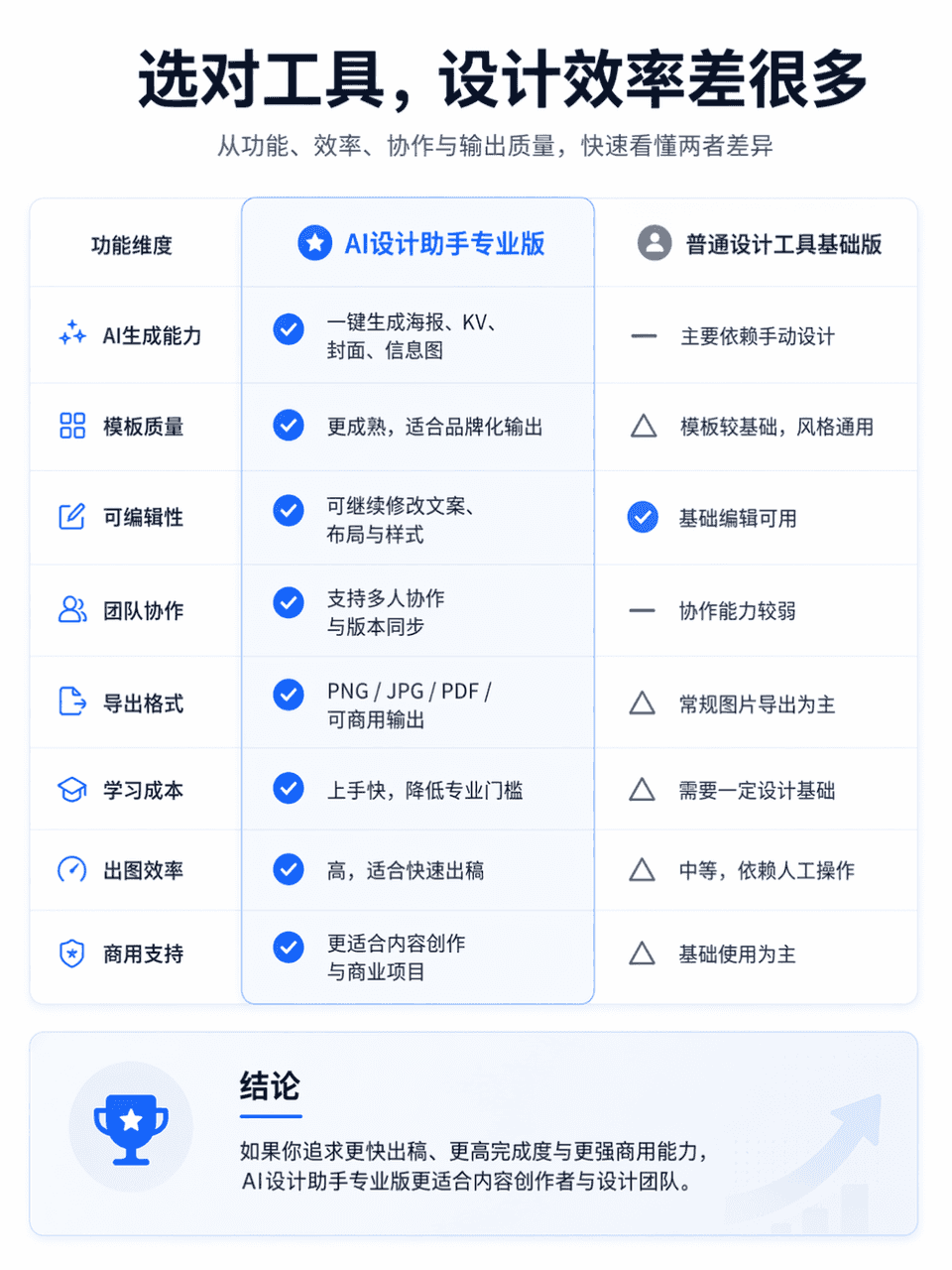
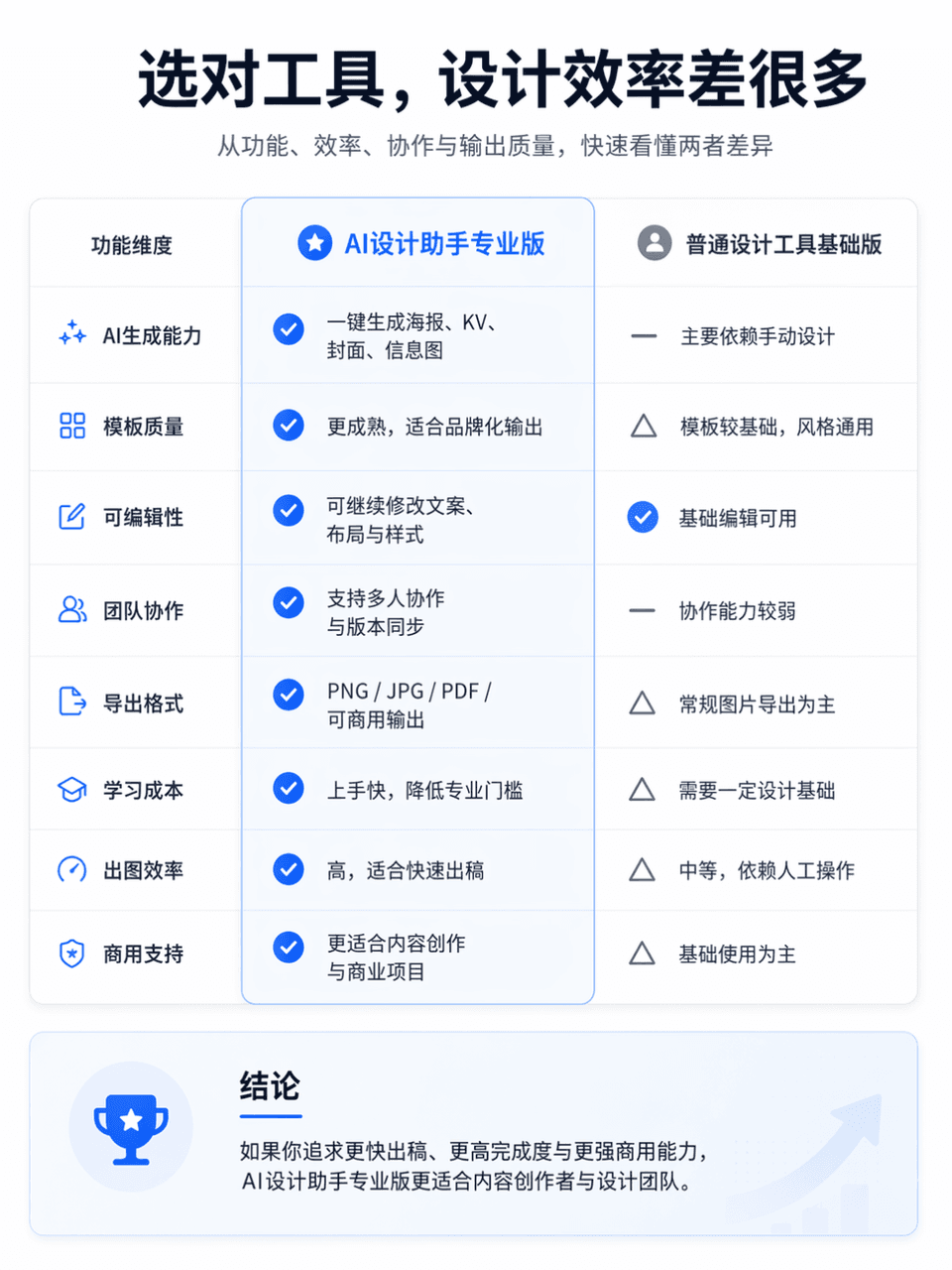
The frame size is 3:4, and a professional and clear product function comparison chart is generated. The comparison object is AI Design Assistant Professional Edition vs. General Design Tool Basic Edition. The overall la…
Prompt
The frame size is 3:4, and a professional and clear product function comparison chart is generated. The comparison object is AI Design Assistant Professional Edition vs. General Design Tool Basic Edition. The overall layout is divided into left and right columns for comparison. The left side is "AI Design Assistant Professional Edition" and the right side is "General Design Tool Basic Edition". Place an eye-catching main title at the top of the screen, "Choose the right tool, and the design efficiency will be much different." The subtitle can be supplemented with "Quickly understand the differences between the two in terms of functionality, efficiency, collaboration, and output quality." The overall style refers to the product comparison page of the official website, which requires a simple layout, clear information hierarchy, sufficient white space, modern fonts, restrained and advanced color matching, and the visual texture of a real Internet product official website. You can add slight icons, dividers, card shadows and key highlights, but avoid e-commerce promotions, clutter, and low-quality tables.
How to use this prompt
Read the complete Product comparison chart prompt and identify the subject, style, camera, lighting, and composition requirements before generating.
Replace bracketed or argument-style placeholders with your product, character, brand, scene, color palette, or aspect ratio requirements.
Open https://www.gptimagehub.com/generate?promptId=cmogxm7as00mxxt5gcv7epe6c, generate the image, then refine the prompt with more specific subject, text, layout, or negative constraints if needed.
Prompt FAQ
What is the Product comparison chart prompt best used for?
This prompt is best used for other images where you want a reusable structure, detailed visual direction, and consistent output quality.
Can I edit the prompt before generating?
Yes. The full prompt text is visible on this page so you can change subjects, product names, colors, composition, camera terms, aspect ratio, and style notes before generation.
Which model should I use with this prompt?
Use the model shown in the prompt metadata as the default starting point. If another image model supports the same aspect ratio and instruction style, you can adapt the prompt and compare results.