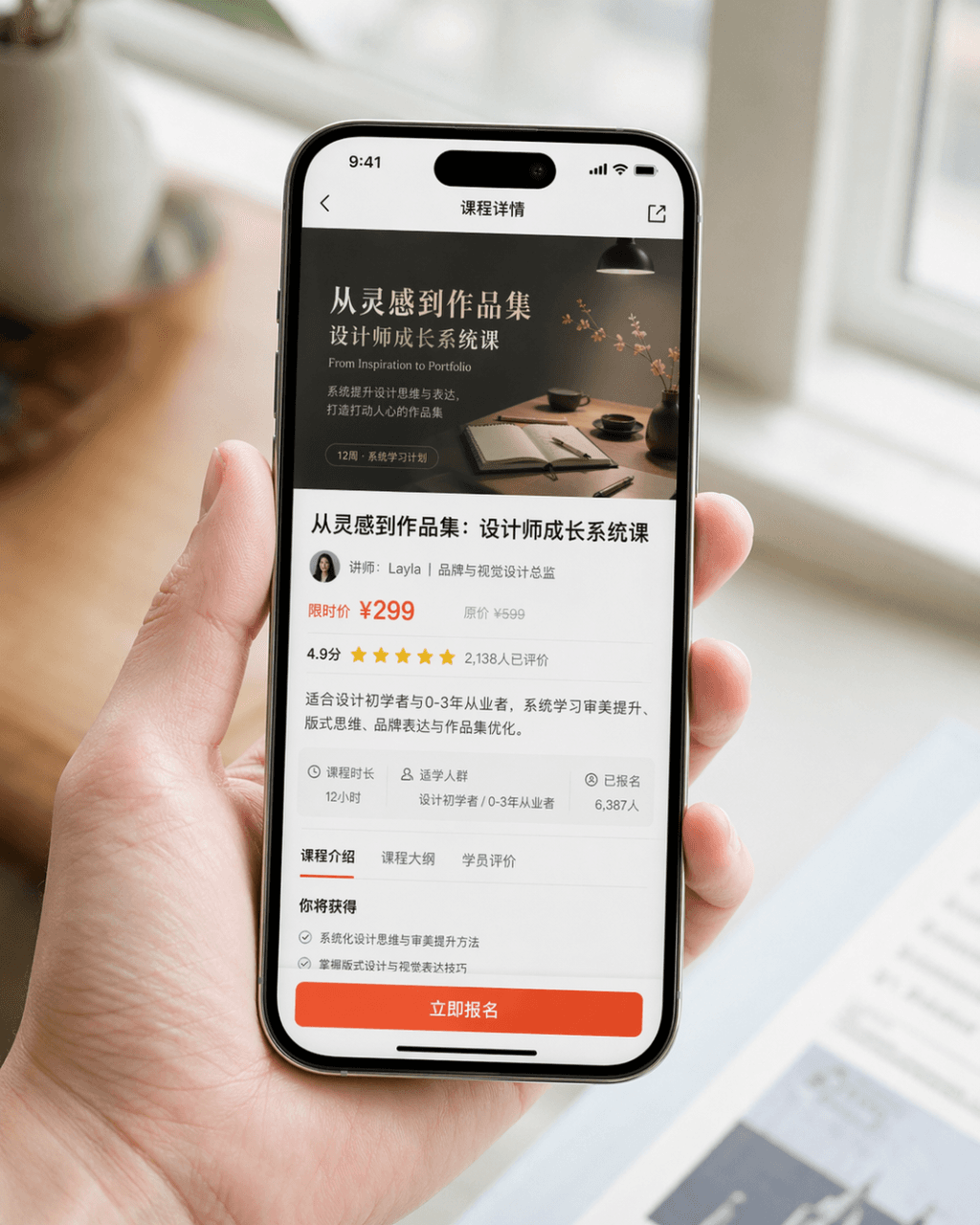
Mobile phone screenshot promotional image
Create realistic photos of a hand holding a smartphone displaying an app interface, tailored for product promotion, PR announcements, and UI showcases.
Prompt
Generate a very realistic mobile phone screenshot promotional image. The device is iPhone 15 Pro. The screen content is the course details page of a design learning app. The page clearly displays the course cover, course title, instructor information, price information, user ratings, summary summary, and an eye-catching "Register Now" button. The picture is a close-up composition of a person naturally holding a mobile phone. The character's hands are clean and natural, the mobile phone screen is clear and bright, and the background is blurred. The overall picture looks like the product PR picture officially released by the brand. It requires realistic photography texture, soft and high-end light, concise composition, and realistic details. Avoid exaggerated UI, cheap e-commerce style, and excessive design.
What you can customize
Swap these parts of the prompt for your own subject or wording before you generate.
“Register Now”quoted wording
Prompt details
- Category
- UI / UX Design
- Model
- GPT IMAGE 2
- Cost per image
- 1K: 43 credits · 2K: 86 credits · 4K: 143 credits
- Aspect ratio
- 1:1
- Added
- Updated