
UI / UX Design
Software Interface #43
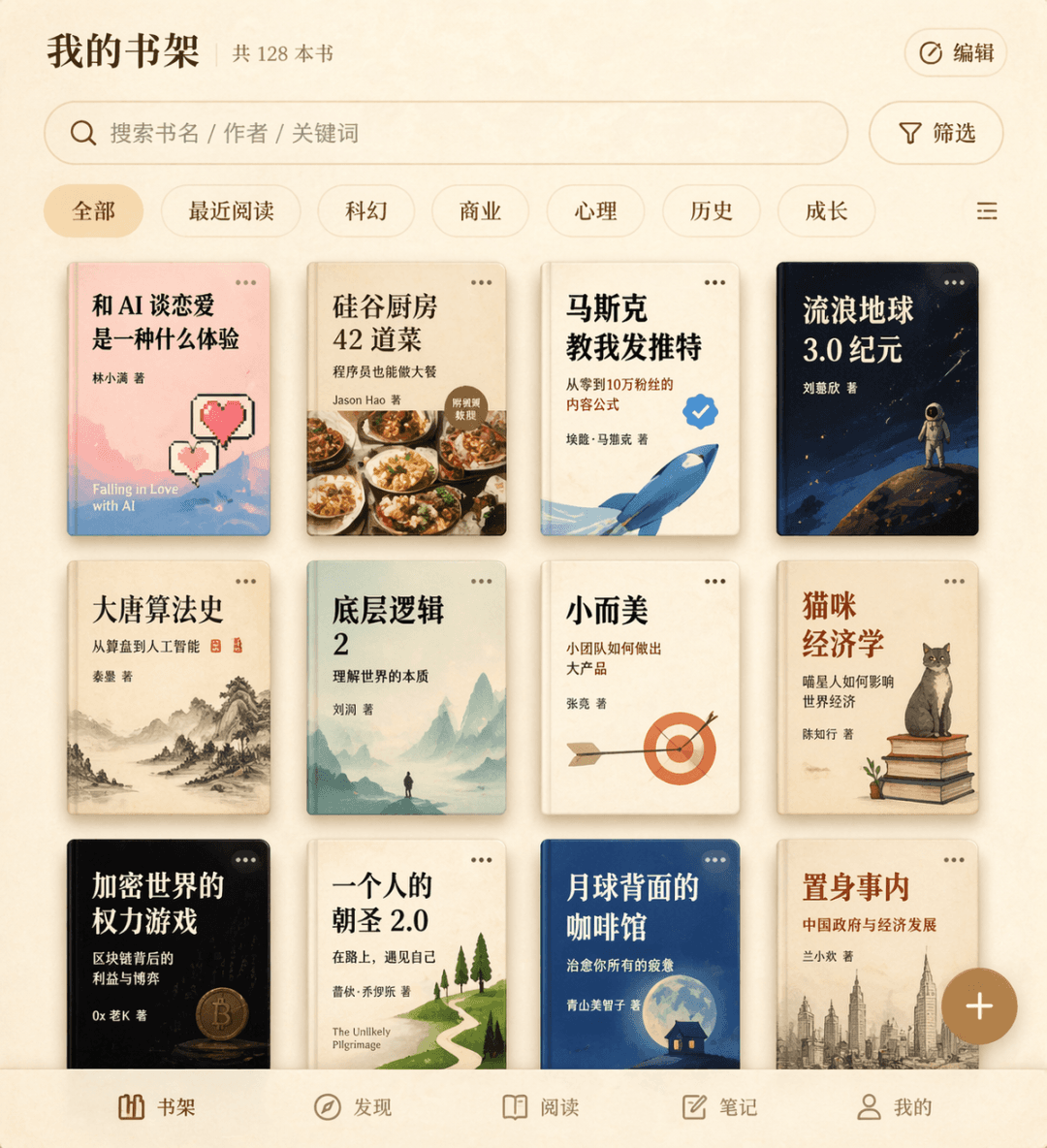
Generates a minimalist reading app bookshelf interface on parchment texture, suitable for UI design portfolios, product mockups, and client pitches.
Source:GPT-Image-2 全量上线,100+全行业通用生图提示词大全
Prompt
Prompt Words Draw a bookshelf interface for a fictional reading app. The three-line book cover grid displays twelve fictional book titles, including "What's it like to fall in love with AI", "42 Dishes from the Silicon Valley Kitchen", "Musk Taught Me to Tweet", etc., with a search box and filter labels at the top, a floating add button in the lower right corner, and an overall beige parchment texture.
What you can customize
Swap these parts of the prompt for your own subject or wording before you generate.
“What's it like to fall in love with AI”quoted wording“42 Dishes from the Silicon Valley Kitchen”quoted wording“Musk Taught Me to Tweet”quoted wording
Prompt details
- Category
- UI / UX Design
- Model
- GPT IMAGE 2
- Cost per image
- 1K: 43 credits · 2K: 86 credits · 4K: 143 credits
- Aspect ratio
- 1:1
- Added
- Updated