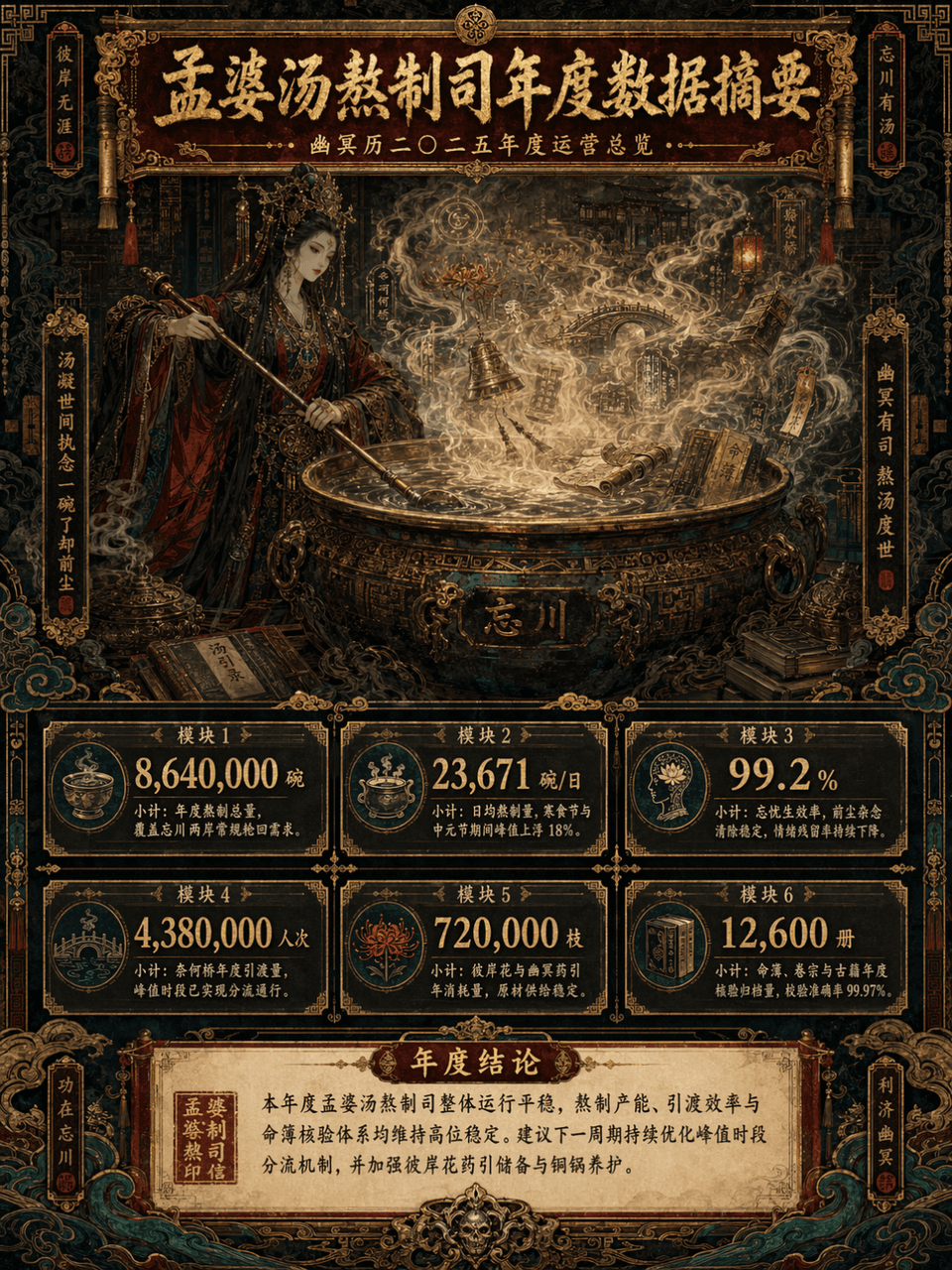
Data summary long chart
Produces an ornate mythological data summary infographic with layered metric panels, well suited for thematic posters and creative art exhibitions.
Prompt
Picture frame 3:4, create a long vertical data summary picture with the theme of "Annual Data Summary of Meng Po Soup Making Department". The main subject is Meng Po cooking soup in front of a huge copper pot. The steam is surging. In the mist of the soup, there are faintly visible Bana flowers, Naihe Bridge, lanterns, runes, scrolls, copper bells, ancient books, fortune books, clouds and ghost patterns. The overall design adopts a maximalist style, but the information level must be clear, such as the combination of consulting report visualization + Oriental Monster setting set + advanced exhibition long picture. The picture is a long vertical version of the infographic, with the title area at the top, the main visual area in the middle, the data module area at the bottom, and the conclusion area at the bottom unfolded layer by layer. The color scheme is controlled to the four main colors of dark vermilion, gilt, jet black, and peacock green, with partial embellishments of old paper off-white and patina green. The picture is gorgeous, complex, mysterious, and solemn, but it cannot be chaotic and out of control. It must be high-end, orderly, and have strong decorative aesthetics.
What you can customize
Swap these parts of the prompt for your own subject or wording before you generate.
“Annual Data Summary of Meng Po Soup Making Department”quoted wording
Prompt details
- Category
- Infographic / Education
- Model
- GPT IMAGE 2
- Cost per image
- 1K: 43 credits · 2K: 86 credits · 4K: 143 credits
- Aspect ratio
- 1:1
- Added
- Updated