
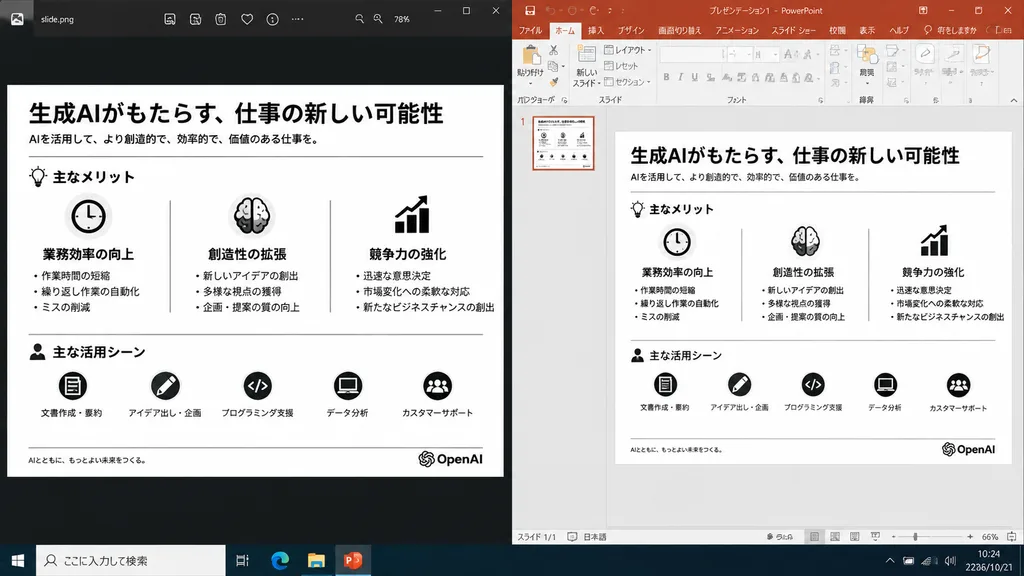
Side-by-Side Presentation Slide Reconstruction
Generates a realistic desktop comparison showing an exported slide image next to its PowerPoint editing view. Modify the company logo or infographic topic in brackets to adapt it to your workflow.
Prompt
A realistic side-by-side Windows desktop screenshot showing a polished presentation slide reconstruction based on the reference image. The left panel shows a dark image viewer window displaying the clean exported slide. The right panel shows Microsoft PowerPoint in editing view containing the exact same editable slide. The slide retains the original Japanese monochrome infographic layout: 1 top title and header row, 3 mid-page comparison columns, and 1 bottom use-case row with 5 icon-labeled items, a footer line, and the [OpenAI] logo at the bottom right. Clean, legible Japanese typography, properly aligned dividers, crisp monochrome icons, and no clutter, selection handles, or malformed vector artifacts. Crisp UI detailing, native desktop app appearance, high readability.
What you can customize
Swap these parts of the prompt for your own subject or wording before you generate.
[OpenAI]placeholder
Prompt details
- Category
- UI / UX Design
- Model
- GPT IMAGE 2
- Cost per image
- 1K: 43 credits · 2K: 86 credits · 4K: 143 credits
- Aspect ratio
- 16:9
- Added