
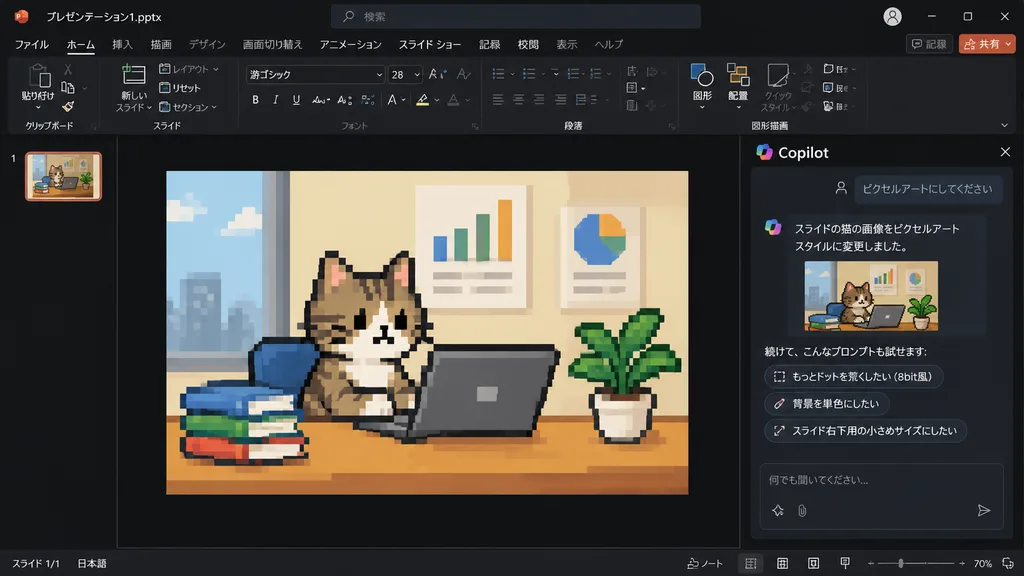
PowerPoint Copilot Pixel Art Cat Slide
Generates a dark-mode PowerPoint Copilot UI screenshot where a slide photo turns into retro 8-bit pixel art. Modify the slide artwork or the chat prompt options to suit your design.
Prompt
Using the reference photo of a PowerPoint dark-mode Copilot interface screenshot, transform only the inserted slide image into retro 8-bit pixel art while keeping the rest of the layout, UI, and composition strictly unchanged. Within the slide, redraw the [tabby cat sitting at a desk with a laptop, books, potted plant, and wall charts] in chunky, low-resolution game-style pixel art with visible square pixels and simplified shading. Update the Japanese Copilot side panel chat text: the user prompt box displays 「ピクセルアートにしてください」, followed by an AI response stating the cat image was changed to pixel art style, and three suggested follow-up prompt pills: 「もっとドットを荒くしたい(8bit風)」, 「背景を単色にしたい」, and 「スライド右下用の小さめサイズにしたい」.
What you can customize
Swap these parts of the prompt for your own subject or wording before you generate.
“ピクセルアートにしてください”quoted wording“もっとドットを荒くしたい(8bit風)”quoted wording“背景を単色にしたい”quoted wording“スライド右下用の小さめサイズにしたい”quoted wording
Prompt details
- Category
- UI / UX Design
- Model
- GPT IMAGE 2
- Cost per image
- 1K: 43 credits · 2K: 86 credits · 4K: 143 credits
- Aspect ratio
- 16:9
- Added