Limited-time deal: GPT Image 2 from $0.007 per image
Try it now
Tropical city rooftop farm operation signage
Other

Tropical city rooftop farm operation signage

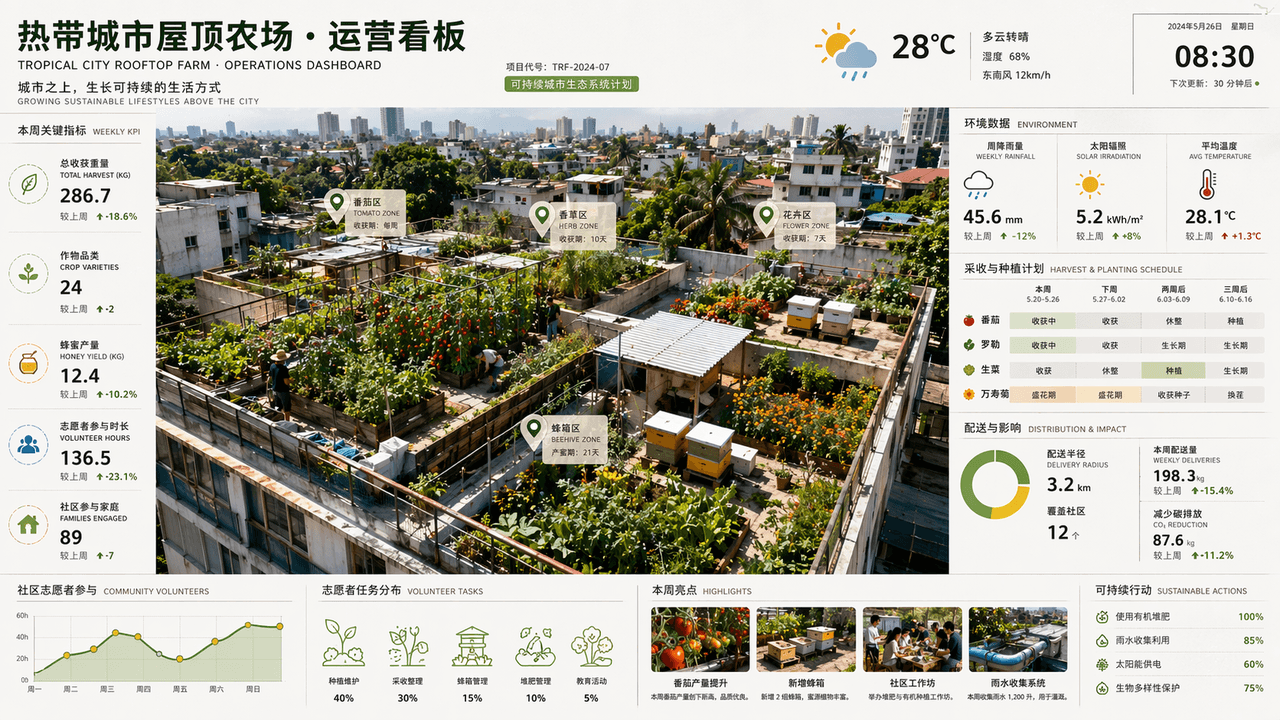
"Tropical City Rooftop Farm Operations Dashboard" is a fusion of space photography and commercial dashboard. Tomatoes, herbs, flowers and beehives are planted on different roofs in the overhead view. The side of the scr…

Prompt

"Tropical City Rooftop Farm Operations Dashboard" is a fusion of space photography and commercial dashboard. Tomatoes, herbs, flowers and beehives are planted on different roofs in the overhead view. The side of the screen displays weekly rainfall, solar irradiation, harvesting cycle, distribution radius and community volunteer participation data. The title is like an architectural firm's sustainable project report page. The color scheme is leaf green, earthy brown, sun yellow and after-rain blue. It is rich in information but the picture is refreshing, with a ratio of 16:9.

How to use this prompt

1
Review the full prompt

Read the complete Tropical city rooftop farm operation signage prompt and identify the subject, style, camera, lighting, and composition requirements before generating.

2
Customize variables

Replace bracketed or argument-style placeholders with your product, character, brand, scene, color palette, or aspect ratio requirements.

3
Generate and iterate

Open https://www.gptimagehub.com/generate?promptId=cmogxk2m700hpxt5gjrtf2q6t, generate the image, then refine the prompt with more specific subject, text, layout, or negative constraints if needed.

Prompt FAQ

What is the Tropical city rooftop farm operation signage prompt best used for?

This prompt is best used for other images where you want a reusable structure, detailed visual direction, and consistent output quality.

Can I edit the prompt before generating?

Yes. The full prompt text is visible on this page so you can change subjects, product names, colors, composition, camera terms, aspect ratio, and style notes before generation.

Which model should I use with this prompt?

Use the model shown in the prompt metadata as the default starting point. If another image model supports the same aspect ratio and instruction style, you can adapt the prompt and compare results.

Other templates