
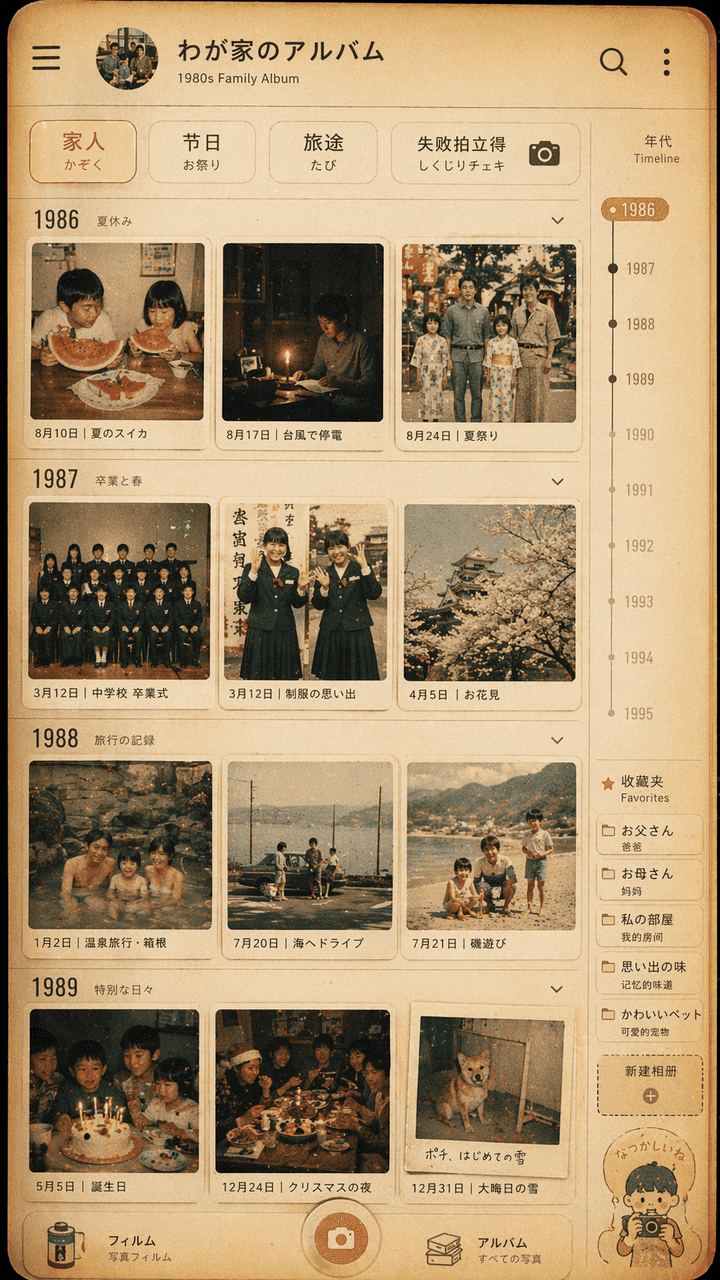
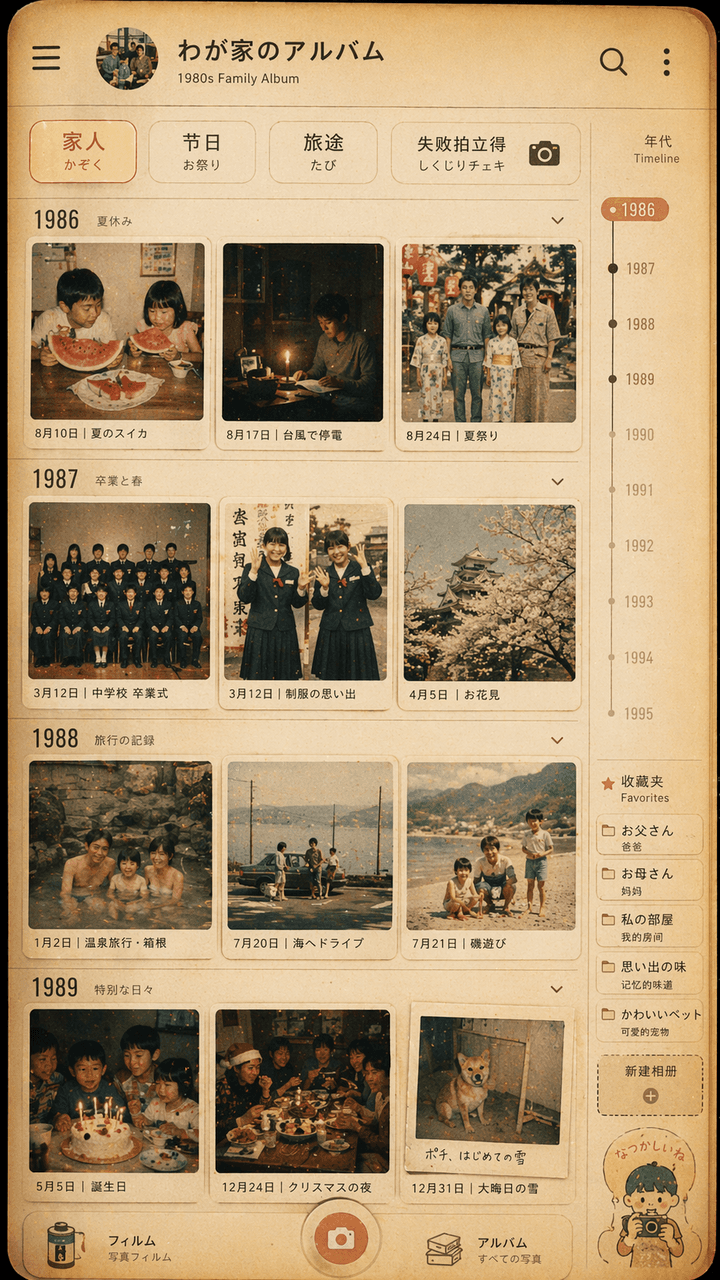
Showa style family photo album interface design
"Showa style family photo album interface design", the retro photo wall is integrated with the modern photo album App UI. The screen simulates the timeline page of a photo management application, but each thumbnail is f…
Prompt
"Showa style family photo album interface design", the retro photo wall is integrated with the modern photo album App UI. The screen simulates the timeline page of a photo management application, but each thumbnail is from the 1980s. Daily life of a Japanese family in the 1970s: summer watermelon, typhoon power outage, school uniform graduation photo, hot spring trip, Christmas dinner table. The top filter reads "Family/Festival/Travel/Failure Polaroid". There is a year scale and favorites label on the right side. The overall color is film-like, warm yellow and slightly faded. The picture is both like a real mobile phone interface and a gentle display of family memories. The ratio is 9:16.
How to use this prompt
Read the complete Showa style family photo album interface design prompt and identify the subject, style, camera, lighting, and composition requirements before generating.
Replace bracketed or argument-style placeholders with your product, character, brand, scene, color palette, or aspect ratio requirements.
Open https://www.gptimagehub.com/generate?promptId=cmogxipx300gzxt5gbicukrta, generate the image, then refine the prompt with more specific subject, text, layout, or negative constraints if needed.
Prompt FAQ
What is the Showa style family photo album interface design prompt best used for?
This prompt is best used for ui / ux design images where you want a reusable structure, detailed visual direction, and consistent output quality.
Can I edit the prompt before generating?
Yes. The full prompt text is visible on this page so you can change subjects, product names, colors, composition, camera terms, aspect ratio, and style notes before generation.
Which model should I use with this prompt?
Use the model shown in the prompt metadata as the default starting point. If another image model supports the same aspect ratio and instruction style, you can adapt the prompt and compare results.