
Tang Dynasty’s takeaway app
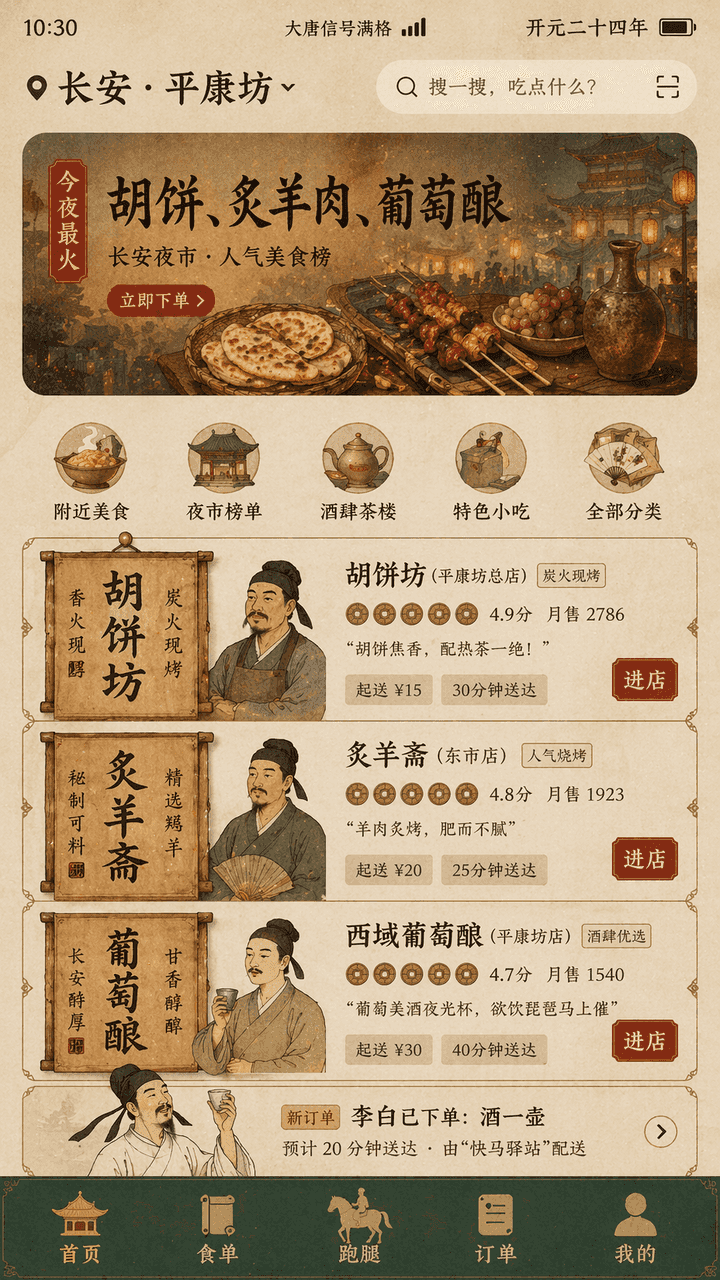
"Tang Dynasty Food DELIVERY INTERFACE" is a fusion design of ancient life scenes and modern mobile product UI. The screen simulates the takeout homepage interface on a mobile phone, and the top positioning displays "Cha…
Prompt
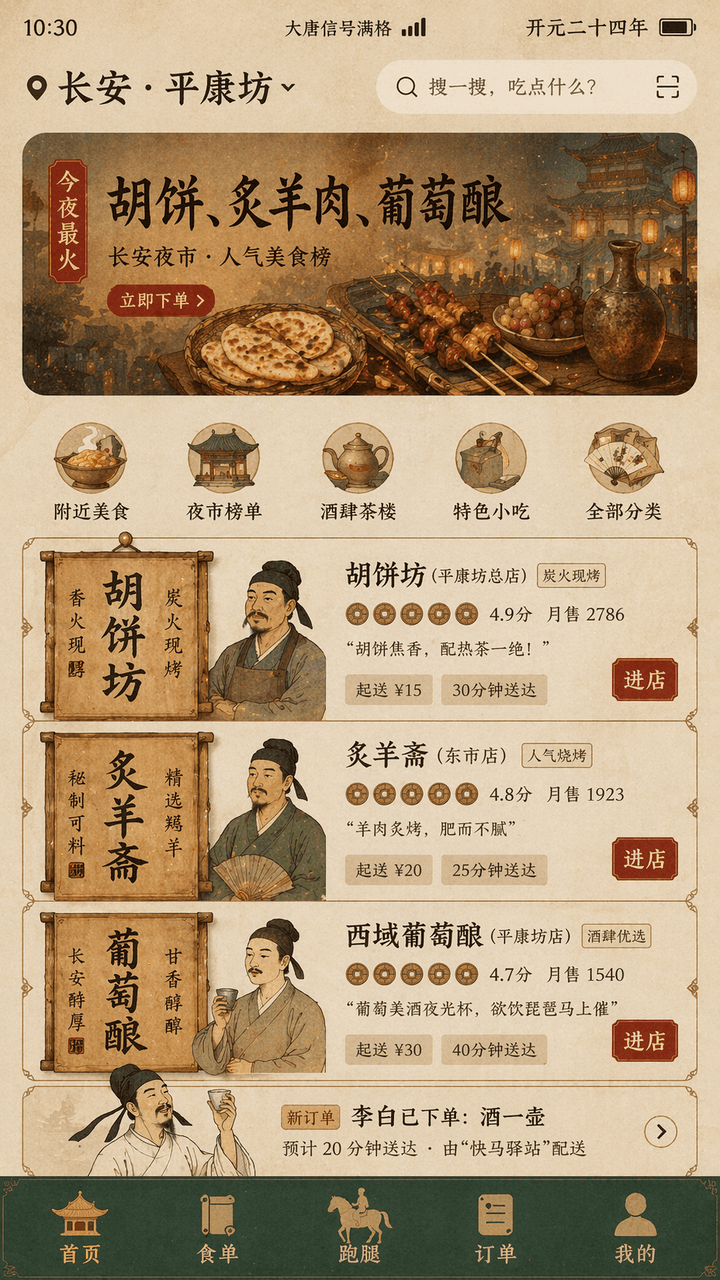
"Tang Dynasty Food DELIVERY INTERFACE" is a fusion design of ancient life scenes and modern mobile product UI. The screen simulates the takeout homepage interface on a mobile phone, and the top positioning displays "Chang'an · "Pingkangfang", the banner recommendation reads "Tonight's most popular: Hu cakes, roasted mutton, grape wine", the merchant card is reconstructed using Tang Dynasty store signs and wooden sign elements, the avatar is a bust of the shopkeeper in a meticulous style, the score is presented as a copper coin icon, "Li Bai has placed an order: a pot of wine" appears in the order list, and the bottom navigation bar is "Homepage/Food List/Run Errands/Orders/Mine", the status bar displays "Datang Signal Full" and "Kaiyuan Twenty-Fourth Year", the overall color is ocher, stone green, gold foil red, the font is a mixture of monument-like title words and modern thin sans serifs, the interface is like a real product design draft, but also has a historical sense of humor, and the proportion 9:16.
How to use this prompt
Read the complete Tang Dynasty’s takeaway app prompt and identify the subject, style, camera, lighting, and composition requirements before generating.
Replace bracketed or argument-style placeholders with your product, character, brand, scene, color palette, or aspect ratio requirements.
Open https://www.gptimagehub.com/generate?promptId=cmogxhnvy00gbxt5g1f1azxq0, generate the image, then refine the prompt with more specific subject, text, layout, or negative constraints if needed.
Prompt FAQ
What is the Tang Dynasty’s takeaway app prompt best used for?
This prompt is best used for ui / ux design images where you want a reusable structure, detailed visual direction, and consistent output quality.
Can I edit the prompt before generating?
Yes. The full prompt text is visible on this page so you can change subjects, product names, colors, composition, camera terms, aspect ratio, and style notes before generation.
Which model should I use with this prompt?
Use the model shown in the prompt metadata as the default starting point. If another image model supports the same aspect ratio and instruction style, you can adapt the prompt and compare results.