
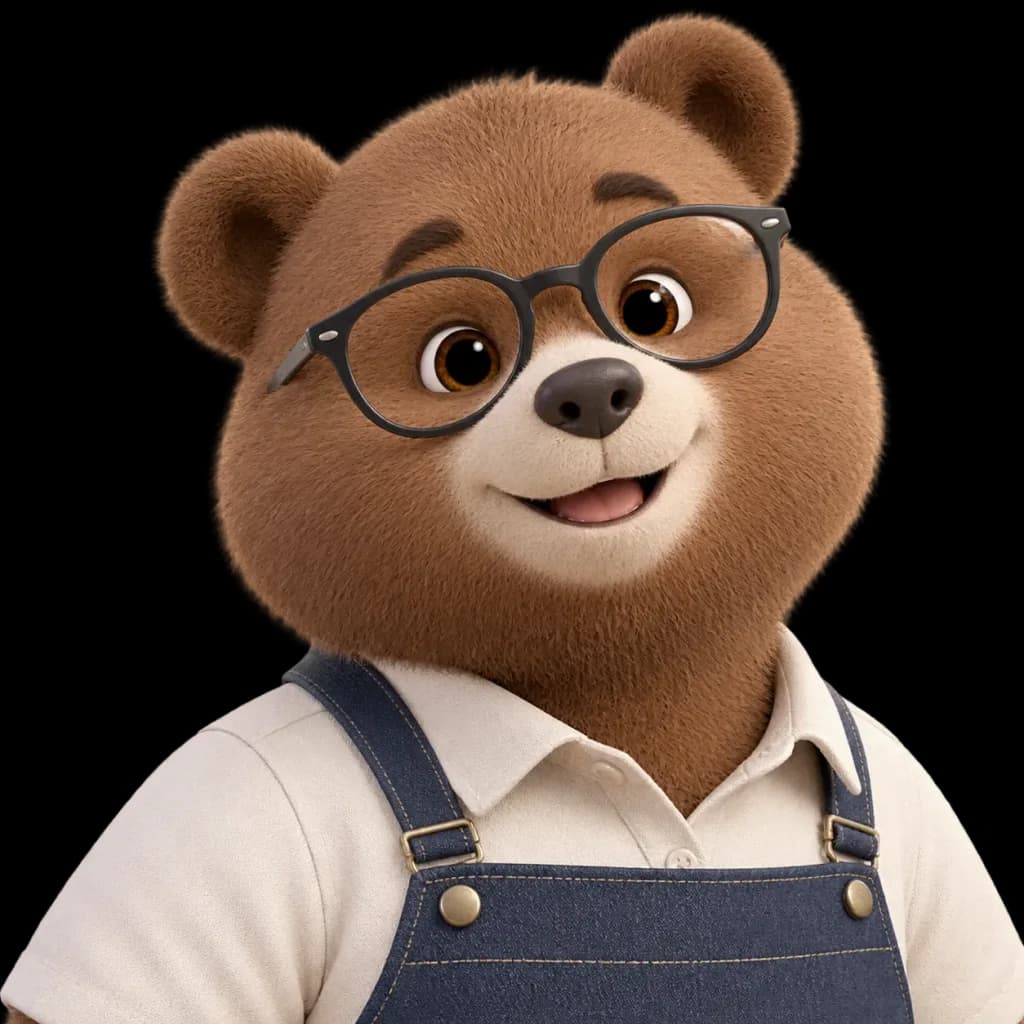
Character Design
Isolated Character Cutout with Transparent Background
Extracts an illustrated character from a reference photo onto a clean, transparent background. Modify the bracketed subject description to cut out other mascots or characters.
cutouttransparent backgroundcharacter isolationsticker assetpng assetmascot
Prompt
Using the reference photo, isolate the [bear character] and completely remove the background, placing the subject against a pure, fully transparent background. Keep the character's pose, facial expression, glasses, clothing, proportions, lighting, fur texture, and framing strictly unchanged. Ensure clean, sharp cutout edges around the ears, fur fringe, shoulders, glasses, and apron straps. Do not add any new objects, ground shadows, borders, text, or background elements.
What you can customize
Swap these parts of the prompt for your own subject or wording before you generate.
[bear character]placeholder
Prompt details
- Category
- Character Design
- Model
- Seedream 4.5
- Cost per image
- 33 credits (2K–4K)
- Aspect ratio
- 1:1
- Added