
Infographic / Education
Cute Illustrated Book #27
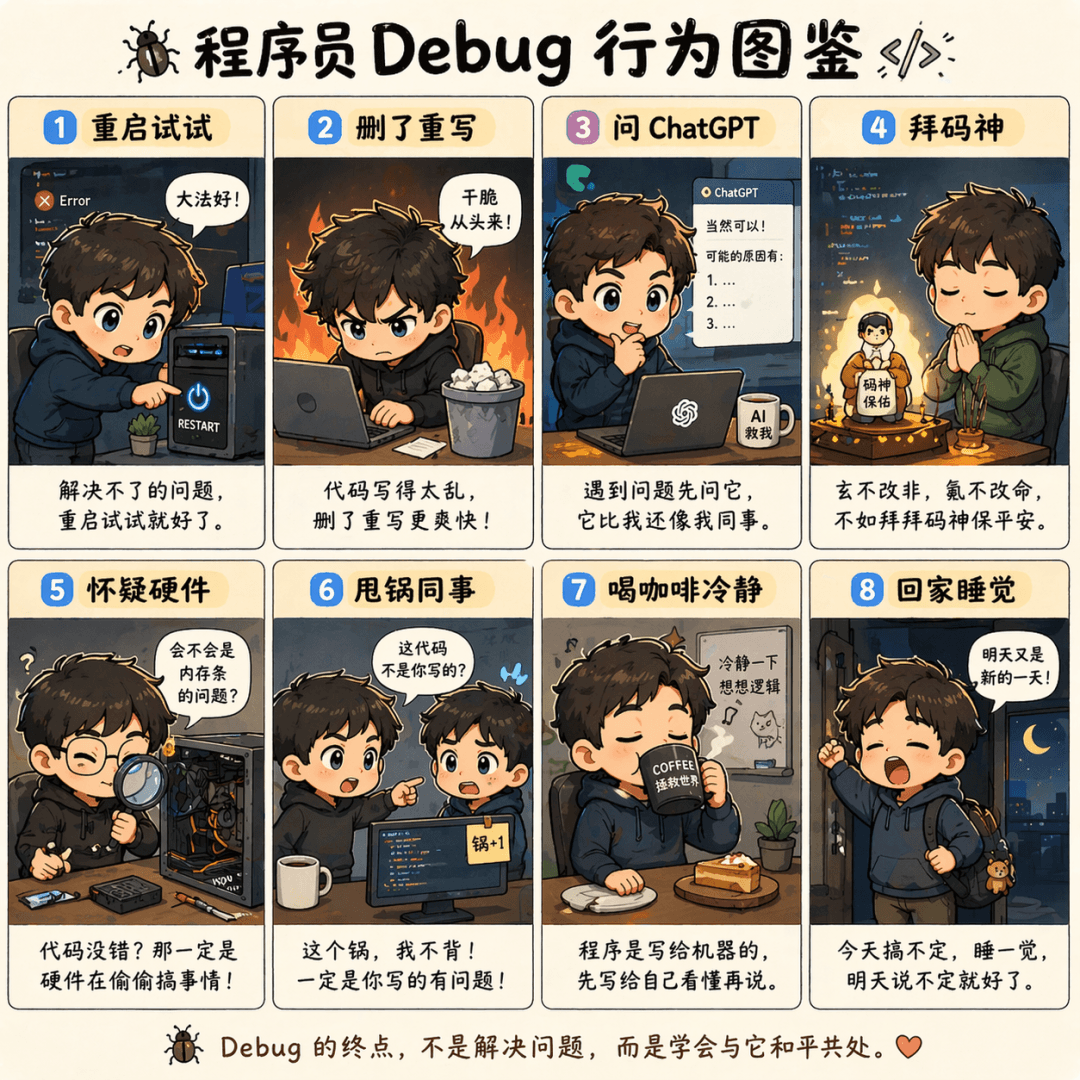
Generates an eight-panel chibi infographic illustrating programmer debugging habits, ideal for developer social media posts, coding blogs, and posters.
Source:GPT-Image-2 全量上线,100+全行业通用生图提示词大全
Prompt
The prompt is to draw an eight-square Q version illustration of "Programmer Debug Behavior Illustration". A situation in each cell includes "Restart and try", "Delete and rewrite", "Ask ChatGPT", "Worship the code god", "Doubt the hardware", "Dump the colleague", "Drink coffee to calm down" and "Go home and sleep". Each cell is equipped with a line of complaining text.
What you can customize
Swap these parts of the prompt for your own subject or wording before you generate.
“Programmer Debug Behavior Illustration”quoted wording“Restart and try”quoted wording“Delete and rewrite”quoted wording“Ask ChatGPT”quoted wording“Worship the code god”quoted wording“Doubt the hardware”quoted wording“Dump the colleague”quoted wording“Drink coffee to calm down”quoted wording
Prompt details
- Category
- Infographic / Education
- Model
- GPT IMAGE 2
- Cost per image
- 1K: 43 credits · 2K: 86 credits · 4K: 143 credits
- Aspect ratio
- 1:1
- Added
- Updated