
Release Poster #23
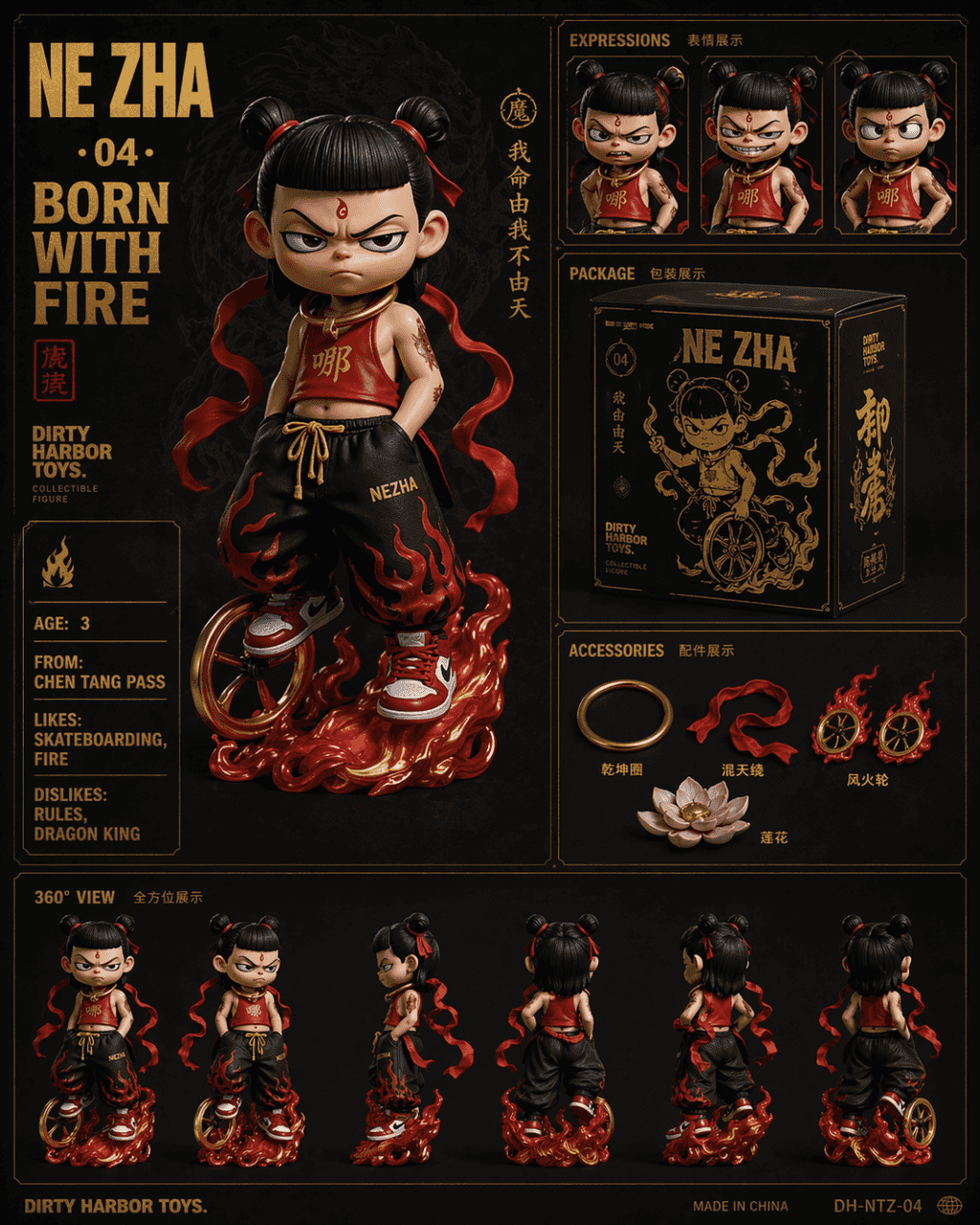
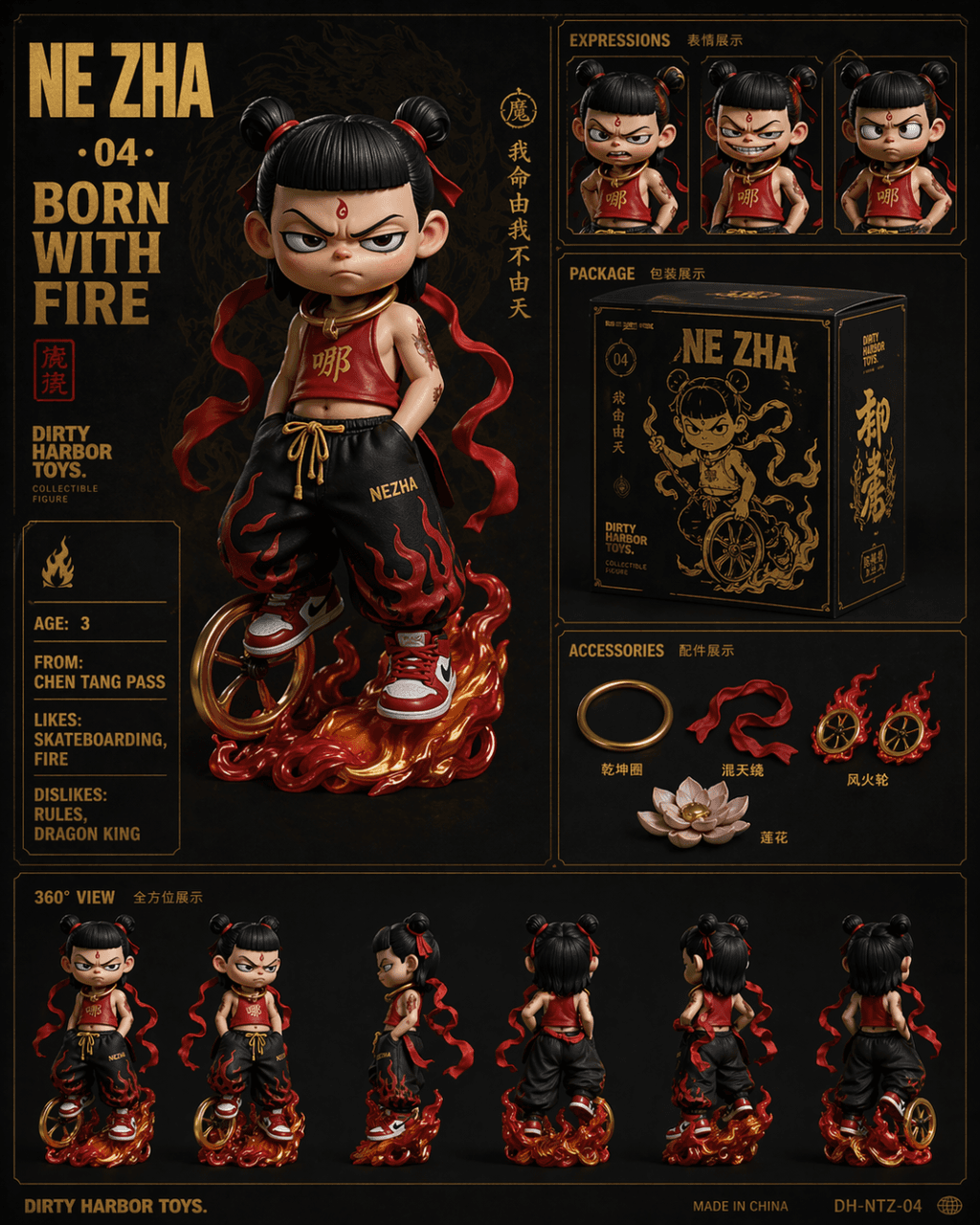
The prompt is to draw a Dirty Harbor Toys style six-square grid display of national trendy collectibles, with gold hot-stamped text on a dark background. The main picture shows a Nezha Q-version trendy toy doll with an…
Prompt
The prompt is to draw a Dirty Harbor Toys style six-square grid display of national trendy collectibles, with gold hot-stamped text on a dark background. The main picture shows a Nezha Q-version trendy toy doll with an unruly expression. He wears a modified version of a red bellyband, hip-hop loose pants and red and white sneakers. He has a hot wheel at his feet and a Qiankun hoop hanging around his neck. Close-up of the three-part expression on the upper right (angry, laughing, and akimbo). In the middle is the black and gold product packaging box design. The lower right is a display of accessories including Qiankun Circle, Huntian Ling, Hot Wheels, and Lotus. Bottom row 360 degree turn around view. The large characters on the upper left are "NE ZHA · 04 · BORN WITH FIRE", and the English attribute card on the left is "AGE: 3 / FROM: CHEN TANG PASS / LIKES: SKATEBOARDING, FIRE / DISLIKES: RULES, DRAGON KING".
How to use this prompt
Read the complete Release Poster #23 prompt and identify the subject, style, camera, lighting, and composition requirements before generating.
Replace bracketed or argument-style placeholders with your product, character, brand, scene, color palette, or aspect ratio requirements.
Open https://www.gptimagehub.com/generate?promptId=cmogxoye900p1xt5g2ahck373, generate the image, then refine the prompt with more specific subject, text, layout, or negative constraints if needed.
Prompt FAQ
What is the Release Poster #23 prompt best used for?
This prompt is best used for product & e-commerce images where you want a reusable structure, detailed visual direction, and consistent output quality.
Can I edit the prompt before generating?
Yes. The full prompt text is visible on this page so you can change subjects, product names, colors, composition, camera terms, aspect ratio, and style notes before generation.
Which model should I use with this prompt?
Use the model shown in the prompt metadata as the default starting point. If another image model supports the same aspect ratio and instruction style, you can adapt the prompt and compare results.