
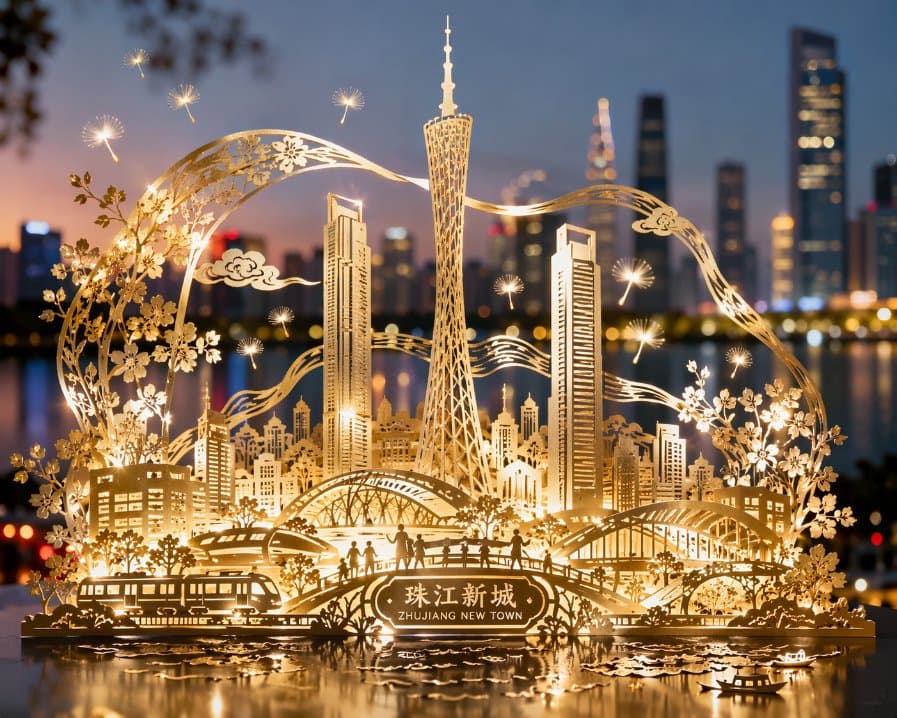
Guangzhou Paper Cut City Poster
A landmark cityscape treated as an illuminated metallic paper-cut relief. The key constraint is connected shapes: the result should suggest a coherent crafted sheet rather than unrelated buildings floating in space.
Prompt
Paper-cut art inspired by the modern urban landscape of Zhujiang New Town, using intricate cutout techniques on a single sheet to create a three-dimensional depiction of landmark buildings such as Canton Tower and the East-West Twin Towers, along with the bustling cityscape. All buildings and elements are connected by flowing lines and structures with no isolated parts, forming a complete urban tableau. The piece uses metallic foil or glossy paper material with delicate light-and-shadow luster on the surface, presenting soft highlights and shadows under illumination as if gently lit by city lights. The background features a blurred skyline backdrop, accented with faintly visible plazas and tree silhouettes. The work artfully incorporates weightless dandelion wisps or starlight-like dynamic light particles, symbolizing dreams and vitality. The overall visual is rendered in 8K ultra-high definition with rich detail, realistic yet deeply artistically expressive.
Example images
Created with our built-in image tool as composition and style examples.
Usage guide
A landmark cityscape treated as an illuminated metallic paper-cut relief. The key constraint is connected shapes: the result should suggest a coherent crafted sheet rather than unrelated buildings floating in space.
When to use
Cultural event posters, city souvenirs, and dimensional paper-art concepts. It is a visual starting point for craft design, not a ready-to-cut production pattern.
What the existing example shows
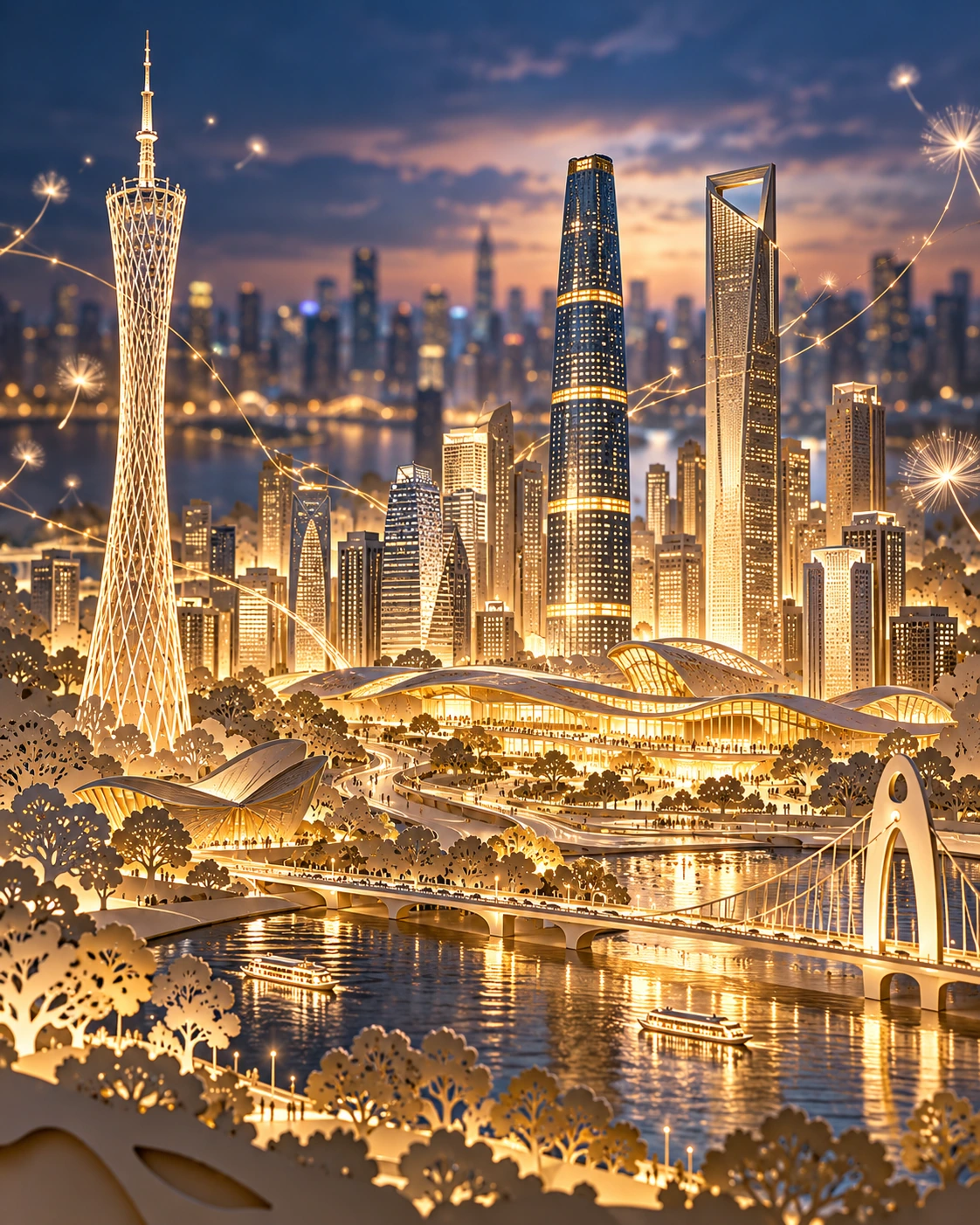
The existing illustration emphasizes golden layered buildings and dramatic backlighting. It reads as an ornate city relief; the continuity of every paper connection still needs close inspection.
Suggested setup
- Aspect ratio
- 4:5 · A vertical frame gives tall landmarks room while keeping the relief base visible. Leave some margin around the outer cut edge.
- Reference images
- Optional skyline references help with landmark shapes. A separate vector pattern is needed if the design will later be fabricated.
What to customize
- SkylineA riverside district with a clock tower and suspension bridge
- Pick two or three anchor silhouettes rather than listing every landmark in a city.
- MaterialChampagne-gold foil on thick ivory paper
- Keep one dominant sheet material and use relief depth and shadows to separate layers.
- Connecting structureContinuous river curves and bridge arches
- Explain what physically joins the buildings, trees, and base; avoid isolated decorative fragments.
View a complete adaptation
Riverside festival paper relief
A fictional waterfront skyline connected by river curves and arches, using fewer landmarks to clarify the paper structure.
This adaptation has not been generated. The existing image belongs to the original illustration record.
Create a 4:5 vertical illustration of a champagne-gold paper-cut relief for a riverside festival. Build the entire skyline as connected shapes from one thick sheet: a central clock tower, a suspension bridge, a few low waterfront buildings, and small trees. Use broad river curves and bridge arches to visibly join every part to the base. Show the paper's outer edge, shallow cut depth, and soft shadows between layers. Light the relief warmly from the side so the foil catches delicate highlights, with a quiet blurred evening waterfront behind it. Keep a clear silhouette and some empty space above the tallest tower. The design should look like a carefully crafted paper object, not a full-scale city or a collection of floating pieces. No lettering.
Troubleshooting
- It becomes a normal architectural rendering
- Move the material, visible cut edges, and connected-sheet constraints to the start of the prompt.
- Small pieces float independently
- Use thicker connecting curves and fewer decorative particles. Treat any fabrication use as a separate pattern-design step.
Editorial notes and generation record
AI-assisted editorial analysis of the source prompt and existing illustration. Settings are starting suggestions; the new adaptation is not a model test.
The existing illustration was generated with the built-in image tool. Its provider model is not disclosed. Actual image size: 1122 × 1402.
Original illustration input
Create one finished image illustrating this image prompt.
Aspect ratio: 4:5.
Paper-cut art inspired by the modern urban landscape of Zhujiang New Town, using intricate cutout techniques on a single sheet to create a three-dimensional depiction of landmark buildings such as Canton Tower and the East-West Twin Towers, along with the bustling cityscape. All buildings and elements are connected by flowing lines and structures with no isolated parts, forming a complete urban tableau. The piece uses metallic foil or glossy paper material with delicate light-and-shadow luster on the surface, presenting soft highlights and shadows under illumination as if gently lit by city lights. The background features a blurred skyline backdrop, accented with faintly visible plazas and tree silhouettes. The work artfully incorporates weightless dandelion wisps or starlight-like dynamic light particles, symbolizing dreams and vitality. The overall visual is rendered in 8K ultra-high definition with rich detail, realistic yet deeply artistically expressive.
Prompt details
- Category
- Poster & Illustration
- Model
- GPT IMAGE 2
- Cost per image
- 1K: 43 credits · 2K: 86 credits · 4K: 143 credits
- Aspect ratio
- 4:5
- Creator
- @liyue_ai
- Added
- Updated