
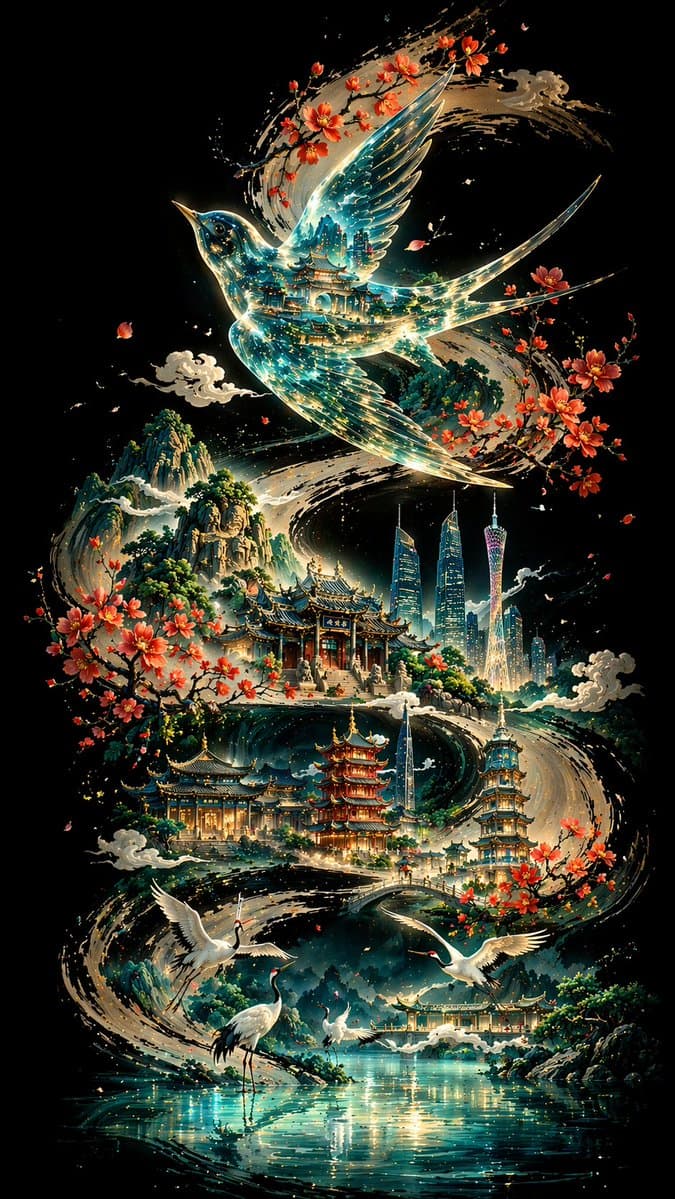
Ink-Curve Guangzhou Aesthetics Poster
Generate a vertical oriental art illustration blending Guangzhou architecture with sweeping ink curves, ideal for cultural posters and mobile wallpapers.
Prompt
With a deep background of pure black, a thick and powerful S-shaped curve of ink calligraphy meanders from one end of the picture to the other, forming the visual skeleton and narrative line of the entire picture. Above the curve is a transparent thrush, with the overlapping shadows of traditional buildings and blue-green light flow reflected inside; Guangzhou landmarks and classical architectural sequences are scattered along the curve, with white cranes and lakes in the foreground, and cascading mountains in the distance. The overall design adopts non-linear perspective, dominated by cold colors and embellishments with warm colors. It blends oriental aesthetics with modern imagery, and is rendered in 8K ultra-high definition with a ratio of 9:16.
Prompt details
- Category
- Poster & Illustration
- Model
- GPT IMAGE 2
- Cost per image
- 1K: 43 credits · 2K: 86 credits · 4K: 143 credits
- Aspect ratio
- 1:1
- Creator
- @liyue_ai
- License
- CC BY 4.0
- Added
- Updated