
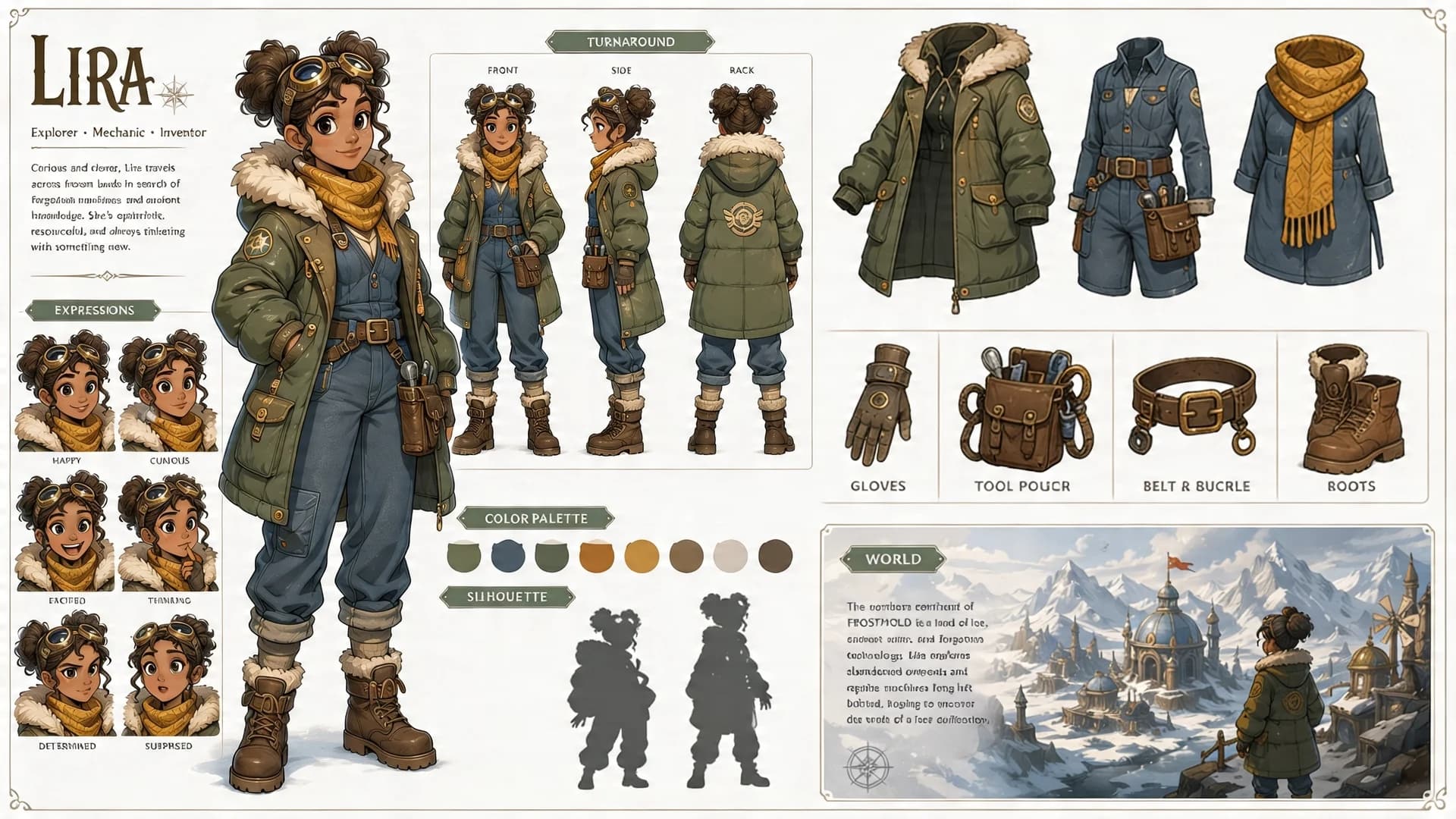
Adventure Character Design Sheet
A character-development sheet combining a turnaround, expressions, equipment, and a color palette. It is most useful when those sections describe one coherent character rather than several competing outfits.
Prompt
Create a detailed character design sheet for "Lira", a young female explorer-mechanic-inventor who travels across frozen lands in search of forgotten technology. Include front, side, and back turnaround views showing her full outfit: olive-green fur-lined parka with hood, golden knit scarf, brown utility belt with brass buckle, cargo pants, and insulated boots. Add a row of six facial expressions (default, happy, determined, surprised, angry, sad). Include an equipment breakdown section showing gloves, tool pouch, belt and buckle, and boots as separate items. Add a warm earth-tone color palette strip, three silhouette poses, and a small "World" thumbnail showing a snowy mountain village. Clean off-white background, thin layout guides, semi-realistic painterly illustration style with soft lighting and visible brushwork.
Example images
Created with our built-in image tool as composition and style examples.
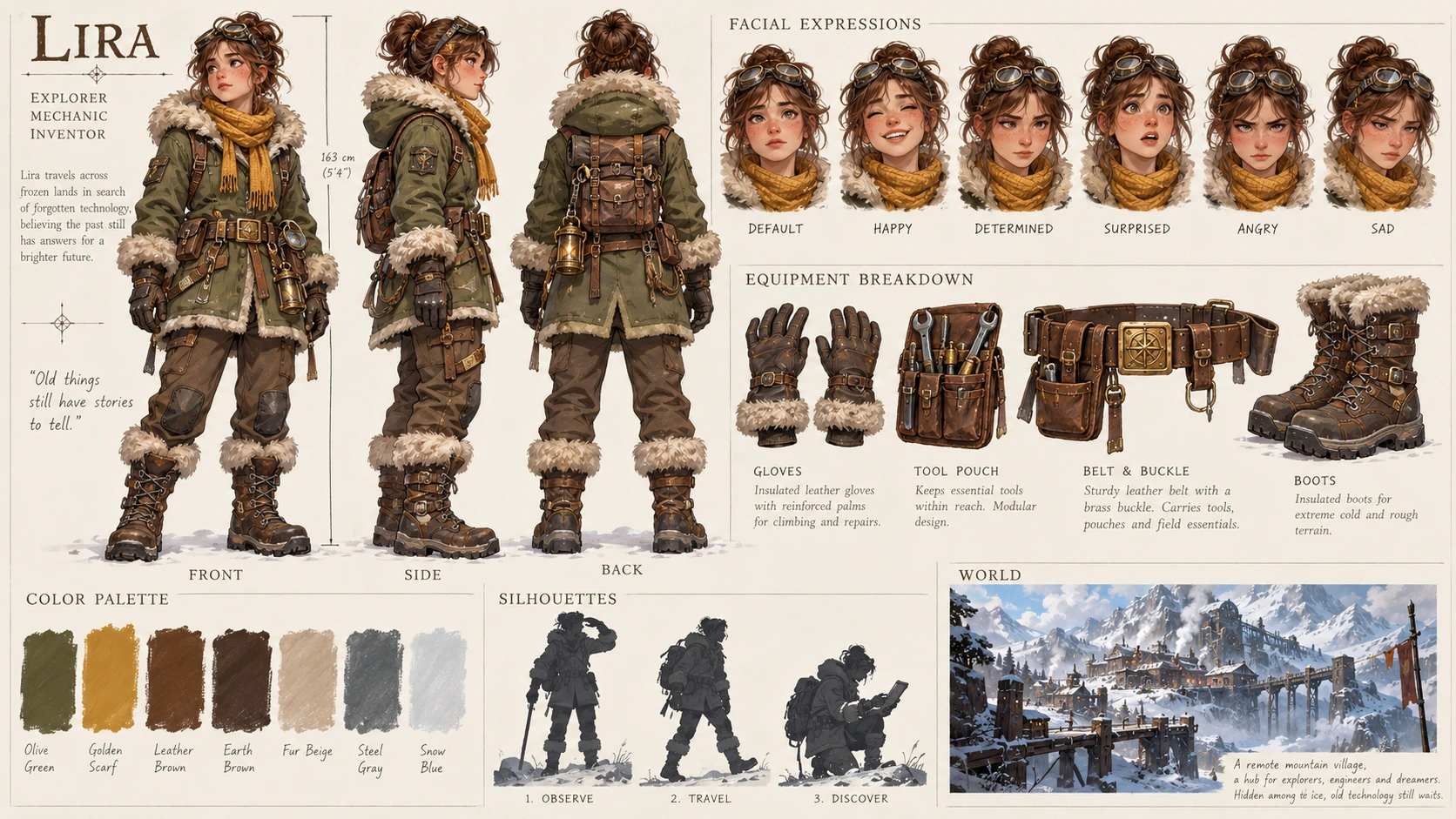
Usage guide
A character-development sheet combining a turnaround, expressions, equipment, and a color palette. It is most useful when those sections describe one coherent character rather than several competing outfits.
When to use
Game-character exploration, animation preproduction, and narrative world-building. Treat it as a design reference that still needs consistency checks before production.
What the existing example shows
The example has a cream sheet layout with front, side, and back figures, a row of expressions, separated gear, and small world thumbnails. The repeated olive coat and warm scarf tie the sections together.
Suggested setup
- Aspect ratio
- 16:9 · Use the top half for three full-body views, with equal character scale and a shared baseline. Put smaller expressions and equipment below.
- Reference images
- Recommended once a character design has been approved. A reference helps keep fasteners, straps, and garment layers consistent across views.
What to customize
- Character roleAn adult coastal cartographer named Mira
- Choose a role that explains the clothing and equipment instead of adding unrelated accessories.
- Identity anchorsNavy raincoat, copper scarf clasp, cream boots
- Repeat a short set of distinguishing features in all views and expressions.
- Sheet scopeThree views, four expressions, and three equipment details
- Reduce the panel count if individual design features become too small to inspect.
View a complete adaptation
Mira, coastal cartographer
A complete character-sheet variation with fewer sections and a role-driven equipment set.
This adaptation has not been generated. The existing image belongs to the original illustration record.
Create a 16:9 character design sheet for Mira, an adult coastal cartographer exploring abandoned islands. Use a clean warm-cream background and a semi-realistic painted illustration style. The upper half contains front, side, and back full-body views at identical scale, aligned on one baseline. Keep the same navy raincoat, copper scarf clasp, cream boots, short dark hair, and tan map satchel in all three views. Below, show four facial expressions: neutral, curious, determined, and relieved. Add three separate equipment details: folded map, compass case, and waterproof notebook. Include one small navy-copper-cream palette strip and one tiny coastal-village thumbnail. Use thin layout guides and generous spacing. Avoid alternate costumes, duplicated limbs, and dense descriptive text.
Troubleshooting
- Front and back views disagree
- Check every strap, pocket, and color boundary; list the identity anchors again and use a consistent reference for later iterations.
- The sheet contains many tiny, unusable panels
- Reduce the number of expressions and equipment items or split the sheet into character and equipment pages.
Editorial notes and generation record
AI-assisted editorial analysis of the source prompt and existing illustration. Settings are starting suggestions; the new adaptation is not a model test.
The existing illustration was generated with the built-in image tool. Its provider model is not disclosed. Actual image size: 1672 × 941.
Original illustration input
Create one finished image illustrating this image prompt.
Aspect ratio: 16:9.
Create a detailed character design sheet for "Lira", a young female explorer-mechanic-inventor who travels across frozen lands in search of forgotten technology. Include front, side, and back turnaround views showing her full outfit: olive-green fur-lined parka with hood, golden knit scarf, brown utility belt with brass buckle, cargo pants, and insulated boots. Add a row of six facial expressions (default, happy, determined, surprised, angry, sad). Include an equipment breakdown section showing gloves, tool pouch, belt and buckle, and boots as separate items. Add a warm earth-tone color palette strip, three silhouette poses, and a small "World" thumbnail showing a snowy mountain village. Clean off-white background, thin layout guides, semi-realistic painterly illustration style with soft lighting and visible brushwork.
Prompt details
- Category
- Character Design
- Model
- GPT IMAGE 2
- Cost per image
- 1K: 43 credits · 2K: 86 credits · 4K: 143 credits
- Aspect ratio
- 16:9
- Added
- Updated