
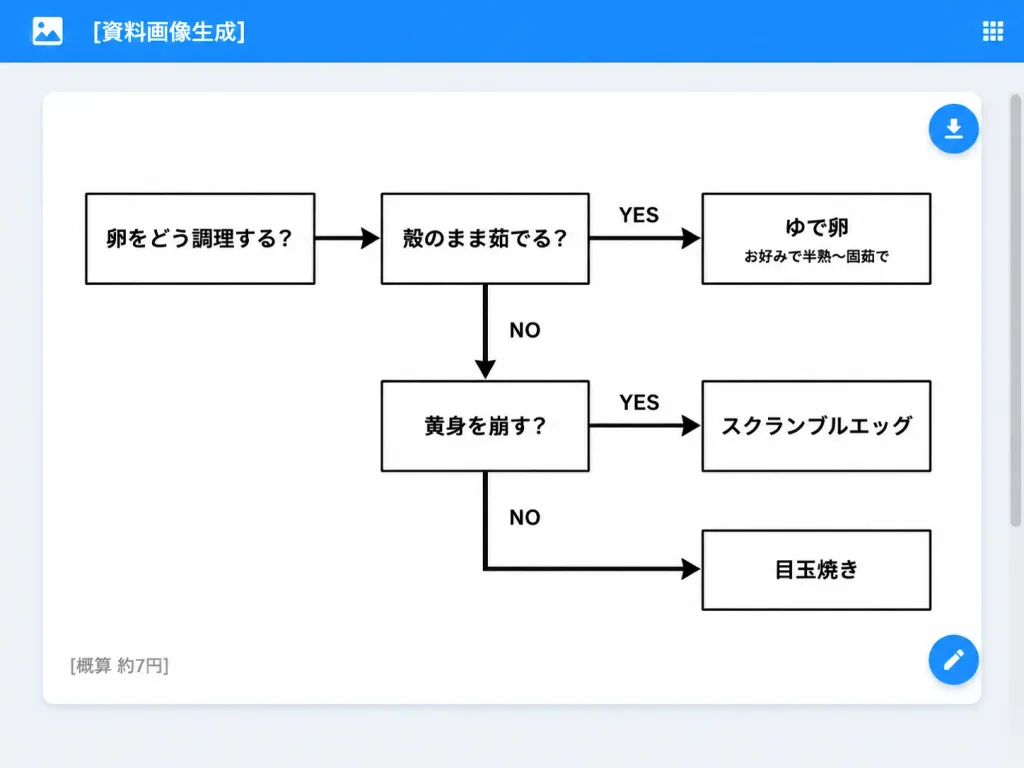
Egg Cooking Flowchart Web App UI
Renders a clean SaaS web-app interface displaying a Japanese decision flowchart for cooking eggs. Customize the flowchart questions, meal results, or app title in brackets.
Prompt
A clean desktop web application screenshot displaying an AI-generated document: a minimalist monochrome Japanese decision flowchart for cooking eggs. Setting & UI Layout: - Desktop browser/app interface with a light gray background. - Top app bar: Bright blue bar spanning the full width, containing a small white image icon on the far left, the white title text "[資料画像生成]", and a small white grid menu icon on the far right. - Main canvas: Centered large white rounded-rectangle card with a subtle drop shadow and generous internal margins. A subtle scrollbar appears on the browser's right edge. - UI Action Buttons: Two floating circular blue action buttons docked on the right edge of the white card—one near the upper right with a white download arrow icon, and one near the lower right with a white edit pencil icon. Flowchart Structure & Content: - Exactly 6 rectangular white boxes with clean black borders, connected by thick black directional arrows. - Box 1 (far left): 「卵をどう調理する?」 - Box 2 (top middle): 「殻のまま茹でる?」 - Box 3 (top right): 「ゆで卵」 with a smaller subtitle 「お好みで半熟〜固茹で」 - Box 4 (middle lower): 「黄身を崩す?」 - Box 5 (middle right): 「スクランブルエッグ」 - Box 6 (bottom right): 「目玉焼き」 Connections & Labels: - Arrow from Box 1 pointing right to Box 2. - Arrow from Box 2 pointing right to Box 3, labeled "YES" above. - Downward arrow from Box 2 pointing down to Box 4, labeled "NO" to the right. - Arrow from Box 4 pointing right to Box 5, labeled "YES" above. - Right-angled path from Box 4 heading down then right into Box 6, labeled "NO". Card Footer: - Lower-left corner inside the white card displays small gray Japanese text: "[概算 約7円]". Style & Constraints: - Modern flat UI screenshot, crisp sans-serif Japanese typography, monochrome chart design on pure white, high-contrast black lines and text, no decorative colors inside the chart, no watermarks.
What you can customize
Swap these parts of the prompt for your own subject or wording before you generate.
[資料画像生成]placeholder[概算 約7円]placeholder“卵をどう調理する?”quoted wording“殻のまま茹でる?”quoted wording“ゆで卵”quoted wording“お好みで半熟〜固茹で”quoted wording“黄身を崩す?”quoted wording“スクランブルエッグ”quoted wording
Prompt details
- Category
- UI / UX Design
- Model
- GPT IMAGE 2
- Cost per image
- 1K: 43 credits · 2K: 86 credits · 4K: 143 credits
- Aspect ratio
- 4:3
- Added