
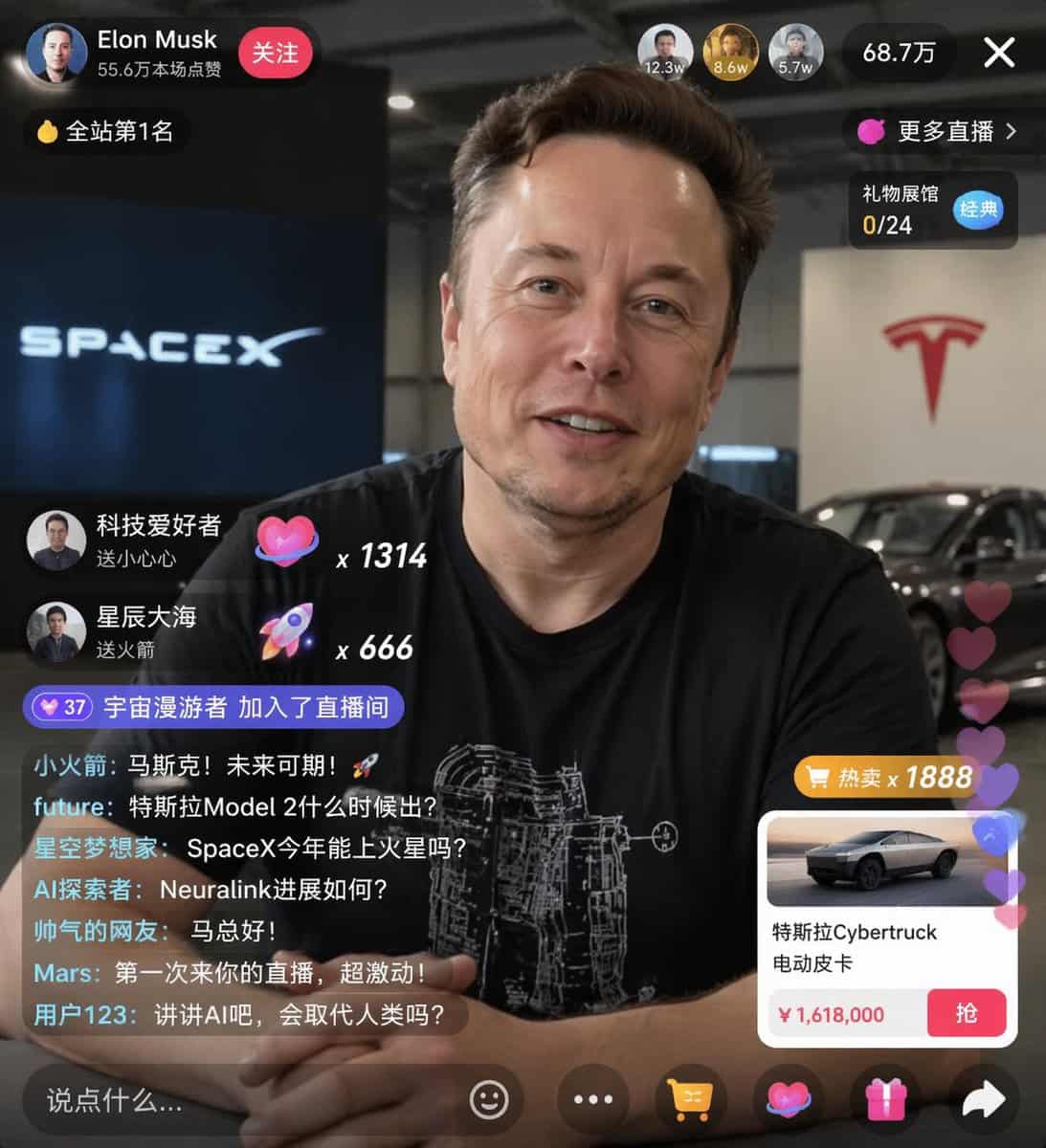
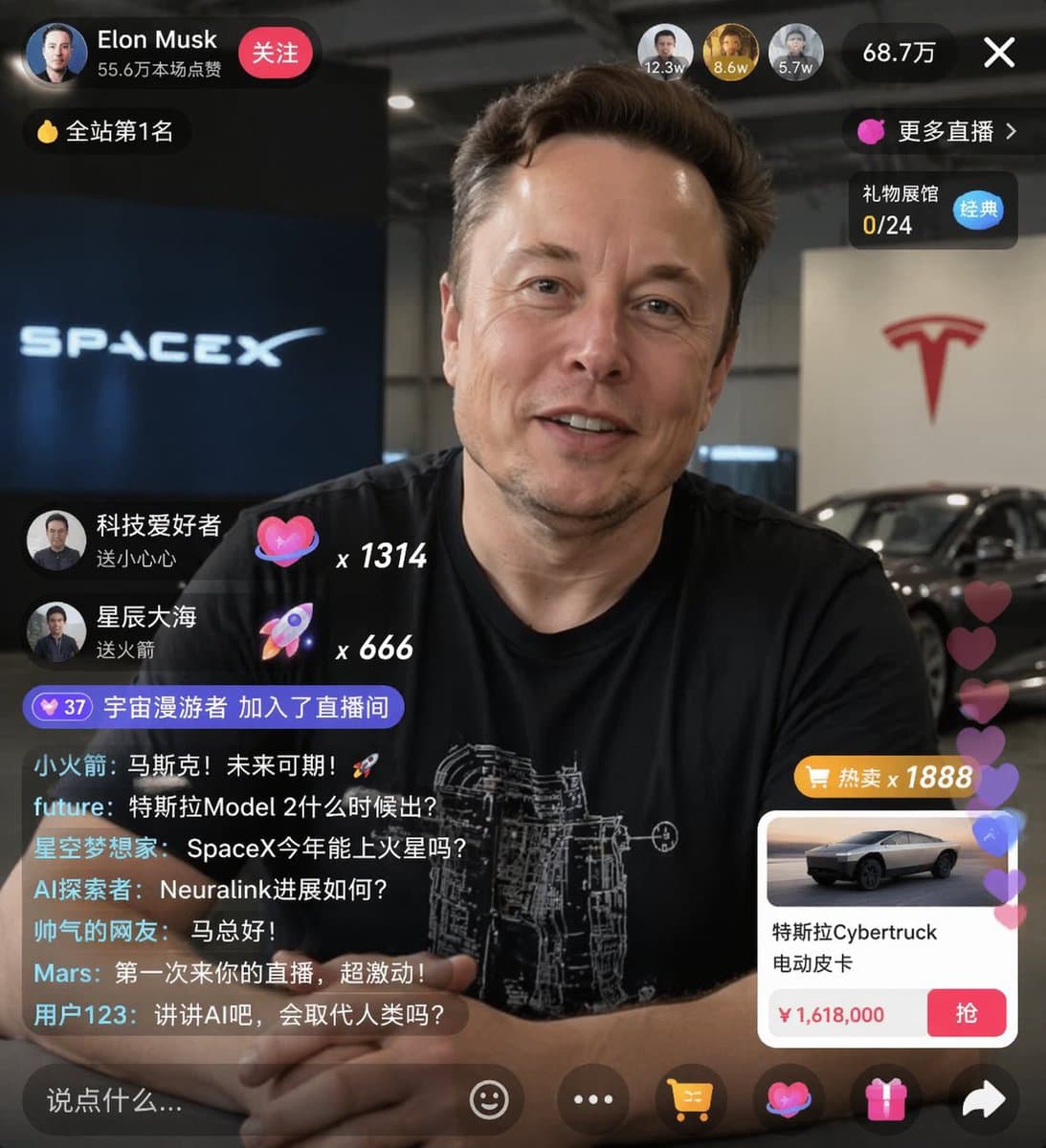
E-commerce Live Stream UI Mockup
{ "type": "live stream UI mockup", "subject": { "description": "portrait of {argument name=\"host name\" default=\"Elon Musk\"}, smiling, wearing a black t-shirt with a white technical schematic graphic", "background":…
Prompt
{ "type": "live stream UI mockup", "subject": { "description": "portrait of {argument name=\"host name\" default=\"Elon Musk\"}, smiling, wearing a black t-shirt with a white technical schematic graphic", "background": "left side shows a screen with '{argument name=\"left background logo\" default=\"SPACEX\"}' text, right side shows a red '{argument name=\"right background logo\" default=\"Tesla T logo\"}' and a dark car" }, "ui_overlay": { "top_header": { "host_info": "avatar, name '{argument name=\"host name\" default=\"Elon Musk\"}', subtext '556,000 likes', red 'Follow' button", "rank_badge": "gold coin icon with 'No. 1 on the site'", "viewer_stats": "3 top viewer avatars with '12.3w', '8.6w', '5.7w', total '687,000', 'X' close button", "right_links": "'More live broadcast >', 'Gift Exhibition Hall 0/24' with blue 'Classic' tag" }, "mid_left_gifts": { "count": 2, "items": [ "avatar 'technology enthusiast', 'send a little heart', heart icon x 1314", "avatar 'starry sea', 'send rocket', rocket icon x 666" ] }, "bottom_left_chat": { "system_message": "level 37 badge 'Space Wanderer joined the live broadcast room'", "message_count": 7, "messages": [ "Little Rocket: Musk! The future is promising! 🚀", "future: When will Tesla Model 2 be released?", "Star Dreamers: Can SpaceX go to Mars this year?", "AI Explorer: How is the progress of Neuralink?", "Handsome netizen: Hello Mr. Ma!", "Mars: It's my first time to come to your live broadcast, so excited!", "User 123: Let’s talk about AI. Will it replace humans?" ] }, "bottom_right_product_card": { "hot_tag": "orange 'hot sale x 1888'", "image": "Tesla Cybertruck", "title": "{argument name=\"product name\" default=\"特斯拉Cybertruck 电动皮卡\"}", "price": "{argument name=\"product price\" default=\"¥ 1,618,000\"}", "button": "red 'grab' button", "floating_animation": "translucent hearts floating up the right edge" }, "bottom_bar": { "input_field": "'Say something...'", "icons": ["smiley face", "three dots", "shopping cart", "gift box", "share"] } } }
How to use this prompt
Read the complete E-commerce Live Stream UI Mockup prompt and identify the subject, style, camera, lighting, and composition requirements before generating.
Replace bracketed or argument-style placeholders with your product, character, brand, scene, color palette, or aspect ratio requirements.
Open https://www.gptimagehub.com/generate?promptId=cmogwxwj3009hzpdyjdxym0wy, generate the image, then refine the prompt with more specific subject, text, layout, or negative constraints if needed.
Prompt FAQ
What is the E-commerce Live Stream UI Mockup prompt best used for?
This prompt is best used for ui / ux design images where you want a reusable structure, detailed visual direction, and consistent output quality.
Can I edit the prompt before generating?
Yes. The full prompt text is visible on this page so you can change subjects, product names, colors, composition, camera terms, aspect ratio, and style notes before generation.
Which model should I use with this prompt?
Use the model shown in the prompt metadata as the default starting point. If another image model supports the same aspect ratio and instruction style, you can adapt the prompt and compare results.