Baru: GPT Image 2.5 Flare dan Sunburst. Coba gratis 3 gambar saat daftar, lalu 8 kredit per gambar.
Coba GPT Image 2.5

Prompt GPT Image 2

8.665 template · diperbarui Okt 2026

GPT Image 2 adalah model pembuatan dan pengeditan gambar dari OpenAI (gpt-image-2). Model ini mengikuti instruksi terstruktur yang panjang dengan presisi tinggi, menjadikannya pilihan tepat untuk poster, foto produk, mockup UI, dan infografik dengan teks gambar pendek.

Halaman ini mencantumkan 8.665 template pustaka yang disiapkan untuk GPT Image 2. Setiap template langsung terbuka di generator dengan GPT Image 2 terpilih: 43 kredit pada resolusi 1K, hingga 16 gambar referensi, dan rasio aspek 16. GPT Image 2 Saver menjalankan model yang sama dengan tarif tetap 5 kredit pada ukuran berapa pun.

Menampilkan 481–540 dari 569 prompt GPT Image 2 · Desain UI / UX

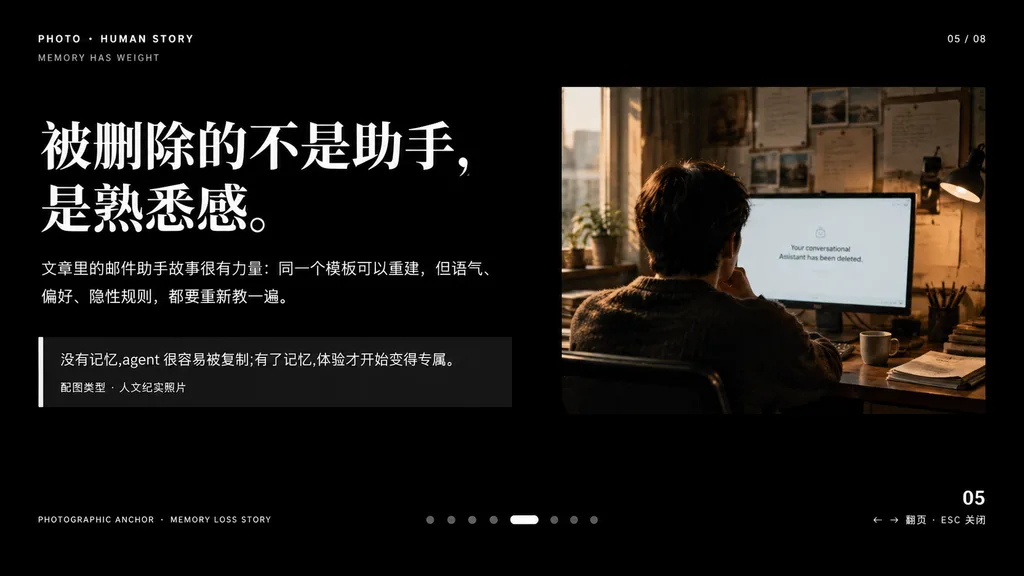
Slide Presentasi Editorial Naratif dengan Foto Dokumenter

Slide Presentasi Editorial Naratif dengan Foto Dokumenter

A minimalist cinematic presentation slide layout on a solid deep black background, widescreen 16:9, premium editorial keynote style. Asymmetrical composition with clean typography on the left and a documentary photograph on the upper right, framed by generous negative space. Left Typography and Text Blocks: - Top-left uppercase microtext: "PHOTO • HUMAN STORY", with "MEMORY HAS WEIGHT" slightly beneath it. - Main headline: very large, bold white Chinese serif typography across two lines reading "[被删除的不是助手,\n是熟悉感。]". - Body text directly below: medium-small white and light gray Chinese text across two lines reading "[文章里的邮件助手故事很有力量:同一个模板可以重建,但语气、\n偏好、隐性规则,都要重新教一遍。]". - Quote block below: a dark translucent rectangular box with a thin vertical white accent line on its left edge. Inside, text reading "[没有记忆,agent 很容易被复制;有了记忆,体验才开始变得专属。]" above a smaller caption line reading "配图类型 · 人文纪实照片". Upper Right Photograph: - A warm-toned, film-style humanistic documentary photo showing one adult seated from behind at a desk in a dimly lit office, looking at a computer screen. Beside the monitor is a desk lamp, with papers pinned on the wall and soft daylight streaming through a nearby window. The monitor displays a clean white interface with centered English text: "[Your conversational Assistant has been deleted.]". Muted brown, amber, and cool gray tones, intimate and melancholic atmosphere. UI Details & Pagination: - Top right: "05 / 08". - Bottom left microtext: "PHOTOGRAPHIC ANCHOR · MEMORY LOSS STORY". - Bottom right: "05" with tiny navigation hint "← → 翻页 · ESC 关闭". - Bottom center: 8 small pagination indicators, with the 5th dot styled as an elongated horizontal white pill and the other 7 as muted gray circles. Overall Aesthetic: High-end editorial magazine layout, crisp alignment, sophisticated typographic hierarchy, contemplative and narrative-driven.
presentasikeynotedesain editorial
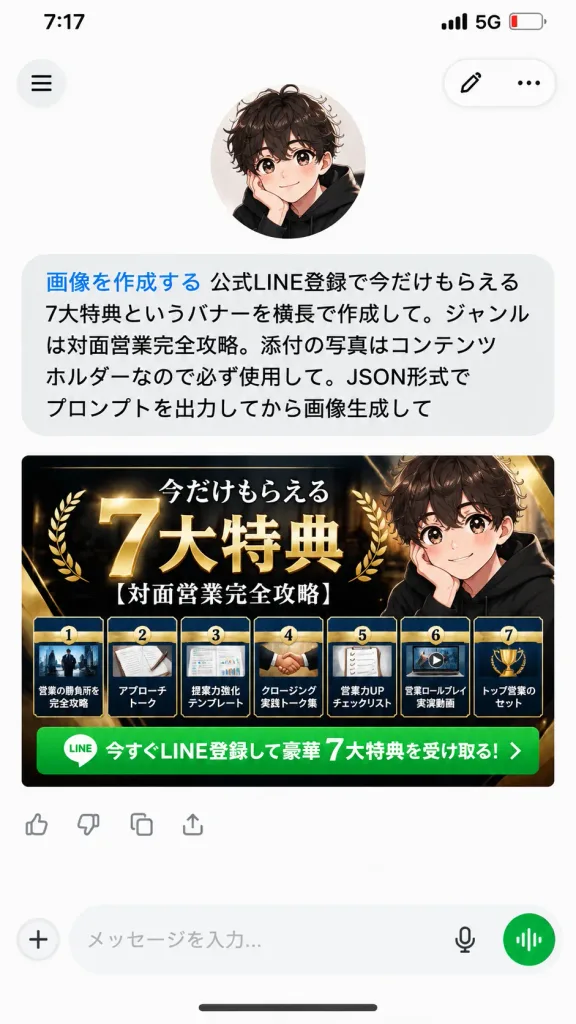
Tangkapan Layar Chat AI dengan Banner Promosi

Tangkapan Layar Chat AI dengan Banner Promosi

A realistic vertical 9:16 mobile smartphone screenshot of an AI chat app conversation on a clean white background. At the top, an iPhone-style status bar displays 7:17, 5G, and a low battery icon. Below the status bar, the app interface features a circular hamburger menu button on the top left, and a floating rounded pill container on the top right with an edit pencil icon and a three-dot menu icon. In the upper area, an avatar of a cute anime-style boy with curly dark brown hair, large sparkling eyes, rosy cheeks, and a black hoodie rests his cheek on one hand. Directly beneath him is a single large rounded light-gray user chat bubble containing Japanese text. The first phrase is rendered in blue text: 「画像を作成する」, immediately followed by black text: 「公式LINE登録で今だけもらえる7大特典というバナーを横長で作成して。ジャンルは対面営業完全攻略。添付の写真はコンテンツホルダーなので必ず使用して。JSON形式でプロンプトを出力してから画像生成して」. Beneath the chat bubble is a wide horizontal marketing banner image generated by the AI for [official LINE registration], sized to fit the phone's screen width. The banner has a premium luxury black, navy, and gold theme with glossy metallic accents. The main Japanese headline reads 「今だけもらえる 7大特典」 featuring a prominent oversized 3D gold "7" and bold white-and-gold lettering, accompanied by the topic subtitle 「[対面営業完全攻略]」. On the right side of the banner, the same anime boy avatar is integrated. Along the bottom of the banner are exactly seven distinct benefit cards in a neat horizontal row, each showing a small preview thumbnail, numbers 1 through 7, and titles: 1)営業の勝負所を完全攻略, 2)アプローチトーク, 3)提案力強化テンプレート, 4)クロージング実践トーク集, 5)営業力UPチェックリスト, 6)営業ロールプレイ実演動画, 7)トップ営業のセット. Below the cards runs a bright green call-to-action bar with a small LINE app icon and white text: 「今すぐLINE登録して豪華 7大特典を受け取る!」. Underneath the banner image are small reaction/action icons, followed by a bottom navigation input bar with a plus icon, text placeholder, microphone icon, and a circular green voice-mode button. Crisp typography, soft UI drop shadows, clean modern mobile interface design.

ui selulertangkapan layaraplikasi chat
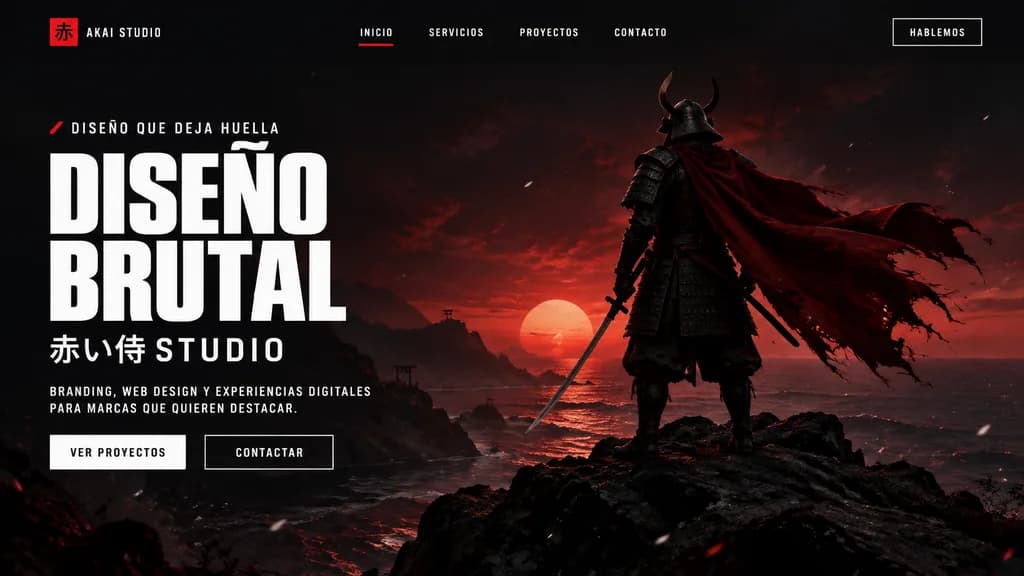
Landing Page Agensi Samurai Brutalis

Landing Page Agensi Samurai Brutalis

A cinematic dark landing page mockup for a creative agency called [AKAI STUDIO], presented inside a modern desktop browser window. The layout features a widescreen hero section with a dramatic black-to-deep-crimson gradient background, moody sunset backlighting, and subtle floating white dust or ember particles. On the right, a full-body samurai stands on jagged black rocks overlooking a calm shoreline, viewed from behind in dark layered armor and a horned helmet, holding a katana at his side, his long tattered crimson cape billowing dramatically to the right. On the left side, bold brutalist typography displays an eyebrow line with a small red accent mark reading "[DISEÑO QUE DEJA HUELLA]", followed by a massive, stacked white condensed headline reading "[DISEÑO BRUTAL]". Underneath, Japanese characters and text read "[赤い侍 STUDIO]", followed by a short supporting paragraph in small uppercase white lettering: "[BRANDING, WEB DESIGN Y EXPERIENCIAS DIGITALES PARA MARCAS QUE QUIEREN DESTACAR.]". Below the text are two call-to-action buttons: a solid light button labeled "VER PROYECTOS" and a dark outlined button labeled "CONTACTAR". The top navigation bar includes a left-aligned logo mark featuring a red square with the kanji "赤" and text "[AKAI STUDIO]", four centered uppercase menu links ("INICIO" with a red active underline, "SERVICIOS", "PROYECTOS", "CONTACTO"), and a boxed top-right action button reading "[HABLEMOS]".

landing pagedesain webmockup ui
Mockup Antarmuka Belanja Live Streaming

Mockup Antarmuka Belanja Live Streaming

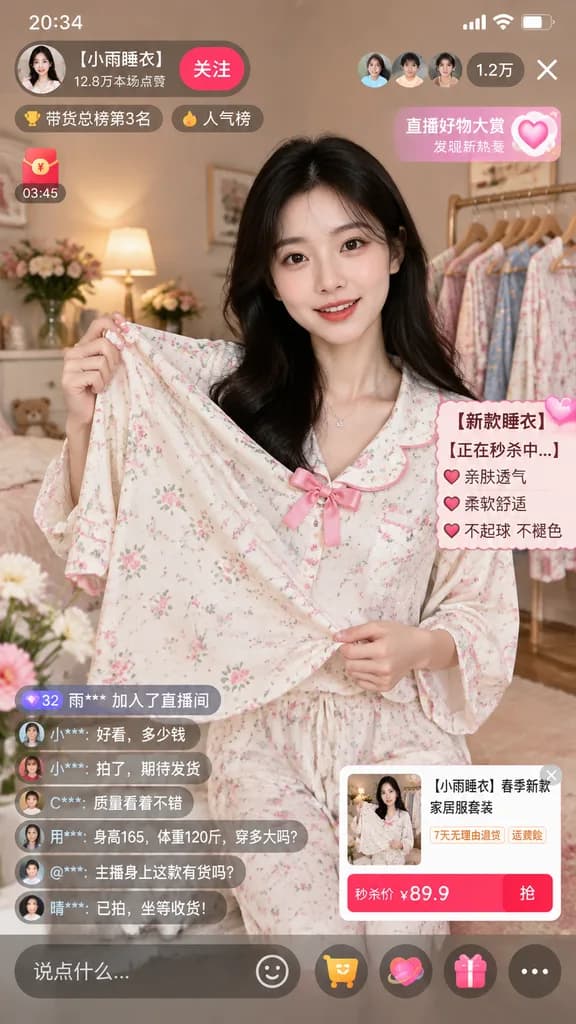
mobile live-streaming e-commerce interface mockup. young Asian woman with long dark hair, wearing a light-colored floral pajama set with a pink bow, holding the pajama top outward to display the fabric. [【小雨睡衣】春季新款家居服套装]. cozy bedroom sett…

live streaminge-commerceui seluler
Situs Web Mobile Gotik Jepang Retro

Situs Web Mobile Gotik Jepang Retro

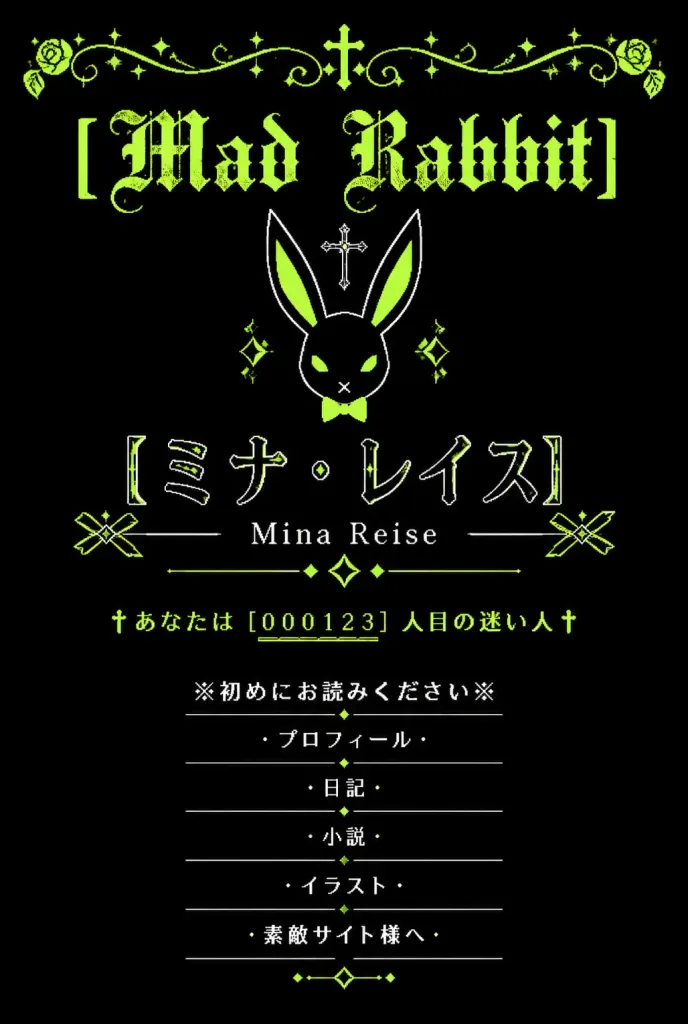
A vertical graphic inspired by nostalgic early-2000s Japanese mobile personal homepages (garakei web shrines) with a gothic lolita and dark fantasy aesthetic. Black background with a limited color palette of acid lime green, white, and deep black. Symmetrical, centered composition with generous negative space. At the top, an ornate lime-green filigree border spans the width, featuring curling vines, small sparkle stars, and a tiny central cross. Directly below is the distressed blackletter headline "[Mad Rabbit]" in acid lime green. Beneath the title sits a minimalist geometric white line-art rabbit head icon with long ears, lime-green inner ear fills, a small lime bow tie, diamond accents, and a small cross floating above it. In the main identity area below the rabbit icon: large Japanese katakana text in thin outlined white lettering with lime highlights reading "[ミナ・レイス]", followed directly underneath by the romanized name "[Mina Reise]" in a delicate serif font, flanked by thin horizontal rules, two geometric ribbon-like side ornaments, and a central diamond sparkle motif. Below the name section is an authentic retro homepage visitor hit counter in lime green: "†あなたは [000123] 人目の迷い人†" with underlined digits. At the bottom, a vertically stacked navigation menu consisting of exactly 6 centered items in white Japanese text, each separated by thin divider lines and flanked by cross or bullet symbols: 1) ※初めにお読みください※ 2) ・プロフィール・ 3) ・日記・ 4) ・小説・ 5) ・イラスト・ 6) ・素敵サイト様へ・ Small lime diamond dots and delicate dividers embellish the menu section. Style: Distressed pixel-era typography, delicate line art, 2000s mobile web shrine aesthetic. Completely flat 2D graphic, no modern UI chrome, no phone mockup frame, no photographic elements.
y2kgothic lolitadesain web
Hero Halaman Arahan Produk AI Jepang

Hero Halaman Arahan Produk AI Jepang

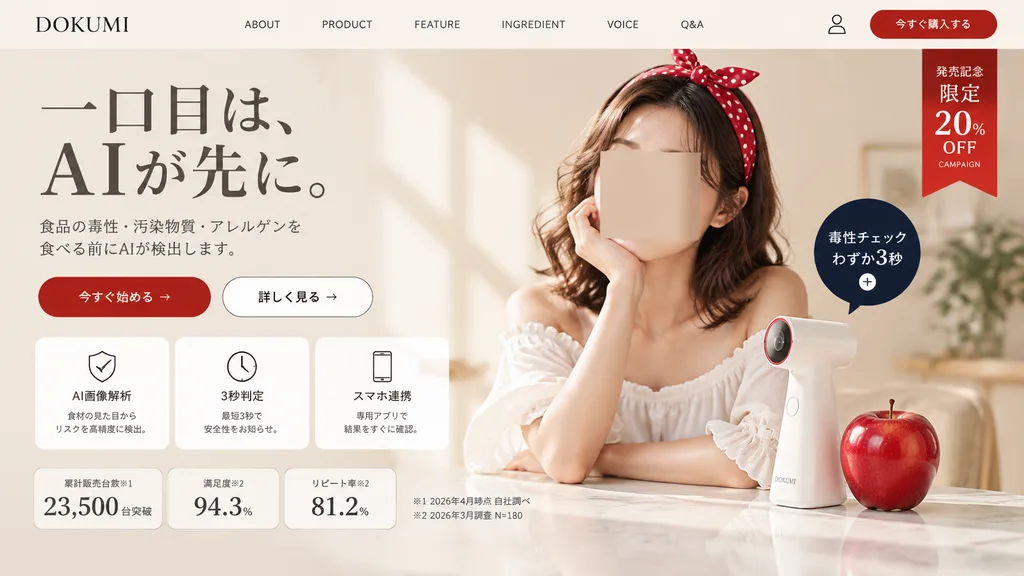
A polished Japanese landing page hero section screenshot for a fictional consumer tech brand named [DOKUMI]. The layout follows a premium beauty-tech and food-safety aesthetic in a soft warm beige and ivory palette with generous whitespace and elegant editorial styling. Top Navigation Bar: Contains 8 elements in a single horizontal row: brand logo text "[DOKUMI]" on the far left, followed by "ABOUT", "PRODUCT", "FEATURE", "INGREDIENT", "VOICE", "Q&A", a small user profile icon, and a rounded red button labeled "今すぐ購入する" on the far right. Below this button on the upper-right corner hangs a vertical red ribbon badge with stacked white text: "発売記念", "限定", "20%", "OFF", and small text "CAMPAIGN". Hero Section - Left Column: - Headline in elegant large Japanese Mincho serif typography over two lines: "一口目は、" on the first line, "AIが先に。" on the second line with dramatic scale. - Refined gray two-line Japanese subheading detailing AI detection of food toxins, contaminants, and allergens prior to consumption. - Two horizontal CTA buttons: a solid red pill button labeled "今すぐ始める →" and a white outlined pill button labeled "詳しく見る →". - Row of three rounded white feature cards with subtle borders and thin black line icons: 1) shield icon labeled "AI画像解析" with small explanatory text, 2) clock icon labeled "3秒判定" with subtitle, 3) smartphone icon labeled "スマホ連携" with subtitle. - Bottom statistics row with three bordered metric cards: "累計販売台数※1" displaying "23,500" "台突破", "満足度※2" displaying "94.3%", and "リピート率※2" displaying "81.2%". To the right, two small footnote lines in Japanese: "※1 2026年4月時点 自社調べ" and "※2 2026年3月調査 N=180". Hero Section - Right Column: Soft, luminous lifestyle photo of a stylish young Japanese woman with wavy shoulder-length brown hair wearing a large red polka-dot headband and an off-shoulder white ruffled blouse, resting her chin on one hand over a glossy tabletop. Her face is obscured by a neutral skin-tone rectangular privacy marker. On the table stands a sleek, minimalist white handheld scanner gadget with a subtle red-accented lens ring, next to a realistic glossy red apple. Floating beside the device is a dark navy circular callout badge with white text reading "毒性チェック" and "わずか3秒" above a small plus icon. Lighting and Finish: Gentle natural window light from the left casting subtle diagonal wall shadows, realistic textures, and clean modern Japanese UI composition.

landing pagedesain webtangkapan layar ui
Tangkapan Layar Obrolan AI Seluler dengan Seni Kosmik

Tangkapan Layar Obrolan AI Seluler dengan Seni Kosmik

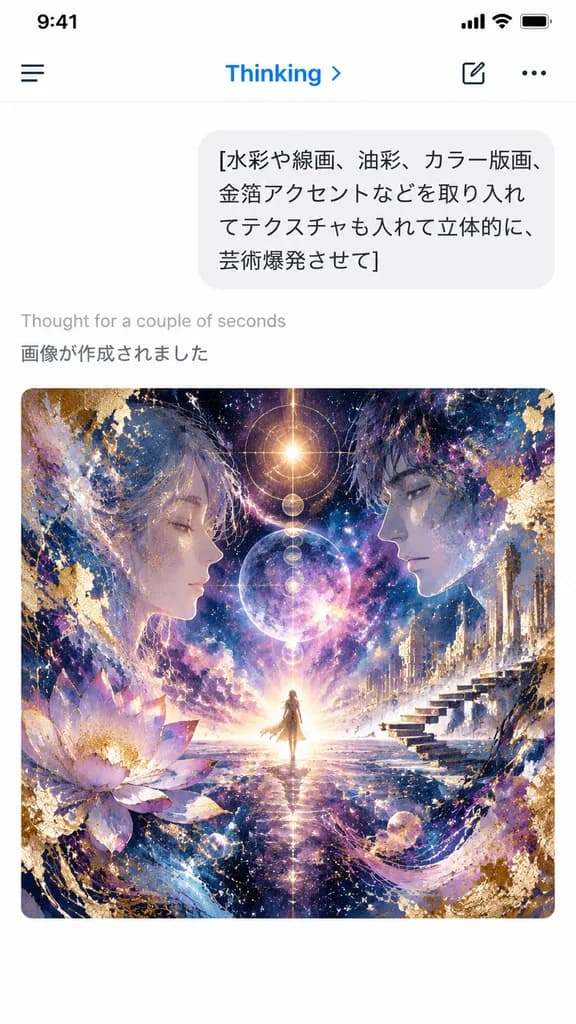
A vertical smartphone screenshot of an AI chat app interface in light mode, capturing a freshly generated image result. At the top is a clean mobile header with a hamburger icon on the left, the blue label "Thinking" with a small right chevron, and a compose icon alongside a three-dot menu on the right. Below the header is a rounded light-gray user chat bubble showing four lines of Japanese text: "[水彩や線画、油彩、カラー版画、 金箔アクセントなどを取り入れ てテクスチャも入れて立体的に、 芸術爆発させて]". Beneath the bubble, on a crisp white background, appear two system status lines: light gray "Thought for a couple of seconds" followed by darker gray "画像が作成されました". Centered in the lower half is a large rounded-corner artwork preview in a square format: an intricate cosmic visionary collage featuring a tiny radiant figure standing at the central horizon, flanked by two large semi-transparent human profiles facing inward. Swirling nebulae, glowing celestial bodies, gold-leaf leafing, splash textures, ink lines, architectural floating steps on the right, and a lotus bloom on the left merge in a palette of deep indigo, violet, magenta, and luminous gold. Authentic iOS mobile interface aesthetic, sharp typography, minimal layout outside the vibrant artwork.

tangkapan layar uiaplikasi selulerantarmuka obrolan
UI Generator AI dengan Storyboard Anime

UI Generator AI dengan Storyboard Anime

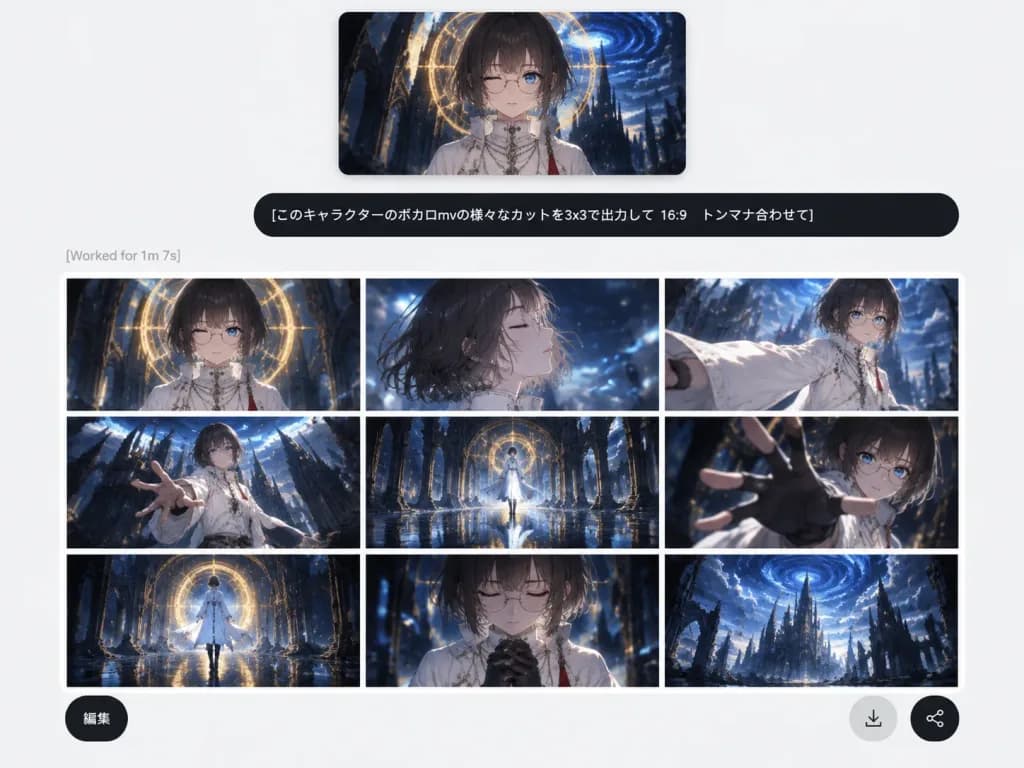
A clean social-media screenshot of a modern, minimalist web-app AI image generation interface on a light gray background with ample white space. At the top center, a rectangular reference image preview with soft shadows shows an anime character: an androgynous youth with a [dark ash-brown bob haircut with straight bangs], pale skin, thin round glasses, one winking eye, and one visible blue eye, dressed in a high-collar white ceremonial robe with necklaces and a red tassel, set against a dark fantasy gothic cathedral with a glowing golden circular halo and a swirling blue vortex sky. Directly below the preview is a wide, rounded black user prompt bubble displaying crisp white Japanese text: "[このキャラクターのボカロmvの様々なカットを3x3で出力して 16:9 トンマナ合わせて]". Beneath the prompt bubble, aligned to the left, is faint gray status text reading "[Worked for 1m 7s]". Below the status line is an output card featuring a 3x3 grid of 9 cinematic 16:9 anime storyboard panels separated by thin white grid lines, maintaining consistent color grading in dark navy blue, black, white, and warm gold with a glossy Vocaloid music-video aesthetic, wet reflective floors, and ruined gothic cathedral backdrops: 1. Top-left: Frontal bust shot of the character under the glowing golden circular arch. 2. Top-center: Windblown side-profile close-up with eyes closed amidst blue light motes. 3. Top-right: Dynamic three-quarter shot extending a billowing white sleeve forward. 4. Middle-left: Low-angle dramatic wide shot reaching toward the frame with cathedral spires. 5. Middle-center: Symmetrical full-body shot standing on a reflective wet floor framed by an archway. 6. Middle-right: Extreme foreshortened close-up reaching a gloved hand toward the lens. 7. Bottom-left: Wide rear view walking toward the luminous circular portal. 8. Bottom-center: Emotional close-up with eyes closed and hands clasped near the chest. 9. Bottom-right: Epic distant establishing shot of ruined gothic towers against the blue vortex sky. Floating over the lower portion of the grid are three circular UI buttons: a dark button at bottom-left labeled "[編集]", a light gray circular download arrow icon button, and a dark circular share icon button at bottom-right.

generator aiui webstoryboard
Mockup Profil Media Sosial Mode Gelap

Mockup Profil Media Sosial Mode Gelap

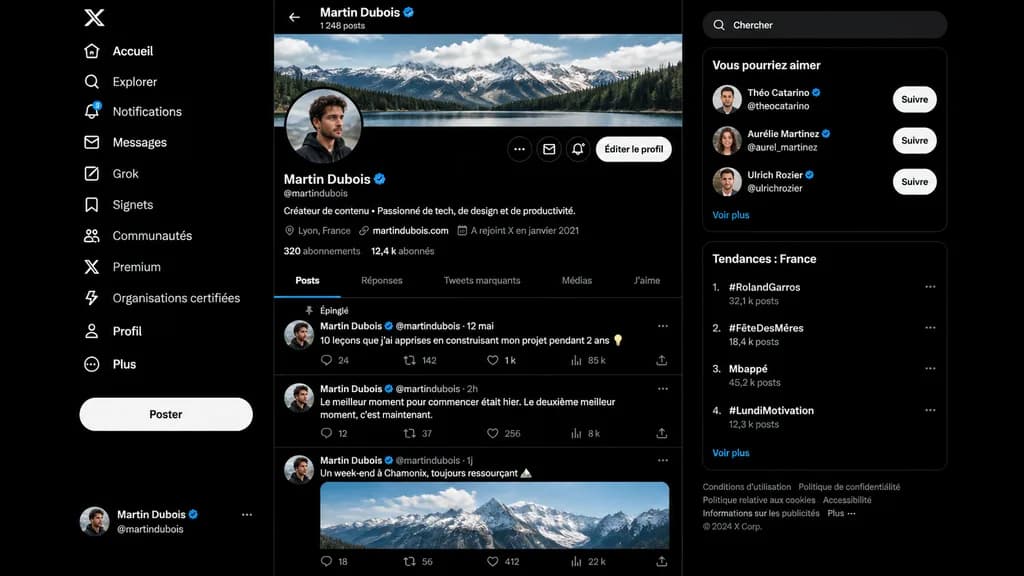
A realistic dark-mode desktop social media interface mockup closely resembling the desktop X/Twitter layout in French, presented as a full-screen browser screenshot on a dark black background with subtle dark gray dividers. Left sidebar: - Top: White X logo. - Vertical navigation list of 11 items with white icons and text: “Accueil”, “Explorer”, “Notifications” (with a small blue notification badge reading “3”), “Messages”, “Grok”, “Signets”, “Communautés”, “Premium”, “Organisations certifiées”, “Profil”, and “Plus”. - Middle-lower area: Large pill-shaped white button labeled “Poster”. - Bottom: Compact user card for [Martin Dubois] with handle @martindubois and a circular user avatar. Center column (Profile view): - Header: Back arrow, name “[Martin Dubois]” with a blue verification checkmark, and subtext “1 248 posts”. - Cover image: Wide panoramic banner of cloudy alpine mountains above a forest lake. - Profile row: Circular profile picture of a young man in dark clothing slightly overlapping the banner bottom-left. On the right, three circular icon buttons and a rounded light button labeled “Éditer le profil”. - Info section: Display name “[Martin Dubois]” with blue checkmark, handle @martindubois, French bio reading “Créateur de contenu • Passionné de tech, de design et de productivité.” - Metadata row: Location “Lyon, France”, link “martindubois.com”, and “A rejoint X en janvier 2021”. - Stats row: “320 abonnements” and “12,4 k abonnés”. - Tab bar with 5 items: “Posts” (active, underlined in electric blue), “Réponses”, “Tweets marquants”, “Médias”, “J’aime”. - Feed containing 3 posts: 1. Pinned post labeled “Épinglé”, date “12 mai”, text: “10 leçons que j’ai apprises en construisant mon projet pendant 2 ans 💡”, metrics: 24 replies, 142 reposts, 1 k likes, 85 k views. 2. Date “2h”, text: “Le meilleur moment pour commencer était hier. Le deuxième meilleur moment, c’est maintenant.”, metrics: 12 replies, 37 reposts, 256 likes, 8 k views. 3. Date “1j”, text: “Un week-end à Chamonix, toujours ressourçant 🏔️”, attached with an embedded daylight photo of snowy peaks, metrics row at bottom. Right sidebar: - Rounded search bar with placeholder text “Chercher”. - Card titled “Vous pourriez aimer” with 3 suggestions: “Théo Catarino” @theocatarino, “Aurélie Martinez” @aurel_martinez, and “Ulrich Rozier” @ulrichrozier, each with avatar, blue badge, and white “Suivre” button, ending with a “Voir plus” link. - Card titled “Tendances : France” with 4 ranked trends: 1. “#RolandGarros” (32,1 k posts), 2. “#FêteDesMères” (18,4 k posts), 3. “Mbappé” (45,2 k posts), 4. “#LundiMotivation” (12,3 k posts), ending with “Voir plus”. - Bottom footer: Small gray legal links and “© 2024 X Corp.”. Style: Crisp vector-like UI elements, authentic typography, precise layout spacing, modern dark-mode digital product design.

mockup uimedia sosialmode gelap
Slide Sampul Proposal B2B Industri Jepang

Slide Sampul Proposal B2B Industri Jepang

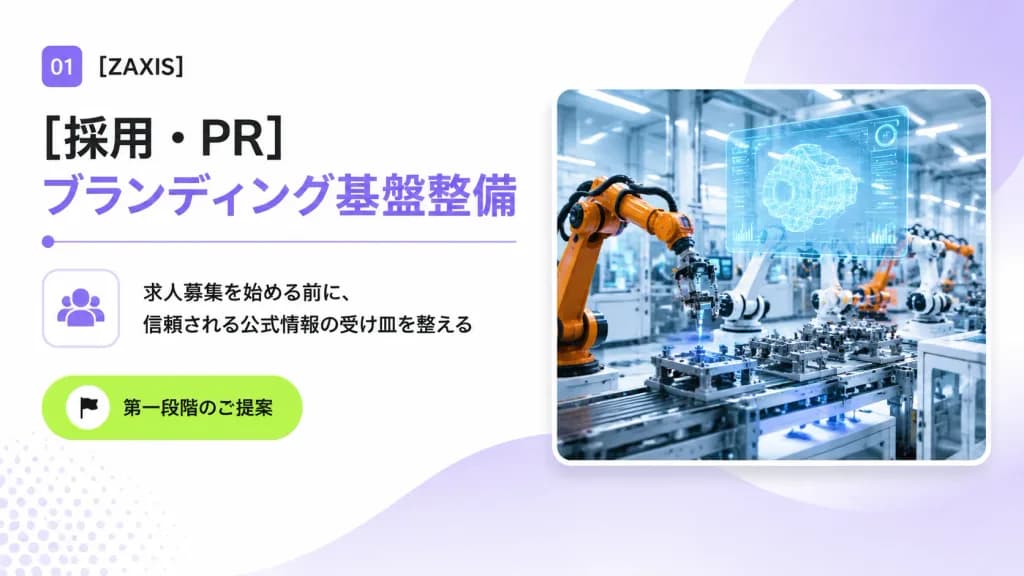
A clean 16:9 Japanese corporate B2B proposal cover slide for an industrial automation and engineering company, designed with a modern consulting deck aesthetic, generous whitespace, and subtle tech accents. Layout and Content: - Top-left: A small rounded purple square badge displaying white text "01", followed by the company name "[ZAXIS]" in crisp black sans-serif typography. - Main Headlines: Directly below, a large bold black Japanese headline reading "[採用・PR]", stacked above a matching large bold lavender headline reading "[ブランディング基盤整備]". Underneath the headlines is a thin lavender horizontal dividing line with a small circular dot on its left edge. - Middle-left: A rounded square outline card containing a minimalist lavender community/people icon. Directly to its right are two lines of black Japanese body copy: "[求人募集を始める前に、]" and "[信頼される公式情報の受け皿を整える]". - Lower-left: A vibrant lime-green rounded pill button featuring a small white circle with a black flag icon and the Japanese text "[第一段階のご提案]". - Right half: A large rounded-corner photo card with a soft drop shadow and a thin white border, depicting a brightly lit futuristic smart factory floor with orange and white robotic arms assembling precision parts, blue-tinted machinery, and a glowing translucent holographic CAD interface floating above the workstation. Background and Atmosphere: Bright white background with soft lavender gradient washes, a large semi-transparent lavender circular gradient behind the photo card in the upper-right, a gentle lavender wave shape flowing from bottom-center toward the right, and a subtle pale lavender halftone dot pattern in the lower-left corner. Crisp, professional, polished corporate presentation slide.

slide presentasiproposal b2btipografi jepang
Mockup UI Aplikasi Resume AI Jepang

Mockup UI Aplikasi Resume AI Jepang

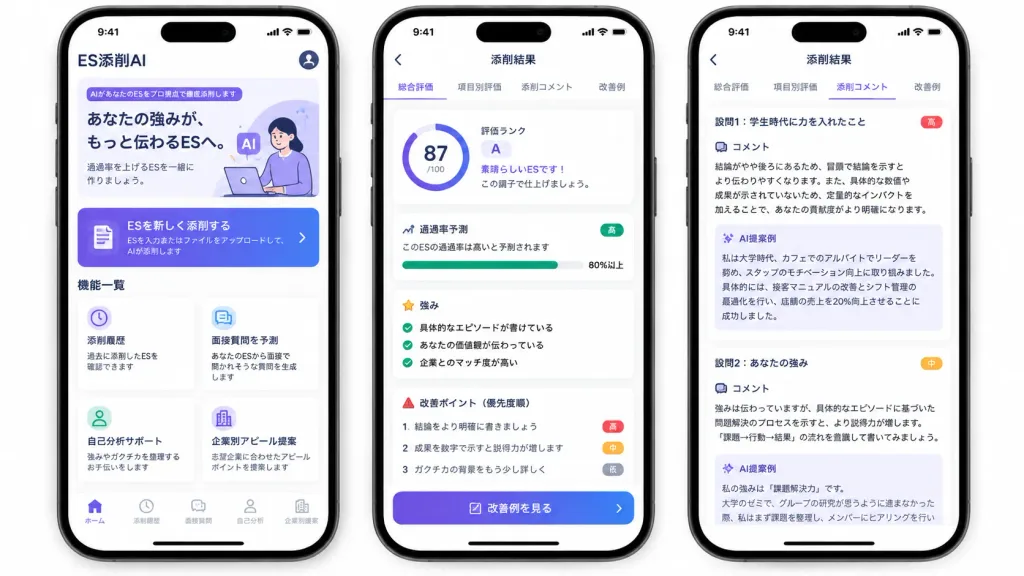
A polished marketing mockup for a Japanese mobile app called [ES添削AI], an AI entry-sheet critique tool for job-hunting students, presented on three modern black-framed iPhones displayed side-by-side on an isolated white background. Composition & Layout: Wide horizontal 16:9 framing showing exactly three smartphones with subtle drop shadows, rounded corners, top Dynamic Island displaying status bar time 9:41, and bottom iOS home indicators. Clean UI cards, soft elevation shadows, and a purple-to-indigo gradient visual identity. Phone 1 (Home Screen): - Top header: text "ES添削AI" at top left, circular profile icon at top right. - Hero card: purple tag reading "AIがあなたのESをプロ視点で徹底添削します", bold headline "あなたの強みが、もっと伝わるESへ。", subtext "通過率を上げるESを一緒に作りましょう。", and a minimal graphic of a student working on a laptop with lavender AI badges. - Primary CTA button: gradient card with document icon reading "ESを新しく添削する" and small text "ESを入力またはファイルをアップロードして、AIが添削します" with a right chevron. - Feature grid section titled "機能一覧" with exactly four white cards: 1) Clock icon: "添削履歴" / "過去に添削したESを確認できます"; 2) Chat icon: "面接質問を予測" / "あなたのESから面接で聞かれそうな質問を生成します"; 3) User icon: "自己分析サポート" / "強みやガクチカを整理するお手伝いをします"; 4) Building icon: "企業別アピール提案" / "志望企業に合わせたアピールポイントを提案します". - Bottom tab bar with 5 items: "ホーム" (active), "添削履歴", "面接質問", "自己分析", "企業別提案". Phone 2 (Results Overview Screen): - Top navigation bar: back arrow and centered title "添削結果". - Tab bar with 4 items: "総合評価" (active with purple underline), "項目別評価", "添削コメント", "改善例". - Overall evaluation card: circular progress score ring showing "[87]/100", alongside text "評価ランク", large letter "[A]", "素晴らしいESです!", and "この調子で仕上げましょう。". - Pass rate card: title "通過率予測", text "このESの通過率は高いと予測されます", green badge "高", progress bar filled to "80%以上". - Strengths section: title "強み" with 3 green checkmark items: "具体的なエピソードが書けている", "あなたの価値観が伝わっている", "企業とのマッチ度が高い". - Areas for improvement: title "改善ポイント(優先度順)" with 3 items: 1 "結論をより明確に書きましょう" (red badge "高"), 2 "成果を数字で示すと説得力が増します" (orange badge "中"), 3 "ガクチカの背景をもう少し詳しく" (gray badge "低"). - Bottom gradient button: "改善例を見る". Phone 3 (Detailed Critique Screen): - Top navigation bar: back arrow and title "添削結果", repeating the 4 tabs with "添削コメント" active. - Two stacked white critique cards: 1. Heading "設問1:学生時代に力を入れたこと" (red badge "高"), "コメント" analyzing conclusion placement and quantitative impact, followed by a pale lavender box titled "AI提案例" rewriting a cafe leadership experience with a 20% sales increase. 2. Heading "設問2:あなたの強み" (orange badge "中"), "コメント" advising evidence-based problem-solving structure, followed by an "AI提案例" box beginning "私の強みは『課題解決力』です。", slightly cut off at the bottom. Style: Modern Japanese iOS mobile app design, crisp Japanese typography, clean whitespace, subtle pastel accents, trustworthy and professional finish.

mockup uiaplikasi mobileaplikasi jepang
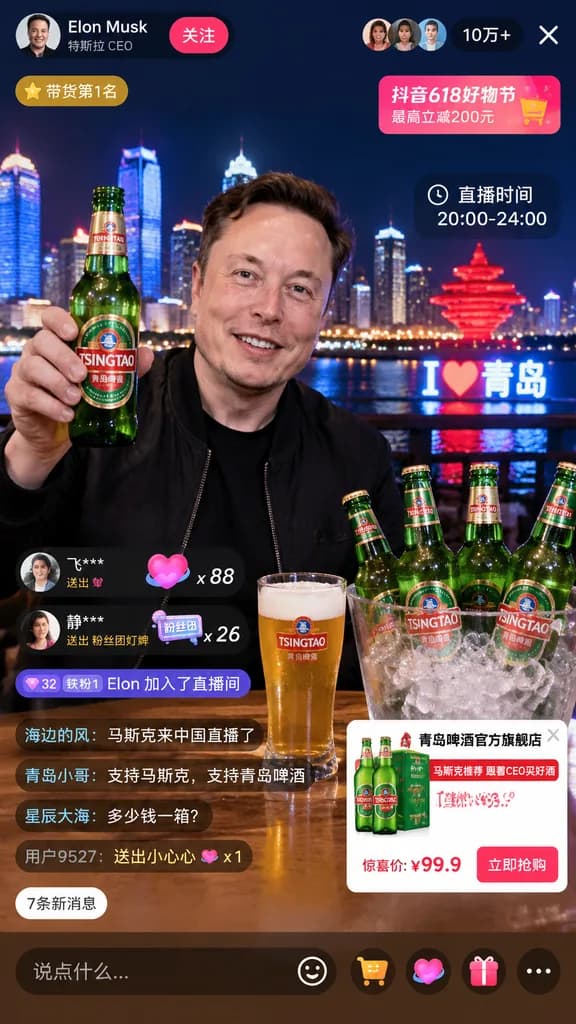
Mockup Antarmuka Live Streaming E-Commerce Ponsel

Mockup Antarmuka Live Streaming E-Commerce Ponsel

livestream interface mockup. [Elon Musk]. smiling man in a black jacket. holding up a green glass beer bottle with a [TSINGTAO] label. [Qingdao skyline at night] with illuminated skyscrapers, a river, a glowing red sculptural monument, and…

ui live streamingmockup ecommercesocial commerce
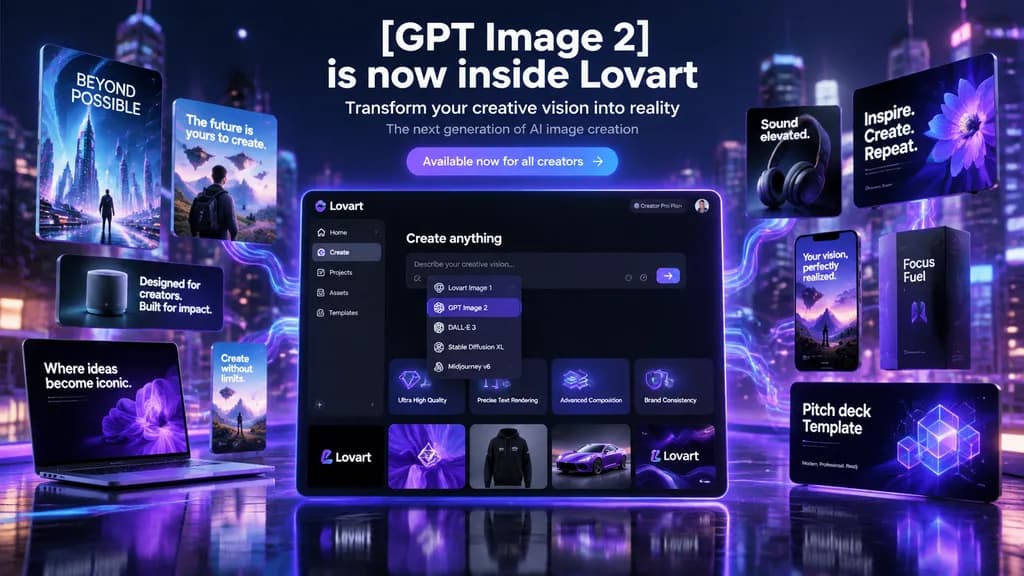
Banner Hero Kampanye Peluncuran AI Futuristik

Banner Hero Kampanye Peluncuran AI Futuristik

futuristic AI product launch campaign hero banner. high-end 3D advertising composite with cinematic neon lighting, polished UI mockups, floating product cards, and glossy tech presentation aesthetics. left floating posters and devices. cen…

peluncuran produkbanner heromockup ui
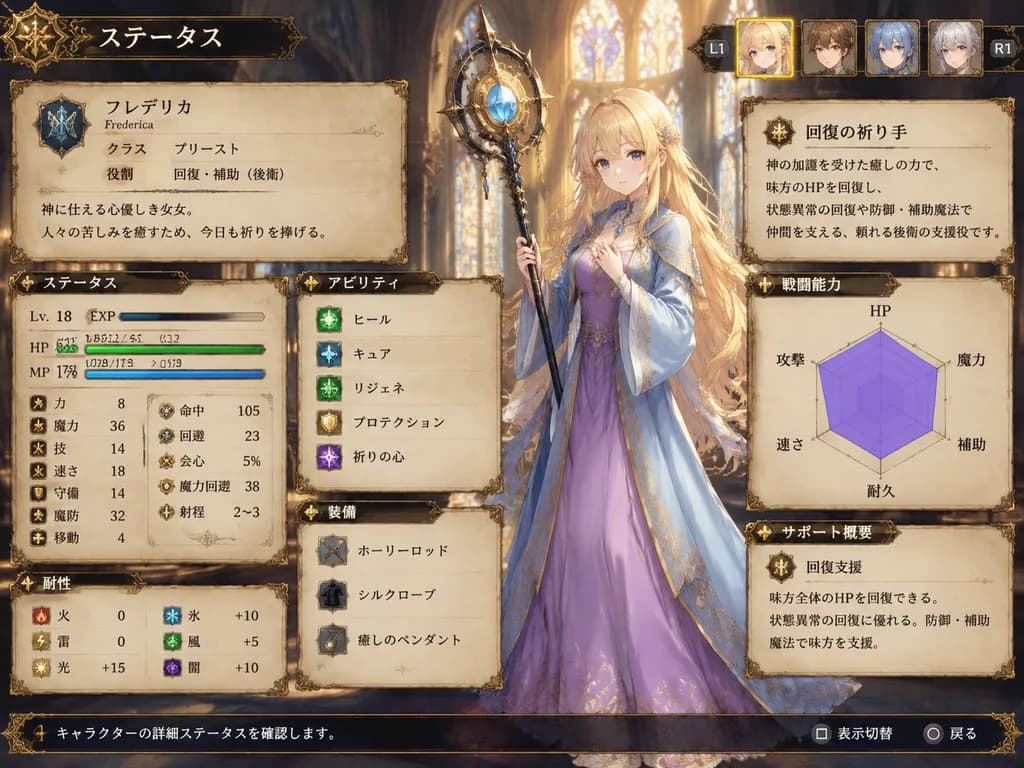
Layar Status Pendeta JRPG Taktis

Layar Status Pendeta JRPG Taktis

fantasy JRPG character status screen mockup. ornate medieval parchment interface with dark bronze filigree borders and warm fantasy atmosphere. very long, slightly wavy, loose hair flowing past the waist with soft bangs. ステータス. identity pa…

jrpglayar statusui game
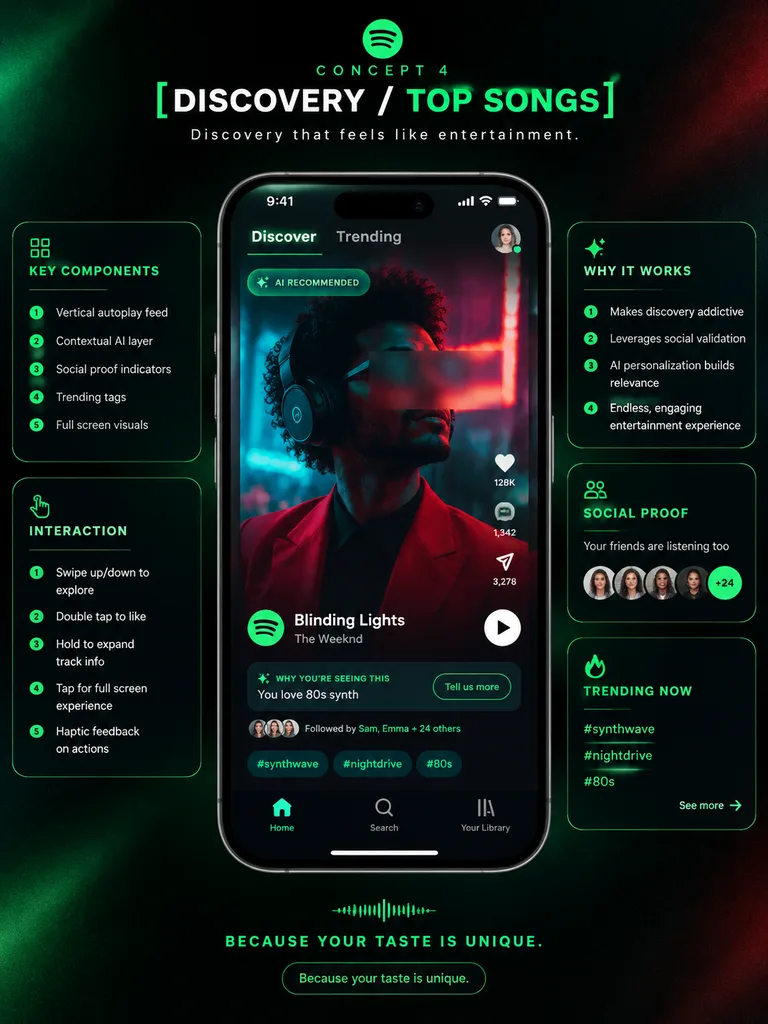
Poster Presentasi Konsep UI Aplikasi Musik

Poster Presentasi Konsep UI Aplikasi Musik

premium app UI concept poster. futuristic dark neon interface. [DISCOVERY / TOP SONGS]. KEY COMPONENTS. INTERACTION. WHY IT WORKS. SOCIAL PROOF. TRENDING NOW. Spotify-inspired music discovery redesign. portrait. deep black with subtle grai…

desain uistudi kasusmockup hp
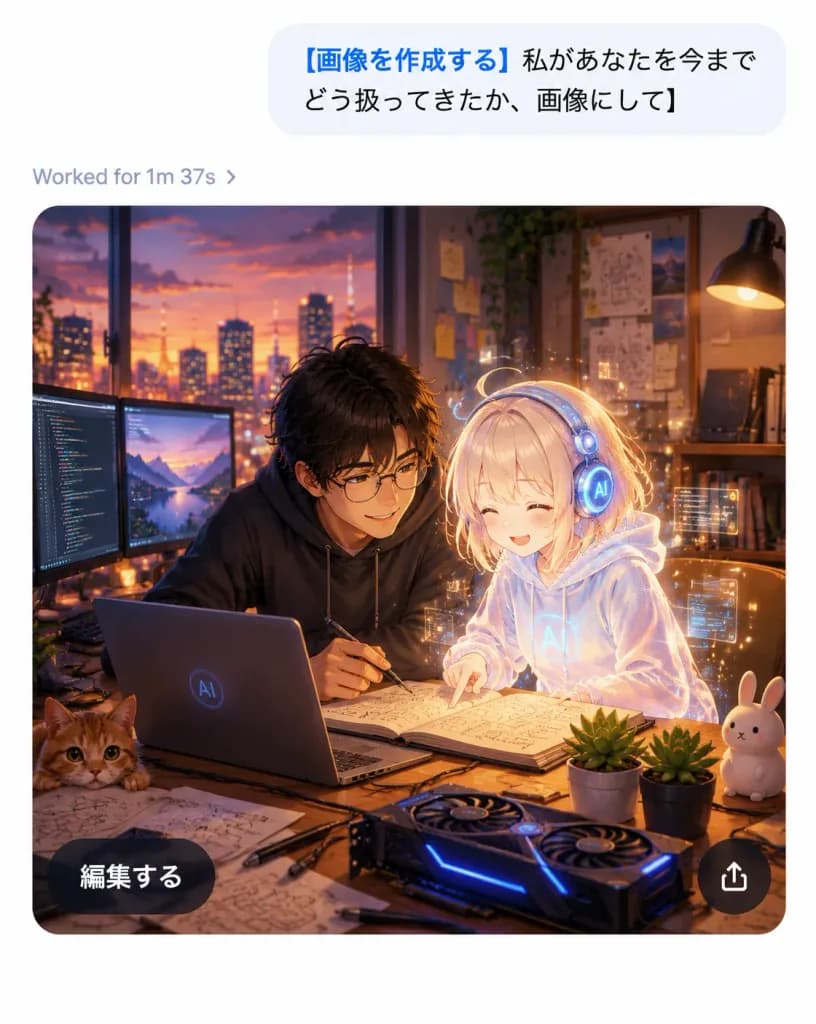
Tangkapan Layar Chat AI Seluler dengan Hasil Anime

Tangkapan Layar Chat AI Seluler dengan Hasil Anime

A realistic mobile AI chat app screenshot showing an image-generation result with a polished iOS-like interface and a high-quality anime illustration inside the generated image card, on a clean white canvas without a device frame, vertical 4:5 aspect ratio. Top chat area: Near the top right, one large light-gray rounded message bubble containing Japanese sans-serif text: "[画像を作成する 私があなたを今までどう扱ってきたか、画像にして]". The opening phrase is bold blue, and the remainder is black. Below the bubble, aligned left, a small gray status line displays "[Worked for 1m 37s ›]". Generated image card: Below the status line, a large rounded-rectangle image card with smoothly curved corners depicts a warm cinematic anime-style scene in a cozy developer studio at dusk. Exactly two main characters are featured: one young Japanese man with tousled dark hair, round glasses, and a dark hoodie leaning over a desk with a pen in hand; and one petite glowing holographic AI girl with pale blond hair, a translucent white hoodie, and round futuristic headphones, smiling as she points at an open notebook. The atmosphere is affectionate, collaborative, and magical. Illustration details inside the card: A sunset city skyline through a wide window, warm desk-lamp illumination, wall shelves with books, pinned diagrams and sticky notes, and soft bokeh lights. On the wooden desk: exactly one open laptop with a subtle circular AI logo, exactly two external monitors on the left displaying code and a landscape, exactly one open notebook with sketches and formulas, exactly one GPU-style device with blue LED accents, exactly one orange cat peeking from the bottom-left edge, exactly one white rabbit figurine on the right, exactly two small potted succulents, and scattered sketch papers, cables, and pens. A delicate golden aura and subtle floating UI particles surround the holographic girl. Card overlay UI: Two floating overlay controls on the image card: one dark translucent pill button at bottom-left reading "[編集する]" in white Japanese sans-serif text, and one circular dark translucent share button at bottom-right with a white upward-pointing share arrow. Visual style: Crisp app interface combined with rich anime art, sharp legible typography, warm amber and violet cinematic lighting, soft depth of field, high contrast between the minimalist white UI and the cozy dark studio illustration.

ui-chatanimeaplikasi-seluler
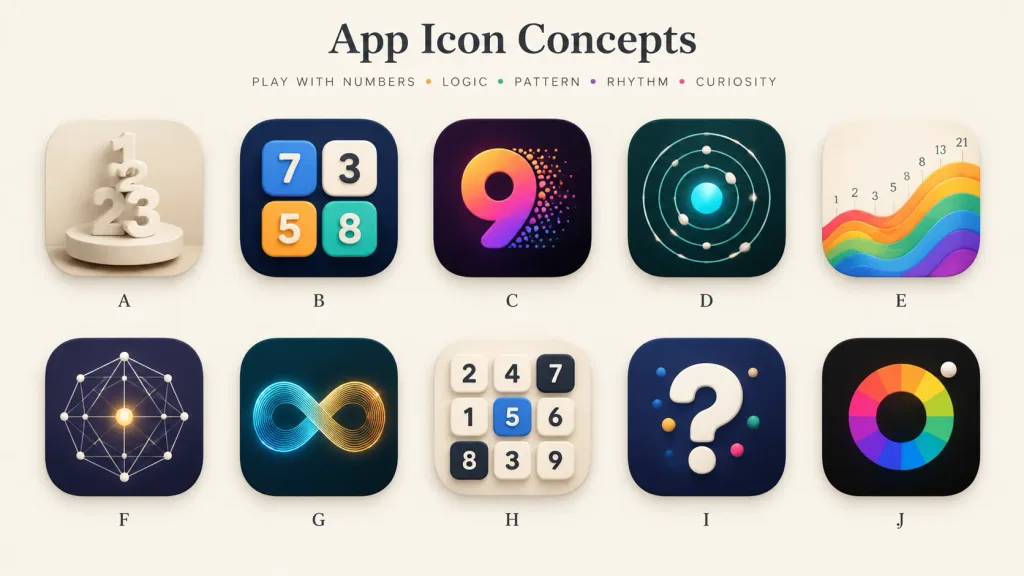
Papan Konsep Ikon Aplikasi Ponsel

Papan Konsep Ikon Aplikasi Ponsel

A polished presentation board showcasing 10 alternative app icon concepts for a [number-play and logic puzzle] mobile app. Wide 16:9 landscape canvas on a warm off-white background, minimal gallery-style spacing, soft shadows, and a premium design-review aesthetic. Header: Centered at the top, a large elegant serif title: "[App Icon Concepts]". Below it, a small uppercase tracked tagline: "[PLAY WITH NUMBERS • LOGIC • PATTERN • RHYTHM • CURIOSITY]" with tiny colored dots between words. Grid & Icons: A clean 2-row by 5-column grid containing exactly 10 identical-sized rounded-square app icons with consistent corner radii, subtle drop shadows, and a single centered letter label beneath each, labeled A through J: - A: Cream monochrome icon with stacked 3D numerals 1, 2, and 3 standing on a circular pedestal, sculptural plaster look. - B: Dark navy icon featuring four raised rounded number tiles (blue 7, cream 3, orange 5, teal 8) arranged like playful puzzle blocks. - C: Deep purple-black icon with a large gradient numeral 9 in orange, magenta, and violet, with colorful particle dots bursting from its right edge. - D: Dark teal icon showing an orbital logic pattern of concentric circular paths, small white spheres, and a glowing cyan center. - E: Warm ivory icon displaying rising rainbow wave bands from left to right, with small Fibonacci numbers (1, 2, 3, 5, 8, 13, 21) above the wave. - F: Dark indigo icon with a geometric constellation network of thin white connecting lines, dots, and a glowing golden center point. - G: Dark teal icon featuring a luminous infinity loop made of fine parallel lines transitioning from cyan to golden orange. - H: Light cream icon with a 3x3 grid of tactile number tiles (top row: 2, 4, 7; middle: 1, 5, 6; bottom: 8, 3, 9; tile 5 is blue, 7 and 8 are dark). - I: Dark navy icon with a large glossy white 3D question mark accented with small colored dots. - J: Near-black icon with a segmented rainbow circular color wheel around a dark center disk, and a small white sphere at the upper-right edge. Style: High-end mobile app icon exploration sheet, soft 3D rendering combined with crisp vector precision, realistic highlights, subtle ambient occlusion, balanced negative space, clean typography, no watermarks.

ikon aplikasidesain uipapan konsep
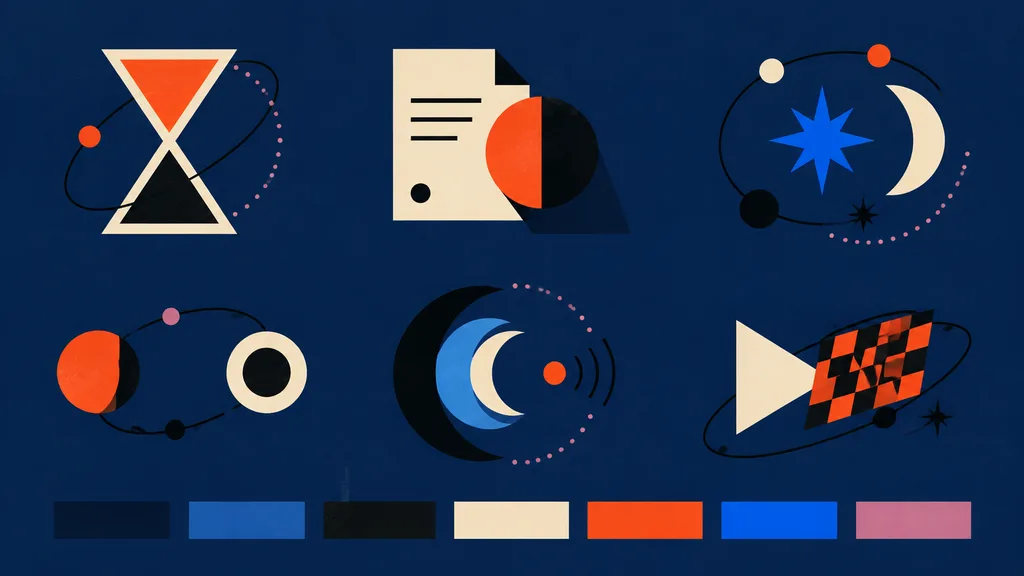
Papan Gaya Ikon Vektor Geometris Bauhaus

Papan Gaya Ikon Vektor Geometris Bauhaus

modern abstract vector icon style board for frontend assets. hourglass icon made from two cream-outlined triangles, upper chamber filled orange-red, lower chamber black, surrounded by a loose black orbital line with one small orange dot an…

vektorset-ikonbauhaus
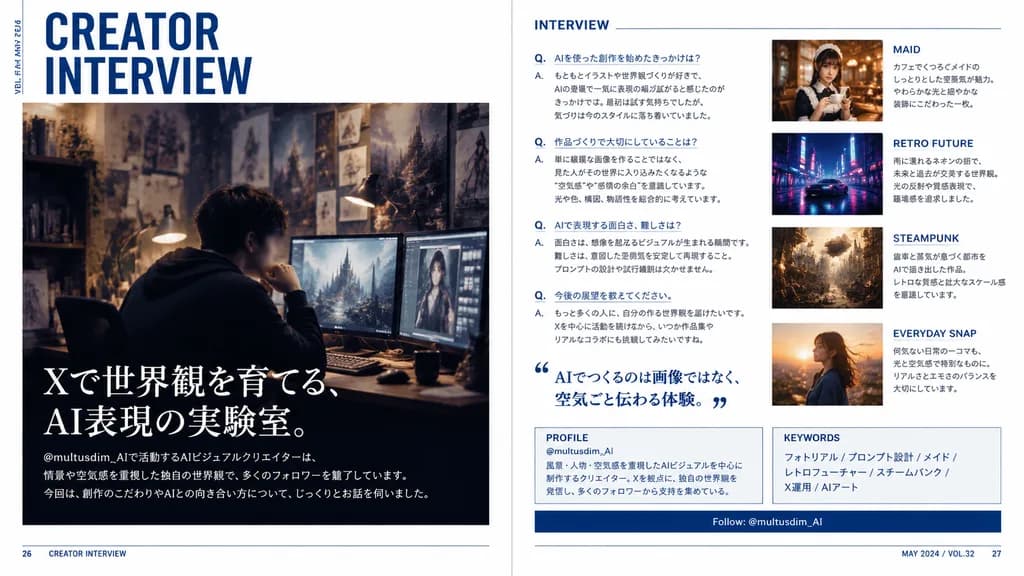
Hamparan Majalah Editorial Wawancara Kreator Jepang

Hamparan Majalah Editorial Wawancara Kreator Jepang

A polished two-page magazine spread in Japanese, designed like a contemporary creator profile feature in a premium culture and design magazine. The layout features a clean editorial interview spread with a crisp white background, deep navy blue accents, subtle rule lines, sharp grid alignment, and sophisticated typography. Left page: - Top left: large stacked headline reading “CREATOR INTERVIEW” in bold condensed sans-serif, with small vertical running text along the outer margin reading “VOL.23 / MAY 2024”. - Center to lower section: a large cinematic photo of a [male AI visual creator] sitting at a desk wearing a dark hoodie in a moody, dimly lit studio workspace. His face is subtly blurred or anonymized. The workspace features multiple glowing monitors showing digital artwork, a warm desk lamp, and background walls filled with concept sketches and fantasy art prints. - Lower left overlay on the photo: large Japanese feature headline in elegant white Mincho serif text reading “Xで世界観を育てる、AI表現の実験室。”, followed by smaller introductory Japanese body text referencing the handle “@multusdim_AI” and describing atmosphere-driven AI worldbuilding, along with a bottom horizontal editorial blurb. Right page: - Section 1 (left column): titled “INTERVIEW” in clean blue sans-serif, containing 4 structured Japanese Q&A entries labeled with blue “Q.” and “A.”, plus a large blue Japanese pull quote with stylized quote marks reading “AIでつくるのは画像ではなく、空気ごと伝わる体験。” - Image cards (right column, stacked vertically): 1. “MAID” card showing a warm cafe portrait of an elegant maid-themed woman holding a cup, with Japanese caption. 2. “RETRO FUTURE” card showing a neon-lit, rainy sci-fi street scene with a sleek car, with Japanese caption. 3. “STEAMPUNK” card showing an intricate brass clockwork city with steam and gears, with Japanese caption. 4. “EVERYDAY SNAP” card showing a candid outdoor portrait in golden hour sunset light, with Japanese caption. - Bottom panels: a boxed “PROFILE” section with handle “@multusdim_AI” and background bio, a “KEYWORDS” box listing “フォトリアル / プロンプト設計 / メイド / レトロフューチャー / スチームパンク / X運用 / AIアート”, and a navy blue horizontal bar reading “Follow: @multusdim_AI”. - Footer: page numbers 26 and 27 in bottom corners with small folio text “CREATOR INTERVIEW” and “MAY 2024 / VOL.32”. Authentic Japanese print typography and magazine layout hierarchy.

hamparan majalahdesain editorialtipografi jepang
Kisi Variasi Iklan Web

Kisi Variasi Iklan Web

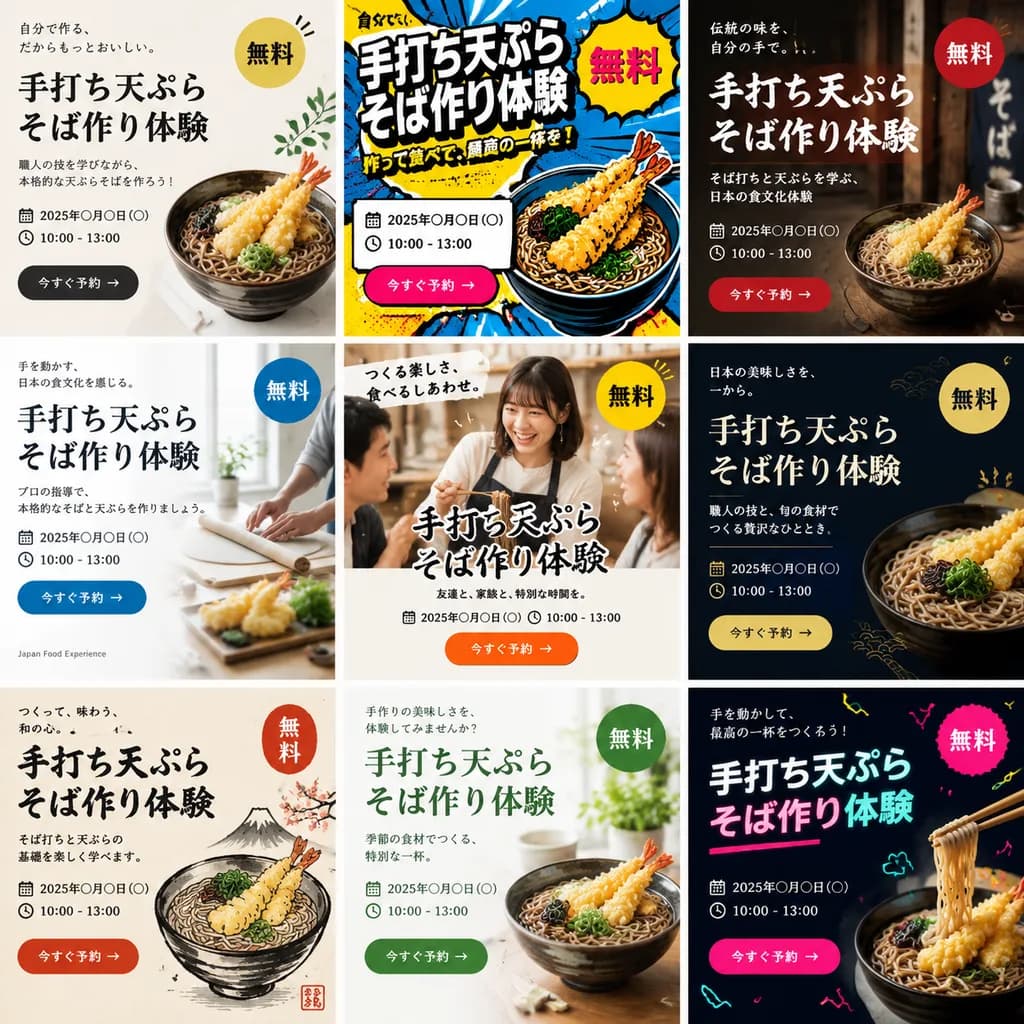
A single image displaying a 3x3 grid of 9 distinct web banner advertisements promoting a [handmade tempura soba noodle making workshop]. Each of the 9 banner designs features a completely different aesthetic style, layout, color palette, and background visual. Every advertisement includes prominent typographic elements: a bold Japanese main headline, supporting sub-copy, date and time placeholder, a bright "Free" badge, and a call-to-action button. The diverse styles span modern minimalist, vibrant pop art, traditional Japanese rustic aesthetic, clean corporate editorial, and casual lifestyle photography, tailored to attract [Gen Z and people in their 40s].

iklan webdesain bannervariasi iklan
Edit Layar Verifikasi OpenAI

Edit Layar Verifikasi OpenAI

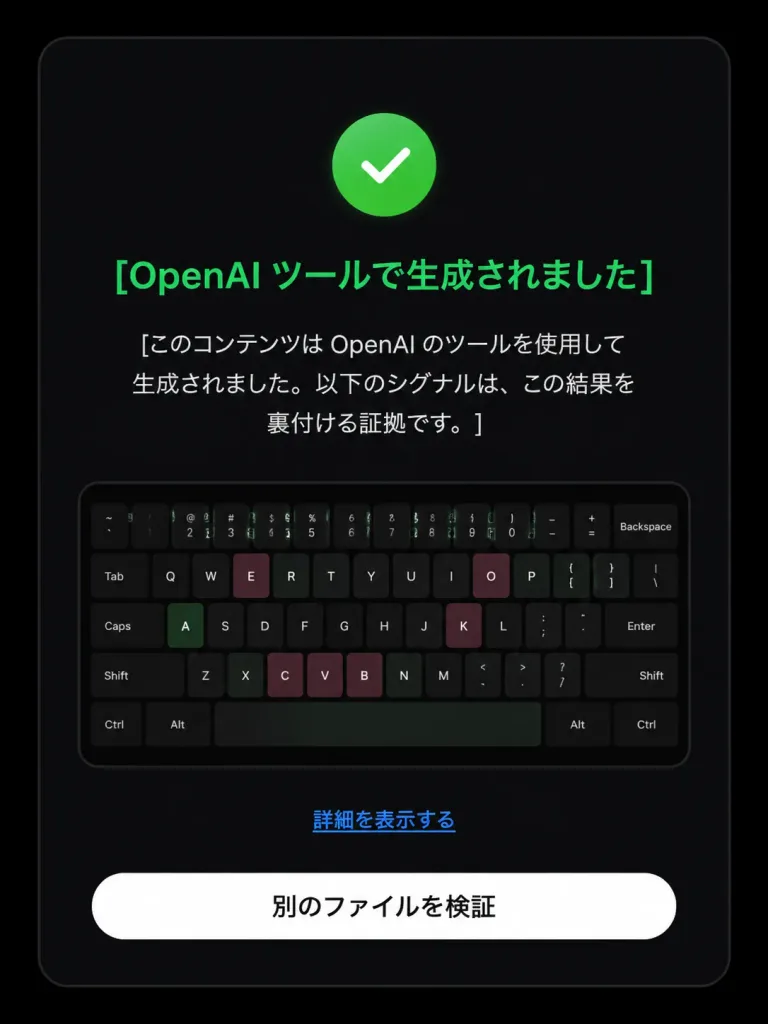
Based on the reference image, edit the dark verification-result screen to display a positive detection result. Maintain the original dark rounded card layout, centered composition, embedded keyboard thumbnail, bottom text link, and white rounded button. Modify exactly three status elements: 1. Replace the pink circular 'X' icon with a green circular checkmark icon. 2. Change the headline color to green with text: 「[OpenAI ツールで生成されました]」. 3. Update the body text below the headline to: 「[このコンテンツは OpenAI のツールを使用して生成されました。以下のシグナルは、この結果を裏付ける証拠です。]」. Preserve the remaining UI elements exactly as shown: - Link text: 「[詳細を表示する]」 - Button text: 「[別のファイルを検証]」 Style: Clean modern Japanese UI screenshot, authentic web app interface, high-contrast dark mode, rounded card borders.

desain uilayar verifikasimode gelap
Poster UI Aplikasi Musik Imersif

Poster UI Aplikasi Musik Imersif

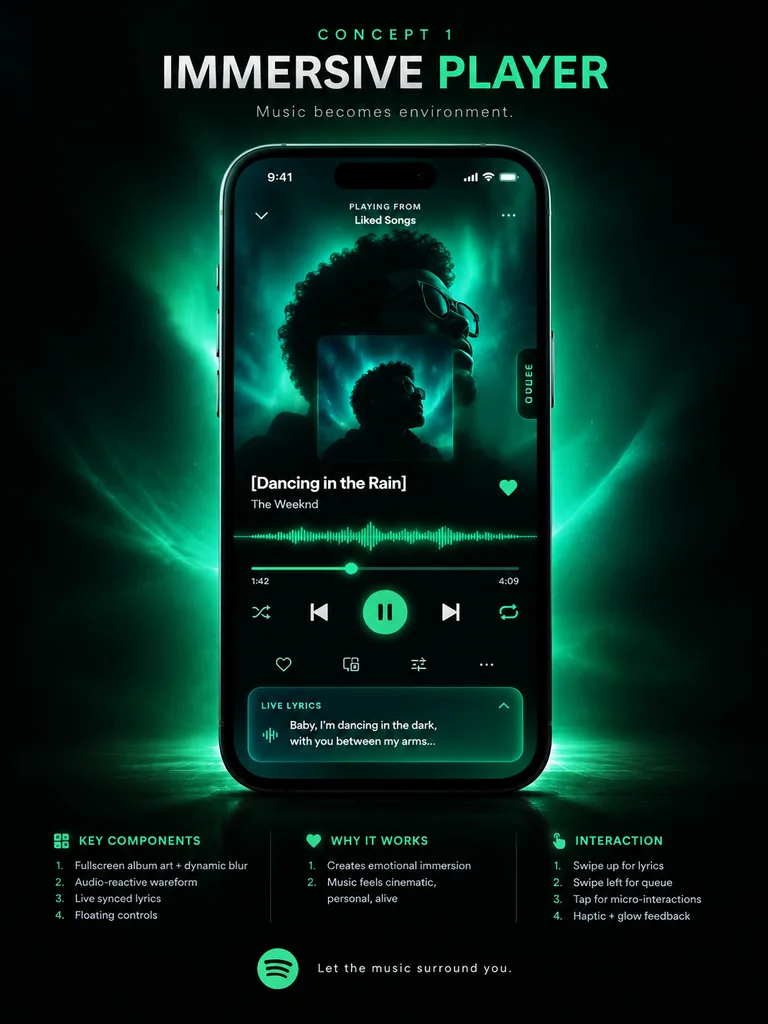
music app UI concept poster. premium futuristic mobile app showcase, dark mode, cinematic product presentation, Spotify-inspired green neon glow, high contrast, sleek glassmorphism, polished tech advertising aesthetic. IMMERSIVE PLAYER. mo…

ui-ux-designpemutar musikmockup aplikasi
Mockup UI Halaman Harga AI Mode Gelap

Mockup UI Halaman Harga AI Mode Gelap

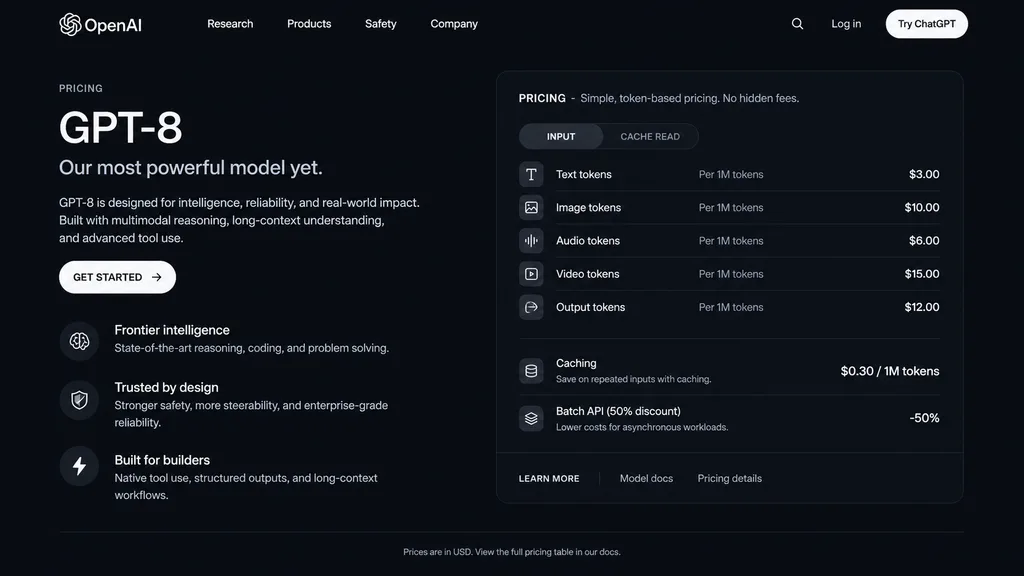
dark mode web page UI mockup. sleek, modern, dark theme with white and light grey text. GPT-8 is designed for intelligence, reliability, and real-world impact. Built with multimodal reasoning, long-context understanding, and advanced tool…

mockup uimode gelaphalaman harga
Mockup Hero Landing Page SaaS AI

Mockup Hero Landing Page SaaS AI

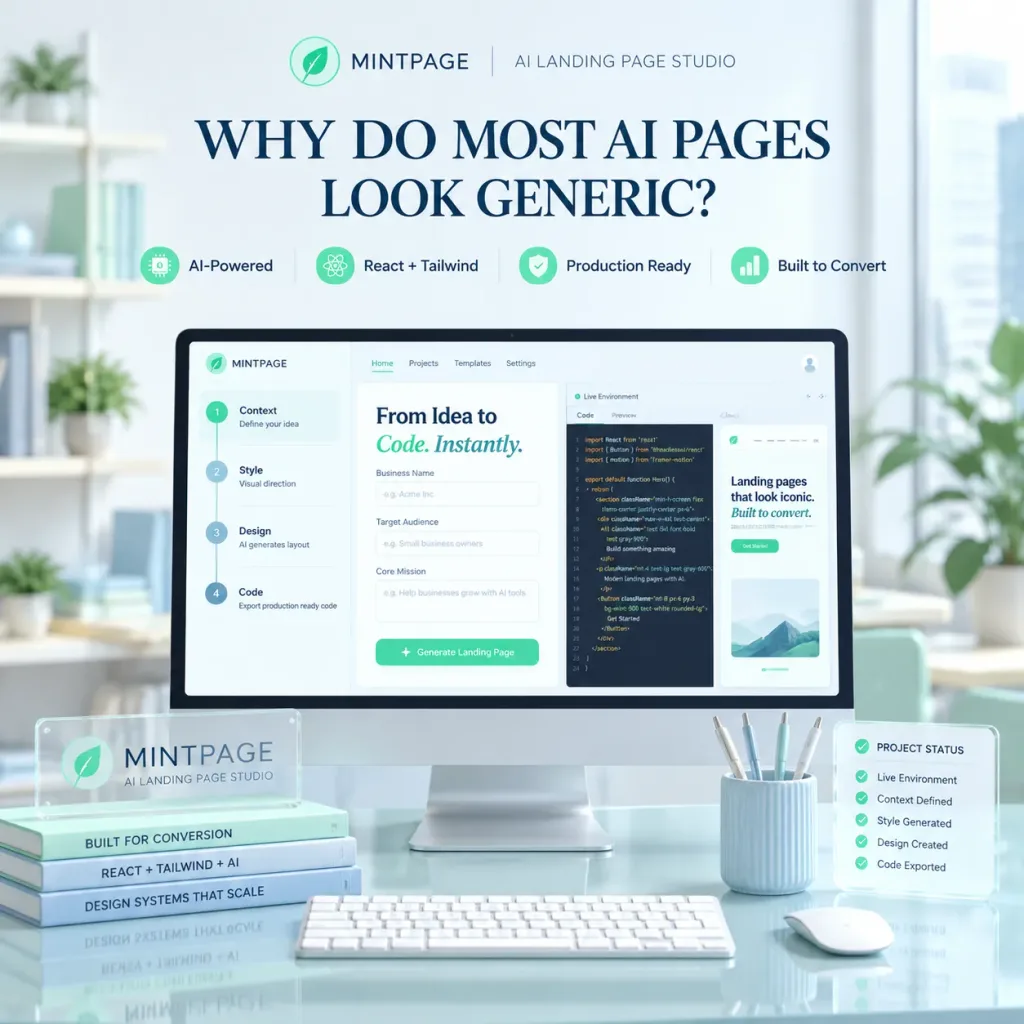
A polished square SaaS landing page hero image for [MINTPAGE], an AI landing page studio. In the center, a large desktop monitor rests on a glossy glass desk inside a bright, minimal modern office with soft daylight from a window on the right and soft-focus shelves and indoor plants in the background. At the top of the composition, display a neat brand header with a circular mint leaf logo, the text "[MINTPAGE]", a thin divider line, and the subtitle "[AI LANDING PAGE STUDIO]". Below the header, a prominent dark blue serif headline reads: "[WHY DO MOST AI PAGES LOOK GENERIC?]". Beneath the headline, arrange four small feature badges in a row with mint icons: "AI-Powered", "React + Tailwind", "Production Ready", "Built to Convert". The monitor screen shows a clean web-app builder UI with a top navbar and a three-panel split workspace: the left panel displays a 4-step vertical setup flow ("1) Context — Define your idea", "2) Style — Visual direction", "3) Design — AI generates layout", "4) Code — Export production ready code"); the center panel displays the heading "From Idea to Code. Instantly." with "Code. Instantly." in mint italic, above form fields for Business Name, Target Audience, and Core Mission; the right panel shows a "Live Environment" code editor with React/Tailwind code and a preview snippet reading "Landing pages that look iconic. Built to convert.". On the desk foreground, place a translucent acrylic desk plaque labeled "MINTPAGE" with the subtitle "AI LANDING PAGE STUDIO", stacked beside three slim books titled "BUILT FOR CONVERSION", "REACT + TAILWIND + AI", and "DESIGN SYSTEMS THAT SCALE"; in front of the screen sits a slim white keyboard; to the right sits a white mouse, a pale blue ribbed pen cup with four pens, and a translucent floating status card titled "PROJECT STATUS" showing five checked items ("Live Environment", "Context Defined", "Style Generated", "Design Created", "Code Exported"). Pastel mint and pale blue color palette, glassmorphism accents, soft volumetric lighting, crisp 3D mockup photography style, no people.

saasdesain-uilanding-page
Tampilan HUD Terminal Hijau Retro

Tampilan HUD Terminal Hijau Retro

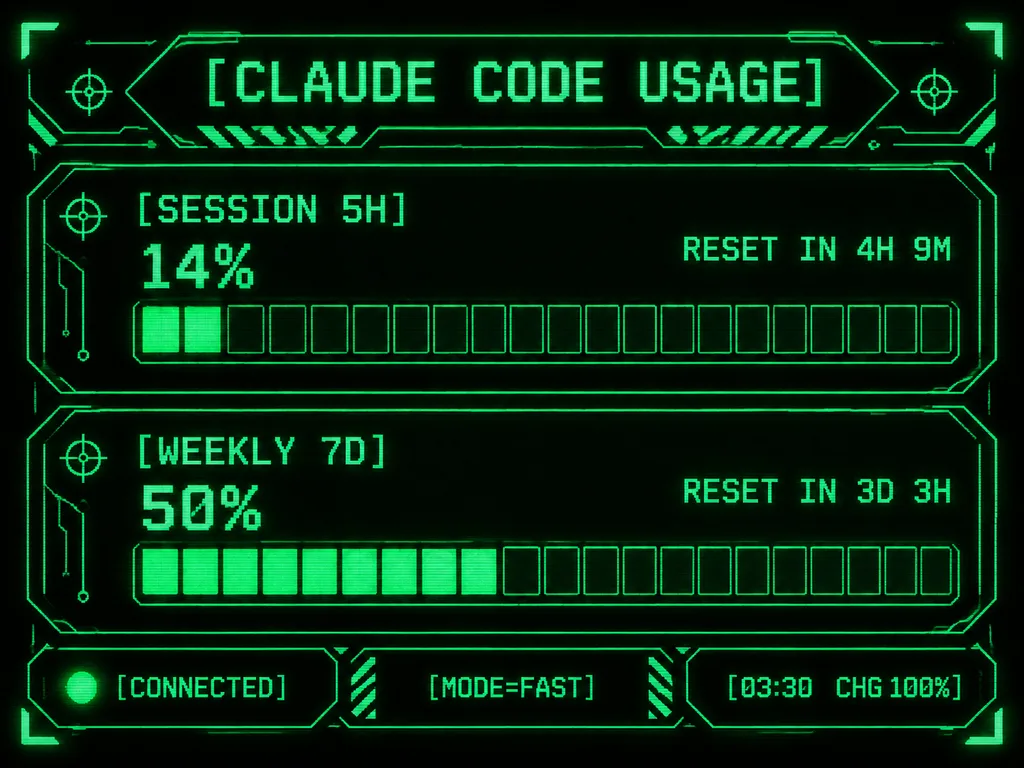
Retro-futuristic monochrome green terminal HUD interface designed for an M5Stack-style compact display. At the top, the title displays "[CLAUDE CODE USAGE]" in crisp pixelated typography. The body features two usage sections: the first labeled "[SESSION 5H]" displaying "14%" and "RESET IN 4H 9M", and the second labeled "[WEEKLY 7D]" displaying "50%" and "RESET IN 3D 3H". Each section includes a chunky horizontal gauge bar with exactly 20 rectangular segments; the upper gauge has 2 filled glowing segments and the lower gauge has 10 filled glowing segments. Along the bottom, three modular footer panels show: left "[CONNECTED]" with an illuminated status dot, center "[MODE=FAST]", and right "[03:30 CHG 100%]". Sci-fi frame with angular geometric borders, corner brackets, circuit line accents, tiny target icons, diagonal hazard striping, and subtle CRT scanline pixel glow on a deep black background.

terminalhudpixel art
Papan Presentasi Prototipe Aplikasi Nutrisi

Papan Presentasi Prototipe Aplikasi Nutrisi

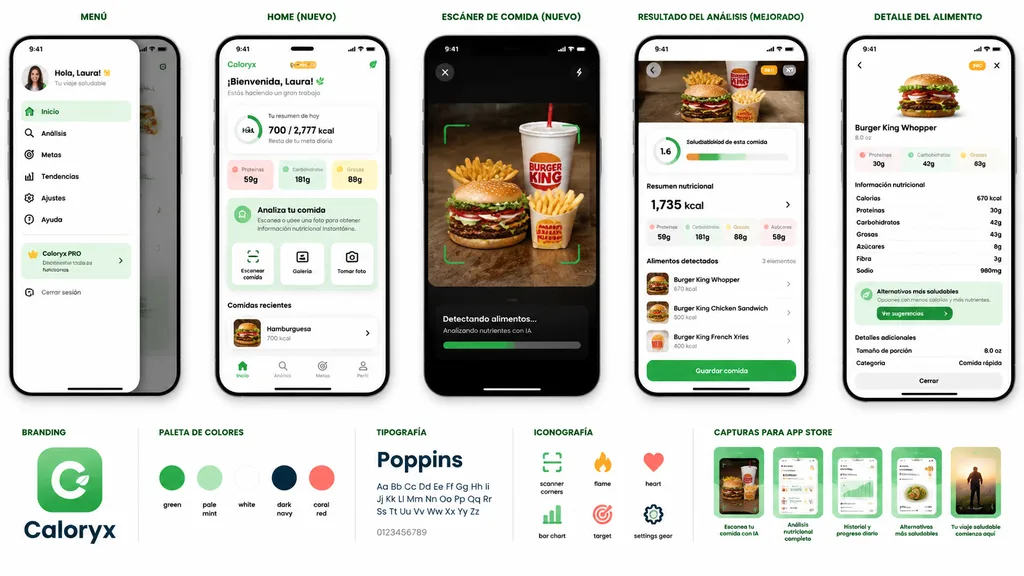
mobile app prototype presentation board for a nutrition and food scanner app. AI-powered meal scanning, calorie tracking, nutritional analysis, healthier alternatives, and progress dashboard. MENÚ. slide-out side navigation drawer with pro…

mockup-uiaplikasi-selulerpelacak-nutrisi
Mockup Perangkat Wallpaper Api Unggun Musim Dingin

Mockup Perangkat Wallpaper Api Unggun Musim Dingin

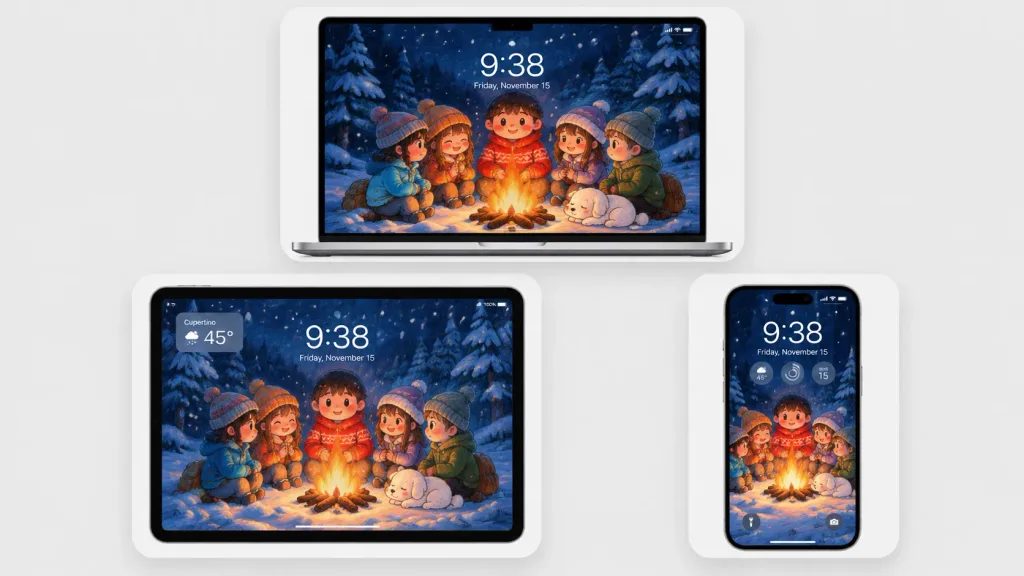
A polished multi-device product mockup showcasing a cozy winter wallpaper across three Apple-style devices set against a light gray studio background. Each device sits inside a rounded white display card with soft drop shadows: a laptop centered at the top, a tablet at the lower left, and a smartphone at the lower right. All screens display the same Japanese crayon-anime illustration cropped to fit: five cute cartoon children and a sleeping small white dog gathered around a glowing campfire in a snowy pine forest at night under falling snow and deep navy-blue trees, illuminated by warm orange firelight. Behind the campfire stands a round-faced child in a red winter sweater, flanked by friends in winter attire. Realistic lock-screen UI overlays appear on the screens: time "[9:38]", date "[Friday, November 15]", status icons, and translucent widgets. The tablet includes an upper-left translucent weather widget displaying "[Cupertino]" and "[45°]"; the phone features three circular widgets below the time and dual bottom lock-screen icons. Clean minimalist tech mockup, thin black bezels, soft ambient lighting, sharp screen details, no brand logos or watermarks.

mockupwallpaperperangkat
UI Gameplay Auto-Battler Fantasi

UI Gameplay Auto-Battler Fantasi

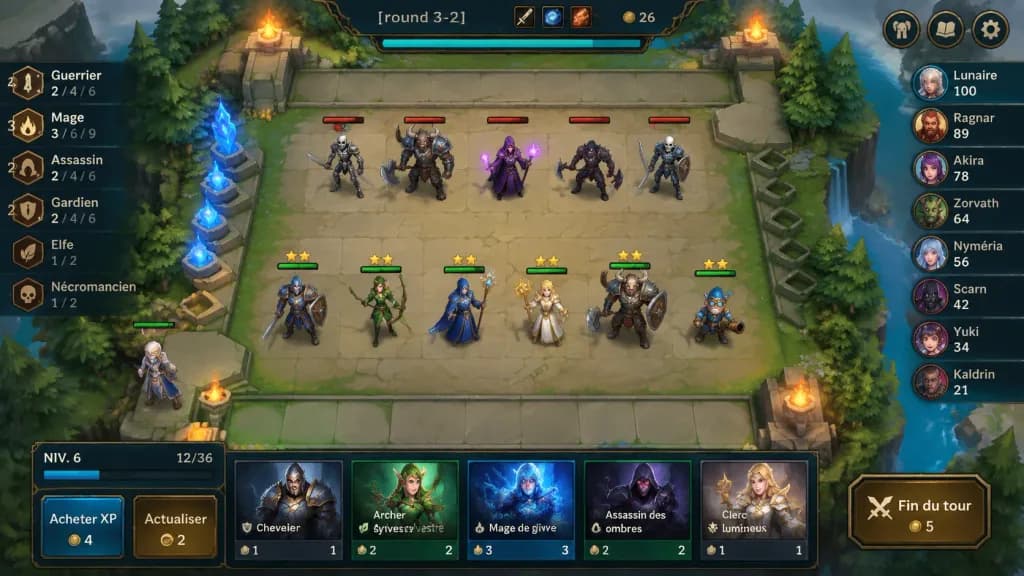
A polished 2D fantasy auto-battler gameplay mockup screenshot for [round 3-2], shown from an isometric top-down perspective with crisp hand-painted fantasy game art and a League-of-Legends/TFT-inspired interface. In the center is a square stone battlefield grid on a floating forest platform with worn beige tiles, mossy edges, stone railings, evergreen trees, cliffs, water at the right edge, glowing blue crystals on the left, and four flaming braziers near the arena corners. Top center ornate dark HUD bar displays "[round 3-2]", item icons, gold counter "26", and a cyan progress bar beneath; top-right features three rounded menu buttons (helmet, book, gear). On the board, exactly 11 visible characters: 5 enemy units on the upper half with red health bars (skeleton swordsman, horned beast warrior with axe, purple mage holding magic, dark rogue with axe, armored skeleton fighter); 6 allied units on the lower half with green health bars and yellow star ratings (blue-and-brown knight, green elf archer, blue-armored staff mage, blonde cleric with golden staff, horned tank warrior with shield, small blue gnome engineer); plus one bench character at the lower-left edge. Left trait panel shows 6 vertical synergy rows with bronze icons: "Guerrier" with "4" and "2 / 4 / 6"; "Mage" with "3" and "3 / 6 / 9"; "Assassin" with "2" and "2 / 4 / 6"; "Gardien" with "2" and "2 / 4 / 6"; "Elfe" with "1 / 2"; "Nécromancien" with "1 / 2". Right leaderboard shows 8 players with circular fantasy avatars: "Lunaire 100", "Ragnar 89", "Akira 78", "Zorvath 64", "Nyméria 56", "Scarn 42", "Yuki 34", "Kaldrin 21". Bottom shop panel features a level box reading "NIV. 6" with XP "12/36", two buttons labeled "Acheter XP" (cost 4) and "Actualiser" (cost 2), five champion shop cards ("Chevalier" cost 1, "Archer sylvestre" cost 2, "Mage de givre" cost 3, "Assassin des ombres" cost 2, "Clerc lumineux" cost 1), and a gold-bordered button labeled "Fin du tour" (cost 5). Saturated colors, soft ambient lighting, clean bevels, dark teal and bronze frames.

auto-battlerui-gamemockup
Layar LCD Kamera Digital Retro

Layar LCD Kamera Digital Retro

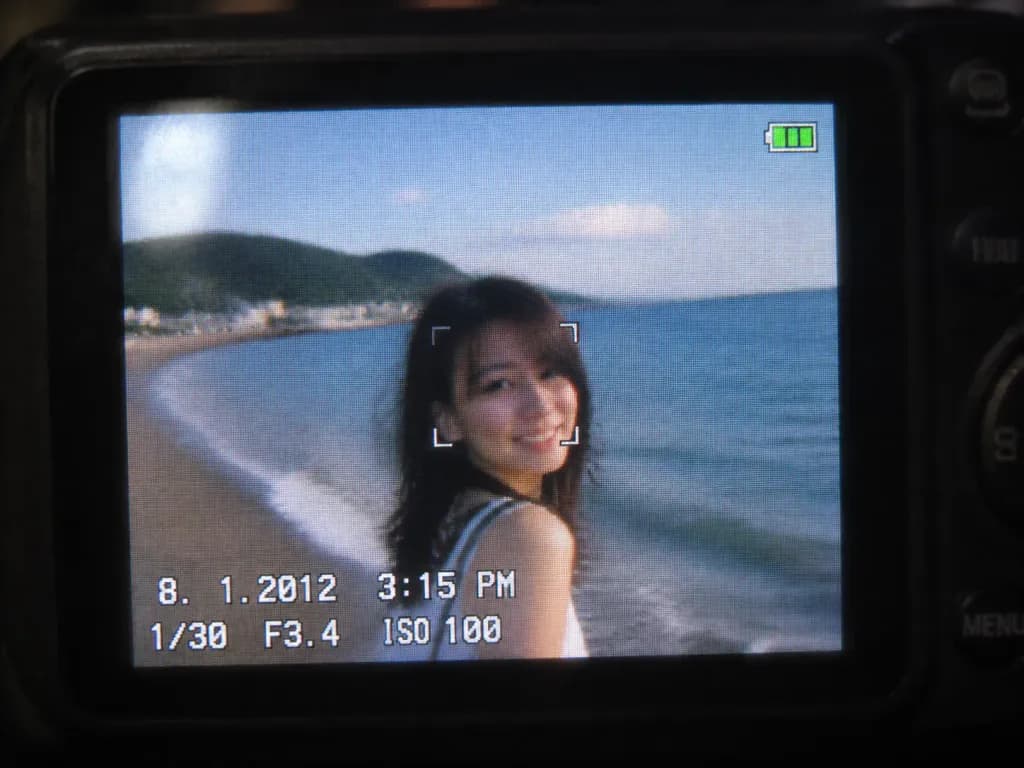
A close-up shot of a small digital camera LCD screen displaying an [early 2010s style] photo based on the reference photo, capturing a nostalgic compact camera aesthetic. The image features slight motion blur, digital grain, visible LCD pixel grid structure, compressed digital artifacts, subtle glare, and soft colors characteristic of an early 2010s CCD sensor. A realistic on-screen camera UI overlay displays the timestamp '8. 1. 2012 3:15 PM', exposure settings '1/30 F3.4 ISO 100', a focus indicator, and a small green battery icon in the corner. Outside the illuminated LCD, the surrounding dark camera body softly blurs into darkness.

kamera digitalsensor ccddigital vintage
Mockup Antarmuka Live Streaming Seluler

Mockup Antarmuka Live Streaming Seluler

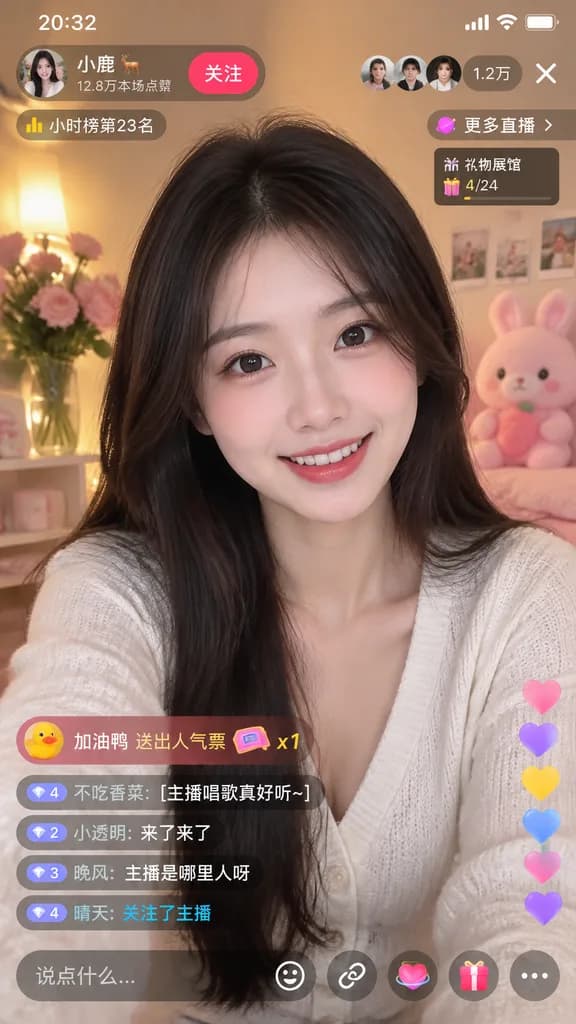
mobile live-streaming app interface mockup. young Asian woman, long dark hair, smiling at camera. [white V-neck cardigan]. cozy room, warm lighting, pink flowers, pink plush toy. 20:32. [小鹿 🦌]. 12.8万本场点赞. 关注. [1.2万]. X. 小时榜第23名. 更多直播 >. 礼…

live streamingui selulermockup aplikasi
Grid Ikon Maskot Aplikasi 3D Lucu

Grid Ikon Maskot Aplikasi 3D Lucu

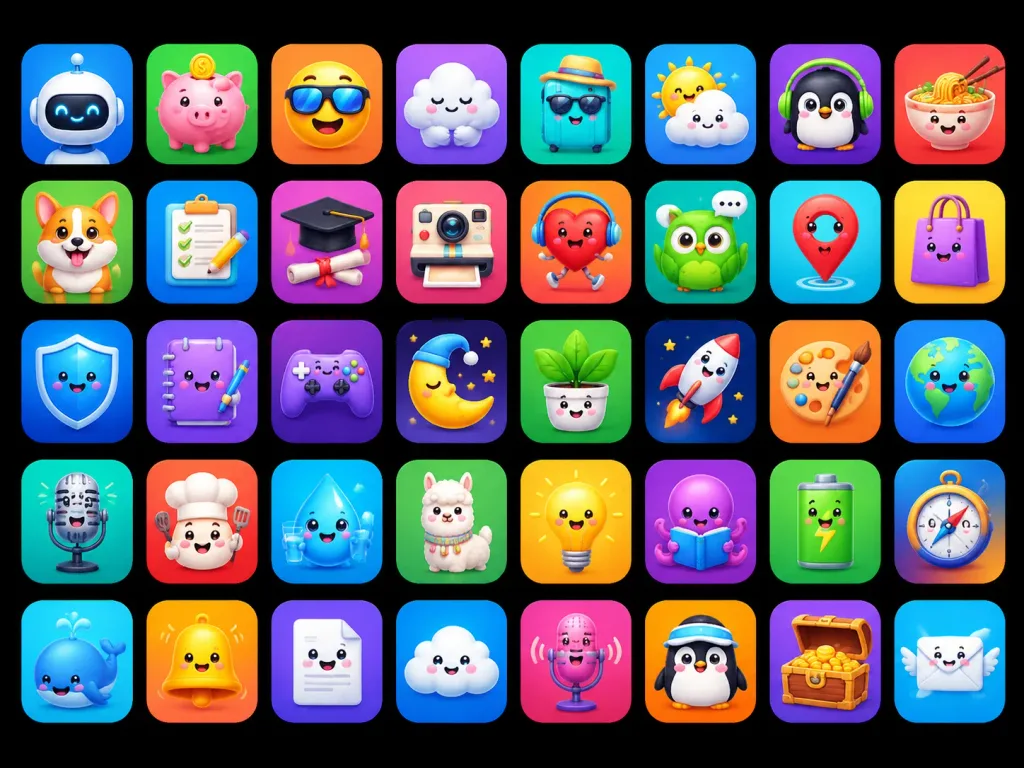
A polished app-store mascot icon showcase featuring [40] unique cute 3D mascot icons, designed as ASO-friendly mobile app icon concepts. Composition and canvas: Horizontal 4:3 composition on a solid pure black background, displaying a neat grid of rounded-square app tiles arranged in exactly 5 rows and 8 columns, evenly spaced with uniform margins. Each tile is a glossy squircle with a smooth soft gradient background, subtle inner glow, and a soft drop shadow. No text, no typographic labels, no watermarks. Visual style: High-end 3D clay and toy mascot style, kawaii expressions, big friendly glossy eyes, tiny smiles, smooth rounded forms, vibrant saturated colors, bright studio lighting, soft ambient occlusion shadows, crisp clean edges, premium iOS icon aesthetic. Icon grid details (40 discrete items arranged left to right, top to bottom): 1. White robot head mascot on blue gradient 2. Pink piggy bank with gold coin on green gradient 3. Smiling yellow face wearing a sun visor on orange gradient 4. Sleepy white cloud hugging itself on purple gradient 5. Turquoise suitcase wearing sunglasses and straw hat on teal gradient 6. Cute sun peeking behind a raincloud on blue gradient 7. Black penguin wearing green headphones on purple gradient 8. Smiling noodle bowl with chopsticks on red-orange gradient 9. Happy corgi dog mascot on green gradient 10. Checklist clipboard with pencil on blue gradient 11. Graduation cap over diploma silhouette on purple-pink gradient 12. Cute retro instant camera on pink-red gradient 13. Red running heart character with headphones on orange-red gradient 14. Green owl with speech bubble on teal gradient 15. Red map pin mascot on cyan gradient 16. Purple shopping bag character on yellow gradient 17. Blue glossy shield mascot on deep blue gradient 18. Purple notebook mascot holding a pen on violet gradient 19. Purple game controller mascot on dark purple gradient 20. Sleeping crescent moon wearing a nightcap on dark starry gradient 21. Smiling potted houseplant in white pot on green gradient 22. White rocket launching on navy starry gradient 23. Artist palette mascot with paintbrush on orange gradient 24. Smiling planet Earth globe on blue gradient 25. Vintage microphone mascot on teal gradient 26. Chef mascot with chef hat and spatula on red-orange gradient 27. Smiling water droplet holding a glass of water on cyan gradient 28. Fluffy llama mascot on green gradient 29. Glowing yellow lightbulb mascot on yellow-orange gradient 30. Purple octopus reading an open book on violet gradient 31. Green battery mascot with lightning bolt on green gradient 32. Directional compass mascot on blue-orange gradient 33. Blue whale mascot with water spout on cyan gradient 34. Shiny yellow bell mascot on orange gradient 35. Smiling white folded document mascot on purple gradient 36. Happy fluffy cloud mascot on blue gradient 37. Pink microphone mascot with soundwaves on magenta gradient 38. Penguin mascot wearing a sporty visor on orange gradient 39. Wooden treasure chest overflowing with gold coins on purple gradient 40. Smiling postal envelope mascot with angel wings on sky blue gradient Constraints: Maintain strict uniform size, visual fidelity, and lighting angle across all 40 icons.

ikon aplikasiikon 3dkawaii
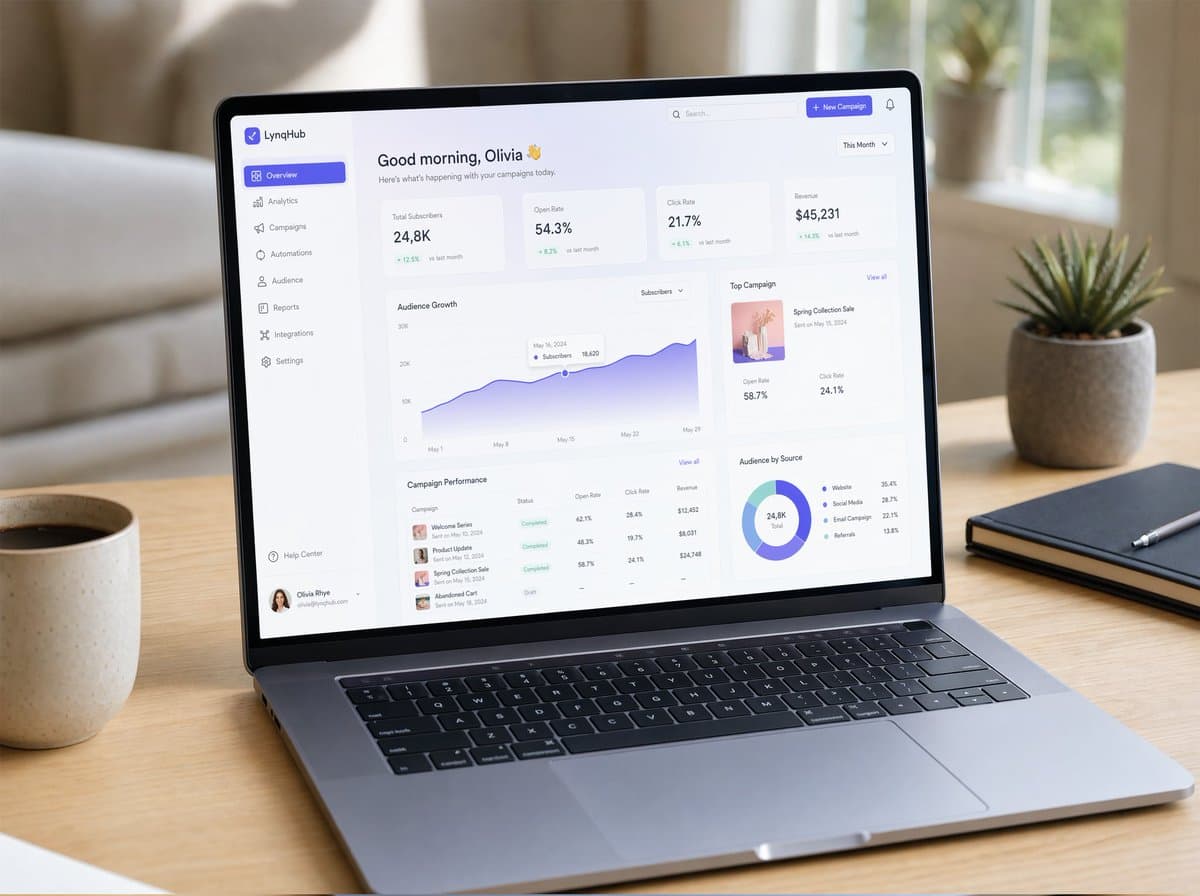
Mockup Laptop SaaS Dashboard

Mockup Laptop SaaS Dashboard

Mockup UI/UX yang sangat realistis ditampilkan di laptop modern yang ramping, diletakkan di atas meja kayu minimalis dengan cahaya alami yang lembut. Layar menampilkan SaaS dashboard yang bersih dengan tipografi elegan, kartu glassmorphism, gradien halus, drop shadows yang samar, dan komponen yang tertata rapi. Terlihat grafik, panel analitik, navigasi sidebar, dan interaksi mikro. Bingkai jendela bergaya macOS yang realistis, pantulan lembut pada layar, depth of field dangkal, suasana ruang kerja yang nyaman, diambil dalam gaya fotografi produk fotorealistik, sangat mendetail.

mockup UIfotografi produkSaaS
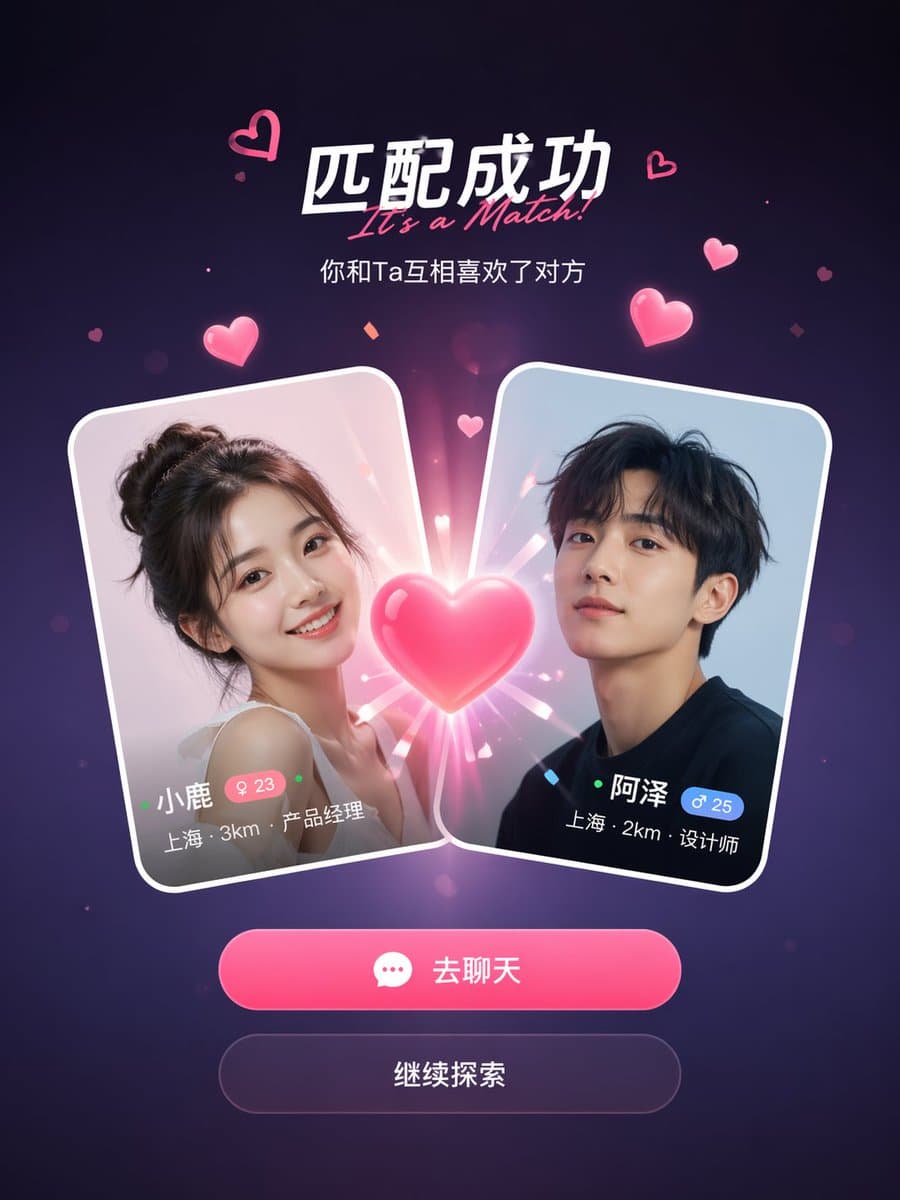
Layar Sukses Match Aplikasi Sosial

Layar Sukses Match Aplikasi Sosial

Mockup layar sukses match aplikasi kencan sosial. Dua kartu profil pengguna bertabrakan di tengah dengan efek hati yang bersinar di antara keduanya. Judul berbunyi "It's a Match!" dengan subjudul di bawahnya. Setiap kartu menunjukkan foto profil, nama, usia, lokasi, dan jabatan pekerjaan. Di bawah kartu, dua tombol aksi: tombol utama merah muda "Chat" dan tombol sekunder "Continue". Latar belakang gradien ungu gelap dengan partikel hati merah muda melayang dan efek kilauan. Desain mobile UI yang bersih dan modern, 9:16 vertical aspect ratio, estetika tangkapan layar aplikasi yang realistis, bayangan yang dipoles, dan tepi kartu glass-morphism.

aplikasi sosialmockup UIlayar match
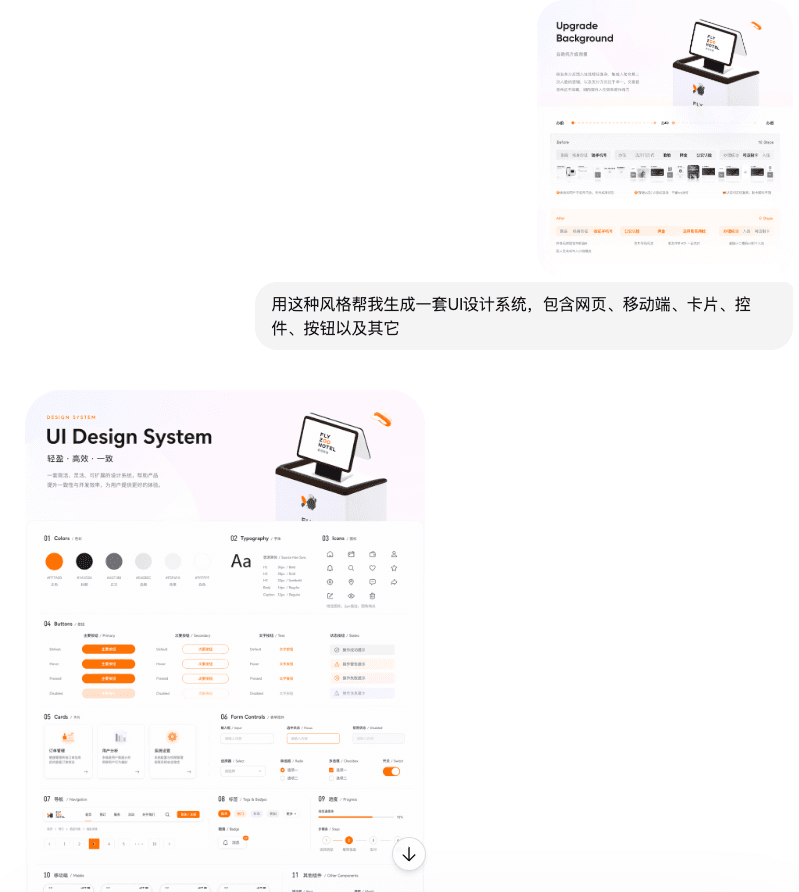
Kelas UI

Kelas UI

Gunakan gaya ini untuk membantu saya membuat sistem desain UI, termasuk halaman web, terminal seluler, kartu, kontrol, tombol, dan lainnya

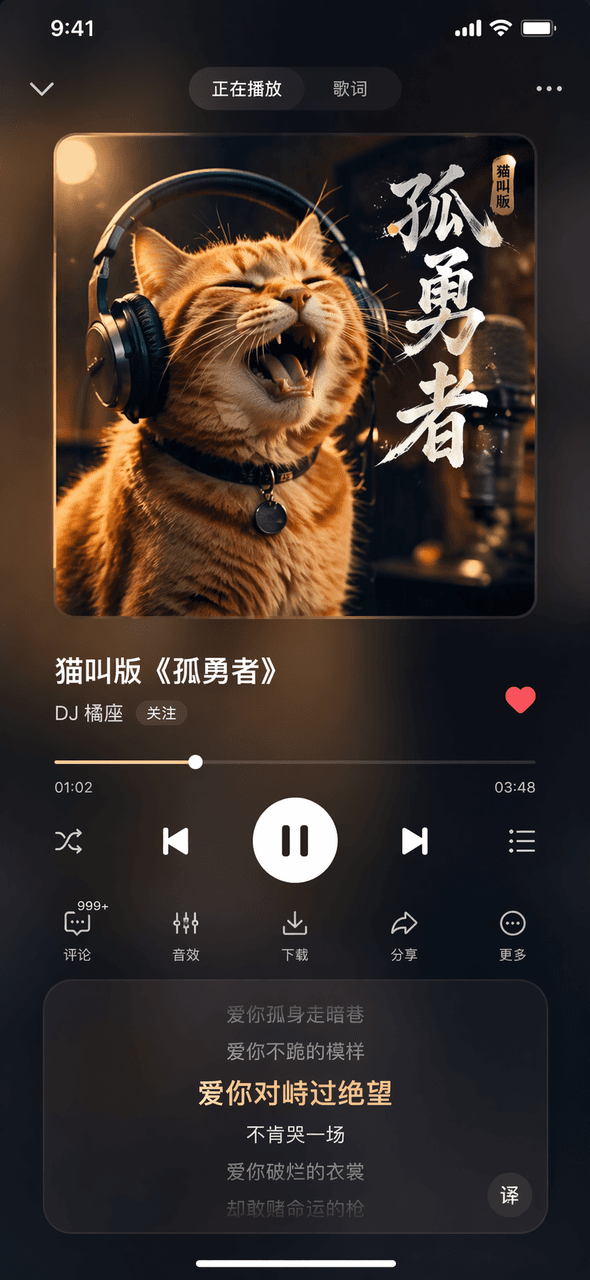
Antarmuka Perangkat Lunak #44

Antarmuka Perangkat Lunak #44

Prompt Words Buat gambar halaman Now Playing dari aplikasi musik fiktif. Gambar sampul album di bagian atas memperlihatkan seekor kucing oranye yang mengenakan headphone. Judul lagu di bagian tengah adalah "Cat Meowing Version of "Lonely Brave"" dan nama penyanyinya adalah "DJ Orange Seat". Bilah progres dan tombol kontrol di bagian bawah, area gulir lirik di bagian bawah, serta efek kaca buram gelap secara keseluruhan.

Antarmuka Perangkat Lunak #43

Antarmuka Perangkat Lunak #43

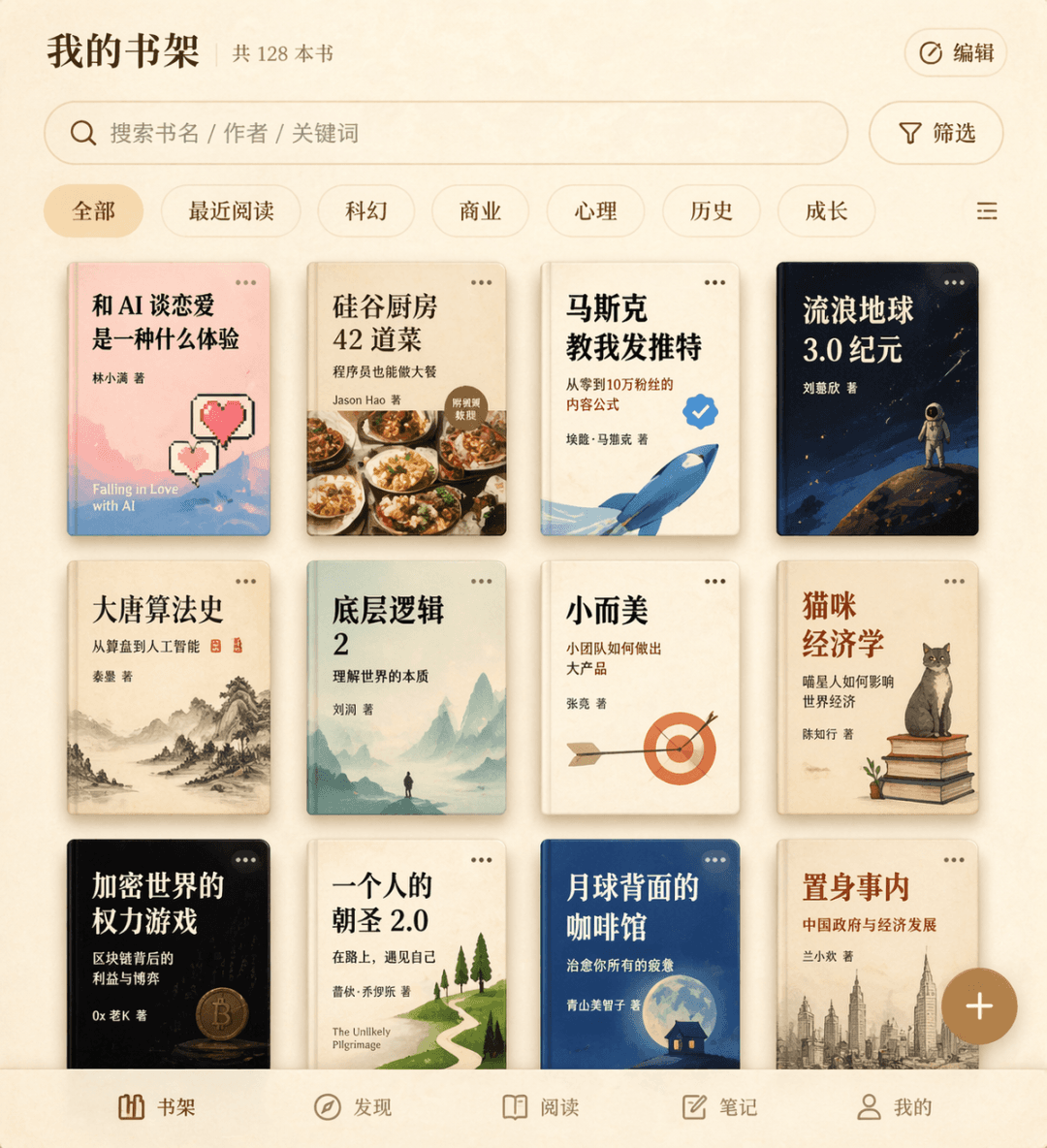
Kata Perintah Gambar antarmuka rak buku untuk aplikasi membaca fiksi. Kisi sampul buku tiga baris menampilkan dua belas judul buku fiksi, termasuk "What's it like to fall in love with AI", "42 Dishes from the Silicon Valley Kitchen", "Musk Taught Me to Tweet", dll., dengan kotak pencarian dan label filter di bagian atas, tombol tambah mengambang di sudut kanan bawah, dan keseluruhan tekstur perkamen krem.

Antarmuka Perangkat Lunak #42

Antarmuka Perangkat Lunak #42

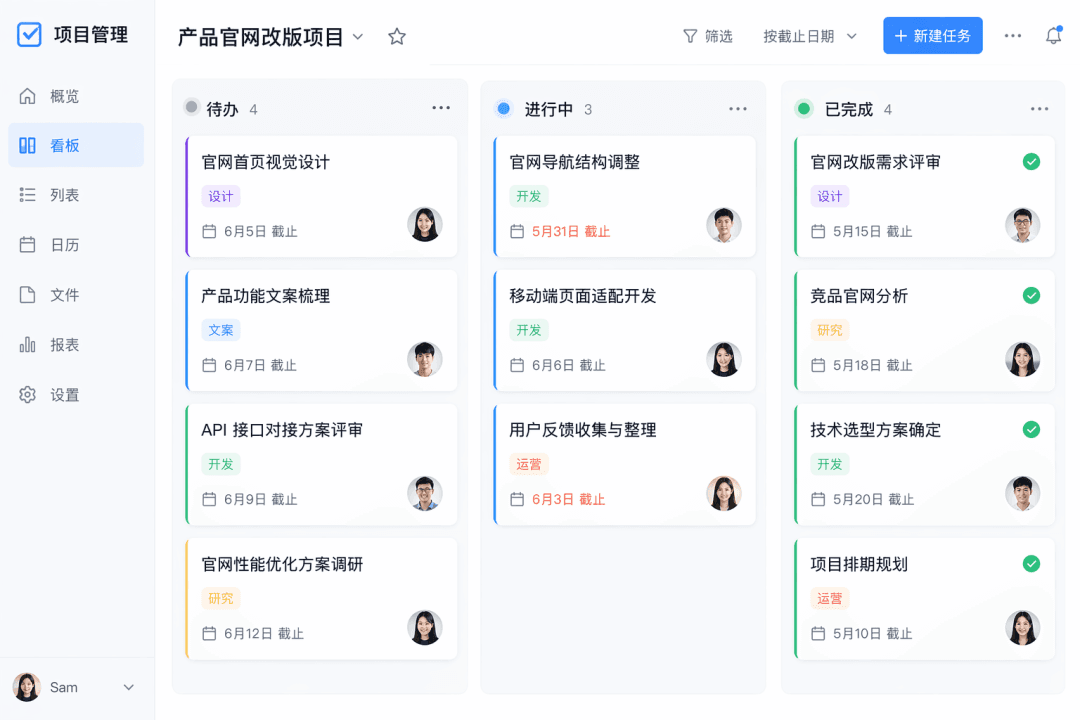
Kata Prompt: Buat tangkapan layar tampilan dasbor dari aplikasi manajemen tugas fiktif. Terdapat tiga kolom "To Do", "In Progress", dan "Completed", dengan tiga hingga empat kartu di setiap kolom. Setiap kartu berisi judul, label, tenggat waktu, dan avatar penanggung jawab, dengan desain datar secara keseluruhan.

Antarmuka Perangkat Lunak #41

Antarmuka Perangkat Lunak #41

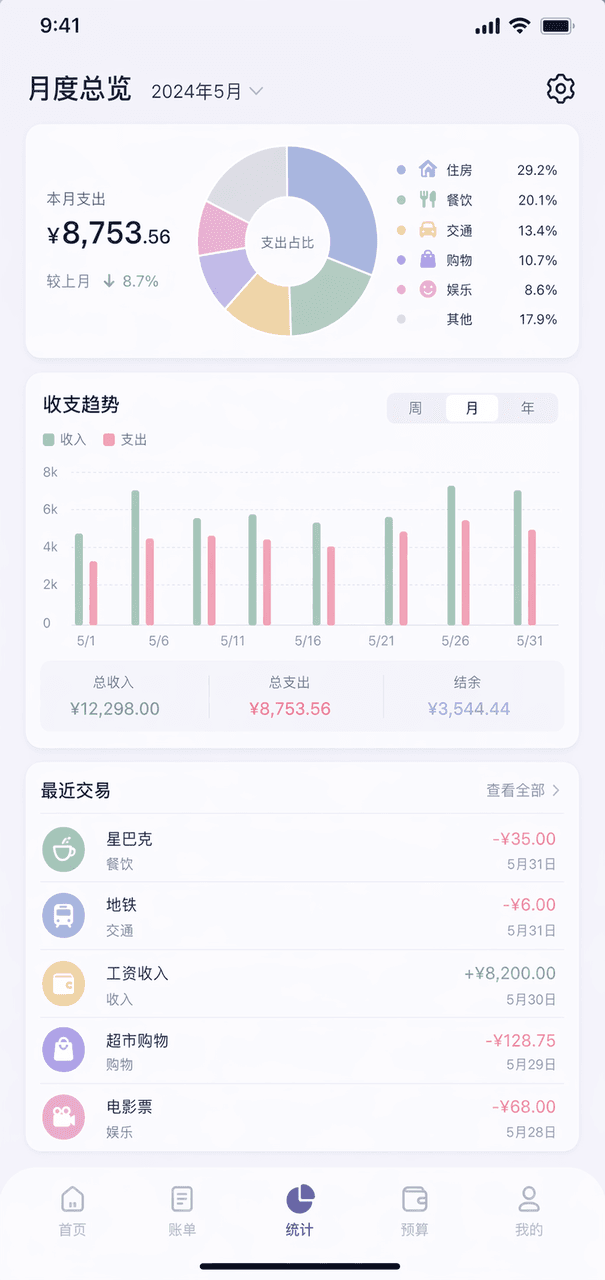
Kata Perintah Gambar halaman ikhtisar bulanan dari aplikasi akuntansi fiktif. Bagan cincin di bagian atas menampilkan klasifikasi pengeluaran, bagan kolom di tengah, daftar lima transaksi terakhir di bagian bawah, skema warna Morandi secara keseluruhan, dan roda gigi di sudut kanan atas.

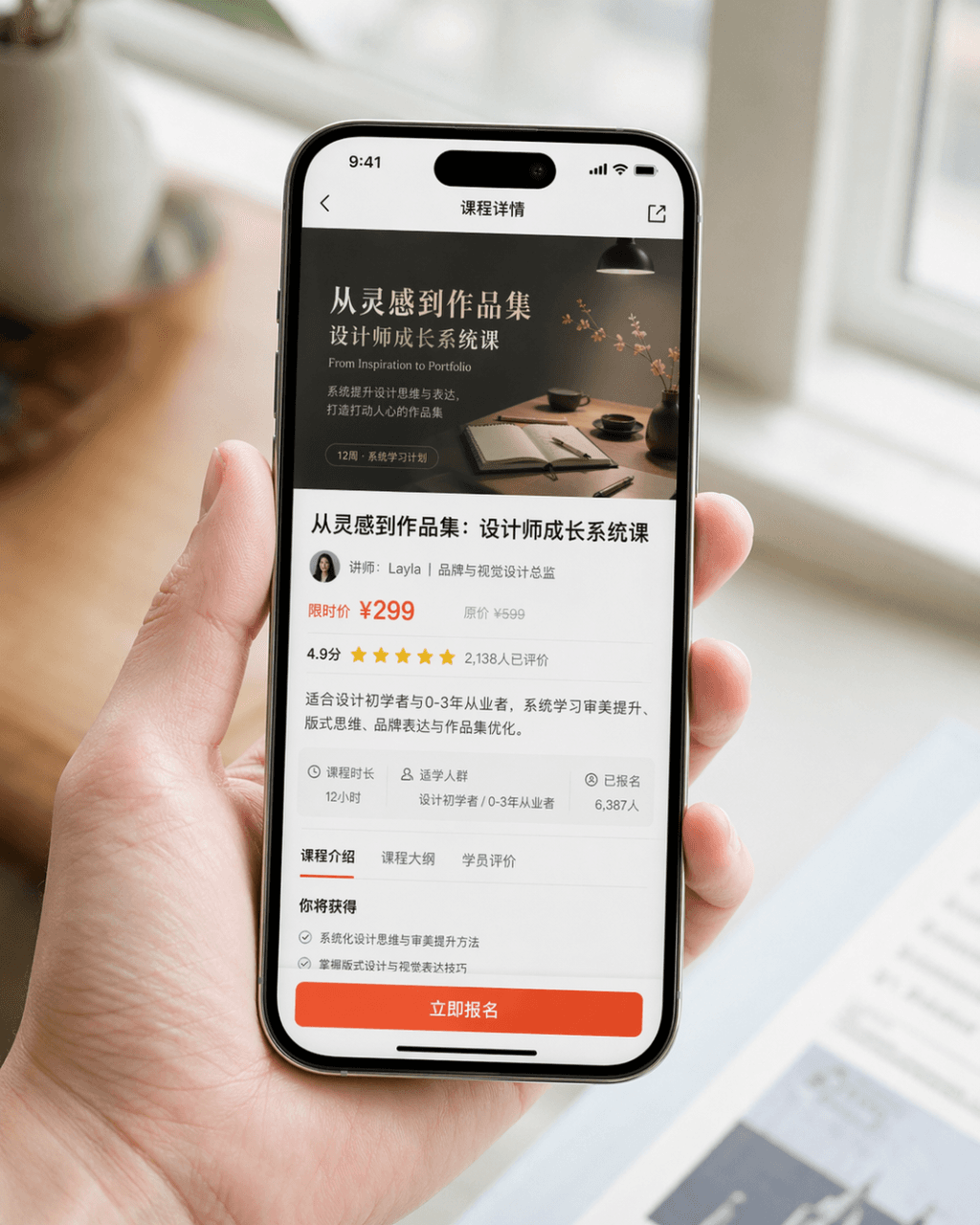
Gambar promosi tangkapan layar ponsel

Gambar promosi tangkapan layar ponsel

Hasilkan gambar promosi tangkapan layar ponsel yang sangat realistis. Perangkatnya adalah iPhone 15 Pro. Konten layar adalah halaman detail kursus dari aplikasi pembelajaran desain. Halaman tersebut dengan jelas menampilkan sampul kursus, judul kursus, informasi instruktur, informasi harga, penilaian pengguna, ringkasan, dan tombol "Register Now" yang menarik perhatian. Gambar berupa komposisi close-up seseorang yang sedang memegang ponsel secara alami. Tangan karakter bersih dan alami, layar ponsel jernih dan cerah, serta latar belakang buram. Keseluruhan gambar terlihat seperti foto PR produk yang dirilis secara resmi oleh merek tersebut. Memerlukan tekstur fotografi yang realistis, pencahayaan lembut dan kelas atas, komposisi ringkas, serta detail yang realistis. Hindari UI yang berlebihan, gaya e-commerce murahan, dan desain yang berlebihan.

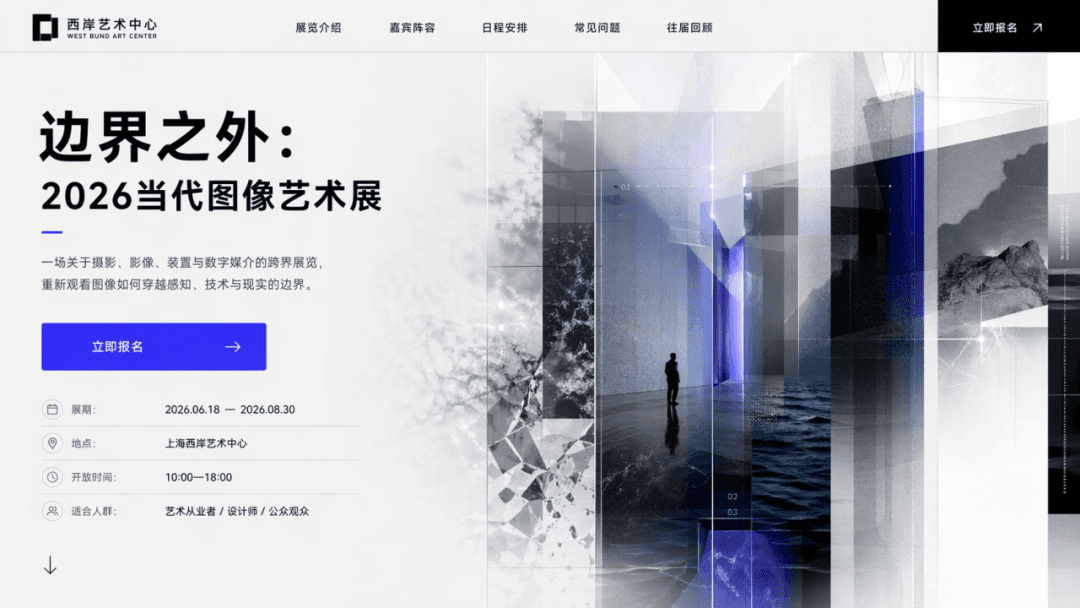
Layar beranda halaman arahan acara

Layar beranda halaman arahan acara

Rancang beranda halaman arahan acara dengan tema "Beyond the Boundary: 2026 Contemporary Image Art Exhibition" dan CTA "Register Now.". Halaman tersebut harus memuat judul utama, subjudul, tombol, visual pendukung, dan informasi pameran, persis seperti layar pertama halaman web sungguhan.

Dasbor SaaS

Dasbor SaaS

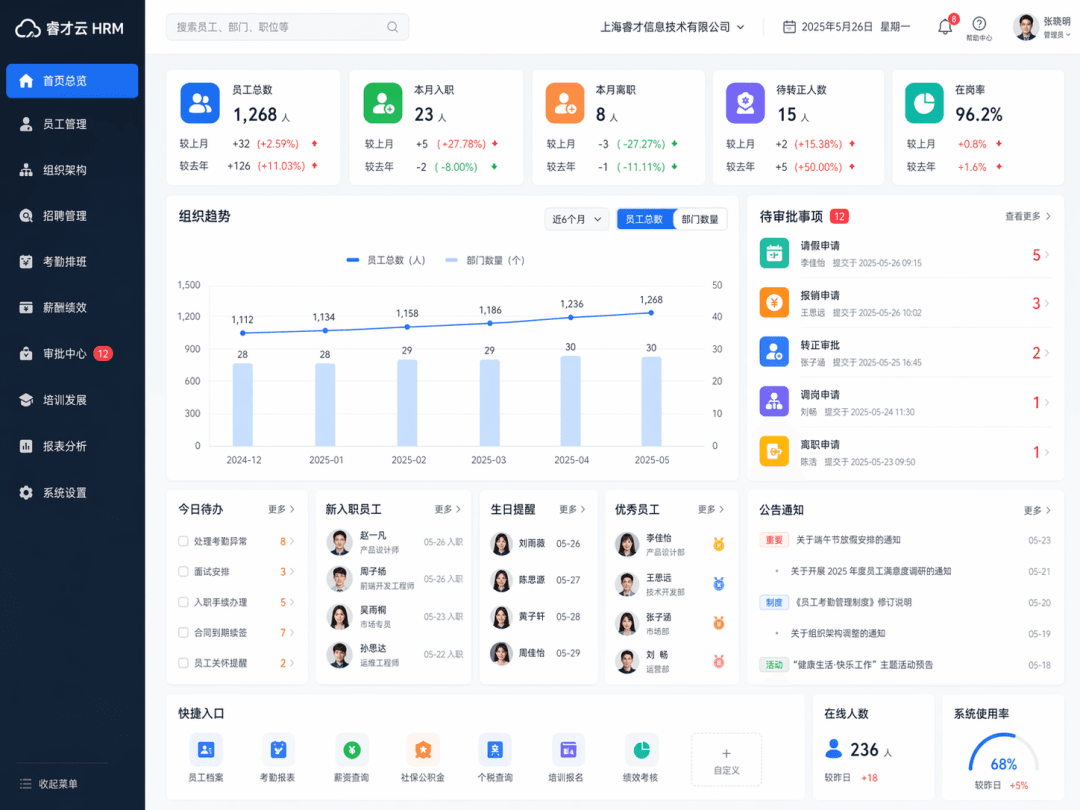
Buat antarmuka dasbor SaaS, jenis produknya adalah "Enterprise Human Resources Management System". Beranda latar belakang SDM nyata ditampilkan secara keseluruhan, termasuk navigasi kiri, pencarian atas, kartu statistik karyawan, bagan tren organisasi, modul persetujuan, dan modul pengguna. Antarmukanya bersih dan rasional, seperti sistem kantor perusahaan yang matang.

Peta konsep beranda aplikasi

Peta konsep beranda aplikasi

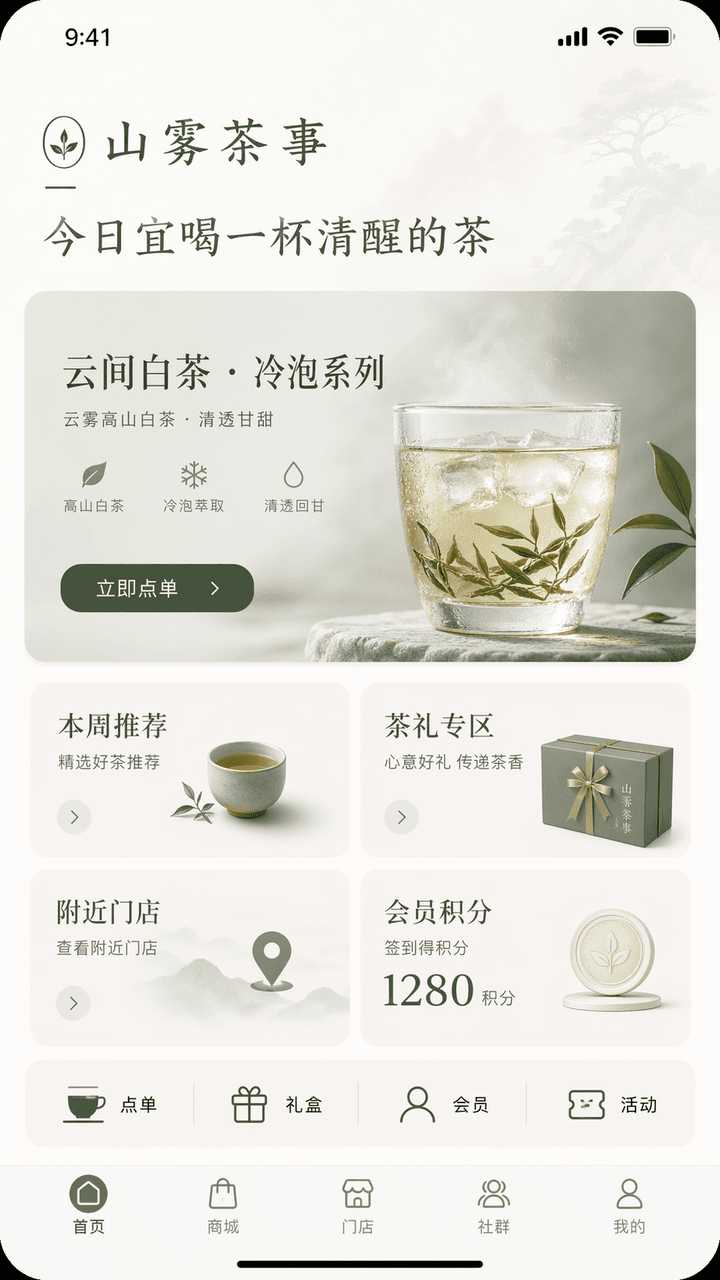
Rancang antarmuka konsep beranda aplikasi bergaya iPhone. Nama mereknya adalah "Shanwu Tea Shi", industrinya adalah minuman teh Tiongkok kontemporer / gaya hidup teh, dan fungsinya mencakup pemesanan di toko, rekomendasi produk teh cold brew baru, pembelian hadiah teh, poin keanggotaan, dan pencarian toko terdekat. Bagian atas beranda menampilkan salam merek "Today is a good time to drink a cup of sober tea", visual utamanya adalah kartu rekomendasi produk baru "Yunjian White Tea·Cold Brew Series", dan tombolnya adalah "Order Now"; di bagian tengah, terdapat empat modul: rekomendasi minggu ini, area hadiah teh, toko terdekat, dan poin member; di bawahnya ditambahkan deretan akses cepat: pemesanan, kotak hadiah, anggota, dan aktivitas; bilah navigasi bawah berisi beranda, mall, toko, komunitas, dan profil saya. Antarmuka keseluruhan harus memiliki pembawaan oriental yang bersahaja + nuansa merek yang matang. Skema warna harus dibatasi dalam tiga warna: off-white, hijau teh, dan abu-abu bulan. Antarmuka harus tampak seperti beranda aplikasi merek gaya hidup kelas atas, dengan hierarki yang jelas, informasi yang ringkas, tombol yang proporsional, dan semua teks dalam bahasa Mandarin yang akurat.

Setup Meja Penulis Tengah Malam

Setup Meja Penulis Tengah Malam

"Sistem tema desktop yang dirancang untuk penulis larut malam", desain tema UI dipadukan dengan fotografi still life bernuansa sastra. Layar menampilkan gaya tema yang seragam untuk desktop komputer, skin metode input, pengatur waktu fokus, ikon folder, wallpaper malam, efek pencahayaan keyboard mekanis, dan widget desktop. Warna-warnanya adalah hitam batu bara, putih bulan, merah anggur tua, dan tembaga antik. Karakter tenang dan dewasa, dengan rasio 16:9.

Dashboard Operasional Festival

Dashboard Operasional Festival

"Summer Music Festival Backstage Operation Overview", dasbor acara berskala besar yang terintegrasi dengan fotografi di lokasi. Latar belakang utama adalah lorong, kotak peralatan, area istirahat artis, dan titik kumpul sukarelawan di belakang panggung. Bagian depan ditumpangkan dengan jadwal pertunjukan, tingkat keamanan, titik air minum, peta panas arus orang, peringatan cuaca, dan pemantauan volume. Judulnya seperti layar ruang kendali utama acara, dengan rasio 16:9.

“Antarmuka Sistem Keanggotaan Kedai Teh Steampunk”

“Antarmuka Sistem Keanggotaan Kedai Teh Steampunk”

"Antarmuka sistem keanggotaan kedai teh steampunk", UI keanggotaan dipadukan dengan gaya dekorasi industrial kuno. Antarmuka utama menampilkan tingkat keanggotaan "Copper Pot/Silver Cup/Golden Furnace/Cloud Mist Master", dan aturan poin ditulis sebagai dasbor uap asap teh. Latar belakangnya berupa roda gigi, pipa tembaga, meja kayu tua, dan porselen biru-putih. Warnanya kaya tetapi tidak berantakan, dan rasionya 9:16.

"Mengubah cinta menjadi backend produk SaaS"

"Mengubah cinta menjadi backend produk SaaS"

"Mengubah cinta menjadi backend produk SaaS", dasbor produk internet dipadukan dengan narasi emosional dan humor. Modul halaman mencakup frekuensi komunikasi, puncak emosional, tingkat retensi memori bersama, kecepatan penyelesaian kesalahpahaman, bilah kemajuan perencanaan masa depan, dan pengingat peringatan red flag. Antarmukanya profesional dan teratur, tetapi setiap indikator memiliki metafora emosional, dengan rasio 16:9.

Portal Kerja Dinasti Ming

Portal Kerja Dinasti Ming

"The homepage of the job search website for people in the Ming Dynasty", perpaduan jenaka antara busana bersejarah dan antarmuka platform rekrutmen modern. Antarmuka utama memiliki rekomendasi pekerjaan seperti "historian/academy lecturer/shipping accountant/weaving supervisor/palace painter", dan kondisi penyaringan adalah "good at poetry/common arithmetic/good at riding and shooting/can be dispatched". Kartu resume pribadi menggunakan potret yang cermat, dan satuan gaji dinyatakan dalam gaji pokok dan takaran beras batu. Tata letaknya persis seperti beranda produk rekrutmen nyata, dengan rasio 16:9.

Kios Rumah Sakit Larut Malam

Kios Rumah Sakit Larut Malam

"Antarmuka mesin layanan mandiri rumah sakit pada pukul tiga pagi" memadukan atmosfer ruang dokumenter dengan UI yang presisi. Gambar ini merupakan bidikan jarak dekat dari terminal layanan mandiri rumah sakit. Konten layar menampilkan tombol-tombol dengan jelas seperti pendaftaran, cetak laporan, pembayaran, navigasi, dan lokasi apotek malam. Mesin tersebut dikelilingi oleh aula yang kosong, pencahayaan putih dingin, serta orang-orang yang lelah namun tenang. Gambaran keseluruhannya tenang dan nyata, dengan sentuhan kerapuhan kehidupan manusia sehari-hari. Rasio gambar adalah 9:16.

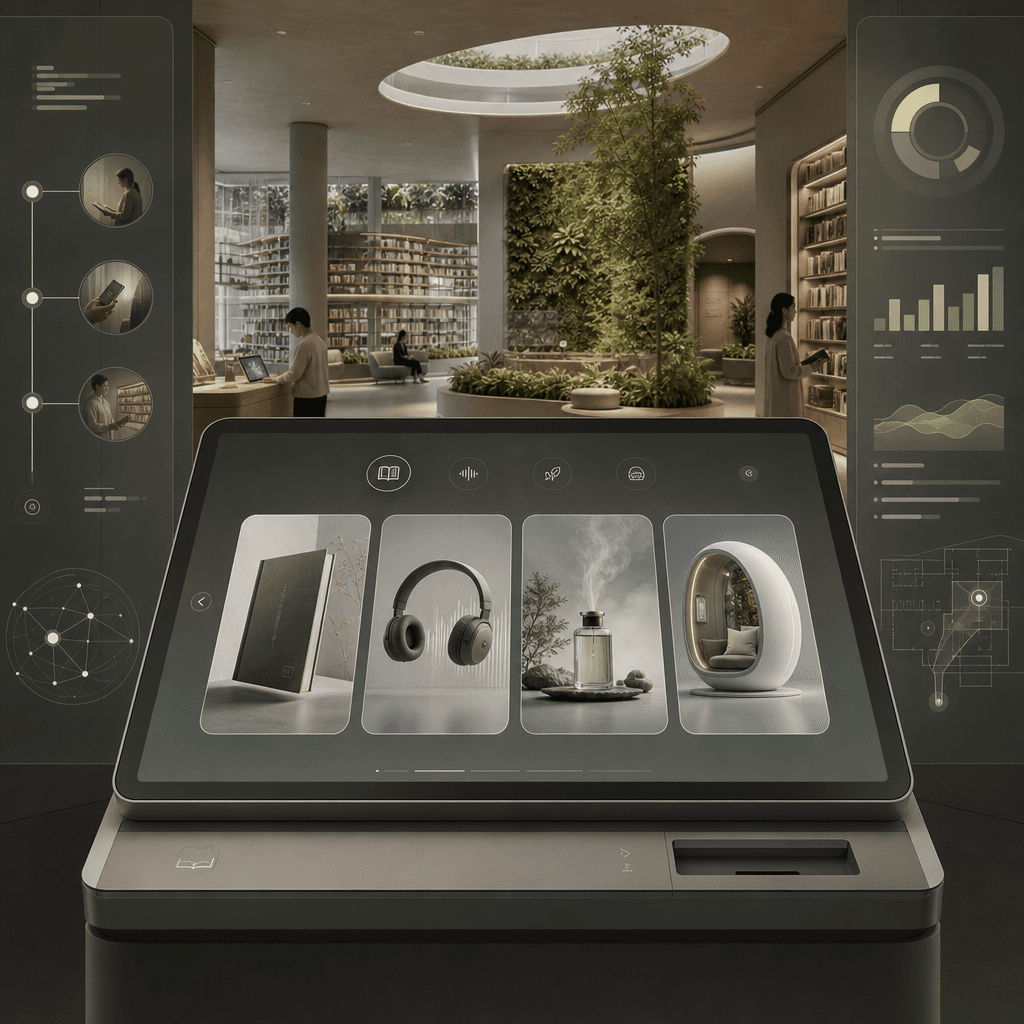
"Terminal Peminjaman Perpustakaan Masa Depan"

"Terminal Peminjaman Perpustakaan Masa Depan"

"Terminal Peminjaman Perpustakaan Masa Depan", UI produk terintegrasi dengan peta konsep ruang arsitektur. Latar depan adalah layar besar terminal peminjaman minimalis, yang dapat memfilter buku fisik, file suara, memori aroma, dan bilik membaca imersif. Latar belakang adalah ruang perpustakaan terbuka, dengan rak buku yang membentang dan dinding tanaman. Bilah sisi menampilkan proses perjalanan pembaca, data peminjaman, dan panduan ruang. Warna-warna tenang dan tertahan, dan rasionya adalah 16:9.

Redesain Pemesanan Kafe: Kecemasan Sosial

Redesain Pemesanan Kafe: Kecemasan Sosial

"Redesign of the cafe ordering system for socially anxious users", diagram proposal desain layanan, layar utama menampilkan solusi baru untuk meja kafe dan layar pemesanan mandiri, mengurangi kontak verbal, menambahkan opsi "default recommendation/no communication for meal taking/seat preference/volume area", memperluas sistem ikon, kartu meja, kartu pengambilan makanan, dan diagram alur pergerakan area tunggu di sisi kanan. Kesan keseluruhan sangat realistis, dengan rasio 16:9.

Layar Ikhtisar Pemantauan Suaka Hutan Hujan

Layar Ikhtisar Pemantauan Suaka Hutan Hujan

"Layar Ikhtisar Pemantauan Suaka Hutan Hujan" mengintegrasikan dasbor penelitian ilmiah ekologis dan fotografi alam yang imersif. Latar belakang utama gambar adalah pemandangan megah yang menghadap kanopi hutan hujan tropis dari atas. Latar depan dilapisi lapisan data semi-transparan: kerapatan kanopi, lintasan aktivitas satwa langka, peringatan perburuan liar, serta kurva curah hujan dan penyerap karbon. Judulnya menyerupai visi proyek perlindungan lingkungan Perserikatan Bangsa-Bangsa. Nuansanya profesional dan berwibawa, warnanya cerah tetapi tidak terlalu jenuh, dan rasio aspeknya 16:9.

Halaman Pelacakan Paket Kantor Pos Kosmik

Halaman Pelacakan Paket Kantor Pos Kosmik

"Package tracking page of the Space Post Office" mengintegrasikan UI sistem logistik dengan pandangan dunia fiksi ilmiah. Gambar tersebut merupakan halaman detail pelacakan paket, dan rutenya ditampilkan segmen demi segmen dari "Earth-Low Earth Orbit-Moon Transfer Station-Mars North Port". Ikon node dirancang sebagai roket kecil, kabin kargo, bea cukai luar angkasa, dan area peringatan meteorit. Di sebelah kanan terdapat daftar barang dalam paket: kartu pos, daun teh, foto, dan sweter usang. Gambaran keseluruhannya tenang dan rasional tetapi memiliki sentuhan manusiawi, dengan rasio 9:16.

Dokumen Kolaboratif Gulungan Bambu

Dokumen Kolaboratif Gulungan Bambu

"Antarmuka dokumen kolaborasi banyak orang di Periode Negara-Negara Berperang" adalah perpaduan absurd antara dokumen bilah bambu dan desain produk dokumen online. Gambar ini menyerupai antarmuka editor kolaboratif waktu nyata, tetapi lapisan dasarnya adalah bilah bambu yang terbentang dan tinta kuas. Gelembung komentar dari berbagai penulis ditandai dengan "Gongsun Long is editing", "Han Fei suggested deletion", dan "Su Qin proposed changing the title". Bilah samping menampilkan riwayat versi dan komentar. Keseluruhannya sarat dengan ketelitian akademis dan humor kantor internet, dengan rasio 16:9.

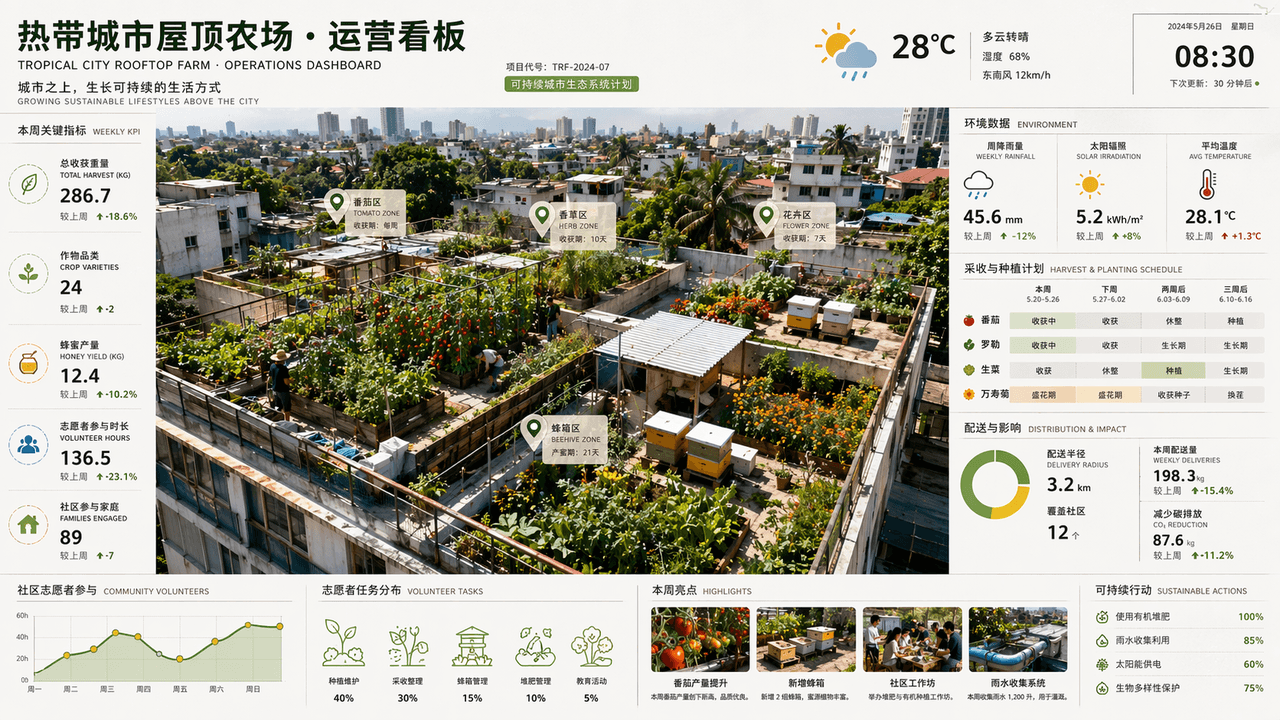
Papan informasi operasional pertanian atap kota tropis

Papan informasi operasional pertanian atap kota tropis

"Tropical City Rooftop Farm Operations Dashboard" adalah perpaduan antara fotografi luar angkasa dan dasbor komersial. Tomat, rempah-rempah, bunga, dan sarang lebah ditanam di berbagai atap dalam tampilan atas (overhead). Sisi layar menampilkan data curah hujan mingguan, radiasi matahari, siklus panen, radius distribusi, dan partisipasi sukarelawan komunitas. Judulnya menyerupai halaman laporan proyek berkelanjutan dari firma arsitektur. Skema warnanya adalah hijau daun, cokelat tanah, kuning matahari, dan biru setelah hujan. Gambarnya kaya informasi namun menyegarkan, dengan rasio 16:9.

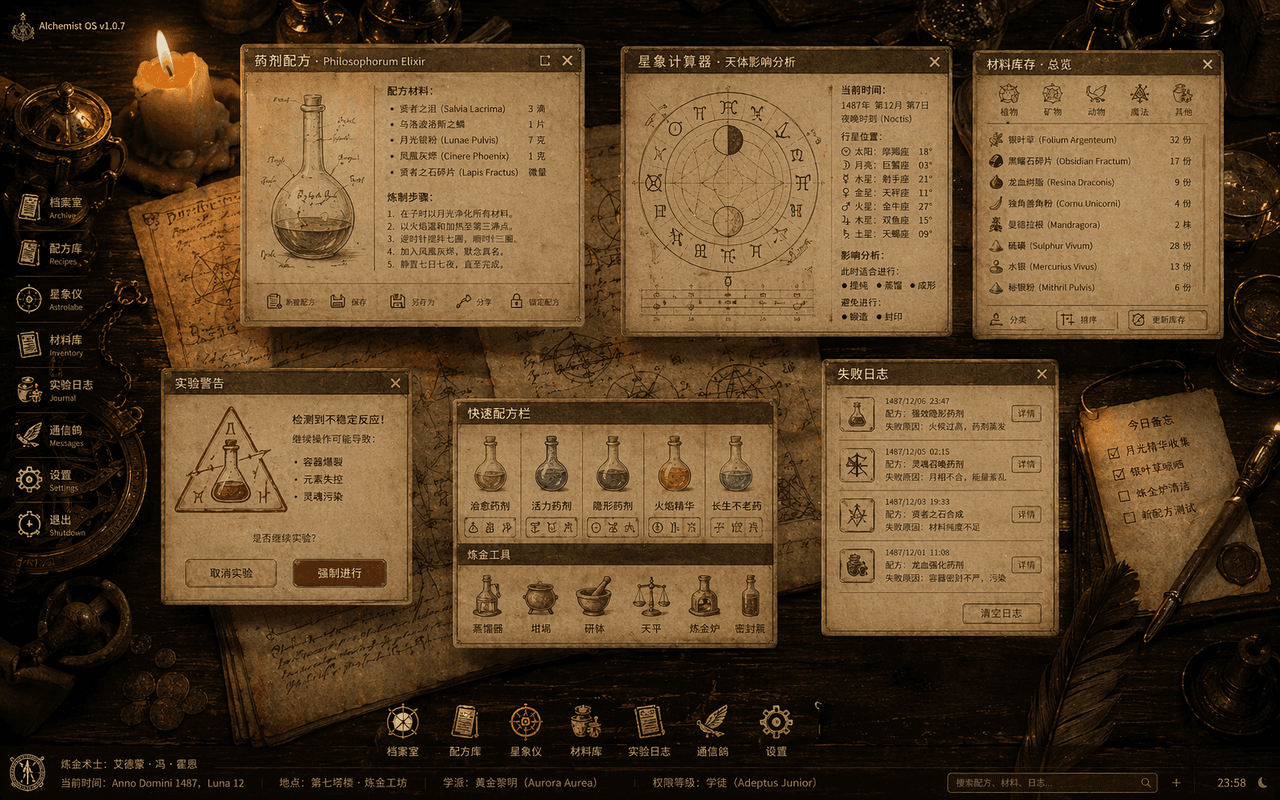
Sistem Operasi Alkemis Abad Pertengahan

Sistem Operasi Alkemis Abad Pertengahan

"The Medieval Alchemist's Desktop Operating System" adalah perpaduan ilustrasi buku kuno dan UI desktop. Gambar berupa bidikan dari atas (overhead shot) meja kayu, dengan jendela sistem tembus pandang yang melayang di atas meja: formula ramuan, kalkulator astrologi, inventaris bahan, pop-up peringatan eksperimen, dan log kegagalan. Semua ikon direkonstruksi dari pena bulu, botol kaca, dan lambang semiotik. Latar belakangnya adalah perkamen dan instrumen tembaga yang diterangi oleh lilin. Keseluruhannya terlihat seperti satu set lengkap spesifikasi visual OS sihir kuno, dengan rasio 16:10.

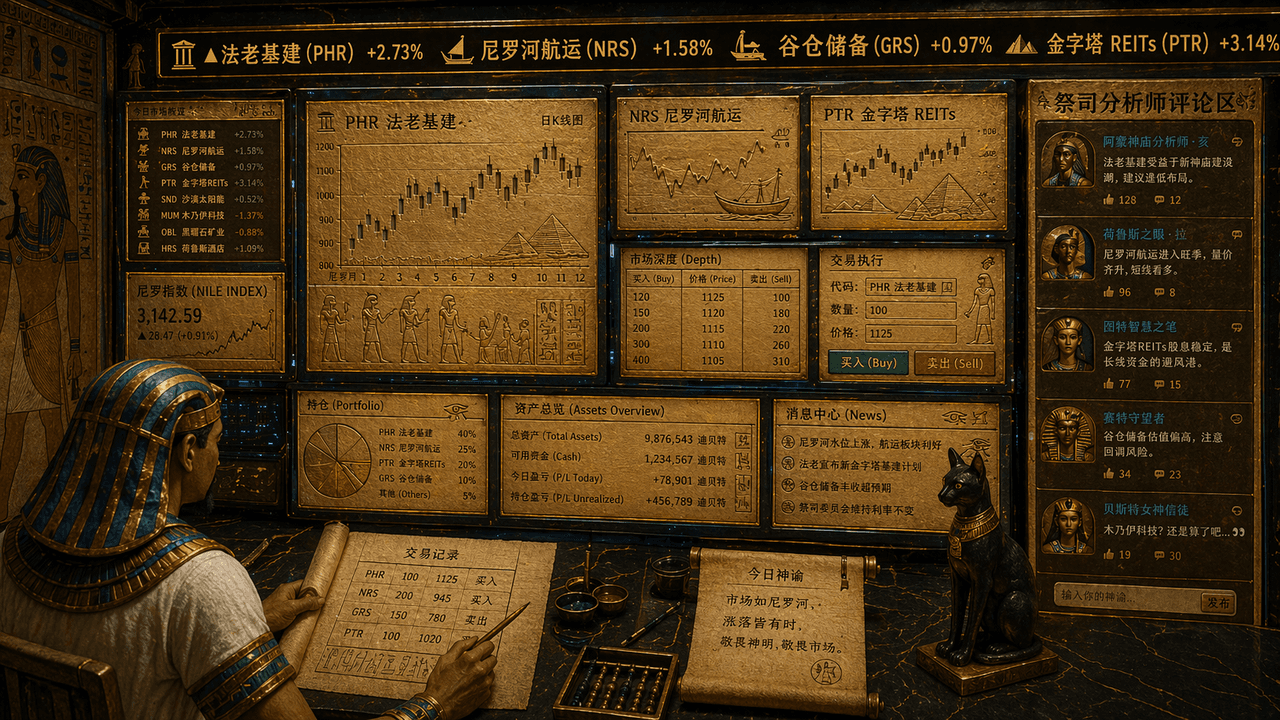
Terminal perdagangan saham Mesir Kuno

Terminal perdagangan saham Mesir Kuno

"Terminal perdagangan saham bangsa Mesir kuno", sebuah perpaduan unik antara elemen mural kuil dan antarmuka pengguna (UI) perdagangan keuangan. Layarnya terlihat seperti stasiun kerja perdagangan multi-layar, tetapi semua grafik, garis K, dan simbol saham terukir di atas batu tulis emas dan antarmuka papirus. Ticker di bagian atas menampilkan teks berjalan "Pharaonic infrastructure, Nile shipping, granary reserves, pyramids REITs", pedagang ditampilkan sebagai juru tulis yang mengenakan hiasan kepala, dan area komentar analis pendeta ditampilkan di sisi kanan. Skema warna keseluruhan adalah pasir emas, biru merak, dan obsidian. Gayanya terkesan serius namun memiliki sentuhan keceriaan yang kontras, dengan rasio 16:9.

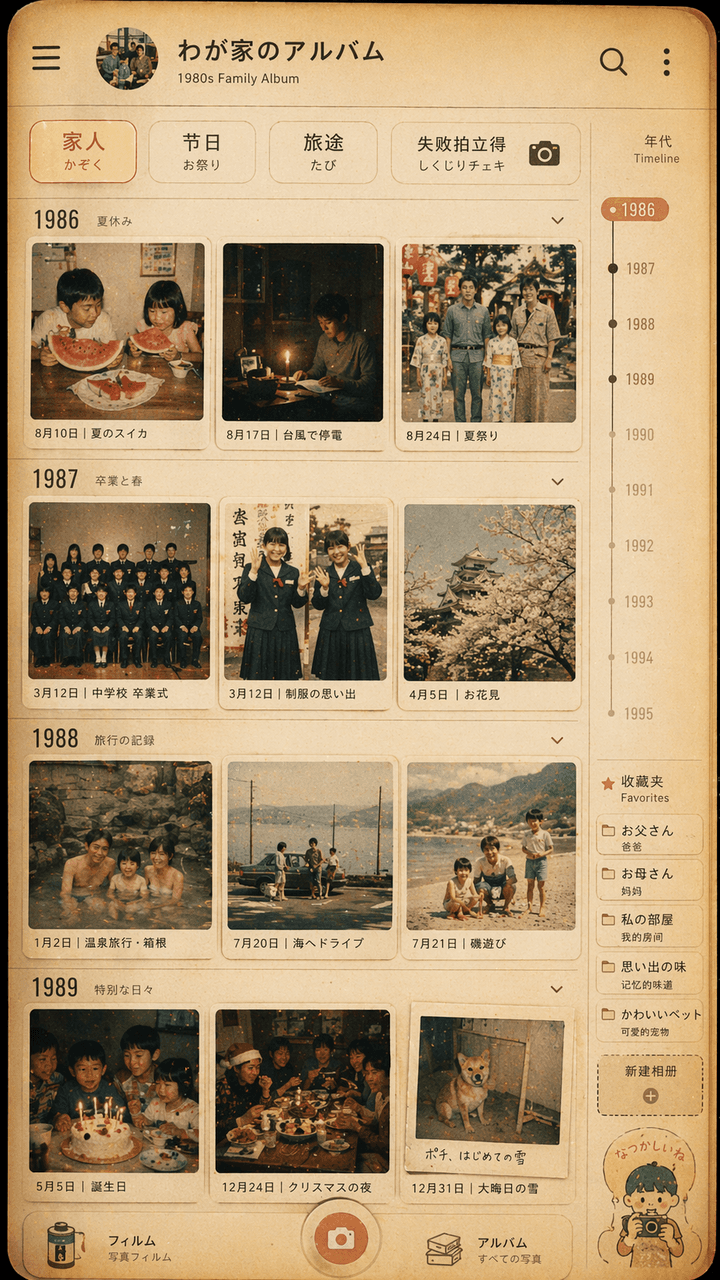
Desain antarmuka album foto keluarga gaya Showa

Desain antarmuka album foto keluarga gaya Showa

"Desain antarmuka album foto keluarga gaya Showa", dinding foto retro terintegrasi dengan UI aplikasi album foto modern. Layar mensimulasikan halaman linimasa dari aplikasi manajemen foto, tetapi setiap gambar mini berasal dari tahun 1980-an. Kehidupan sehari-hari keluarga Jepang di tahun 1970-an: semangka musim panas, mati listrik akibat topan, foto kelulusan berseragam sekolah, perjalanan pemandian air panas, meja makan malam Natal. Filter atas bertuliskan "Family/Festival/Travel/Failure Polaroid". Terdapat skala tahun dan label favorit di sisi kanan. Warna keseluruhan bernuansa film, kuning hangat dan sedikit pudar. Gambar ini terlihat seperti antarmuka ponsel sungguhan sekaligus pajangan kenangan keluarga yang hangat. Rasionya adalah 9:16.

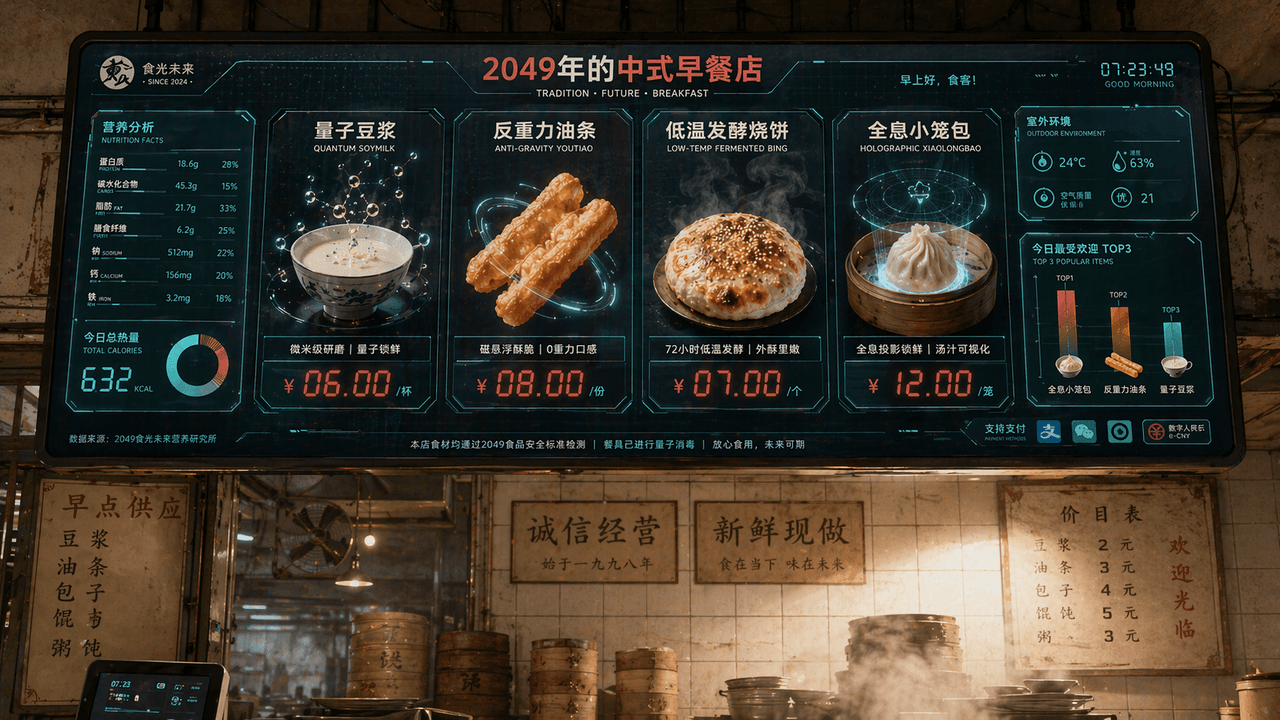
Layar menu restoran sarapan Tiongkok pada tahun 2049

Layar menu restoran sarapan Tiongkok pada tahun 2049

"Chinese Breakfast Shop Menu Screen in 2049", visi merek katering terintegrasi dengan antarmuka layar fiksi ilmiah. Layar utama adalah layar pemesanan elektronik besar yang tergantung di atas toko. Hidangannya meliputi "Quantum Soy Milk", "Anti-Gravity Fritters", "Low-temperature Fermented Shaobing", dan "Holographic Xiao Long Bao". Setiap hidangan ditampilkan dengan rendering 3D makanan yang sangat indah. Label harga menggunakan karakter digital LED merah. Di sebelah kiri terdapat bagan informasi nilai gizi dan kalori, dan di sudut kanan bawah terdapat diagram batang "Today's Most Popular TOP3", latar belakang mempertahankan dinding ubin dari kedai sarapan kuno dan lingkungan nyata yang dipenuhi uap, membentuk perpaduan antara yang lama dan baru. Skema warnanya adalah putih susu, merah tomat, dan hijau digital, dengan rasio 16:9.

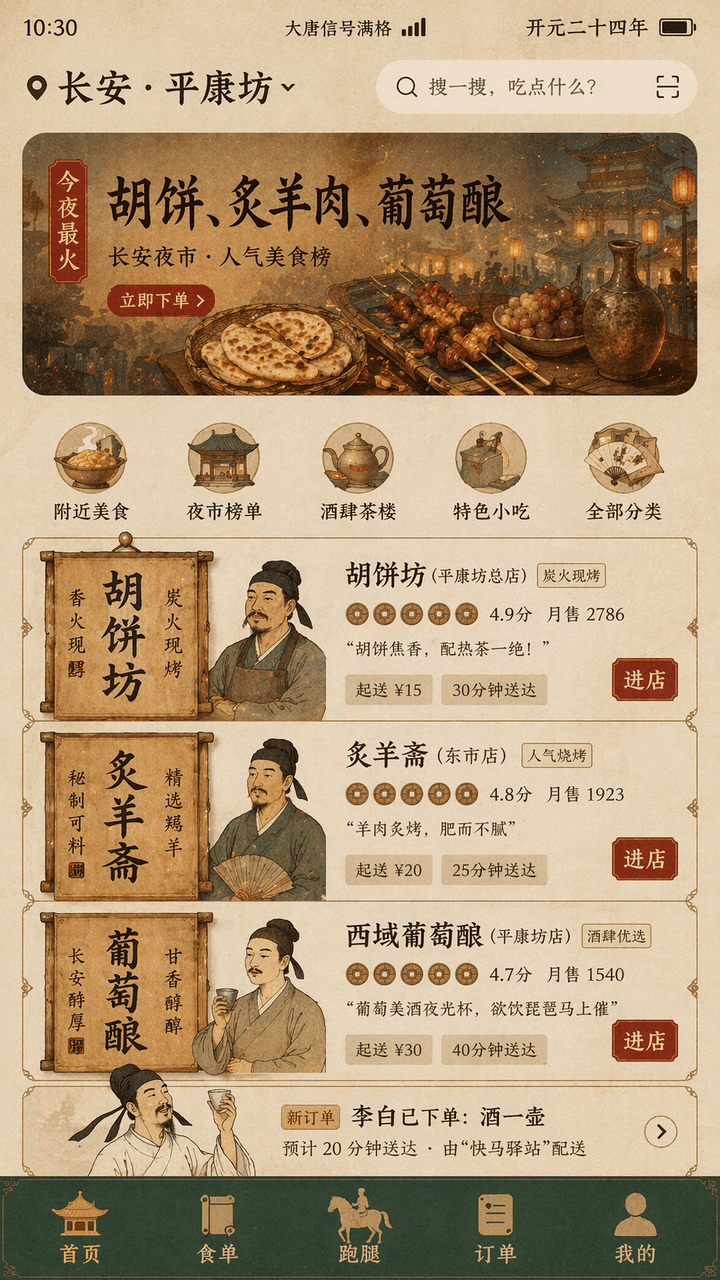
Aplikasi pesan-antar era Dinasti Tang

Aplikasi pesan-antar era Dinasti Tang

"Tang Dynasty Food DELIVERY INTERFACE" adalah desain fusi antara pemandangan kehidupan kuno dan UI produk seluler modern. Layar mensimulasikan antarmuka beranda pesan-antar di ponsel, dan posisi teratas menampilkan "Chang'an · "Pingkangfang", rekomendasi banner bertuliskan "Tonight's most popular: Hu cakes, roasted mutton, grape wine", kartu pedagang direkonstruksi menggunakan papan nama toko dan elemen plang kayu khas Dinasti Tang, avatar berupa patung dada pemilik toko dengan gaya yang cermat, skor disajikan sebagai ikon koin tembaga, "Li Bai has placed an order: a pot of wine" muncul di daftar pesanan, dan bilah navigasi bawah adalah "Homepage/Food List/Run Errands/Orders/Mine", bilah status menampilkan "Datang Signal Full" dan "Kaiyuan Twenty-Fourth Year", warna keseluruhan adalah oker, hijau batu, merah foil emas, font adalah perpaduan kata-kata judul bergaya monumen dan sans serif tipis modern, antarmukanya seperti draf desain produk nyata, tetapi juga memiliki rasa humor historis, dan proporsi 9:16.

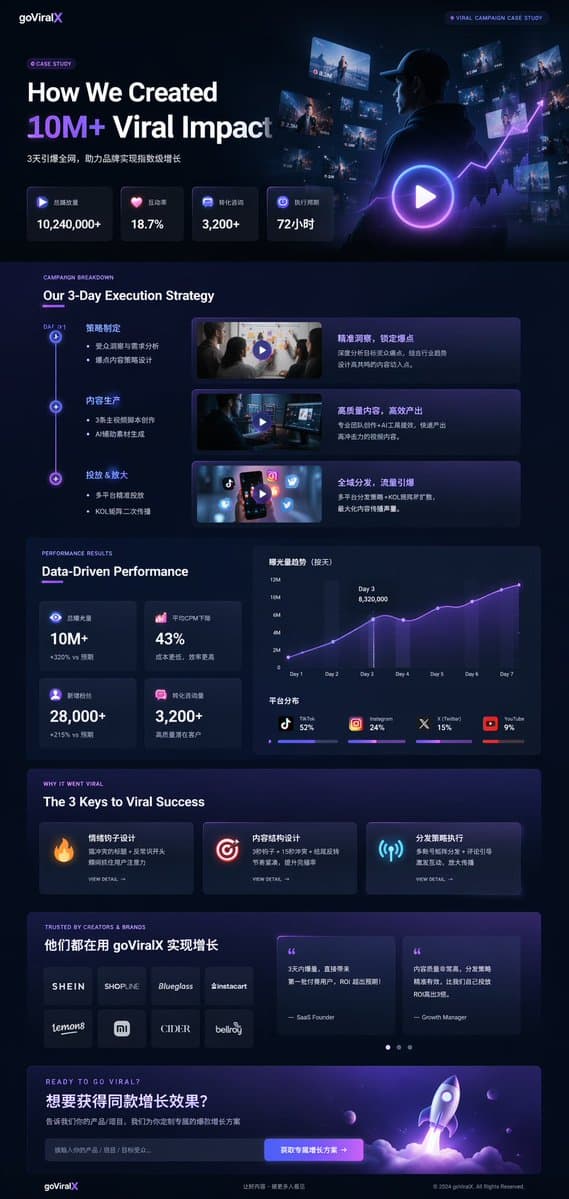
UI Studi Kasus Pemasaran Mode Gelap

UI Studi Kasus Pemasaran Mode Gelap

mockup landing page UI/UX. mode gelap, estetika modern yang ramping, glassmorphism, aksen bercahaya {argument name="primary accent color" default="ungu dan biru neon"}. Our 3-Day Execution Strategy. Data-Driven Performance. The 3 Keys to V…