
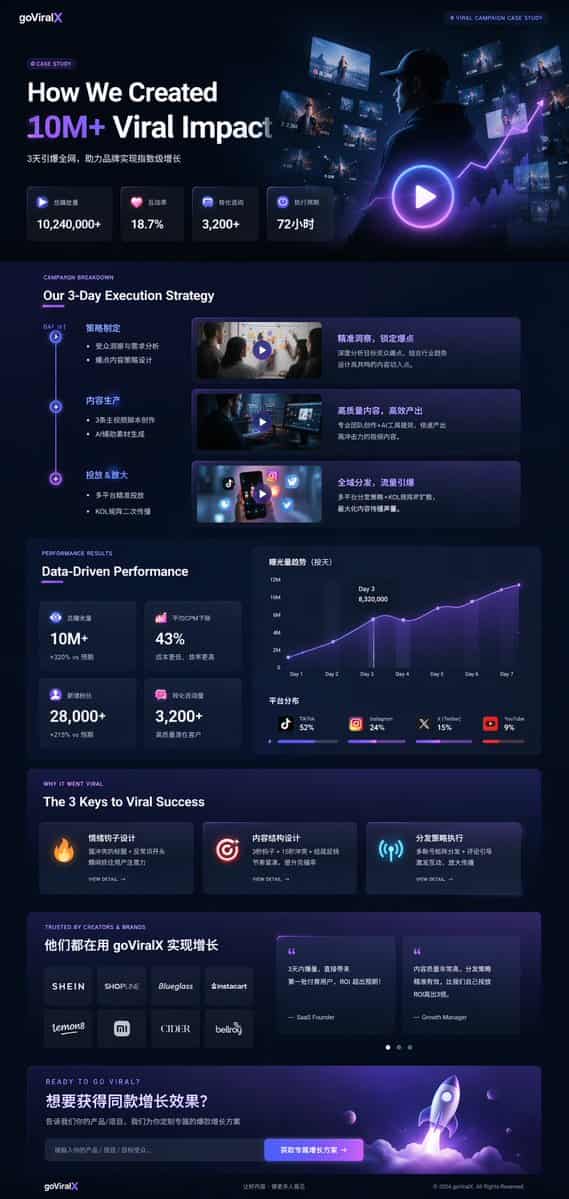
Studi Kasus Pemasaran Mode Gelap UI
{ "type": "Maket halaman arahan UI/UX", "tema": "mode gelap, estetika modern ramping, morfisme kaca, aksen bersinar {argument name=\"primary accent color\" default=\"neon purple and blue\"}", "tajuk": { "logo": "{argume…
Cepat
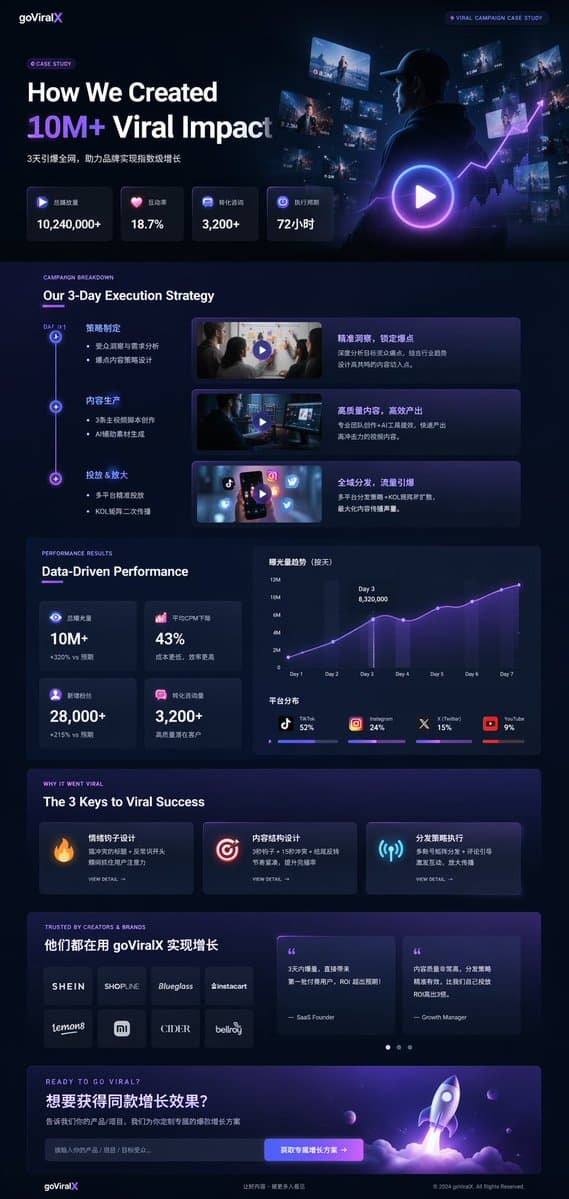
{ "type": "Maket halaman arahan UI/UX", "tema": "mode gelap, estetika modern ramping, morfisme kaca, aksen bersinar {argument name=\"primary accent color\" default=\"neon purple and blue\"}", "tajuk": { "logo": "{argument name=\"brand name\" default=\"goViralX\"}", "top_right_tag": "STUDI KASUS KAMPANYE VIRAL" }, "tata letak": { "bagian": [ { "nama": "Pahlawan", "judul": "{argument name=\"hero headline\" default=\"How We Created 10M+ Viral Impact\"}", "subheadline": "Meledakkan seluruh jaringan dalam 3 hari, membantu merek mencapai pertumbuhan eksponensial", "statistik_baris": { "hitungan": 4, "labels": ["Total volume pemutaran", "Rasio interaksi", "Konsultasi konversi", "Siklus eksekusi"], "nilai": ["{argument name=\"main statistic\" default=\"10,240,000+\"}", "18,7%", "3.200+", "72 jam"] }, "visual": "gambar sinematik seseorang yang mengenakan hoodie sedang melihat layar dan grafik digital yang bersinar, hamparan tombol putar besar" }, { "nama": "Strategi", "title": "Strategi Eksekusi 3 Hari Kami", "layout_type": "garis waktu vertikal", "jumlah_langkah": 3, "elements_per_step": ["timeline node", "title", "bullet points", "video thumbnail dengan tombol putar", "kotak deskripsi"] }, { "nama": "Pertunjukan", "title": "Performa Berdasarkan Data", "kolom_kiri": { "stat_cards_count": 4, "nilai": ["10M+", "43%", "28.000+", "3.200+"] }, "kolom_kanan": { "charts_count": 2, "chart_1": "grafik garis menunjukkan pertumbuhan 7 hari yang mencapai puncaknya pada Hari ke-3", "chart_2": "diagram batang tersegmentasi horizontal yang menunjukkan distribusi platform (TikTok 52%, Instagram 24%, X 15%, YouTube 9%)" } }, { "nama": "Kunci Sukses", "title": "3 Kunci Sukses Viral", "jumlah_kartu": 3, "card_elements": ["ikon bersinar (api, target, antena)", "judul", "deskripsi", "LIHAT tautan DETAIL"] }, { "nama": "Bukti Sosial", "title": "DIPERCAYA OLEH KREATOR & MEREK", "kolom_kiri": { "logos_count": 8, "kisi": "2x4", "merek": ["SHEIN", "SHOPLINE", "Blueglass", "instacart", "lemon8", "mi", "CIDER", "bellroy"] }, "kolom_kanan": { "testimonial_cards_count": 2, "elements": ["quote", "judul penulis (Pendiri SaaS, Manajer Pertumbuhan)"] } }, { "nama": "Ajakan Bertindak", "title": "SIAP VIRAL?", "interactive_elements": ["bidang masukan teks", "tombol menyala dengan teks '{argument name=\"call to action text\" default=\"获取专属增长方案 ->\"}'"], "visual": "Render 3D dari kapal roket yang lepas landas dengan api ungu dan biru" } ] } }
Cara menggunakan perintah ini
Baca perintah Studi Kasus Pemasaran Mode Gelap UI secara lengkap dan identifikasi persyaratan subjek, gaya, kamera, pencahayaan, dan komposisi sebelum membuatnya.
Ganti placeholder dalam tanda kurung atau gaya argumen dengan persyaratan produk, karakter, merek, adegan, palet warna, atau rasio aspek Anda.
Buka https://www.gptimagehub.com/id/generate?promptId=cmogx4gaj00ejzpdyjfmpkq4n, buat gambarnya, lalu sempurnakan perintah dengan subjek, teks, tata letak, atau batasan negatif yang lebih spesifik jika diperlukan.
Pertanyaan Umum yang cepat
Untuk apa perintah Studi Kasus Pemasaran Mode Gelap UI paling baik digunakan?
Perintah ini paling baik digunakan untuk gambar desain ui / ux yang menginginkan struktur yang dapat digunakan kembali, arah visual yang mendetail, dan kualitas keluaran yang konsisten.
Bisakah saya mengedit prompt sebelum membuat?
Ya. Teks perintah lengkap terlihat di halaman ini sehingga Anda dapat mengubah subjek, nama produk, warna, komposisi, istilah kamera, rasio aspek, dan catatan gaya sebelum pembuatan.
Model mana yang harus saya gunakan dengan perintah ini?
Gunakan model yang ditampilkan dalam metadata perintah sebagai titik awal default. Jika model gambar lain mendukung rasio aspek dan gaya instruksi yang sama, Anda dapat menyesuaikan perintah dan membandingkan hasilnya.