
film tahun 2049
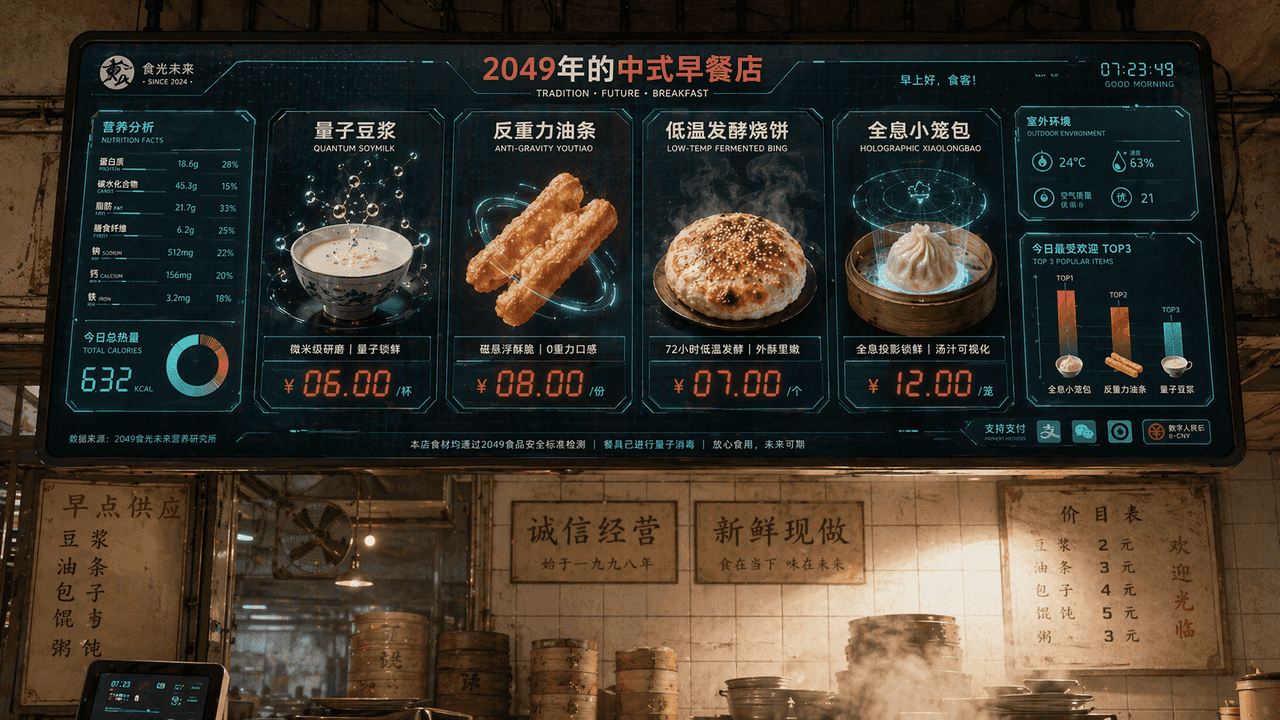
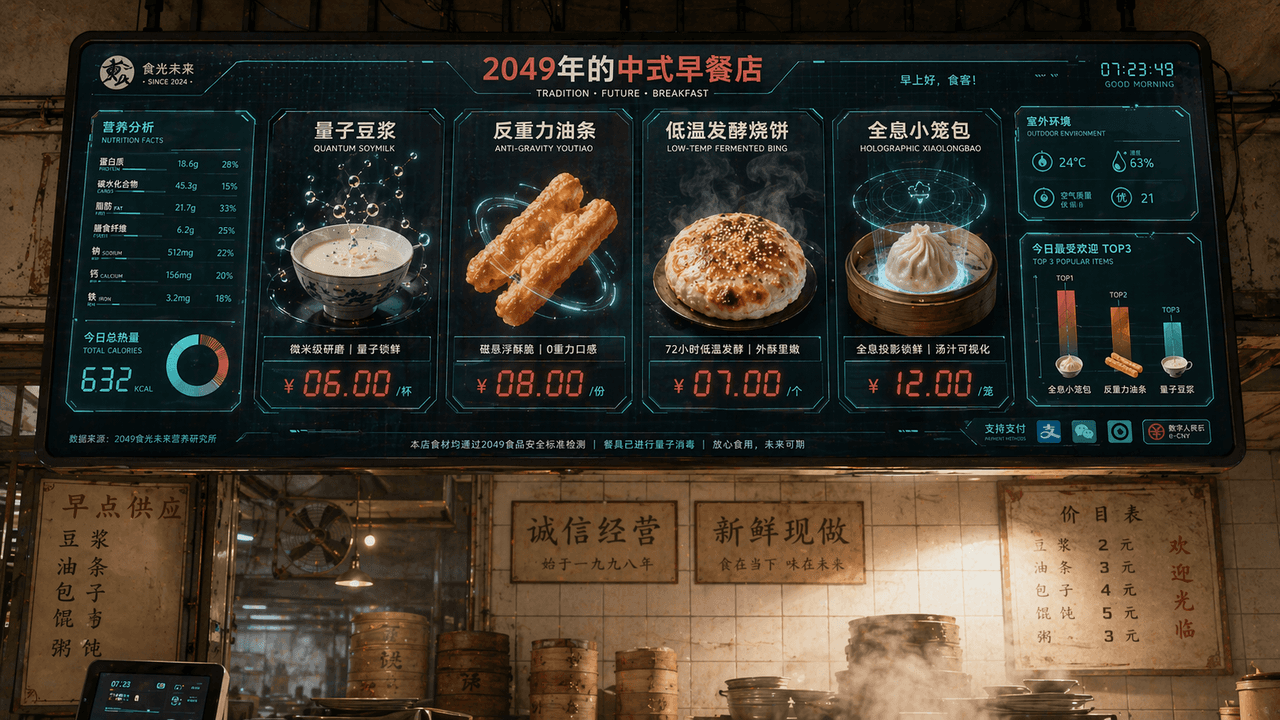
"Layar Menu Toko Sarapan Cina pada tahun 2049", visi merek katering terintegrasi dengan antarmuka layar fiksi ilmiah. Layar utama adalah layar pemesanan elektronik besar yang tergantung di atas toko. Hidangannya termasu…
Cepat
"Layar Menu Toko Sarapan Cina pada tahun 2049", visi merek katering terintegrasi dengan antarmuka layar fiksi ilmiah. Layar utama adalah layar pemesanan elektronik besar yang tergantung di atas toko. Hidangannya termasuk "Susu Kedelai Quantum", "Goreng Anti Gravitasi", "Shaobing Fermentasi Suhu Rendah", dan "Xiao Long Bao Holografik". Setiap hidangan ditampilkan dengan rendering 3D makanan yang sangat indah. Label harganya menggunakan karakter digital LED berwarna merah. Di sebelah kiri adalah bagan informasi nilai gizi dan kalori, dan di pojok kanan bawah adalah bagan batang "TOP3 Paling Populer Saat Ini", latar belakangnya mempertahankan dinding ubin toko sarapan kuno dan lingkungan penuh uap, membentuk benturan antara yang lama dan yang baru. Skema warnanya putih susu, merah tomat, dan hijau digital dengan perbandingan 16:9.
Cara menggunakan perintah ini
Baca perintah film tahun 2049 secara lengkap dan identifikasi persyaratan subjek, gaya, kamera, pencahayaan, dan komposisi sebelum membuatnya.
Ganti placeholder dalam tanda kurung atau gaya argumen dengan persyaratan produk, karakter, merek, adegan, palet warna, atau rasio aspek Anda.
Buka https://www.gptimagehub.com/id/generate?promptId=cmogxi55d00glxt5g4zgzwk75, buat gambarnya, lalu sempurnakan perintah dengan subjek, teks, tata letak, atau batasan negatif yang lebih spesifik jika diperlukan.
Pertanyaan Umum yang cepat
Untuk apa perintah film tahun 2049 paling baik digunakan?
Perintah ini paling baik digunakan untuk gambar lainnya yang menginginkan struktur yang dapat digunakan kembali, arah visual yang mendetail, dan kualitas keluaran yang konsisten.
Bisakah saya mengedit prompt sebelum membuat?
Ya. Teks perintah lengkap terlihat di halaman ini sehingga Anda dapat mengubah subjek, nama produk, warna, komposisi, istilah kamera, rasio aspek, dan catatan gaya sebelum pembuatan.
Model mana yang harus saya gunakan dengan perintah ini?
Gunakan model yang ditampilkan dalam metadata perintah sebagai titik awal default. Jika model gambar lain mendukung rasio aspek dan gaya instruksi yang sama, Anda dapat menyesuaikan perintah dan membandingkan hasilnya.