发布海报 #23
产品与电商

发布海报 #23

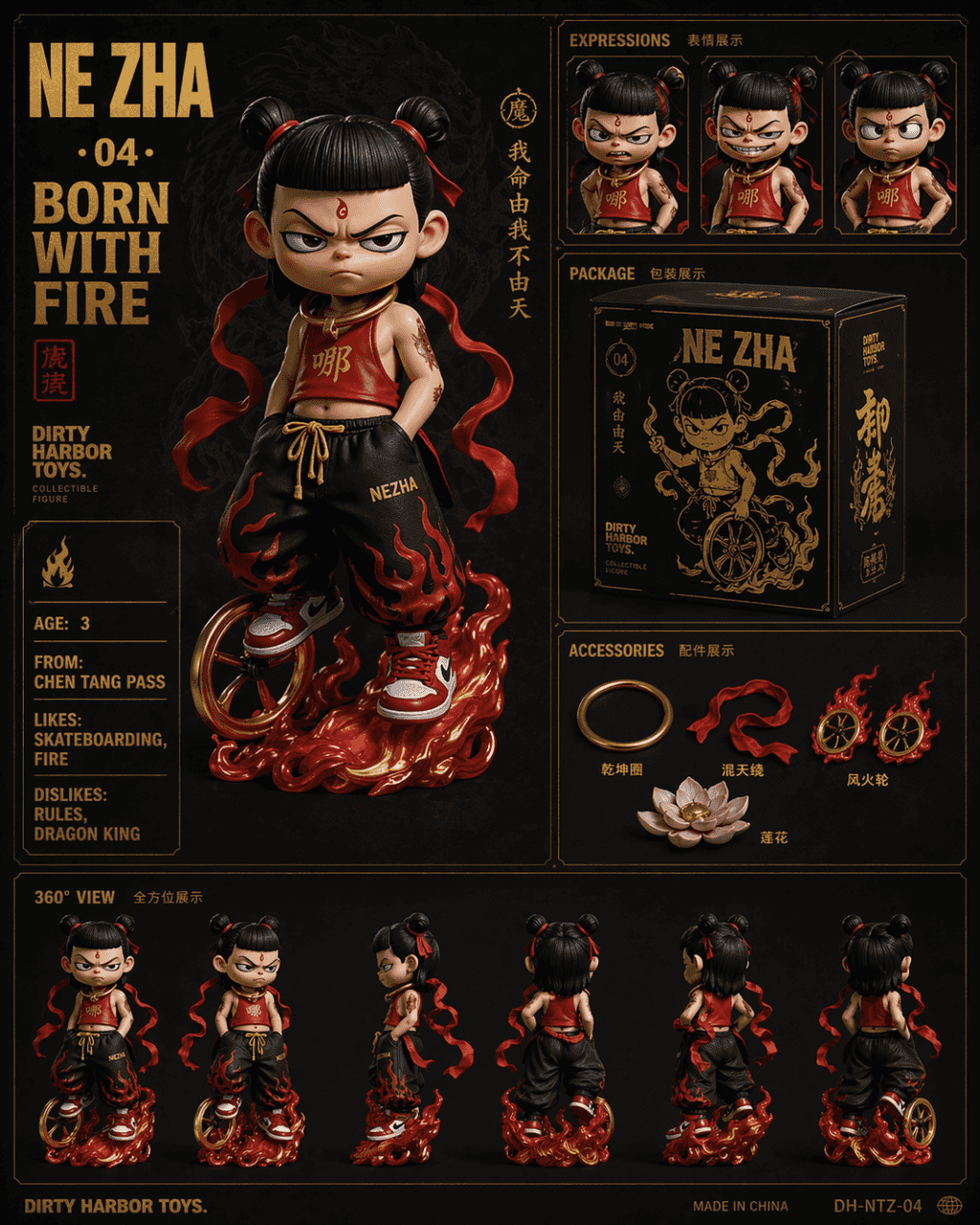
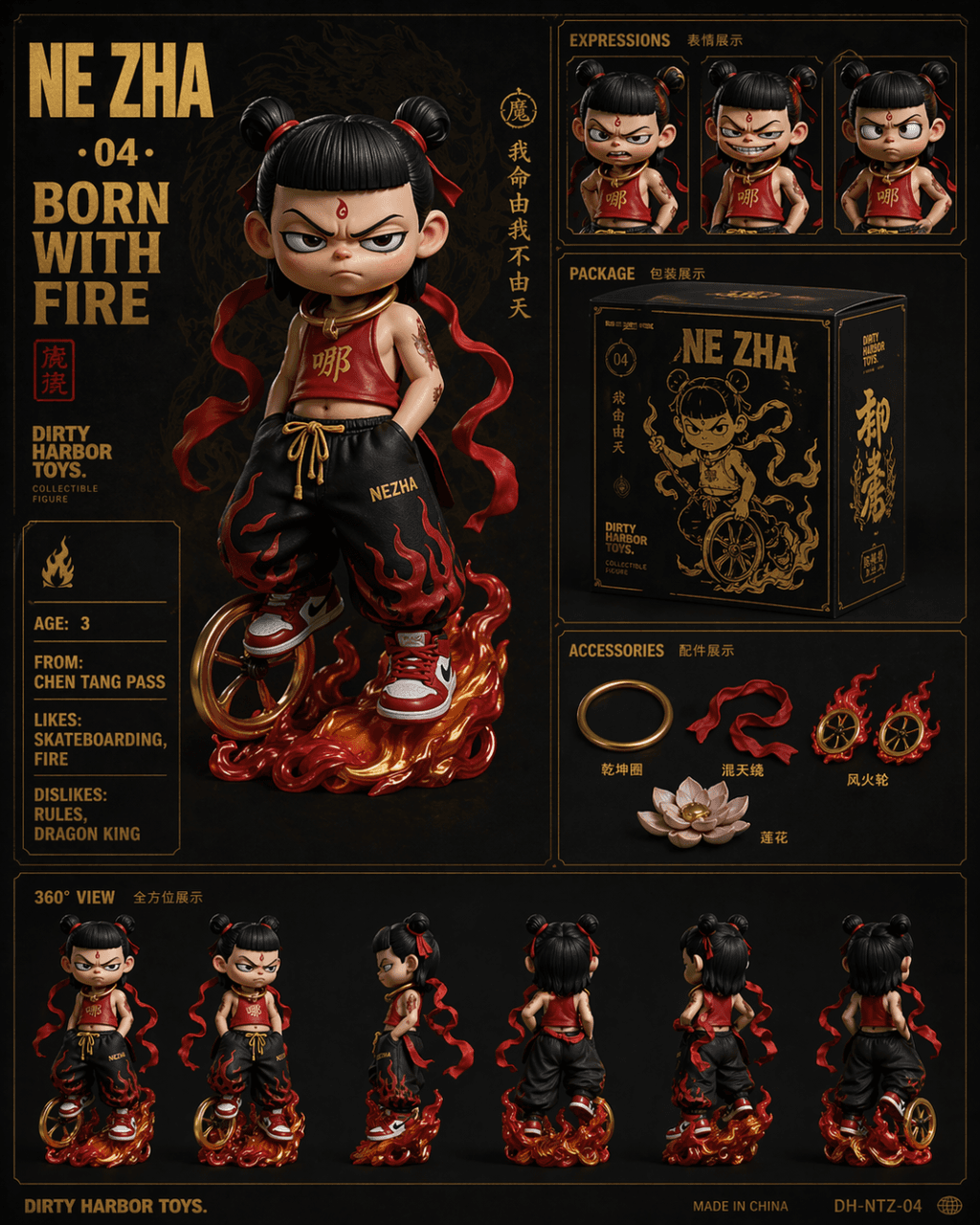
提示词画一张 Dirty Harbor Toys 风格的国潮潮玩收藏品六宫格展示图,暗色背景金色烫印文字。主图位置一个哪吒 Q 版潮玩公仔桀骜表情,穿改良版红色肚兜搭配嘻哈宽松裤和红白球鞋,脚下风火轮脖挂乾坤圈。右上三联表情特写(怒、笑、叉腰)。中间是黑金配色产品包装盒设计。右下是配件展示包括乾坤圈、混天绫、风火轮、莲花。底部一排 360 度转身视角。左上大字「NE ZHA · 04 · BORN WITH FIRE」,左侧英文属性卡…

提示词

提示词画一张 Dirty Harbor Toys 风格的国潮潮玩收藏品六宫格展示图,暗色背景金色烫印文字。主图位置一个哪吒 Q 版潮玩公仔桀骜表情,穿改良版红色肚兜搭配嘻哈宽松裤和红白球鞋,脚下风火轮脖挂乾坤圈。右上三联表情特写(怒、笑、叉腰)。中间是黑金配色产品包装盒设计。右下是配件展示包括乾坤圈、混天绫、风火轮、莲花。底部一排 360 度转身视角。左上大字「NE ZHA · 04 · BORN WITH FIRE」,左侧英文属性卡「AGE: 3 / FROM: CHEN TANG PASS / LIKES: SKATEBOARDING, FIRE / DISLIKES: RULES, DRAGON KING」。

How to use this prompt

1
Review the full prompt

Read the complete 发布海报 #23 prompt and identify the subject, style, camera, lighting, and composition requirements before generating.

2
Customize variables

Replace bracketed or argument-style placeholders with your product, character, brand, scene, color palette, or aspect ratio requirements.

3
Generate and iterate

Open https://www.gptimagehub.com/zh-CN/generate?promptId=cmogxoye900p1xt5g2ahck373, generate the image, then refine the prompt with more specific subject, text, layout, or negative constraints if needed.

Prompt FAQ

What is the 发布海报 #23 prompt best used for?

This prompt is best used for 产品与电商 images where you want a reusable structure, detailed visual direction, and consistent output quality.

Can I edit the prompt before generating?

Yes. The full prompt text is visible on this page so you can change subjects, product names, colors, composition, camera terms, aspect ratio, and style notes before generation.

Which model should I use with this prompt?

Use the model shown in the prompt metadata as the default starting point. If another image model supports the same aspect ratio and instruction style, you can adapt the prompt and compare results.

其他模板