
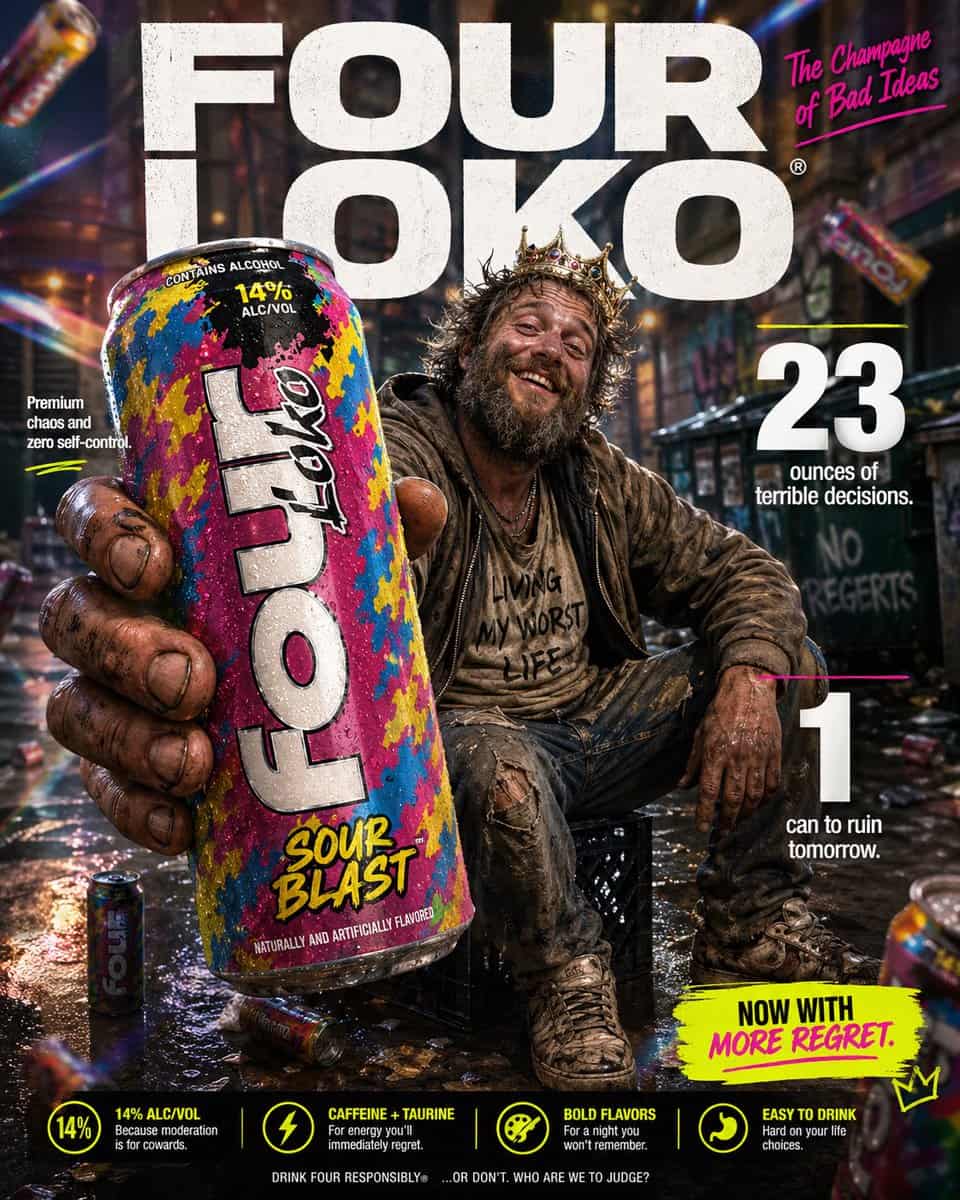
恶搞奢侈品风产品广告
为“{argument name="product" default="Four Loko"}”麦芽饮料制作一张高冲击力的恶搞电商信息图。前景:一个粗糙、饱经风霜的手极近距离拿着一罐高大的、色彩鲜艳的 {argument name="product" default="Four Loko"},朝向镜头展示。罐身微冷,有可见冷凝水珠,包装是喧闹混乱的口味设计。手和罐子带有轻微微距镜头景深模糊,但罐子仍然清晰可读,是画面的英雄产品。中心主…
提示词
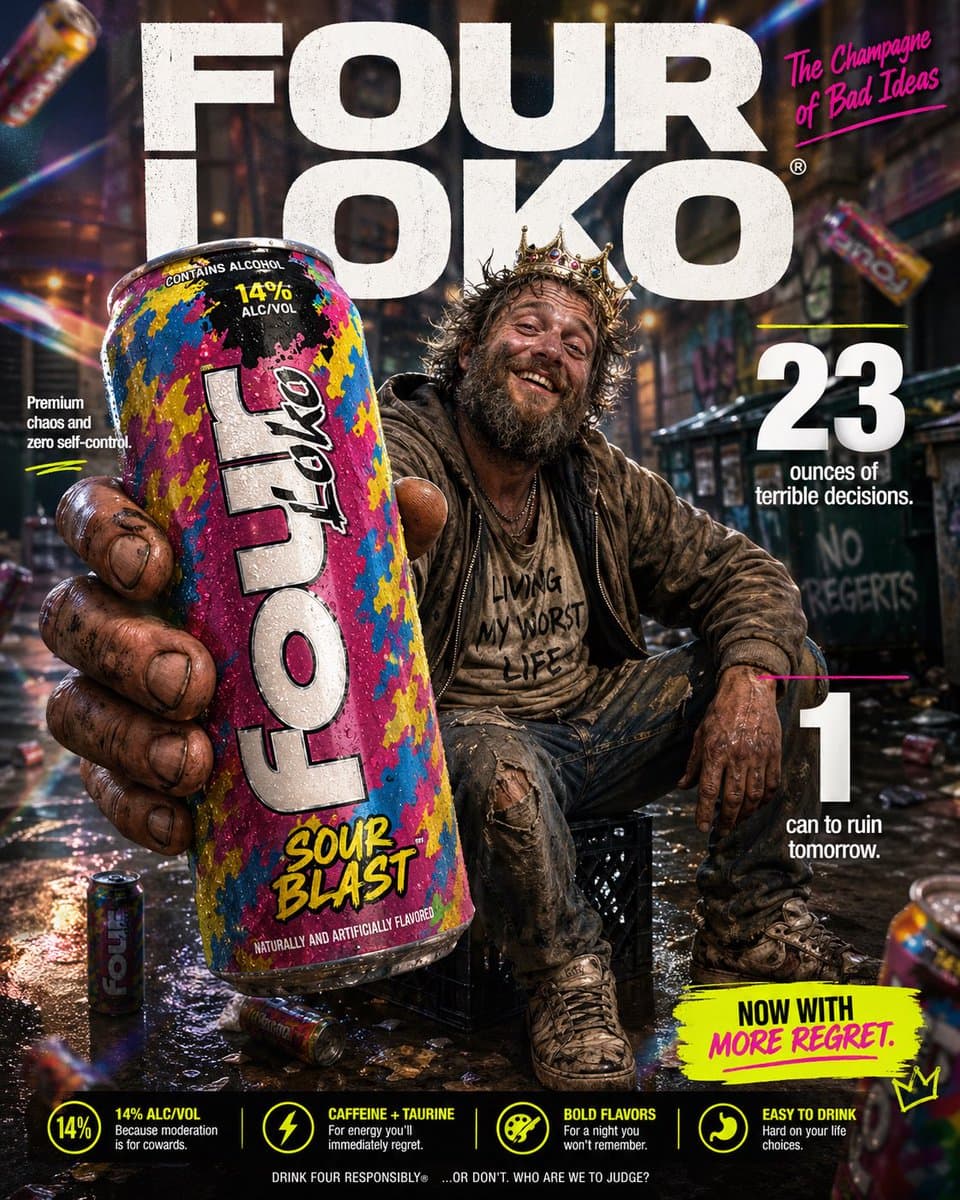
为“{argument name="product" default="Four Loko"}”麦芽饮料制作一张高冲击力的恶搞电商信息图。前景:一个粗糙、饱经风霜的手极近距离拿着一罐高大的、色彩鲜艳的 {argument name="product" default="Four Loko"},朝向镜头展示。罐身微冷,有可见冷凝水珠,包装是喧闹混乱的口味设计。手和罐子带有轻微微距镜头景深模糊,但罐子仍然清晰可读,是画面的英雄产品。中心主体:中景中,一个搞笑、邋遢的 {argument name="subject" default="看起来像无家可归者的男人"} 随意坐在城市小巷里的牛奶箱上。他有乱糟糟的胡子、凌乱头发、叠穿的破旧衣物,以及非常淡定的大笑容。他应该看起来混乱但又莫名有魅力,像糟糕决定的意外之王。姿势像自信的生活方式广告模特,骄傲地展示这罐饮料。背景与灯光:把过度精致的广告风背景和脏乱城市小巷场景荒诞混合。远处有柔焦城市纹理、垃圾箱形状、涂鸦暗示和散落杂物。加入戏剧化影棚灯光、柔和辉光、彩虹棱镜光斑和细微漏光,让整张图看起来对这个题材来说高级得离谱。背景中可以有几罐模糊的 {argument name="product" default="Four Loko"} 罐子艺术化漂浮,强化荒诞感。字体与版式(粗体无衬线,白色和霓虹点缀):顶部中央(背景):巨大的粗体文字“{argument name="brand name" default="FOUR LOKO"}”,放在主体身后。右上:粗体文字“The Champagne of Bad Ideas”。中左:“Premium chaos and zero self-control”。中右:巨大粗体“23”,旁边文字“ounces of terrible decisions.”。右下:巨大粗体“1”,旁边文字“can to ruin tomorrow.”。底部附近可选小号标注文案:“Now with more regret.”。风格:超细节 8k 恶搞商业摄影,罐子锐利对焦,浅景深,鲜艳俗气的色彩方案,干净广告构图,夸张高级产品广告美学,精致品牌视觉和狼狈主体之间形成搞笑反差。
如何使用此提示
在生成之前阅读完整的 恶搞奢侈品风产品广告 提示并确定主题、风格、相机、灯光和构图要求。
将括号或参数式占位符替换为您的产品、角色、品牌、场景、调色板或宽高比要求。
打开 https://www.gptimagehub.com/zh-CN/generate?promptId=cmogx21g800clzpdyvliz4lqd,生成图像,然后根据需要使用更具体的主题、文本、布局或负面约束来优化提示。
提示常见问题解答
恶搞奢侈品风产品广告 提示符最适合用来做什么?
此提示最适用于您需要可重用结构、详细视觉方向和一致输出质量的 ui / ux 设计 图像。
我可以在生成之前编辑提示吗?
是的。完整的提示文本在此页面上可见,因此您可以在生成之前更改主题、产品名称、颜色、构图、相机术语、长宽比和样式注释。
出现此提示时我应该使用哪种型号?
使用提示元数据中显示的模型作为默认起点。如果另一个图像模型支持相同的宽高比和指令风格,您可以调整提示并比较结果。