
提示词
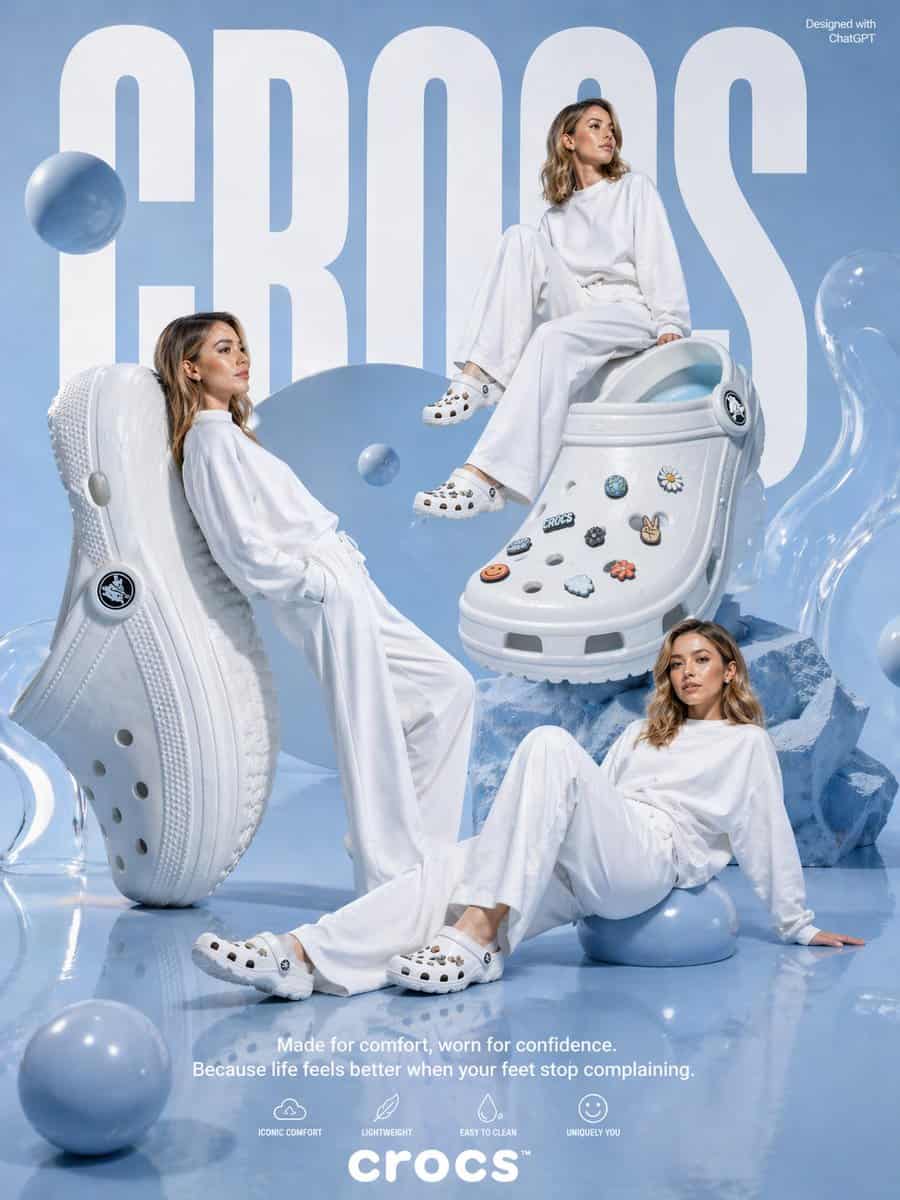
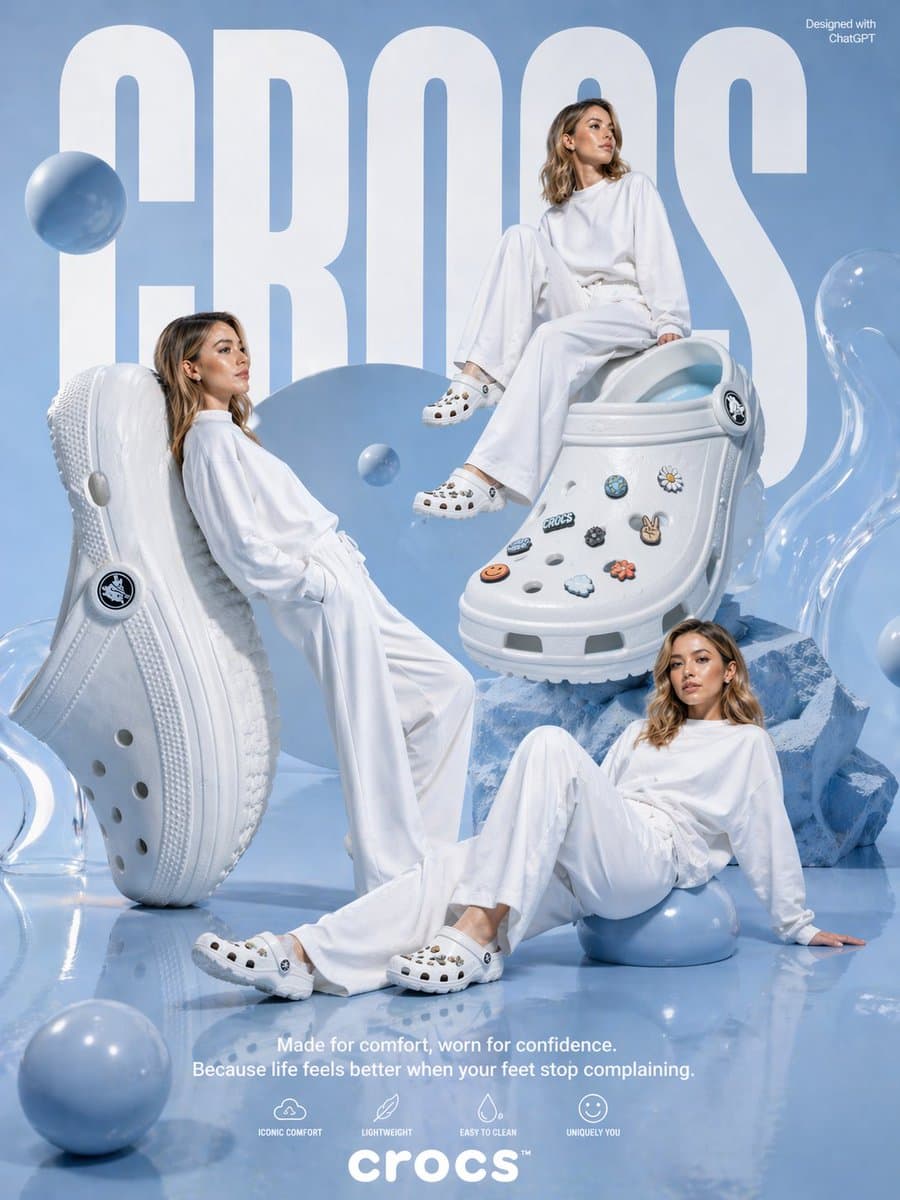
一张为 {argument name="brand name" default="crocs"} 制作的高级影棚广告海报,使用单色粉彩蓝和白色配色,亮面反光地面和柔和天蓝色背景。背景由巨大粗体白色紧缩无衬线字 {argument name="headline text" default="CROCS"} 主导,几乎跨越图像全高。右上角加入小号白色文字“Designed with ChatGPT”。展示 3 位成年女性,肩长浅棕到深金色波浪发,全部穿宽松超大白色长袖上衣和飘逸白色阔腿裤,造型为极简时装模特,表情放松中性。她们的脸有意遮挡或模糊。一个模特倚靠在左侧一只巨大直立白色洞洞鞋上,一个模特随意坐在右上方一只巨大白色洞洞鞋上,一个模特躺坐在右下地面,单臂向后支撑,部分坐在亮面蓝色球体上。包含 2 只超大白色洞洞鞋作为主道具:左侧一只垂直站立,展示鞋底和侧面轮廓;中右一只斜放在蓝色晶体块上,展示鞋面和鞋头。两只鞋都是经典泡沫一脚蹬样式,带透气孔、厚底纹、后跟带和圆形 logo 铆钉。中右鞋面装饰有正好 8 个可见 charms:蓝绿色虹彩圆形 charm、白色黄心雏菊、靠近鞋带的黑白圆形徽章、小“CROCS”文字 charm、深色花朵、和平手势、橙色笑脸、白云和橙色花朵。布景周围散落正好 7 个不同大小的亮面漂浮或落地蓝色球体:左侧模特身后一个大球,中央附近一个中等漂浮球,左下前景一个中等球,右下模特坐着的一个中等球,左上附近一个小球,以及另外 2 个融入构图的蓝色球。最左和最右边缘加入半透明雕塑感凝胶状形体,右侧鞋下方加入棱角蓝色水晶状石块。底部中央放置白色宣传文案,干净无衬线字体:第一行 {argument name="tagline line 1" default="Made for comfort, worn for confidence."},第二行 {argument name="tagline line 2" default="Because life feels better when your feet stop complaining."}。其下展示 4 个极简白色功能图标和标签:“ICONIC COMFORT”、“LIGHTWEIGHT”、“EASY TO CLEAN”、“UNIQUELY YOU”。底部中央放置 {argument name="logo text" default="crocs"} 标志,粗体小写白字,带小商标符号。整体风格应像高级超现实时尚广告,干净编辑光、柔和阴影、亮面纹理、通透构图和现代生活方式产品广告。
如何使用此提示
在生成之前阅读完整的 粉彩蓝 Crocs 时尚广告 提示并确定主题、风格、相机、灯光和构图要求。
将括号或参数式占位符替换为您的产品、角色、品牌、场景、调色板或宽高比要求。
打开 https://www.gptimagehub.com/zh-CN/generate?promptId=cmogx612200fpzpdyliz41eib,生成图像,然后根据需要使用更具体的主题、文本、布局或负面约束来优化提示。
提示常见问题解答
粉彩蓝 Crocs 时尚广告 提示符最适合用来做什么?
此提示最适用于您需要可重用结构、详细视觉方向和一致输出质量的 产品与电商 图像。
我可以在生成之前编辑提示吗?
是的。完整的提示文本在此页面上可见,因此您可以在生成之前更改主题、产品名称、颜色、构图、相机术语、长宽比和样式注释。
出现此提示时我应该使用哪种型号?
使用提示元数据中显示的模型作为默认起点。如果另一个图像模型支持相同的宽高比和指令风格,您可以调整提示并比较结果。