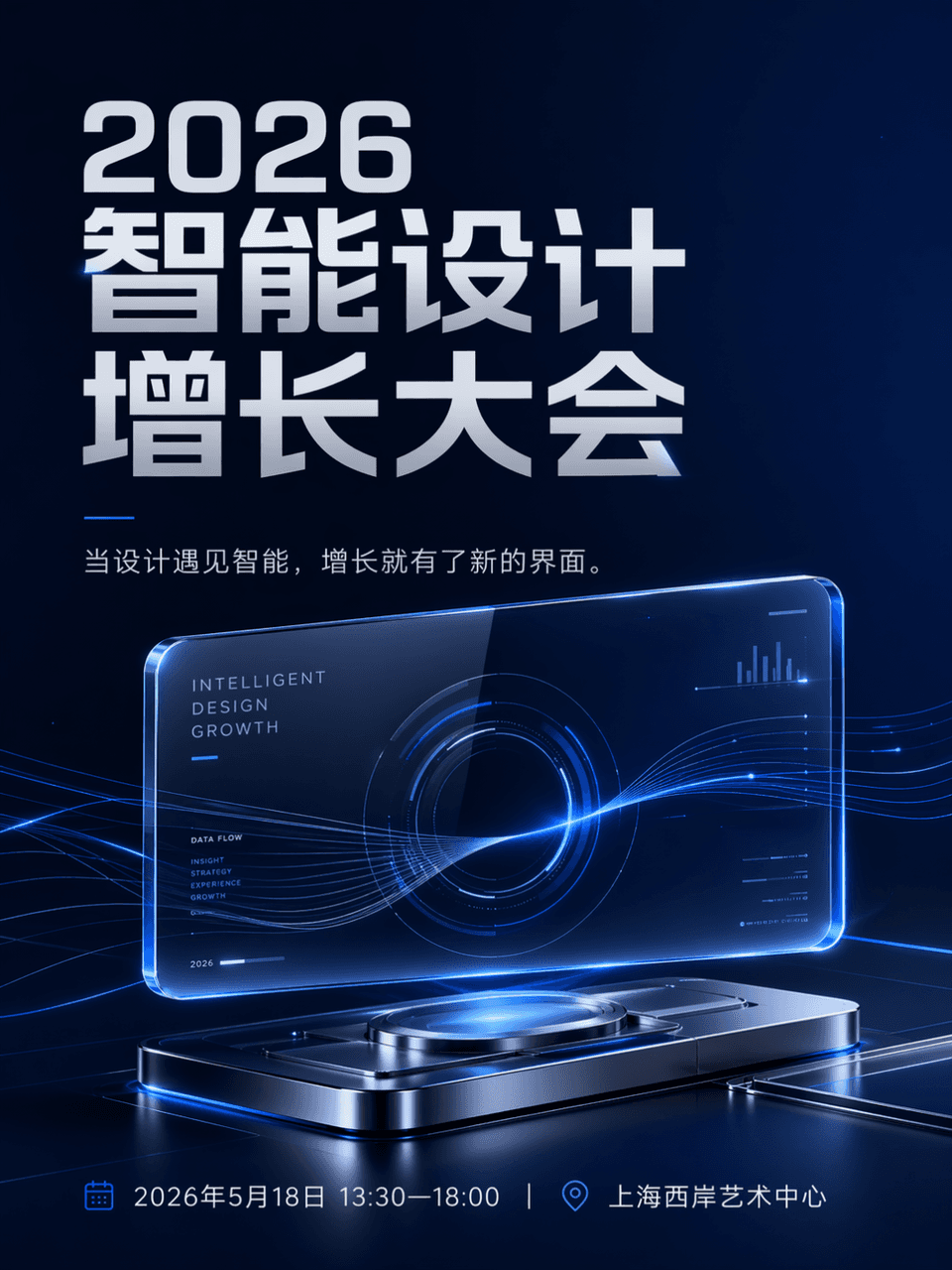
Event communication poster
Generates a futuristic tech conference poster with a glowing glass interface, ideal for digital event announcements, invitations, and social media posts.
Prompt
The frame size is 3:4, and the event poster is generated. The event name is 2026 Intelligent Design Growth Conference, time and place: May 18, 2026, 13:30-18:00|Shanghai West Bund Art Center. The hierarchy is clear, the activity name is the largest, and the side information is clear and orderly. The main body is a suspended and luminous transparent glass interface, which is combined with a small number of flowing data lines and metal reflective devices to form a futuristic visual center. The copy is When design meets intelligence, growth has a new interface. The style is technological, and overall suitable for public accounts and social media communication. The color control is dark blue, silver gray, and electric blue. The composition is clean, the white space is sufficient, and the information layout is orderly. It is like the main visual of a mature technology brand’s annual event. There is no cheap conference background or cluttered light effects.
Prompt details
- Category
- Poster & Illustration
- Model
- GPT IMAGE 2
- Cost per image
- 1K: 43 credits · 2K: 86 credits · 4K: 143 credits
- Aspect ratio
- 1:1
- Added
- Updated