
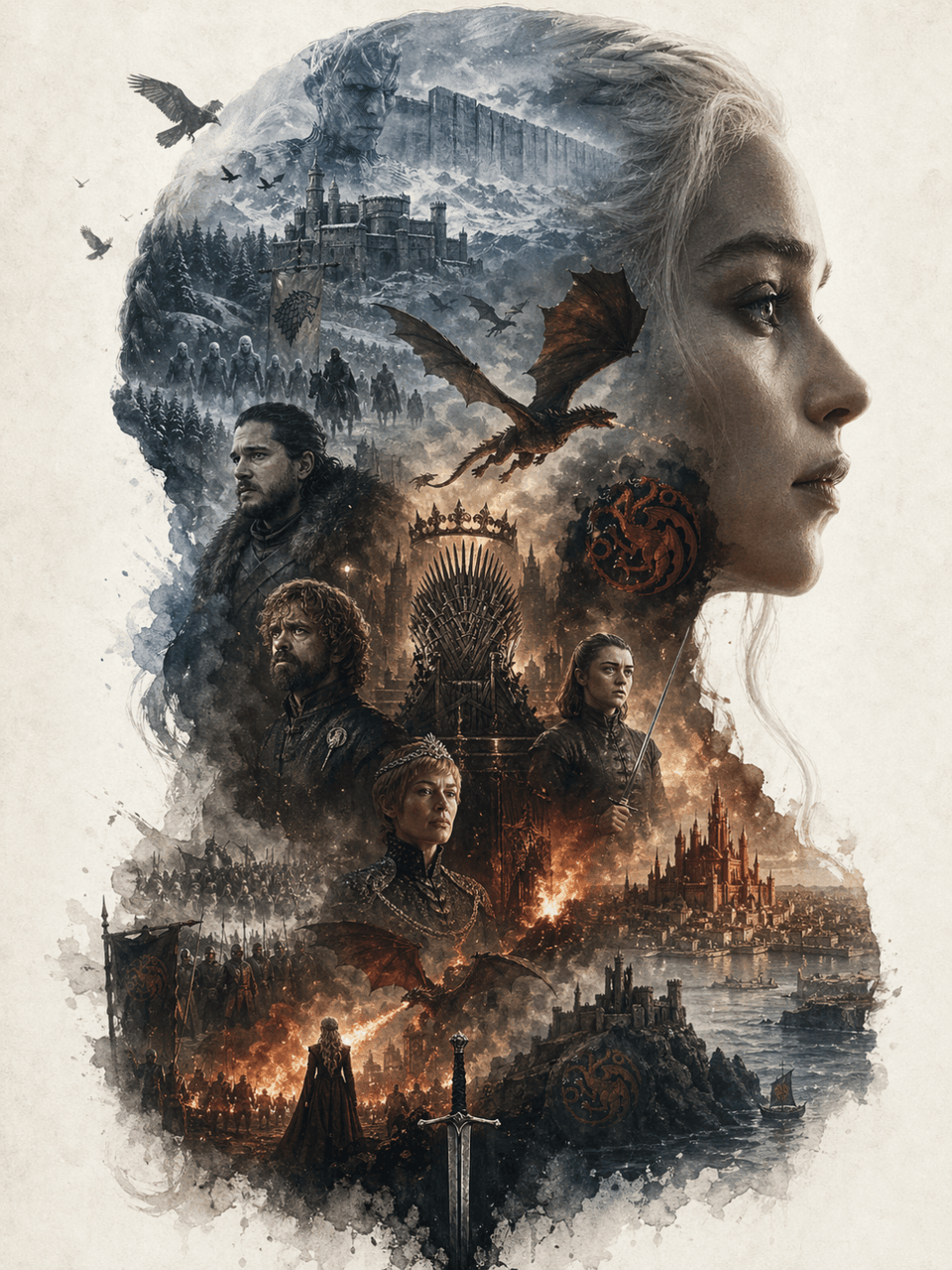
Profile silhouette world view poster
Generates a double-exposure silhouette poster filled with world-building scenes and characters, ideal for cinematic wall art and fantasy book covers.
Prompt
The frame size is 3:4, creating a collectible epic narrative poster around the Game of Thrones. The huge side profile of Daenerys Targaryen is used as the main outer outline, and the inside of the silhouette extends a complete world view: representative scenes, key characters, symbols, buildings, creatures, props, and atmosphere clues. Not an ordinary collage, but an advanced outline-fill narrative composition. Double exposure association, movie poster + dreamy watercolor texture, air perspective, light fog transition, paper particles, white edges, large area of blank space, quiet, grand, sacred, nostalgic, poetic. The elements must be strongly bound to the theme, clearly identifiable, and the overall design must have a collectible, epic, and artistic giclée poster quality.
Prompt details
- Category
- Poster & Illustration
- Model
- GPT IMAGE 2
- Cost per image
- 1K: 43 credits · 2K: 86 credits · 4K: 143 credits
- Aspect ratio
- 1:1
- Added
- Updated