
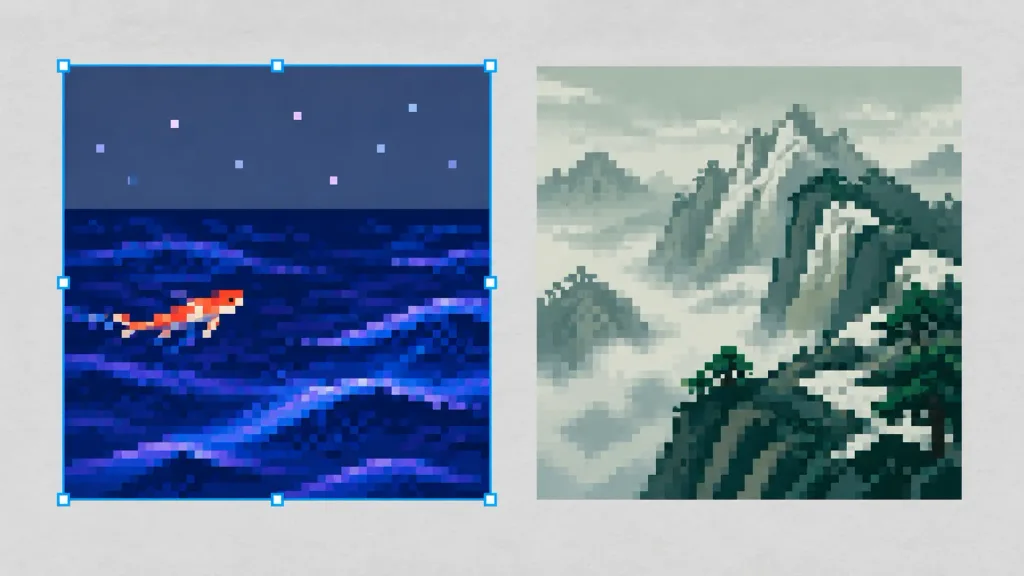
Pixel Art Editor Canvas Comparison
Generates a side-by-side design canvas view comparing two 16-bit pixel art scenes with an active selection box. Customize the scene themes, fish color, and selection highlight to fit your project.
Prompt
A horizontal design canvas workspace with a light gray textured background, presenting exactly two square pixel-art panels side by side with a narrow vertical gap between them. Left panel: A [night ocean] scene featuring a small [orange-red] koi fish swimming left to center through deep indigo and navy water with layered wave streaks in violet, periwinkle, and electric blue. The upper third displays a muted blue-gray night sky with eight tiny square pixel stars in pastel lavender, pink, and blue. The left panel is actively selected with a thin [bright cyan] editor selection outline and small square corner and edge handles. Right panel: A [misty green-gray mountains] landscape showing jagged cliff faces with dark teal outlines, angular snowy planes, a winding dark rocky ridge, and pale foggy atmosphere in desaturated sage, gray, and dark forest-green. Style: Authentic 16-bit retro pixel art with [large crisp square pixels], stepped pixel dithering, zero antialiasing, and limited color palettes. Constraints: Exactly two image panels, canvas workspace view with editor selection outline on the left panel only, no text, UI menus, or watermarks.
What you can customize
Swap these parts of the prompt for your own subject or wording before you generate.
[night ocean]placeholder[orange-red]placeholder[bright cyan]placeholder[misty green-gray mountains]placeholder[large crisp square pixels]placeholder
Prompt details
- Category
- Game Asset
- Model
- Seedream 4.0
- Cost per image
- 25 credits (1K–4K)
- Aspect ratio
- 16:9
- Added