
Portrait & Photography
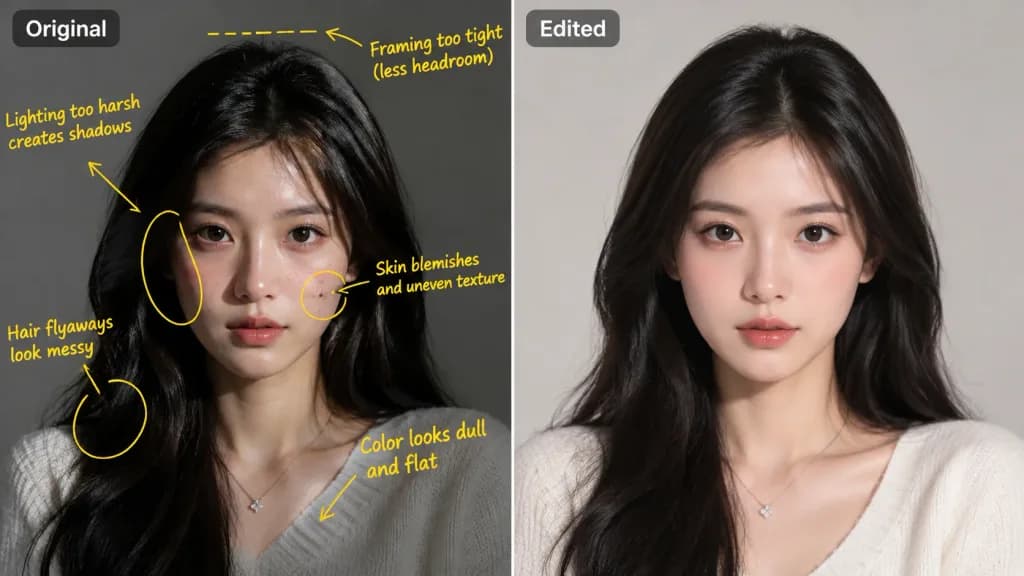
Photo Retouching Workflow Split Comparison
Generates a side-by-side comparison showing markup notes on the original image and the final retouched portrait. Swap the markup color or portrait style to customize.
photo editingretouchingbefore and afterportraitsplit screenmarkup
Prompt
Side-by-side comparison of photo editing workflow based on the reference photo: On the left, the original portrait marked up with handwritten [yellow marker] arrows, circles, and handwritten critique notes detailing flaws in lighting, framing, and blemishes. On the right, the polished, professional edited version resolving all noted critiques with clean skin retouching, balanced natural studio lighting, and color grading. Clean split-screen presentation.
What you can customize
Swap these parts of the prompt for your own subject or wording before you generate.
[yellow marker]placeholder
Prompt details
- Category
- Portrait & Photography
- Model
- GPT IMAGE 2.5 Sunburst
- Cost per image
- 1K: 11 credits · 2K: 22 credits · 4K: 36 credits
- Aspect ratio
- 16:9
- Added