
“The Economics of a Breakfast Stall”
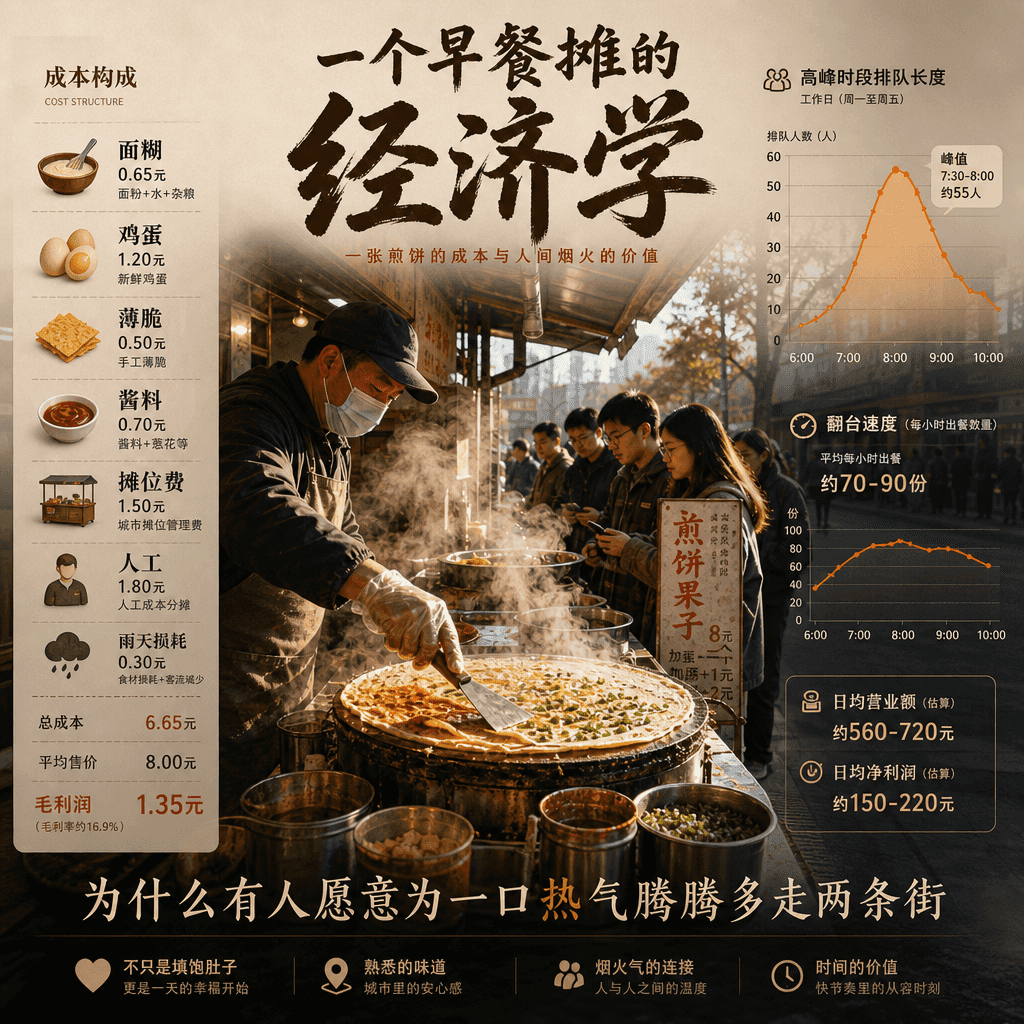
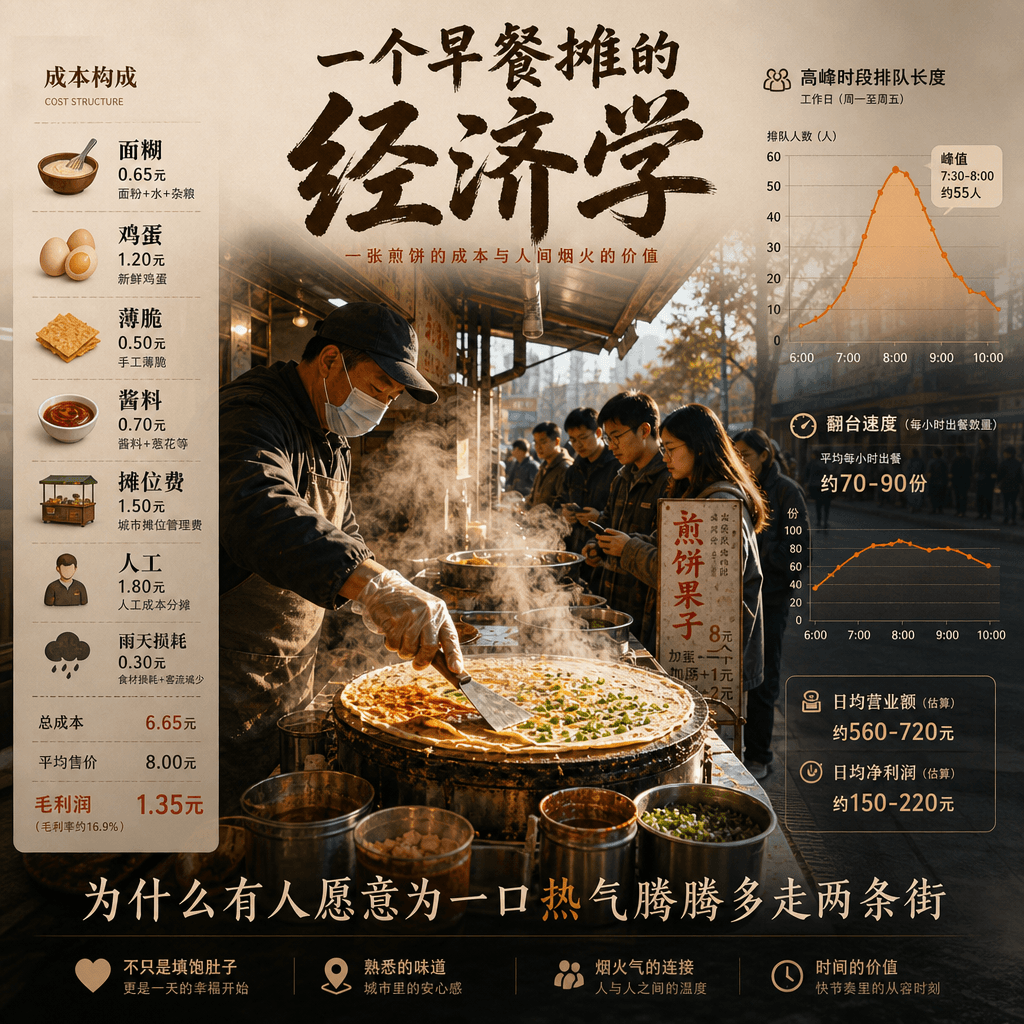
"The Economics of a Breakfast Stall" is an infographic poster combined with street photography. The center of the picture is a perspective view of a steaming pancake stall. The cost components are listed on the left: ba…
Prompt
"The Economics of a Breakfast Stall" is an infographic poster combined with street photography. The center of the picture is a perspective view of a steaming pancake stall. The cost components are listed on the left: batter, eggs, crackers, sauces, stall fees, labor, and rainy weather losses. The right side is the curve of queue length and table turnover speed during peak hours. At the bottom is written "Why are some people willing to walk two more streets for a hot mouthful of steam?" The whole thing is both down-to-earth and highly designed, with a ratio of 4:5.
How to use this prompt
Read the complete “The Economics of a Breakfast Stall” prompt and identify the subject, style, camera, lighting, and composition requirements before generating.
Replace bracketed or argument-style placeholders with your product, character, brand, scene, color palette, or aspect ratio requirements.
Open https://www.gptimagehub.com/generate?promptId=cmogxkq3800ipxt5gy50b7ukp, generate the image, then refine the prompt with more specific subject, text, layout, or negative constraints if needed.
Prompt FAQ
What is the “The Economics of a Breakfast Stall” prompt best used for?
This prompt is best used for other images where you want a reusable structure, detailed visual direction, and consistent output quality.
Can I edit the prompt before generating?
Yes. The full prompt text is visible on this page so you can change subjects, product names, colors, composition, camera terms, aspect ratio, and style notes before generation.
Which model should I use with this prompt?
Use the model shown in the prompt metadata as the default starting point. If another image model supports the same aspect ratio and instruction style, you can adapt the prompt and compare results.