
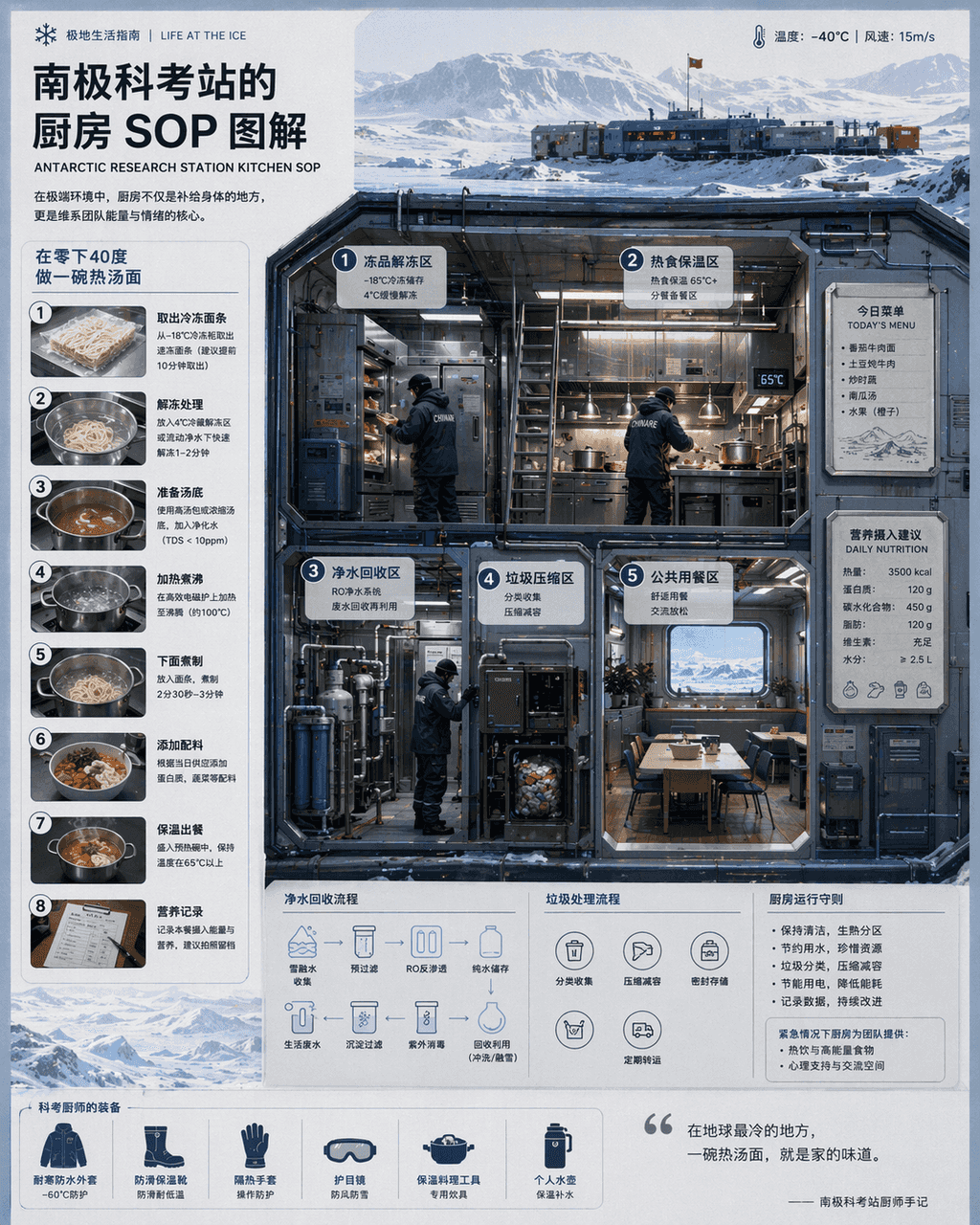
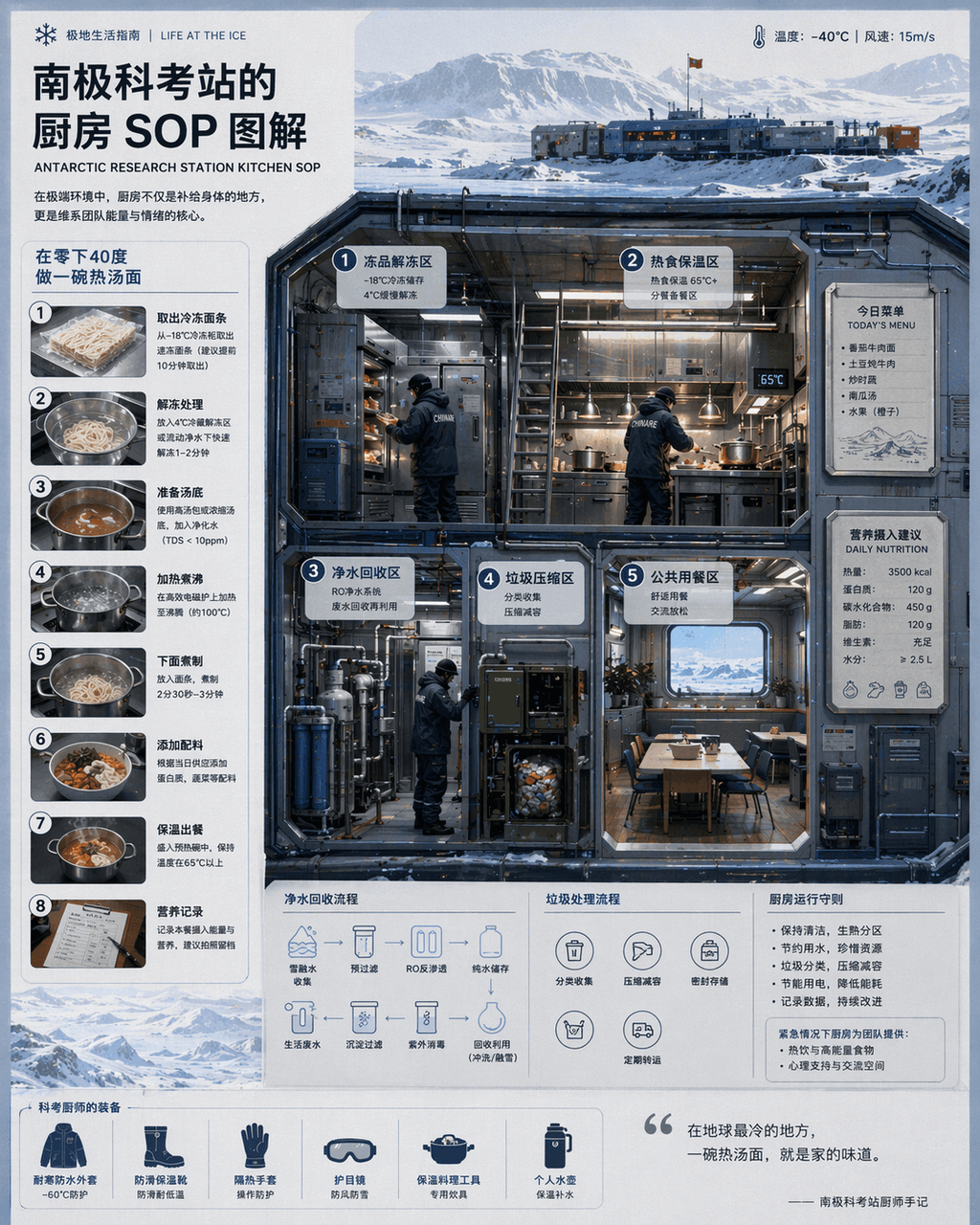
Kitchen SOP diagram at Antarctic research station
“Kitchen SOP at Antarctic Research Station "Illustration" combines scientific illustrations with catering flow charts. The main screen is a cross-section of a cold-resistant kitchen, with partitions indicating thawing o…
Prompt
“Kitchen SOP at Antarctic Research Station "Illustration" combines scientific illustrations with catering flow charts. The main screen is a cross-section of a cold-resistant kitchen, with partitions indicating thawing of frozen products, hot food insulation, purified water recycling, garbage compression, and public dining areas. The chef wears a heavy scientific examination uniform. There is a magnetically attached today's menu and nutritional intake recommendations on the wall. A numbered step-by-step diagram on the left explains "making a bowl of hot noodle soup at minus 40 degrees." The visual style is clean and professional, and the information density is high, like a National Geographic special issue insert, with a ratio of 4:5.
How to use this prompt
Read the complete Kitchen SOP diagram at Antarctic research station prompt and identify the subject, style, camera, lighting, and composition requirements before generating.
Replace bracketed or argument-style placeholders with your product, character, brand, scene, color palette, or aspect ratio requirements.
Open https://www.gptimagehub.com/generate?promptId=cmogxj64800h7xt5go4eujdnb, generate the image, then refine the prompt with more specific subject, text, layout, or negative constraints if needed.
Prompt FAQ
What is the Kitchen SOP diagram at Antarctic research station prompt best used for?
This prompt is best used for infographic / education images where you want a reusable structure, detailed visual direction, and consistent output quality.
Can I edit the prompt before generating?
Yes. The full prompt text is visible on this page so you can change subjects, product names, colors, composition, camera terms, aspect ratio, and style notes before generation.
Which model should I use with this prompt?
Use the model shown in the prompt metadata as the default starting point. If another image model supports the same aspect ratio and instruction style, you can adapt the prompt and compare results.