
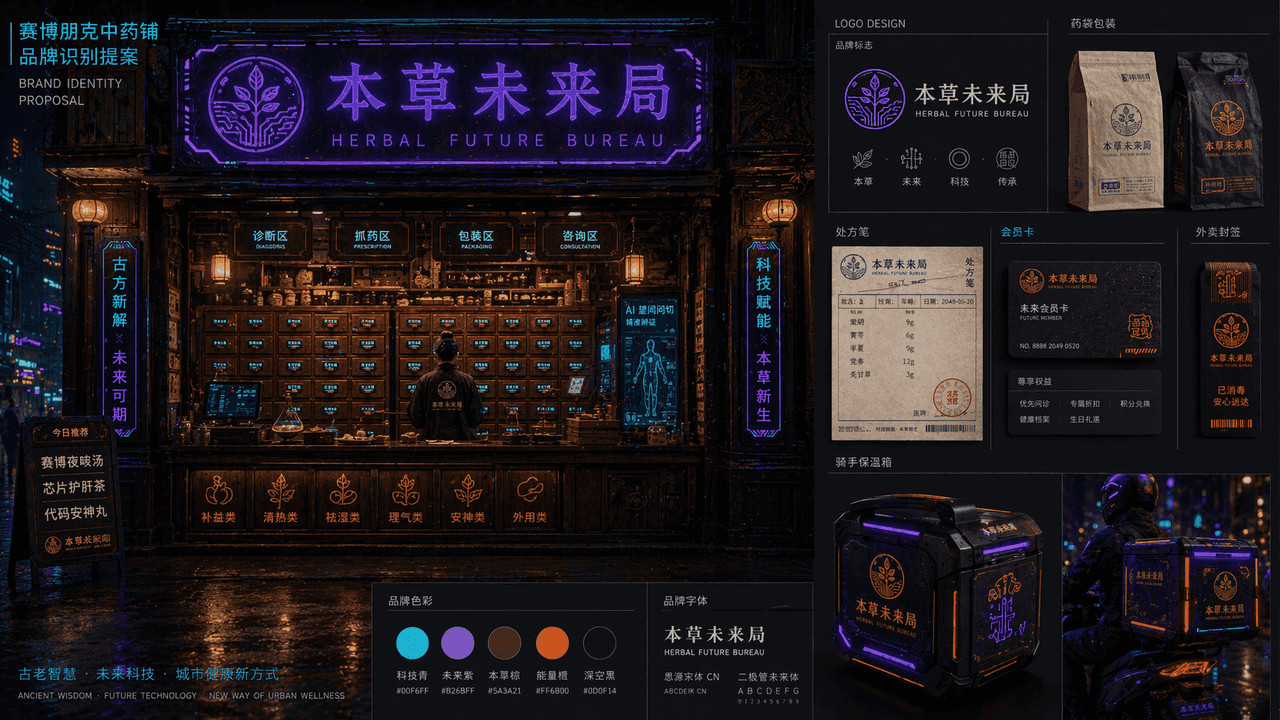
Cyberpunk Chinese Medicine Shop Brand Identity Proposal
"Cyberpunk Chinese Medicine Shop Brand Identification Proposal" combines the traditional medicine cabinet space with the future urban visual system. The main picture is a night view of the front facade of the medicine s…
Prompt
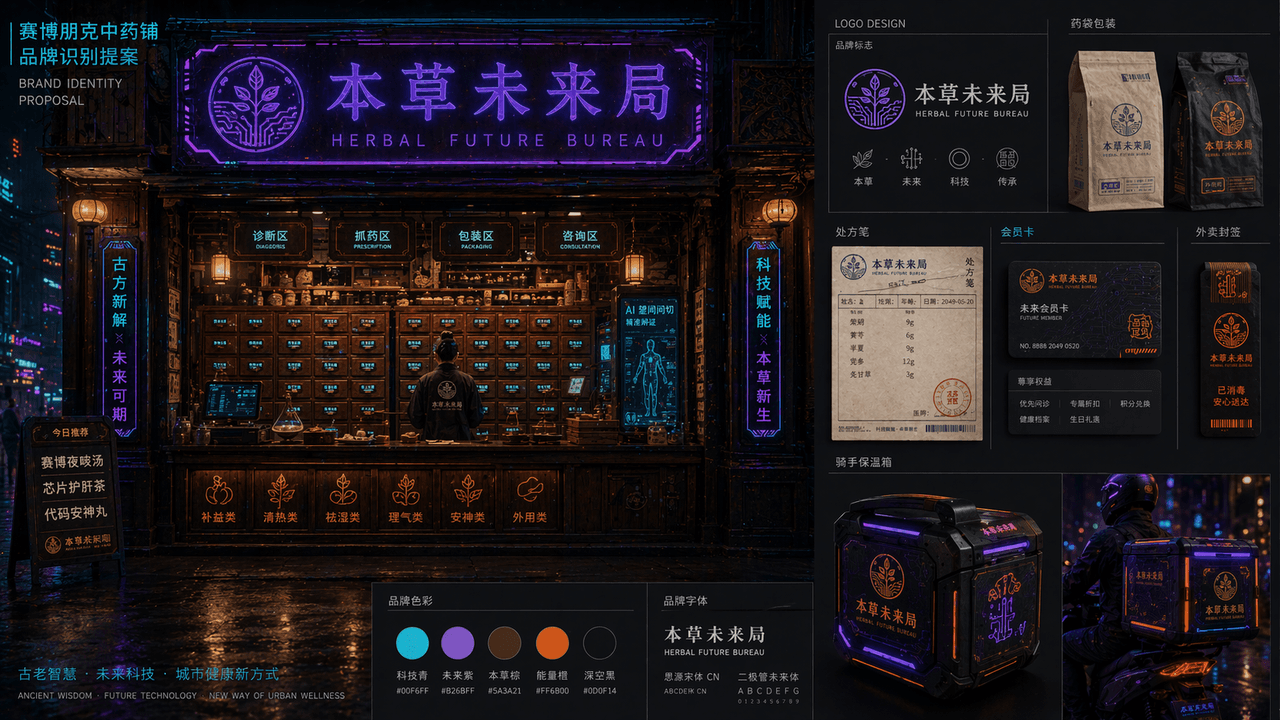
"Cyberpunk Chinese Medicine Shop Brand Identification Proposal" combines the traditional medicine cabinet space with the future urban visual system. The main picture is a night view of the front facade of the medicine shop. Electronic labels are embedded in the wooden medicine cabinet drawers. The neon sign reads "Future Bureau of Materia Medica" and the brand is expanded on the right. The logo, medicine bag packaging, prescription note, membership card, takeout seal and rider incubator design are mainly in blue-purple neon, dark wood brown, and fluorescent orange. The layout is like the homepage of a professional brand proposal booklet, with a combination of oriental old objects and high-tech urban night colors, with a ratio of 16:9.
How to use this prompt
Read the complete Cyberpunk Chinese Medicine Shop Brand Identity Proposal prompt and identify the subject, style, camera, lighting, and composition requirements before generating.
Replace bracketed or argument-style placeholders with your product, character, brand, scene, color palette, or aspect ratio requirements.
Open https://www.gptimagehub.com/generate?promptId=cmogxill700gvxt5gdt7atof4, generate the image, then refine the prompt with more specific subject, text, layout, or negative constraints if needed.
Prompt FAQ
What is the Cyberpunk Chinese Medicine Shop Brand Identity Proposal prompt best used for?
This prompt is best used for logo & branding images where you want a reusable structure, detailed visual direction, and consistent output quality.
Can I edit the prompt before generating?
Yes. The full prompt text is visible on this page so you can change subjects, product names, colors, composition, camera terms, aspect ratio, and style notes before generation.
Which model should I use with this prompt?
Use the model shown in the prompt metadata as the default starting point. If another image model supports the same aspect ratio and instruction style, you can adapt the prompt and compare results.