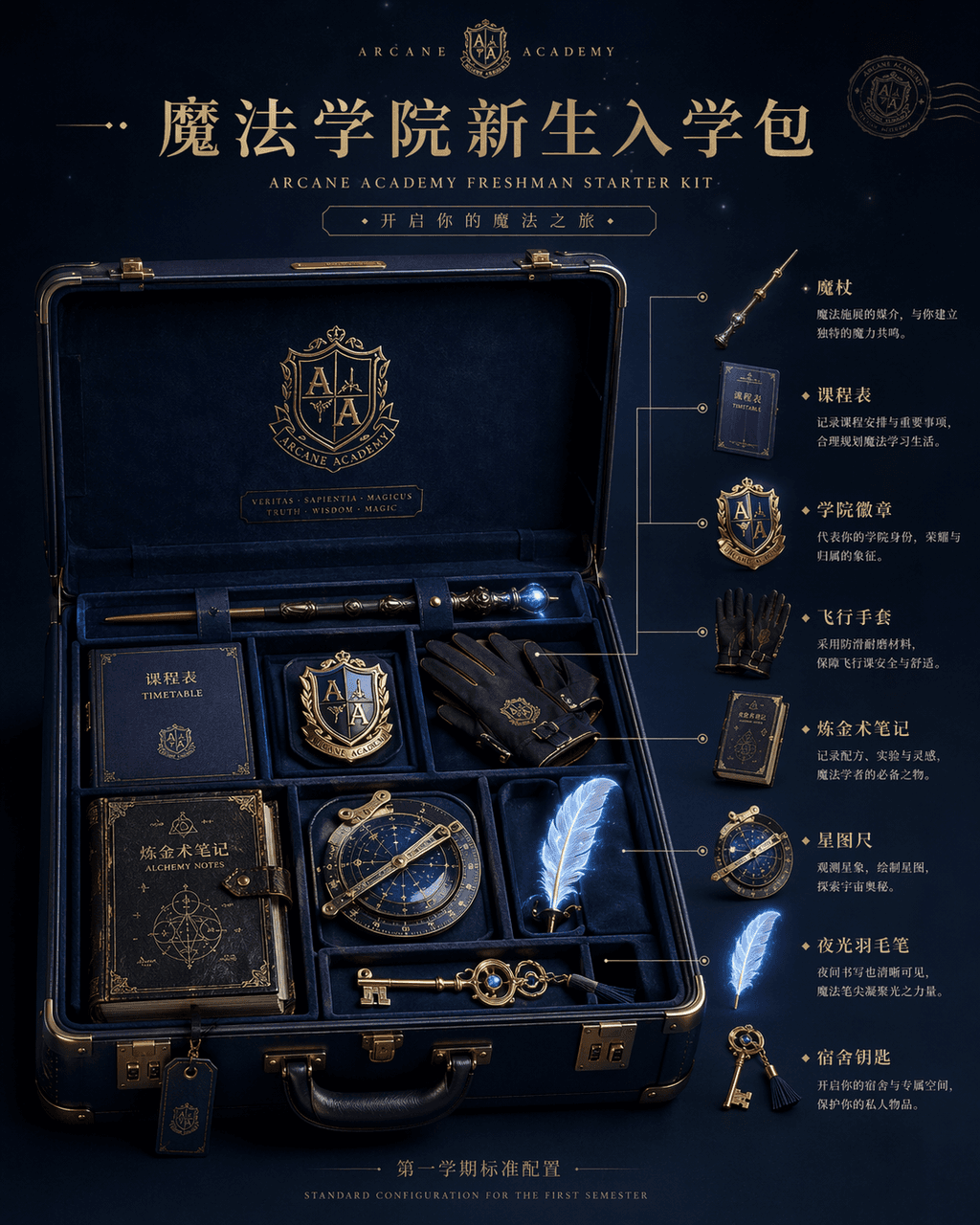
School of Magic Freshman Admission Pack
Create a detailed e-commerce product layout featuring a magic academy starter kit in a vintage suitcase, ideal for fantasy merchandise ads and posters.
Prompt
"Magic Academy Freshman Admission Pack" product display picture, the main image of the e-commerce is integrated with the fantasy world view setting. The center of the picture is an open dark blue hard-shell suitcase, inside which are neatly arranged a wand, curriculum, academy badge, flying gloves, alchemy notes, star ruler, luminous quill, and The home key, on the right side is the exploded diagram annotation and usage description of each item. The title at the top is like a high-end brand new product release page, and the small letters at the bottom read "Standard Configuration for the First Semester". The light is studio-level soft light, but the object has a faint magic glow. The material is rich in details, like a luxury travel brand and magic. IP co-branded materials, ratio 4:5.
What you can customize
Swap these parts of the prompt for your own subject or wording before you generate.
“Magic Academy Freshman Admission Pack”quoted wording“Standard Configuration for the First Semester”quoted wording
Prompt details
- Category
- Product & E-commerce
- Model
- GPT IMAGE 2
- Cost per image
- 1K: 43 credits · 2K: 86 credits · 4K: 143 credits
- Aspect ratio
- 1:1
- Added
- Updated