
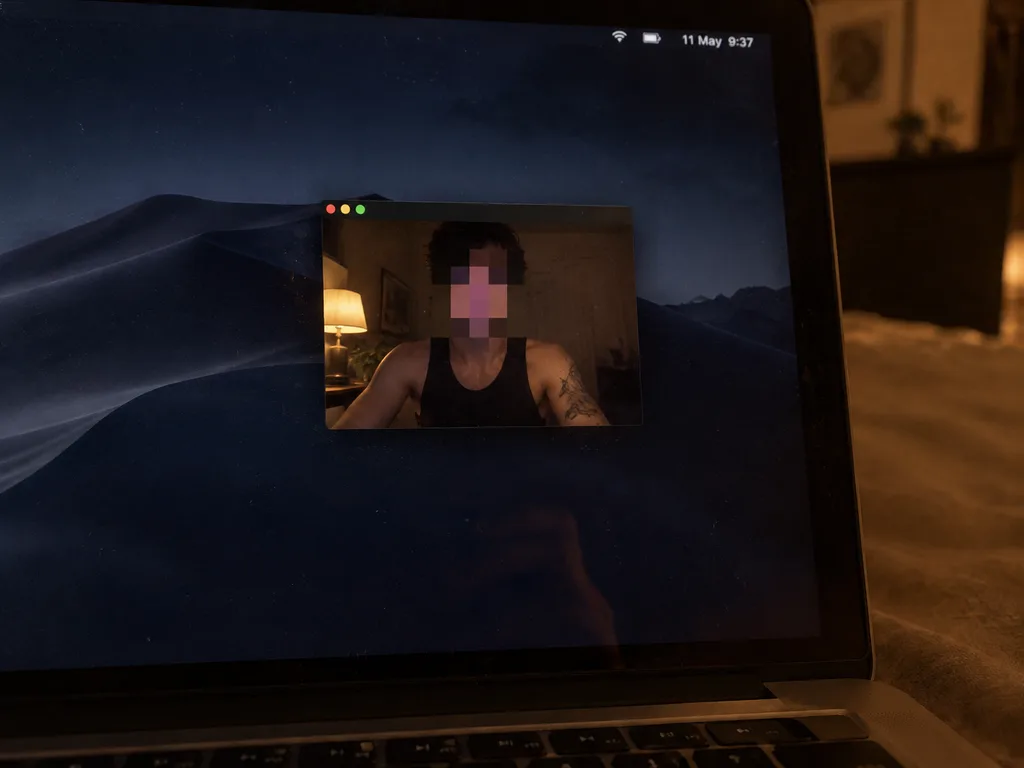
Low-Light Mac Screen Webcam Shot
Generates a realistic low-light phone capture of a Mac screen with a centered webcam preview and blurred face. Customize the subject's clothing and the displayed menu bar clock.
Prompt
Using the reference photo as the base, regenerate it as a realistic low-light phone photo of the same laptop screen. Keep the concept of a Mac desktop with a floating webcam window and the anonymized pixelated square blur over the face. Crop in closer so the right side of the screen and laptop bezel dominate the composition, with the edge of the keyboard visible at the bottom and the macOS dock completely removed. Change the desktop wallpaper to a dark macOS desert-at-night scene. Make the webcam window smaller and centered, featuring only the three macOS traffic-light buttons on the top left without any title text. Inside the webcam feed, retain the same person wearing [a black sleeveless tank top], showing more shoulders, upper arms, and a visible tattoo on the right upper arm; reposition a warm desk lamp so it is visible on the left side of the webcam frame. The minimal top menu bar displays [11 May 9:37]. Preserve candid handheld camera perspective, warm ambient room lighting, subtle screen dust, faint glass reflections, and natural photo imperfections, avoiding extra UI elements or sterile 3D rendering.
What you can customize
Swap these parts of the prompt for your own subject or wording before you generate.
[a black sleeveless tank top]placeholder
Prompt details
- Category
- Other
- Model
- GPT IMAGE 2.5 Flare
- Cost per image
- 1K: 11 credits · 2K: 22 credits · 4K: 36 credits
- Aspect ratio
- 4:3
- Added